
1. Product Overview
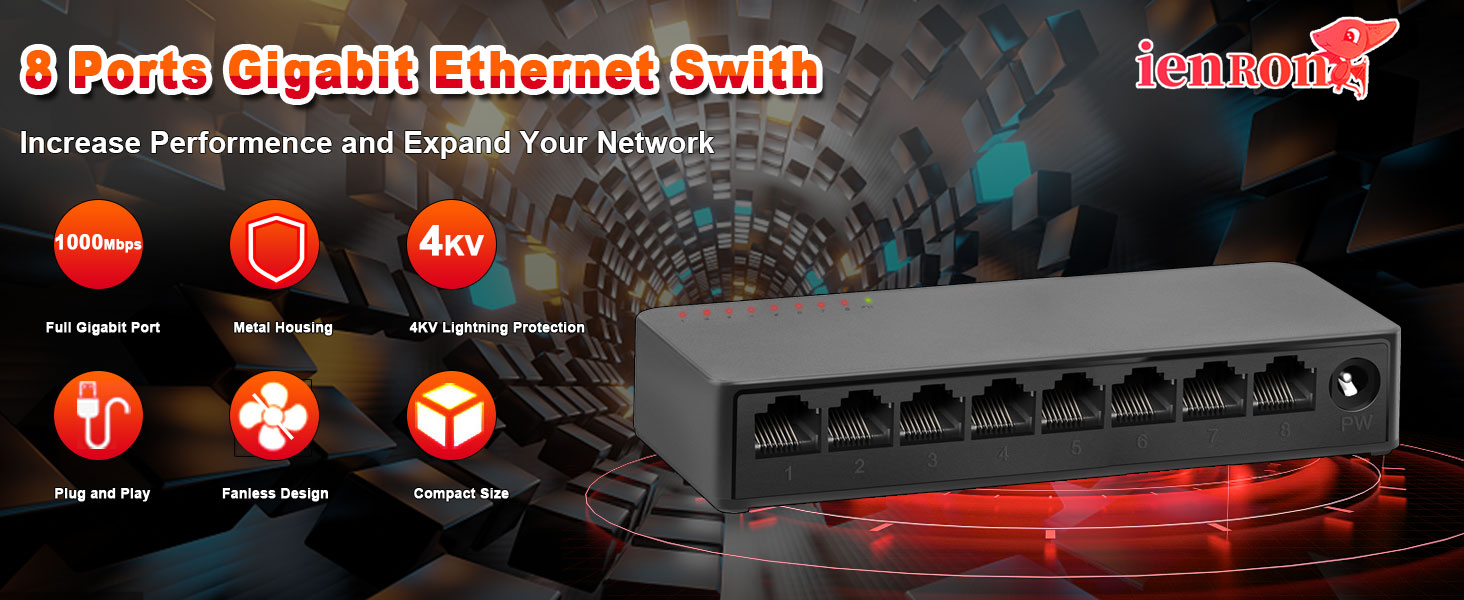
The ienRon 8-Port Gigabit Ethernet Switch is an unmanaged network switch designed to expand your network capacity with high-speed Gigabit connectivity. It features a fanless design for quiet operation, a durable metal shell, and supports both desktop and wall mounting. This switch is ideal for various applications including home networks, small businesses, surveillance systems, and school dormitories.
Key Features
- 1000 Mbps Gigabit Speed: Provides high-speed data transfer for demanding applications.
- Plug & Play Operation: Requires no software installation or configuration.
- Fanless Design: Ensures silent operation, suitable for any environment.
- Durable Metal Casing: Offers enhanced protection and heat dissipation.
- 4KV Lightning Protection: Built-in protection circuit to prevent circuit failure from lightning.
- Desktop or Wall Mount Support: Flexible installation options to suit your space.
- IEEE 802.3X Flow Control: Provides reliable data transfer by preventing packet loss.
2. Setup Instructions
The ienRon 8-Port Gigabit Ethernet Switch is designed for simple plug-and-play installation, requiring no software configuration. Follow these steps to set up your switch:
Step-by-Step Installation
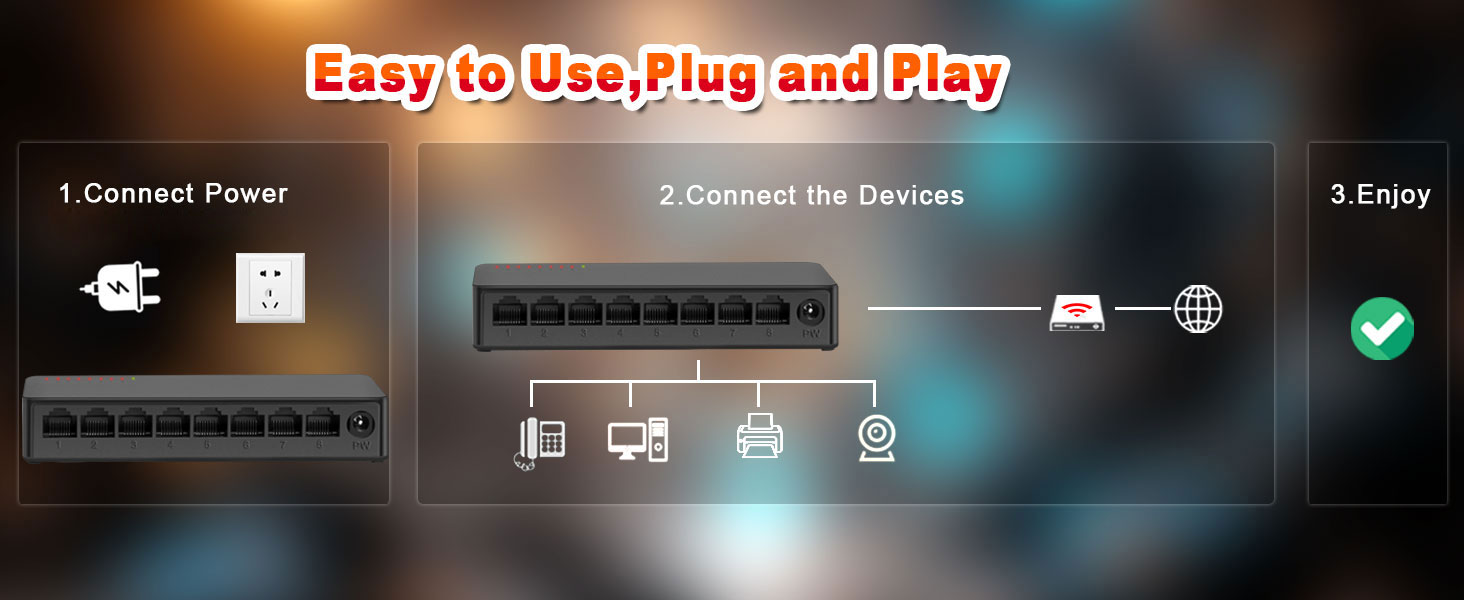
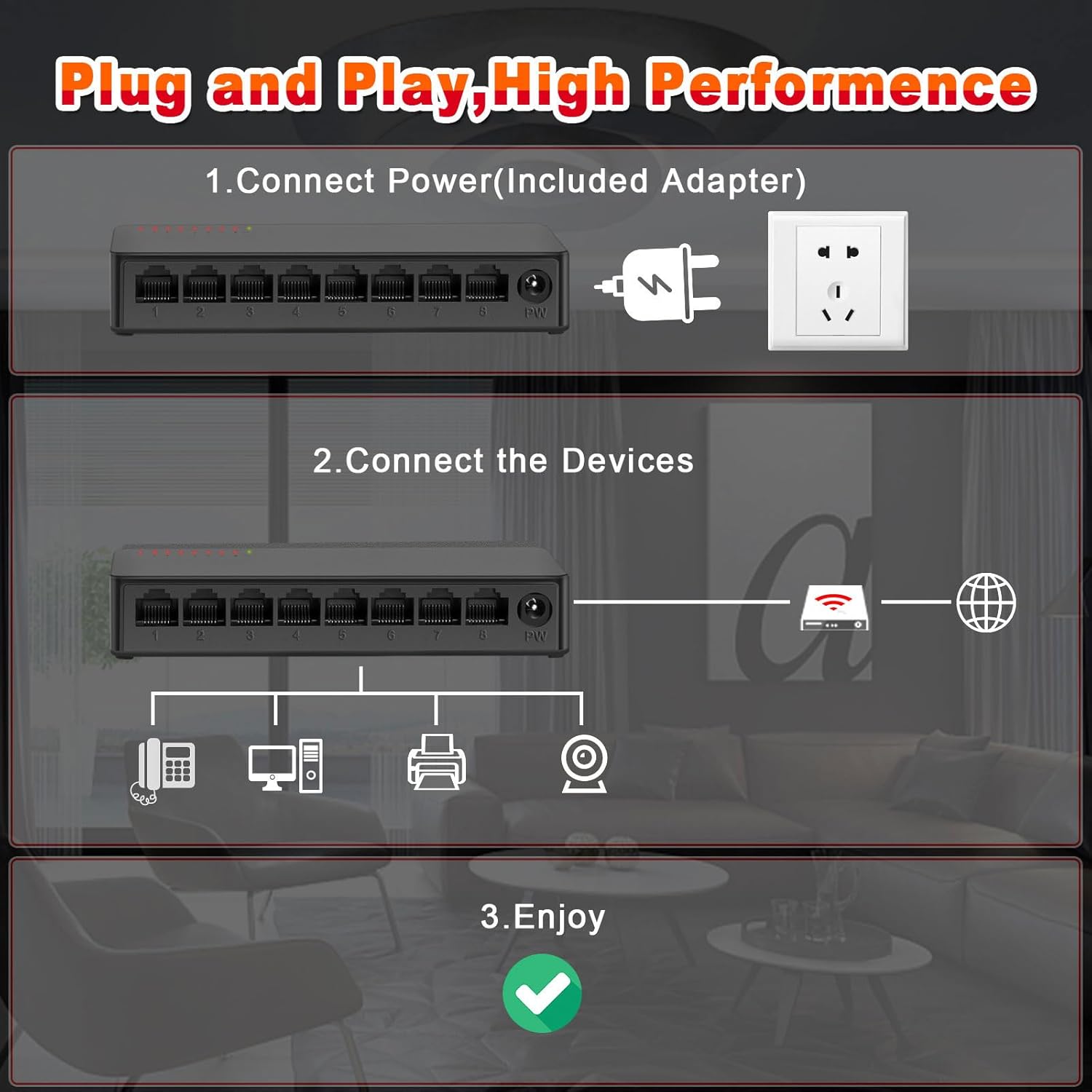
- Connect Power: Connect the included power adapter to the switch's power input port (labeled 'PW') and then plug the adapter into a standard electrical outlet. The power indicator light on the switch will illuminate.
- Connect Devices: Connect your network devices (e.g., router, computer, IP camera, printer, IPTV) to any of the 8 Gigabit Ethernet ports using standard RJ45 Ethernet cables.
- Verify Connection: The corresponding LED indicator for each connected port will light up, indicating an active network connection. If data is being transmitted, the LED will flash.
3. Operating Instructions
The ienRon 8-Port Gigabit Ethernet Switch operates automatically once connected. As an unmanaged switch, it requires no user configuration for basic network functionality.
Network Indicators
- Power LED: A solid light indicates the switch is powered on.
- Port Link/ACT LEDs: Each Ethernet port has an associated LED. A solid light indicates an active network connection (Link). A flashing light indicates data transmission (Activity).
Fanless Design
The switch features a fanless design, ensuring silent operation. This makes it suitable for deployment in noise-sensitive environments such as homes, offices, or libraries.
4. Maintenance
The ienRon 8-Port Gigabit Ethernet Switch is designed for durability and minimal maintenance. Adhering to these simple guidelines will help ensure its longevity and optimal performance.
General Care
- Placement: Keep the device in a well-ventilated area, away from direct sunlight, excessive heat sources, and moisture.
- Cleaning: Clean the exterior with a soft, dry cloth. Do not use liquid cleaners, aerosols, or abrasive materials, as these can damage the casing or internal components.
- Connections: Periodically check that all Ethernet cables and the power adapter are securely connected.
Environmental Adaptability
The switch features a multi-layer baking varnish low-temperature process, allowing it to adapt to a wide range of operating temperatures from 5℃ to 50℃ (41℉ to 122℉). Its design resists rust and corrosion, ensuring reliable operation in various indoor environments.
5. Troubleshooting
If you encounter issues with your ienRon Gigabit Ethernet Switch, refer to the following common solutions before contacting support.
No Power
- Ensure the power adapter is securely connected to both the switch's 'PW' port and a working electrical outlet.
- Check if the power indicator LED on the switch is illuminated. If not, try a different outlet or power adapter.
- If the power supply fails after extended use (as noted in some user experiences), consider replacing the power adapter with a compatible one.
No Network Connection (Port LED Off)
- Verify that the Ethernet cable is securely plugged into both the switch port and the connected device.
- Try a different Ethernet cable to rule out cable failure.
- Ensure the connected device (e.g., computer, router) is powered on and functioning correctly.
- Try connecting the device to a different port on the switch.
Slow Network Speed
- Ensure all connected devices and Ethernet cables support Gigabit Ethernet (1000 Mbps) for optimal performance. Using older Fast Ethernet (100 Mbps) devices or cables will limit the speed of that connection.
- Check for excessive network traffic or bandwidth-intensive applications running on your network that might be consuming available bandwidth.
Bright LED Light
Some users have noted a bright internal LED light that shines through the vents. This is typically a power indicator and does not affect the switch's functionality. If it is disruptive, consider placing the switch in a less visible location or covering the light source if safe to do so without impeding ventilation.
6. Specifications
| Feature | Detail |
|---|---|
| Brand | ienRon |
| Model Number | 8 Port Gigabit P |
| Number of Ports | 8 |
| Data Transfer Rate | 1000 Megabytes Per Second (Gigabit) |
| Interface Type | RJ45 |
| Case Material | Plastic |
| Color | Black |
| Voltage | 120 Volts |
| Maximum Power Consumption | 4 Watts |
| Operating Temperature Range | 5℃ to 50℃ (41℉ to 122℉) |
| Package Dimensions | 7.52 x 3.27 x 2.83 inches |
| Item Weight | 7.2 ounces |
| Compatible Devices | IP Phone, IP TV, Printer, Router |
7. Warranty and Support
Warranty Information
This ienRon product comes with a standard manufacturer's warranty. For specific warranty terms, conditions, and duration, please refer to the product packaging or contact ienRon customer support directly. Keep your proof of purchase for warranty claims.
Customer Support
For technical assistance, product inquiries, or any other support needs, please visit the official ienRon website or contact their customer support team through the contact information provided on their website or product packaging. When contacting support, please have your product model number and purchase details ready.


