
1. Important Safety Information
Please read all instructions carefully before assembly and use. Keep this manual for future reference.
- Weight Limit: Do not exceed the maximum weight capacity of 275 lbs (125 kg).
- Assembly: Assemble the chair on a soft, clean surface to prevent damage. Ensure all screws and bolts are securely tightened before use.
- Adjustments: Follow instructions for all adjustable features. Avoid sudden movements when adjusting the chair.
- Children: Keep children away from the assembly area. Small parts can be a choking hazard.
- Maintenance: Regularly check all components for wear and tear. Replace damaged parts immediately.
Note: Assembly requires caution. Always follow the provided instructions for adjustable features and adhere to the weight limit.
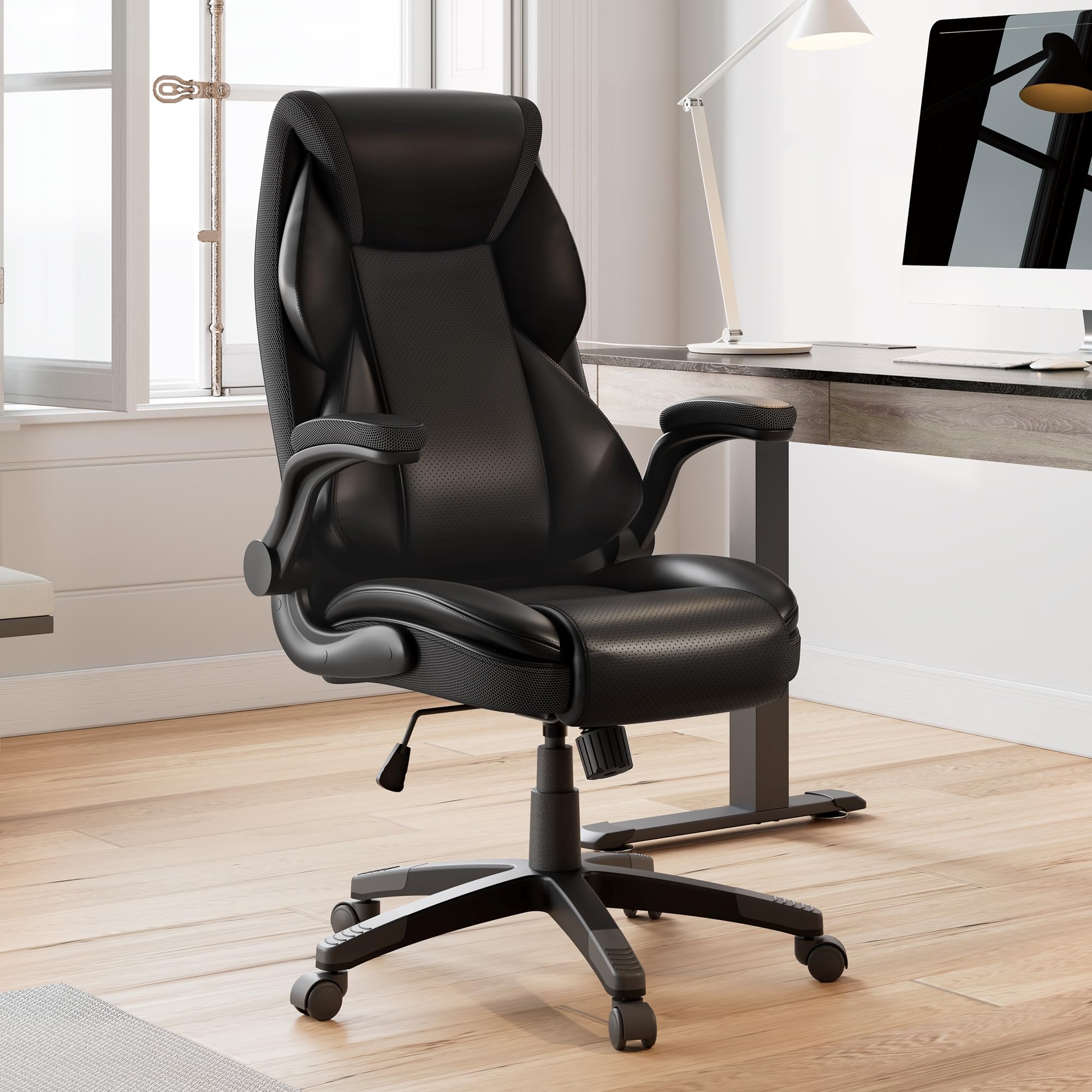
Image 1: EUREKA ERGONOMIC Galene Executive Office Chair (Black)
2. Package Contents
Verify that all components are present before beginning assembly. If any parts are missing or damaged, please contact customer support.
- Backrest
- Seat Cushion
- Armrests (Left and Right)
- Gas Lift Cylinder
- Star Base
- Casters (5 pieces)
- Mechanism Plate
- Hardware Pack (screws, washers, Allen wrench)

Image 2: Chair Components Overview
3. Assembly Instructions
Follow these steps to assemble your EUREKA ERGONOMIC Galene Executive Office Chair. It is recommended to have a second person assist with certain steps.
- Attach Casters to Base: Insert each of the five casters into the holes at the end of the star base until they click securely into place.
- Insert Gas Lift: Place the gas lift cylinder into the center hole of the star base.
- Attach Mechanism Plate to Seat: Align the mechanism plate with the screw holes on the underside of the seat cushion. Ensure the tension knob faces the front of the seat. Secure with screws and washers using the provided Allen wrench.
- Attach Armrests to Seat: Secure the armrests to the sides of the seat cushion using the designated screws. Do not overtighten initially.
- Attach Backrest to Armrests: Align the backrest with the armrest brackets and secure with screws. Once all screws are in place, tighten all armrest and backrest screws firmly.
- Connect Seat Assembly to Gas Lift: Carefully place the assembled seat and backrest onto the gas lift cylinder, ensuring the tapered end of the gas lift fits into the mechanism plate.
Your chair is now assembled. Please test all functions before regular use.
4. Operating Instructions
Your EUREKA ERGONOMIC Galene Executive Office Chair offers several adjustable features for personalized comfort.
4.1 Adjusting Seat Height
To adjust the seat height, locate the lever on the right side beneath the seat.
- To Raise: While standing, pull the lever upwards. The seat will rise. Release the lever at the desired height.
- To Lower: While seated, pull the lever upwards. The seat will lower. Release the lever at the desired height.
4.2 Rocking Function and Tilt Lock
The chair features a rocking function and a tilt lock mechanism, allowing you to recline between 90 and 135 degrees.
- To Engage Rocking: Pull the same lever used for height adjustment outwards. The chair will now rock freely.
- To Lock Tilt: Push the lever inwards to lock the chair in an upright position.
- Adjust Rocking Tension: Rotate the round knob located beneath the seat (usually at the front) to increase or decrease the tension of the rocking mechanism. Turn clockwise for more tension, counter-clockwise for less.

Image 3: Seat Height and Rocking Adjustments
Video 1: Demonstrates the EUREKA ERGONOMIC Galene Executive Office Chair's various adjustments, including height and rocking.
4.3 Flip-Up Armrests
The armrests can be flipped up to allow the chair to be pushed closer to a desk or for easier entry/exit.
- Simply lift the armrests upwards until they lock into a vertical position.
- To return them to the down position, gently pull them downwards.

Image 4: 90-Degree Flip-Up Armrests
Video 2: Demonstrates the flip-up armrest feature of the EUREKA ERGONOMIC Executive Office Chair.
4.4 Ergonomic Design and Lumbar Support
The chair features a supportive S-curved high back with built-in memory foam cushions and independent lumbar support designed to conform to your body and reduce pressure during extended use.

Image 5: Ergonomic Design Features

Image 6: Comfort Features (Headrest, Breathable Leather, U-Shaped Cushion)
5. Maintenance and Care
Proper maintenance will extend the life and appearance of your office chair.
5.1 Cleaning
- PU Leather: For general cleaning, wipe the PU leather surfaces with a soft, damp cloth. For tougher spots, use a mild soap solution and then wipe clean with a dry cloth. Avoid harsh chemicals or abrasive cleaners.
- Mesh/Fabric: Spot clean any mesh or fabric areas with a mild upholstery cleaner. Test on an inconspicuous area first.
5.2 General Maintenance
- Check Fasteners: Periodically check all screws and bolts to ensure they are tight. Retighten as necessary.
- Casters: Keep casters free of hair and debris to ensure smooth rolling. Clean with a damp cloth if needed.
- Gas Lift: Do not attempt to disassemble the gas lift cylinder. If it malfunctions, contact customer support.
6. Troubleshooting
If you encounter any issues with your chair, refer to the following common problems and solutions.
6.1 Chair Squeaks
- Solution: Check and tighten all assembly screws, especially those connecting the seat, backrest, and mechanism plate. A small amount of silicone lubricant can be applied to moving parts if the squeaking persists after tightening.
6.2 Gas Lift Not Adjusting Height
- Solution: Ensure the height adjustment lever is fully engaged. If the gas lift still does not function, it may need replacement. Contact customer support.
6.3 Wheels Not Rolling Smoothly
- Solution: Remove any hair, dust, or debris that may be caught in the casters. Clean the wheels and their axles.
6.4 Backrest Not Tilting/Rocking
- Solution: Ensure the tilt lock lever is disengaged (pulled outwards). Adjust the rocking tension knob to a looser setting if the chair feels too stiff.
7. Specifications
| Feature | Detail |
|---|---|
| Brand | EUREKA ERGONOMIC |
| Model Name | Galene |
| Model Number | ERK-OC11-B-EU |
| Product Dimensions | 27.6"D x 28.1"W x 55.12"H |
| Weight Capacity | 110 Kilograms (approx. 242 lbs) |
| Material | Faux Leather, Suede, Memory Foam |
| Special Features | Adjustable Backrest, Adjustable Height, Adjustable Lumbar, Flip-Up Arms |
| Back Style | Solid Back |
| Reclining Position Count | 3 |
| Furniture Base Movement | Rock |

Image 7: Product Dimensions
8. Warranty and Support
8.1 Warranty Information
This EUREKA ERGONOMIC chair comes with a 2-Year Limited Service warranty. This warranty covers manufacturing defects and material flaws under normal use. Please retain your proof of purchase for warranty claims.
8.2 Customer Support
For any questions, concerns, or assistance with your product, please contact our 24-hour US-based customer service team. EUREKA ERGONOMIC is committed to providing helpful, prompt, and friendly customer service.
Contact information can typically be found on the product packaging or the official EUREKA ERGONOMIC website.