
1. Introduction
This manual provides detailed instructions for the setup, operation, and maintenance of your Hwagol G28 Smart Watch. Please read this manual thoroughly to ensure proper use and to maximize your device's potential.
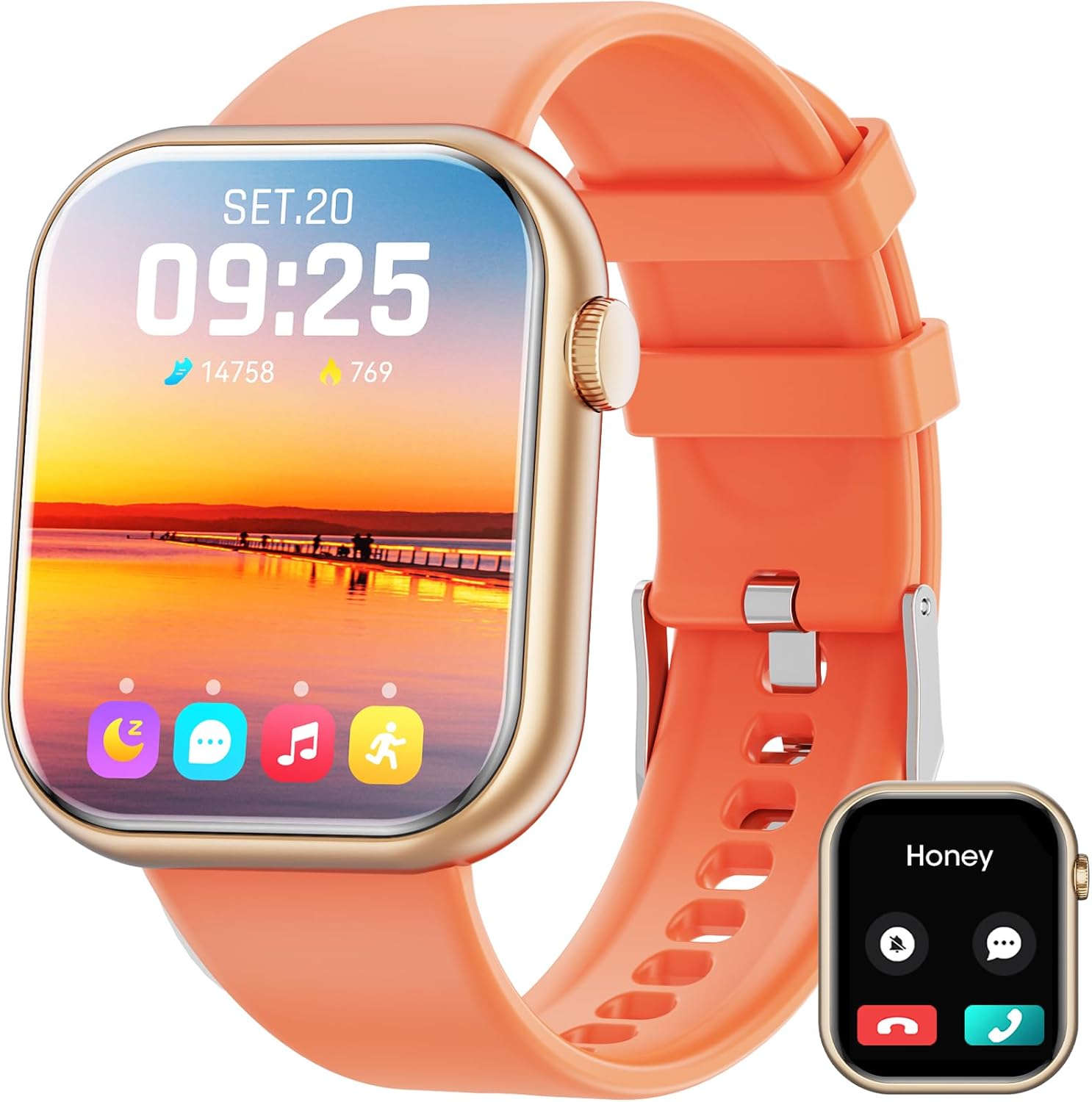
Figure 1: Hwagol G28 Smart Watch Overview
The Hwagol G28 Smart Watch features a 1.85-inch display, Bluetooth calling, multiple exercise modes, and comprehensive health monitoring capabilities.
2. Setup
2.1 Charging the Device
Before first use, fully charge your Hwagol G28 Smart Watch. Connect the magnetic USB charging cable to the charging points on the back of the watch and to a USB power source.

Figure 2: Magnetic USB Charging and Battery Life
A full charge typically takes approximately 2 hours. The watch offers up to 5 days of battery life with normal use and up to 10 days of standby time.
2.2 App Installation and Bluetooth Pairing
- Scan the QR code provided in the watch interface or product packaging to download the companion app (e.g., Jyou Pro).
- Install the app on your smartphone (compatible with Android 5.1 and above, iOS 8.2 and above, and Bluetooth 4.0).
- Open the app and follow the on-screen instructions to create an account and set up your profile.
- Enable Bluetooth on your smartphone. In the app, search for your Hwagol G28 Smart Watch (usually listed as 'G28') and pair the devices.
- Grant necessary permissions to the app for full functionality, including notifications, location services, and health data access.
Video 1: Hwagol Smart Watch for Men and Women - This video provides a general overview of the smart watch's features and setup process.
3. Operating Instructions
3.1 Display and Customization
The Hwagol G28 features a 1.85-inch high-definition touch screen. You can customize the watch face from over 100 available options or use your own photos.

Figure 3: 1.85-inch High-Definition Touch Screen and Multiple Watch Faces

Figure 4: Personalized Dials of Your Smart Watch
3.2 Communication Features
Stay connected by making and answering calls directly from your watch via Bluetooth. Receive message notifications and alerts from various social media applications.

Figure 5: Answer/Make Call on Smart Watch

Figure 6: Smart Message Reminder on Your Smart Watch
3.3 Health and Fitness Tracking
The watch supports multiple exercise modes, including running, yoga, and basketball. It tracks your daily activity, including steps, calories burned, and distance.

Figure 7: Multiple Sport Modes

Figure 8: All-day Activity Recording
Monitor your heart rate, blood oxygen levels, and sleep patterns to gain insights into your health.

Figure 9: 24-Hour Heart Rate Monitor

Figure 10: Blood Oxygen Measure

Figure 11: Sleep Quality Monitoring
3.4 Other Functions
The Hwagol G28 Smart Watch includes various practical features to assist with your daily routine:
- Intelligent Reminders: Set alarms, timers, exercise reminders, water intake reminders, and sedentary reminders.
- Voice Assistant: Interact with your watch using voice commands.
- Music Control: Manage music playback on your connected smartphone.
- Camera Remote: Use your watch as a remote shutter for your phone's camera.
- Weather Forecast: Get real-time weather updates.
- Find Phone: Locate your misplaced smartphone.
- Calendar: View your schedule.
- Breathing Exercises: Guided breathing for relaxation.
- Noise Monitoring: Monitor ambient noise levels.
- Women's Health: Dedicated tracking features.
- Stopwatch Timing: For precise time measurement.

Figure 12: More Functions to Discover

Figure 13: Further Convenience for Your Life
4. Maintenance
4.1 Water Resistance
The Hwagol G28 Smart Watch has an IP67 waterproof rating. This means it can be used for activities like hand washing, in the rain, and for swimming. However, it is not suitable for hot water, saunas, or diving, as extreme temperatures or high-pressure water may compromise the seal.

Figure 14: IP67 Waterproof Feature
4.2 Cleaning and Care
- Wipe the watch screen and strap regularly with a soft, dry cloth.
- Avoid using harsh chemicals or abrasive materials for cleaning.
- Ensure the charging contacts are clean and dry before charging to prevent corrosion.
5. Troubleshooting
If you encounter issues with your Hwagol G28 Smart Watch, please refer to the following common solutions:
- Device Not Powering On: Ensure the watch is fully charged. Connect it to the charger and wait a few minutes before attempting to power it on again.
- Bluetooth Disconnection: Check that Bluetooth is enabled on your smartphone and that the watch is within range. Restart both your watch and phone, then attempt to re-pair them through the app.
- Notifications Not Appearing: Verify that notification permissions are granted to the companion app in your phone's settings. Also, check the app's settings to ensure notifications for specific applications are enabled.
- Inaccurate Health Data: Ensure the watch is worn snugly on your wrist, about one finger's width from your wrist bone. Keep the sensor clean. Note that smartwatches are not medical devices and readings are for reference only.
- Short Battery Life: Reduce screen brightness, disable unnecessary notifications, and limit continuous heart rate monitoring to extend battery life.
- App Syncing Issues: Ensure your phone has a stable internet connection. Close and reopen the app, or reinstall it if problems persist.
If problems persist, please contact customer support.
6. Specifications
| Feature | Detail |
|---|---|
| Brand | Hwagol |
| Model Name | G28 |
| Screen Size | 1.85 Inches |
| Operating System | Android (Compatible with iOS) |
| Connectivity Technology | Bluetooth 4.0 |
| Special Feature | Activity Tracker, Heart Rate Monitor, Blood Oxygen Monitor, Sleep Monitor, Bluetooth Call |
| Water Resistance | IP67 |
| Battery Type | Lithium Ion |
| Battery Life (Typical Use) | Up to 5 days |
| Standby Time | Up to 10 days |
| Charging Time | Approx. 2 hours |
| Item Weight | 3.52 ounces |
| Package Dimensions | 6.5 x 2.87 x 0.94 inches |
7. Warranty and Support
7.1 Warranty Information
For detailed warranty information regarding your Hwagol G28 Smart Watch, please refer to the warranty card included in your product packaging or visit the official Hwagol website. Warranty terms and conditions may vary by region and retailer.
7.2 Customer Support
If you require technical assistance, have questions about your device, or need to report an issue, please contact Hwagol customer support. Contact information can typically be found on the official Hwagol website or within the companion application.