
1. Introduction
Welcome to your WOOXGEHM 4-in-1 Wired Arcade Fight Stick Joystick. This manual provides essential information for setting up, operating, and maintaining your new arcade controller. Designed for compatibility with Nintendo Switch, PC, PlayStation 3, and Android devices, this joystick enhances your gaming experience with precise control and turbo functions.
2. Safety Information
Safety Guidelines
- Keep the device away from water and moisture.
- Avoid exposing the device to extreme temperatures.
- Do not attempt to disassemble or repair the device yourself.
- Use only the provided cables and accessories.
- Keep out of reach of small children.
3. Package Contents
What's Included
- 1 x Universal Arcade Fight Stick
- 1 x Remote Lever Handle (Joystick)
- 1 x Fixed Small Parts (e.g., suction cups)
- 1 x Instruction Manual
4. Product Overview
The WOOXGEHM Arcade Fight Stick is designed for comfort and precision, featuring a spherical metal joystick and six round control buttons. It also includes additional buttons for various functions and platform compatibility.

Figure 1: WOOXGEHM 4-in-1 Wired Arcade Fight Stick Joystick, top view. A black arcade fight stick with a red spherical joystick on the left and six red circular action buttons on the right. Smaller function buttons are located above the main action buttons. The surface features a racing car graphic.
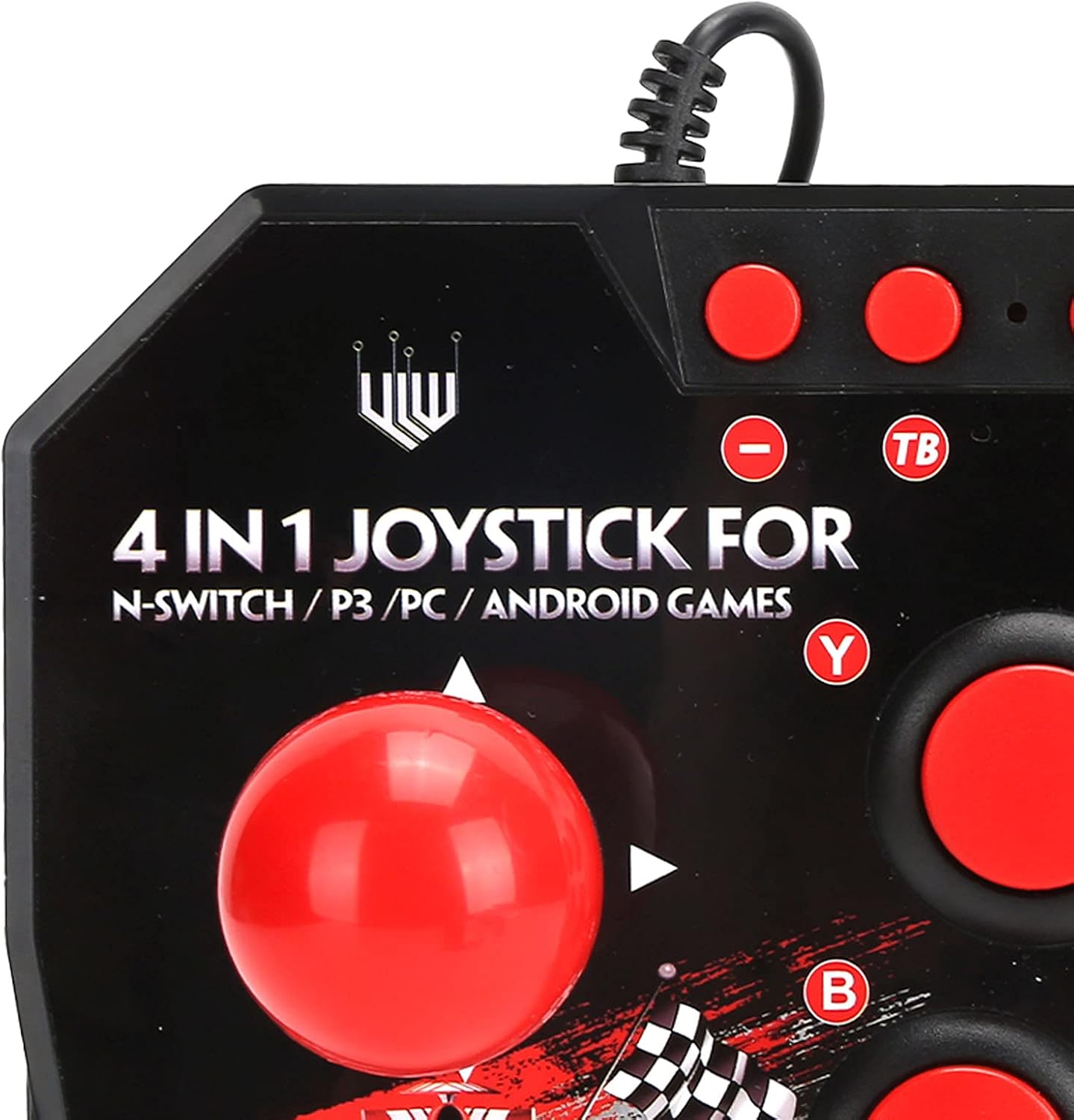
Figure 2: Close-up of WOOXGEHM 4-in-1 Wired Arcade Fight Stick Joystick buttons. A detailed view of the joystick's top panel, showing the "4 IN 1 JOYSTICK FOR N-SWITCH / P3 / PC / ANDROID GAMES" text, along with the red spherical joystick and several red action buttons labeled Y, B, X, A, L, R, and smaller buttons for Turbo functions.

Figure 3: Bottom view of WOOXGEHM 4-in-1 Wired Arcade Fight Stick Joystick with suction cups. The underside of the arcade fight stick, showing four clear suction cups designed to secure the device to a flat surface during use. The label indicates "Input: DC5V / 500mA", "Working current: 20mA", and "MADE IN CHINA".
5. Setup and Connection
The arcade fight stick connects via a wired USB cable. Ensure your console or device is powered on before connecting.
5.1 Nintendo Switch Connection
- Connect the USB cable from the arcade fight stick to an available USB port on your Nintendo Switch dock.
- Ensure "Pro Controller Wired Communication" is enabled in your Switch System Settings.
- The controller should be automatically recognized.
5.2 PC Connection
- Connect the USB cable from the arcade fight stick to an available USB port on your PC.
- The system should automatically install the necessary drivers. If not, manual driver installation may be required (refer to your PC's operating system documentation).
- The controller will be recognized as a standard USB gamepad.
5.3 PlayStation 3 (PS3) Connection
- Connect the USB cable from the arcade fight stick to an available USB port on your PS3 console.
- The controller should be automatically recognized and ready for use.
5.4 Android Device Connection
- Connect the USB cable from the arcade fight stick to your Android device using an OTG (On-The-Go) adapter (not included).
- Ensure your Android device supports OTG functionality.
- The controller should be recognized as an external gamepad.

Figure 4: Multi-platform compatibility. This image illustrates the multi-platform compatibility of the arcade fight stick, showing it connected to a Nintendo Switch console, a PlayStation 3, a PC monitor, and an Android device, highlighting its versatility.

Figure 5: Plug-and-Play functionality. This image highlights the plug-and-play nature of the arcade fight stick, showing it connected to a PlayStation console, a Nintendo Switch, and a monitor displaying game content, emphasizing ease of use across platforms.
6. Operating Instructions
6.1 Basic Controls
- Joystick: Use the spherical metal joystick for directional movement.
- Action Buttons: The six large round buttons (A, B, X, Y, L, R) are for primary game actions.
- Function Buttons: Smaller buttons above the main action buttons provide additional controls (e.g., Home, Select, Start).
6.2 Turbo Functions
The controller features turbo functions for rapid button presses.
- To activate Turbo for a button, press and hold the desired action button, then press the "TB" (Turbo) button. The button will now rapidly repeat its input when held down.
- To deactivate Turbo, press and hold the same action button, then press the "TB" button again.
6.3 Mode Switching
The joystick may have a mode switch to toggle between different input modes (e.g., D-Pad, Left Analog Stick, Right Analog Stick) for specific games or platforms. Refer to the small buttons near the top left of the controller for these options.
7. Maintenance and Care
Product Care
- Cleaning: Wipe the surface of the joystick with a soft, dry cloth. Do not use abrasive cleaners or solvents.
- Storage: Store the device in a cool, dry place away from direct sunlight when not in use.
- Cable Management: Avoid sharp bends or excessive pulling on the USB cable to prevent damage.
8. Troubleshooting
Common Issues and Solutions
- Controller not recognized:
Solution: Ensure the USB cable is securely connected to both the joystick and the device/console.
Solution: For Nintendo Switch, verify "Pro Controller Wired Communication" is enabled in system settings.
Solution: Try connecting to a different USB port.
Solution: Restart your console/PC/Android device. - Buttons or joystick unresponsive:
Solution: Disconnect and reconnect the joystick.
Solution: Test the joystick on another compatible device to determine if the issue is with the controller or the device. - Turbo function not working:
Solution: Ensure you are correctly activating/deactivating the turbo mode as described in the Operating Instructions.
9. Specifications
Technical Specifications
| Feature | Detail |
|---|---|
| Model | B0C7GYXMLZ |
| Brand | WOOXGEHM |
| Controller Type | Button Control, Joystick |
| Hardware Interface | USB |
| Material | Acrylonitrile Butadiene Styrene (ABS) |
| Item Weight | 0.52 Kilograms (1.14 pounds) |
| Size (Approx.) | 21 x 15 x 6 cm (8.3 x 5.9 x 2.4 inches) |
| Working Voltage/Current | DC5V/20mA |
| USB Cable Length | 3 m / 9.8 ft |
| Compatibility | Nintendo Switch, PC, PS3, Android Games |

Figure 6: Technical specifications overview. An image displaying the technical specifications of the arcade fight stick, including item type, material (ABS), size (21 x 15 x 6 cm), working voltage/current (DC5V/20mA), and USB cable length (3m/9.8ft), along with a list of package contents.
10. Warranty and Support
Warranty Information
This WOOXGEHM product comes with a standard manufacturer's warranty. For specific warranty terms and conditions, please refer to the warranty card included in your package or contact WOOXGEHM customer support.
Customer Support
If you encounter any issues or have questions regarding your Arcade Fight Stick, please visit the official WOOXGEHM website or contact their customer service for assistance.