
Oilsky D26
Oilsky D26 64GB MP3 Player User Manual
Model: D26 | Brand: Oilsky
Introduction
This manual provides detailed instructions for the safe and effective use of your Oilsky D26 64GB MP3 Player. Please read this manual thoroughly before operating the device and retain it for future reference.

Image: The Oilsky D26 MP3 Player's main interface, showcasing its diverse functionalities.
Package Contents
Upon opening the package, please verify that all the following items are included:
- 1 x Oilsky D26 64GB MP3 Player
- 1 x Protective Case
- 1 x USB-C Cable
- 1 x Headphones
- 1 x User Manual

Image: A visual representation of all items included in the Oilsky D26 MP3 Player package.
Product Overview and Features
The Oilsky D26 MP3 Player is a versatile portable media device designed for a rich audio experience and more. Key features include:
- 64GB Built-in Memory: Provides ample storage for approximately 2200 lossless quality songs. Expandable up to 128GB via Micro SD card (not included).
- Bluetooth 5.3 Connectivity: Allows wireless pairing with Bluetooth earphones or speakers. Note: Cannot connect to mobile phones or car systems via Bluetooth.
- 2.8-inch Full Touch Screen: Offers a wider viewing angle and intuitive navigation.
- HiFi Lossless Sound: Equipped with a professional intelligent digital noise reduction chip, supporting various audio formats including MP3, WMA, WAV, FLAC, APE, OGG, and ACC.
- Multifunctional Capabilities: Includes FM radio, voice recorder, photo viewer, e-book reader, sleep timer, wallpaper customization, and folder management.
- Equalizer Options: Customize your sound with choices like Rock, Funk, Hip-hop, Jazz, Classical, Techno, and Custom settings.

Image: Display of the MP3 player highlighting its 64GB internal storage and expandability.

Image: The MP3 player demonstrating Bluetooth 5.3 connectivity with audio devices.

Image: The MP3 player showing its FM Radio function, requiring wired earphones as an antenna.
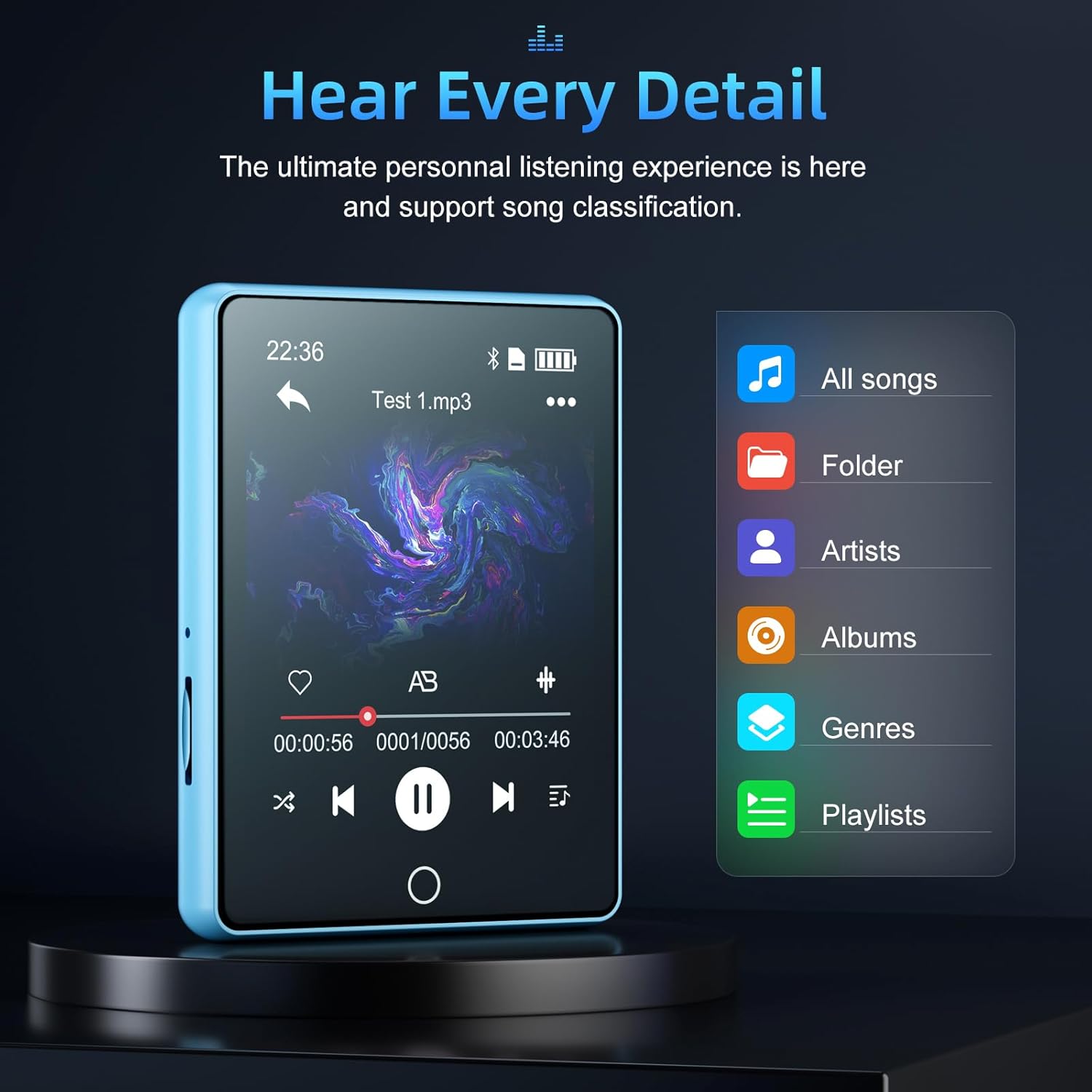
Image: The music player's interface for organizing and browsing audio files.
Setup
1. Charging the Device
Before first use, fully charge your MP3 player. Connect the provided USB-C cable to the player's charging port and the other end to a USB power adapter (not included) or a computer's USB port.
- A full charge typically takes approximately 2-3 hours.
- The battery icon on the screen will indicate charging status.
2. Transferring Music and Files
To transfer files, connect the MP3 player to your computer using the supplied USB-C cable. The device will appear as a removable disk drive.
- Connect the MP3 player to your computer.
- Open 'My Computer' or 'This PC' (Windows) or 'Finder' (Mac) and locate the device.
- Drag and drop your desired audio, video, image, or e-book files into the appropriate folders on the MP3 player (e.g., 'Music', 'Videos', 'Pictures', 'Ebooks').
- Safely eject the device from your computer before disconnecting the cable.
3. Expanding Storage (Optional)
The device supports Micro SD card expansion up to 128GB. Insert a compatible Micro SD card into the designated slot on the side of the player.

Image: Illustrates the insertion of a Micro SD card for memory expansion.
Operating Instructions
1. Power On/Off
- To Power On: Press and hold the power button on the side of the device until the screen lights up.
- To Power Off: Press and hold the power button until a power-off prompt appears, then confirm.
2. Navigating the Touch Screen
The Oilsky D26 features a full touch screen for intuitive control. Tap icons to open applications, swipe to navigate menus, and use the back arrow or home button for navigation.

Image: The MP3 player's touch screen interface.
3. Music Playback
Access the 'Music' application from the main menu. You can browse your music by song, artist, album, genre, or folder.
- Supported Formats: MP3, WMA, WAV, FLAC, APE, OGG, ACC.
- Controls: Use the on-screen controls for play, pause, skip forward/backward, volume adjustment, and repeat/shuffle modes.
- Equalizer: Adjust sound profiles via the equalizer settings within the music player.
4. Bluetooth Pairing
To connect to Bluetooth earphones or speakers:
- Go to 'Settings' and select 'Bluetooth'.
- Turn Bluetooth ON.
- Ensure your Bluetooth audio device is in pairing mode.
- Select your device from the 'Device List' to pair.
Note: This device is designed for audio output to Bluetooth headphones/speakers only and cannot connect to mobile phones or car Bluetooth systems.
5. FM Radio
To use the FM Radio function, you must plug in the wired headphones as they serve as the antenna. Navigate to the 'Radio' application.
- Frequency Range: 87.5MHz-108MHz.
- Use the on-screen controls to scan for stations or manually tune.
6. Other Functions
- Voice Recorder: Record audio using the built-in microphone.
- Photos: View image files transferred to the device.
- E-book: Read text files (e.g., TXT format).
- Alarm: Set alarms for reminders.
- Sleep Timer: Automatically turn off the device after a set period.
- Wallpaper: Customize the device's background.
Maintenance
- Cleaning: Use a soft, dry cloth to clean the device. Avoid liquid cleaners or abrasive materials.
- Storage: Store the MP3 player in a cool, dry place away from direct sunlight and extreme temperatures.
- Battery Care: To prolong battery life, avoid fully discharging the battery frequently. Charge the device regularly, even if not in use for extended periods.
- Protection: Use the provided protective case to guard against scratches and minor impacts.
Troubleshooting
| Problem | Possible Solution |
|---|---|
| Device does not power on. | Ensure the battery is charged. Connect to a power source and try again. If unresponsive, perform a hard reset (refer to manual for specific reset instructions, if available, or hold power button for 10-15 seconds). |
| Cannot transfer files to the device. | Check USB cable connection. Ensure the device is recognized by your computer. Try a different USB port or cable. Ensure sufficient storage space is available. |
| Bluetooth connection issues. | Ensure Bluetooth is enabled on both devices. Make sure the audio device is in pairing mode. Keep devices within range. Forget and re-pair the device. Remember, it cannot connect to phones or cars. |
| No sound from FM Radio. | Ensure wired headphones are properly plugged in, as they act as the antenna. Adjust station tuning. |
| Screen is unresponsive or frozen. | Press and hold the power button for about 10-15 seconds to force a restart. |
Specifications
| Feature | Detail |
|---|---|
| Product Dimensions | 3.08 x 2.3 x 0.41 inches |
| Item Weight | 3 ounces |
| Manufacturer | Oilsky |
| Model Number | D26 |
| Batteries | 1 Lithium Polymer battery (included) |
| Brand | Oilsky |
| Special Features | Equalizer, FM Radio, Video Playback, Voice Recorder |
| Connectivity Technology | Aux, Bluetooth, USB |
| Memory Storage Capacity | 64 GB (expandable up to 128GB via Micro SD) |
| Color | Blue |
| Screen Size | 2.79 Inches |
| Compatible Devices | XP(Home, Pro, with SP1, SP2, SP3), 32bit/WINDOWS 7-10 64bit |
| Media Type | Micro SD |
| Display Technology | LCD |
Warranty and Support
For warranty information and customer support, please refer to the documentation included with your product or visit the official Oilsky website. You may also contact Oilsky customer service directly for assistance with product inquiries, technical support, or warranty claims.
Oilsky Store Link: Oilsky Official Store on Amazon
Ask a question about this manual
Ask about setup, troubleshooting, compatibility, parts, safety, or missing instructions. Manuals+ will review the question and use this page’s manual context to help answer it.