
1. Introduction
The HOTWAV Cyber X is a rugged smartphone designed for durability and performance in challenging environments. It features a large display, a powerful battery, advanced camera capabilities, and robust protection against water, dust, and drops. This manual provides essential information for setting up, operating, maintaining, and troubleshooting your device.
2. What's in the Box
Please check the contents of your package to ensure all items are present:
- 1 x HOTWAV Cyber X Outdoor Smartphone
- 1 x Charger (33W)
- 1 x USB-C Data Cable
- 1 x SIM Ejector Tool
- 1 x OTG Cable
- 1 x Audio Adapter Cable (USB-C to 3.5mm Jack)
- 1 x User Manual
- 1 x Cleaning Kit
- 1 x Tempered Glass Screen Protector
3. Setup
3.1. SIM Card and Micro-SD Card Installation
The device supports two Nano-SIM cards or one Nano-SIM card and one Micro-SD card for expandable storage up to 2TB.
- Locate the SIM card tray on the left side of the phone, above the red customizable button.
- Insert the provided SIM ejector tool into the small hole next to the tray and gently press until the tray pops out.
- Carefully pull out the SIM tray.
- Place your Nano-SIM card(s) and/or Micro-SD card into the designated slots with the metal contacts facing downwards. Ensure they are seated correctly.
- Gently push the tray back into the slot until it is flush with the phone's body. It is recommended to turn the phone face down when reinserting the tray to prevent cards from falling out.
3.2. Initial Charging and Power On
Before first use, it is recommended to fully charge your device.
- Connect the USB-C data cable to the charging port at the bottom of the phone (under the rubber cover) and to the power adapter. Plug the adapter into a power outlet.
- Once sufficiently charged, press and hold the power button (located on the right side) until the HOTWAV logo appears and the Android operating system starts.
- Follow the on-screen instructions to complete the initial Android/Google setup process, including language selection, Wi-Fi connection, and account setup.
4. Operating Instructions
4.1. Display Features
The Cyber X features a dual-display design for enhanced usability.
- Main Display: A 6.78-inch FHD+ (2460x1080 resolution) In-Cell display with a 90Hz refresh rate and 550 NIT brightness. It is protected by Corning Gorilla Glass for scratch resistance.
- Rear Display: A 0.95-inch secondary screen on the back of the device. This display shows essential information such as date, time, battery status, and incoming call notifications. You can configure its settings via the phone's main settings menu under 'Backscreen'.

Image: The 6.78-inch FHD+ main display and the versatile 0.95-inch rear display showing various functions like time, call notifications, and music controls.
4.2. Customizable Key
The red button on the left side of the phone is a customizable key. It can be programmed to quickly access various functions or applications.
- To configure the custom key, navigate to Settings > Custom Key.
- You can assign functions such as SOS emergency calls, flashlight activation, sound recording, screenshot, or launching specific apps like the camera or a game.
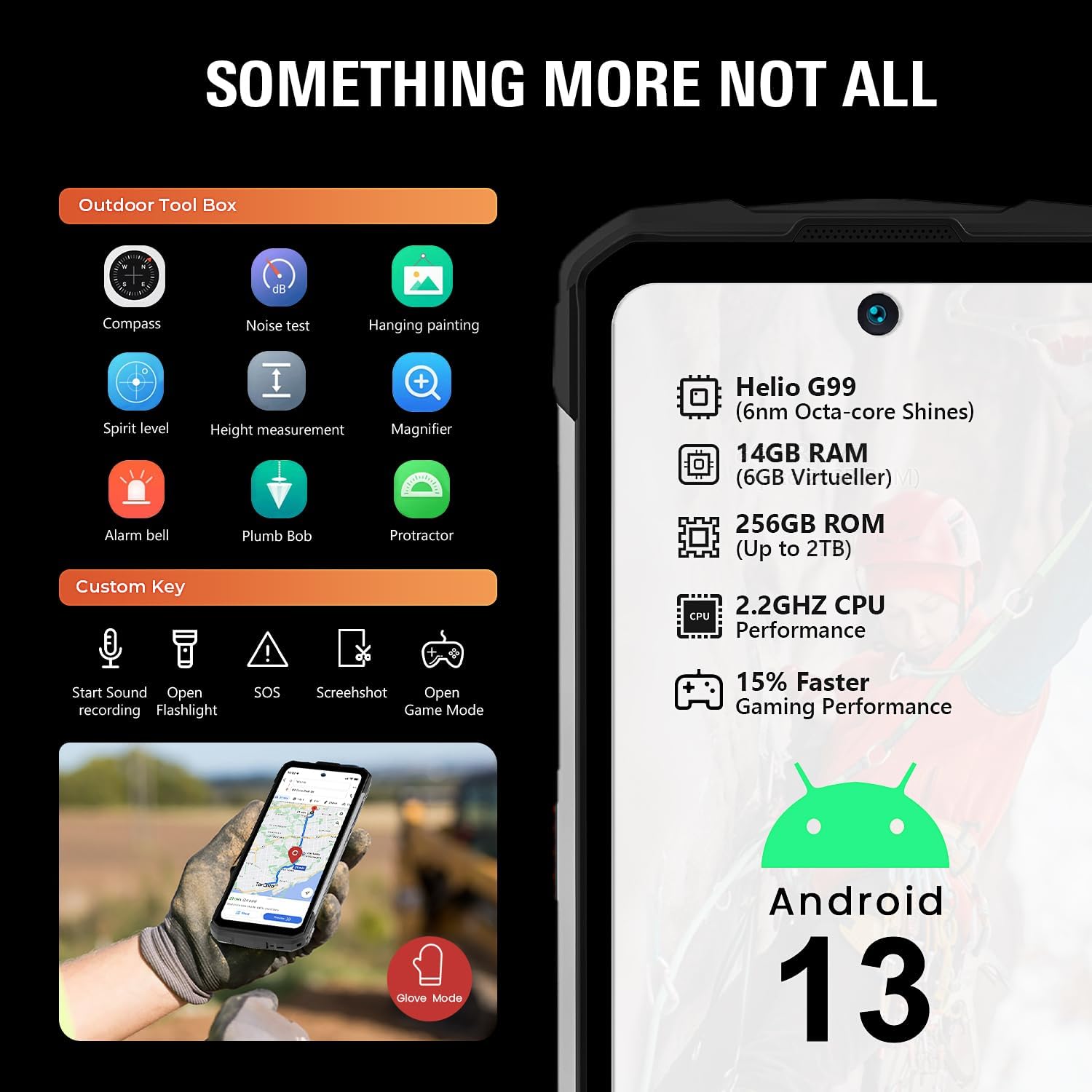
Image: The customizable key options and the Outdoor Tool Box applications available on the HOTWAV Cyber X.
4.3. Camera Functions
The Cyber X is equipped with a versatile camera system to capture your moments.
- Main Camera: 64 MP Sony sensor for high-resolution photos.
- Front Camera: 16 MP for selfies and video calls.
- Wide-Angle Camera: 8 MP with a 120° field of view for expansive shots.
- Macro Camera: For detailed close-up photography.
- Night Vision: Special mode for capturing images in low-light conditions.
- Underwater Mode: Allows you to take photos and videos while submerged, ideal for exploring aquatic environments.
- HDR: High Dynamic Range for improved contrast and detail in varied lighting.
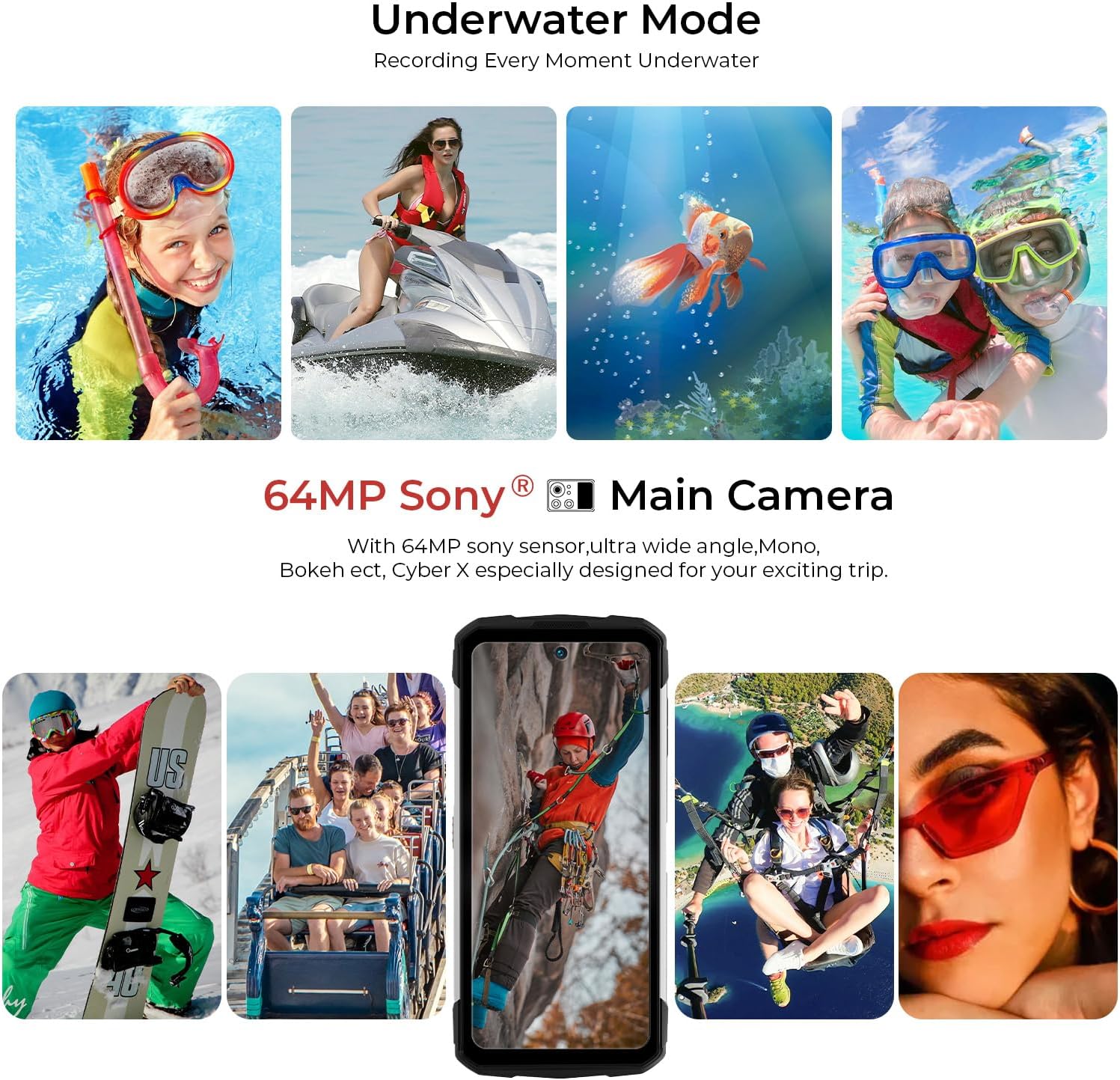
Image: Demonstrates the Underwater Mode and the capabilities of the 64MP main camera for diverse photography scenarios.
4.4. Battery and OTG Functionality
The Cyber X is powered by a large 10200 mAh battery, providing extended usage times.
- Fast Charging: Supports 33W fast charging to quickly replenish the battery.
- OTG (On-The-Go): The device supports OTG functionality, allowing it to act as a power bank to charge other electronic devices using the included OTG cable.
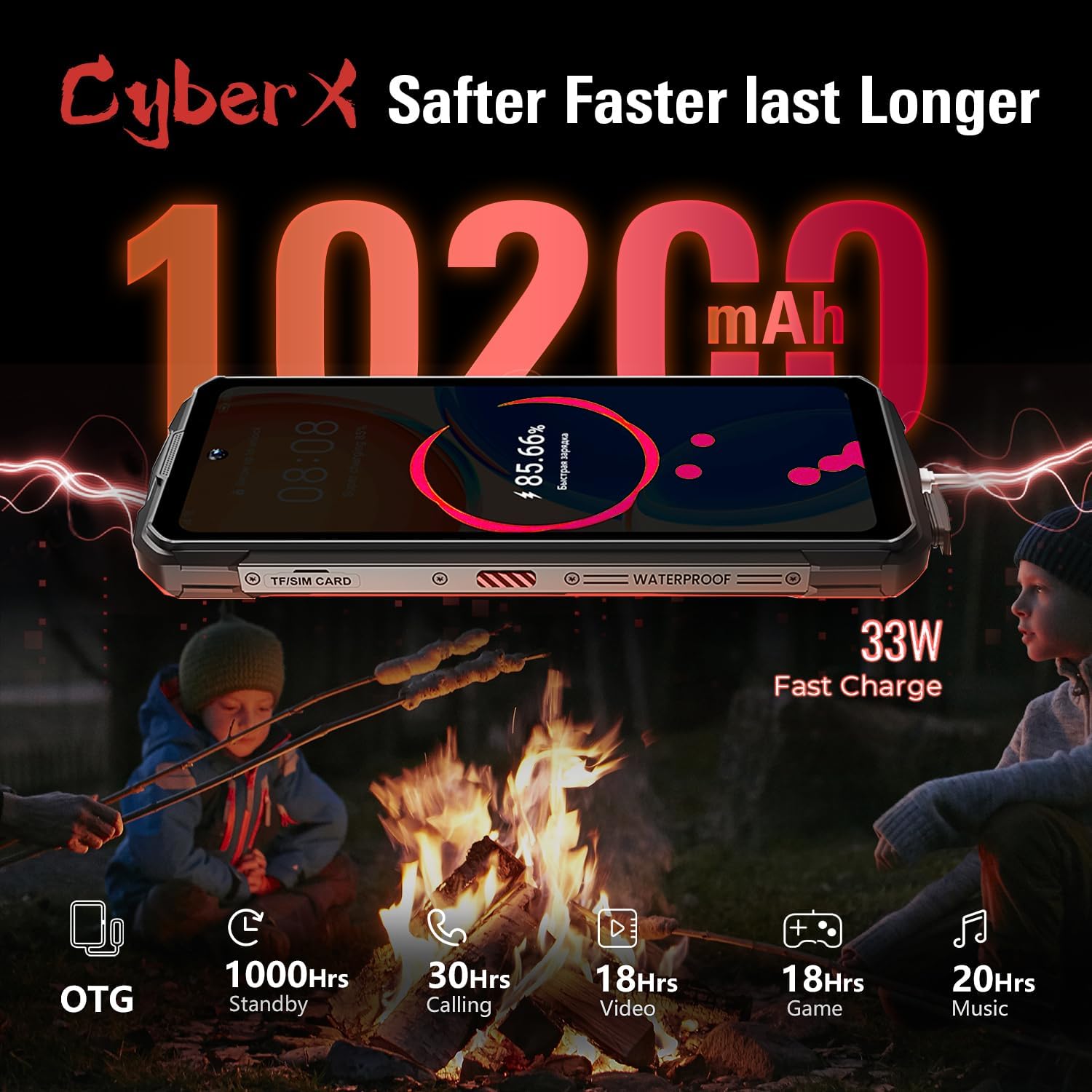
Image: Highlights the 10200 mAh battery, 33W fast charging, and OTG capability, with estimated usage durations for various activities.
4.5. Outdoor Tool Box
The Cyber X includes a suite of useful tools for outdoor activities, accessible via the 'Outdoor Tool Box' application.
- Compass
- Noise Test
- Hanging Painting (for alignment)
- Spirit Level
- Height Measurement
- Magnifier
- Alarm Bell
- Plumb Bob
- Protractor
4.6. Connectivity
The device offers various connectivity options:
- NFC: Near Field Communication for contactless payments and data exchange.
- GPS: Integrated GNSS module supporting GPS, GLONASS, Galileo, and BeiDou for accurate positioning.
- Bluetooth: For connecting wireless accessories.
- WLAN: Wi-Fi connectivity for internet access.
- 4G LTE: Cellular technology for mobile data and calls.
5. Maintenance
5.1. Durability and Protection
The HOTWAV Cyber X is built to withstand harsh conditions, featuring:
- IP68 Rating: Water and dust resistant, allowing submersion in water up to 1.5 meters for 30 minutes.
- IP69K Rating: Protection against close-range high-pressure, high-temperature spray downs.
- MIL-STD-810G Certification: Military-grade durability against drops, shocks, and extreme temperatures (-30°C to 75°C).
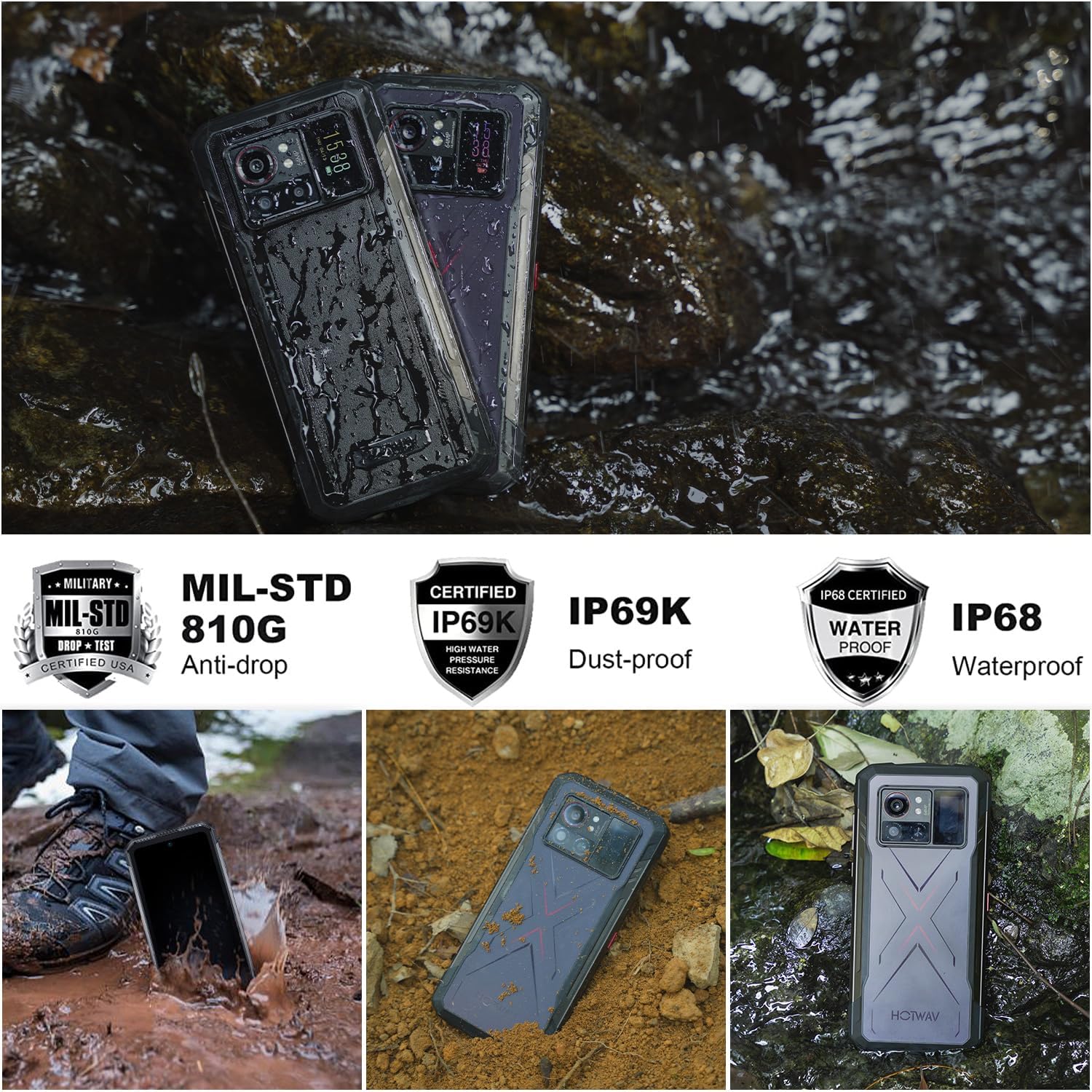
Image: Illustrates the rugged certifications of the HOTWAV Cyber X, including MIL-STD 810G, IP69K, and IP68, showcasing its resistance to drops, dust, and water.
5.2. Cleaning Your Device
To maintain the device's performance and appearance:
- Wipe the screen and body with a soft, lint-free cloth.
- For stubborn dirt, use a slightly damp cloth. Avoid harsh chemicals or abrasive materials.
- Ensure all port covers are securely closed after charging or using the USB port to maintain water and dust resistance.
6. Troubleshooting
If you encounter issues with your HOTWAV Cyber X, try the following solutions:
- Device not powering on: Ensure the battery is charged. Connect the charger and wait a few minutes before attempting to power on again.
- Screen unresponsive: Restart the device by pressing and holding the power button for about 10-15 seconds.
- Poor network signal: Check your SIM card installation. Move to an area with better network coverage.
- Apps crashing: Clear the cache of the problematic app (Settings > Apps > [App Name] > Storage > Clear Cache). If the issue persists, try reinstalling the app.
- Battery draining quickly: Reduce screen brightness, close unused apps, disable unnecessary connectivity features (Wi-Fi, Bluetooth, GPS) when not in use.
- Water/Dust ingress: Despite its ruggedness, ensure all port covers are properly sealed. If water or dust enters, power off the device immediately and allow it to dry completely before powering on.
For more complex issues, refer to the support section or contact customer service.
7. Specifications
| Feature | Specification |
|---|---|
| Brand | HOTWAV |
| Model Name | Cyber X |
| Manufacturer Reference | A08 |
| Operating System | Android 13.0 |
| Processor | Helio G99 Octa-Core (6nm) |
| RAM | 14 GB (6 GB physical + 8 GB virtual) |
| Memory Storage Capacity | 256 GB (Expandable up to 2 TB with Micro-SD) |
| Screen Size | 6.78 Inches FHD+ |
| Refresh Rate | 90 Hz |
| Rear Display | 0.95 Inches |
| Main Camera | 64 MP |
| Front Camera | 16 MP |
| Battery Power | 10200 mAh (Lithium Polymer) |
| Charging | 33W Fast Charge |
| Talk Time | Up to 6 Hours |
| Water Resistance Level | IP68, IP69K (Waterproof) |
| Durability Standard | MIL-STD-810G (Anti-drop, Dust-proof) |
| Cellular Technology | 4G |
| Wireless Technology | LTE, Wi-Fi |
| Connectivity Technology | Bluetooth, NFC, USB, WLAN |
| Audio Jack | USB Type C (via adapter) |
| Color | Noir |
| Product Features | Dual SIM, Integrated GPS, Waterproof, Drop-resistant, Dust-resistant, USB OTG Support, Dual Screen Smartphone |
| Model Year | 2023 |
8. Warranty and Support
HOTWAV is committed to providing excellent customer service for the Cyber X smartphone:
- Returns: 30-day no-reason return policy.
- Warranty: Two-year free warranty.
- Technical Support: Lifetime technical support.
- Customer Service: 24-hour online customer service.
For any inquiries or support needs, please contact HOTWAV customer service through their official channels.