
Bisofice D1002 TAM-T
BISOFICE D1002 TAM-T Cordless Phone System User Manual
Model: D1002 TAM-T
Brand: Bisofice
1. Product Overview
The BISOFICE D1002 TAM-T is a 3-handset cordless phone system designed for office, home, and conference use. It features an integrated answering machine, Caller ID/Call Waiting functionality, and a 1.6-inch LCD with 3 lines of display. The system supports rechargeable batteries and offers 16 interface languages for user convenience.
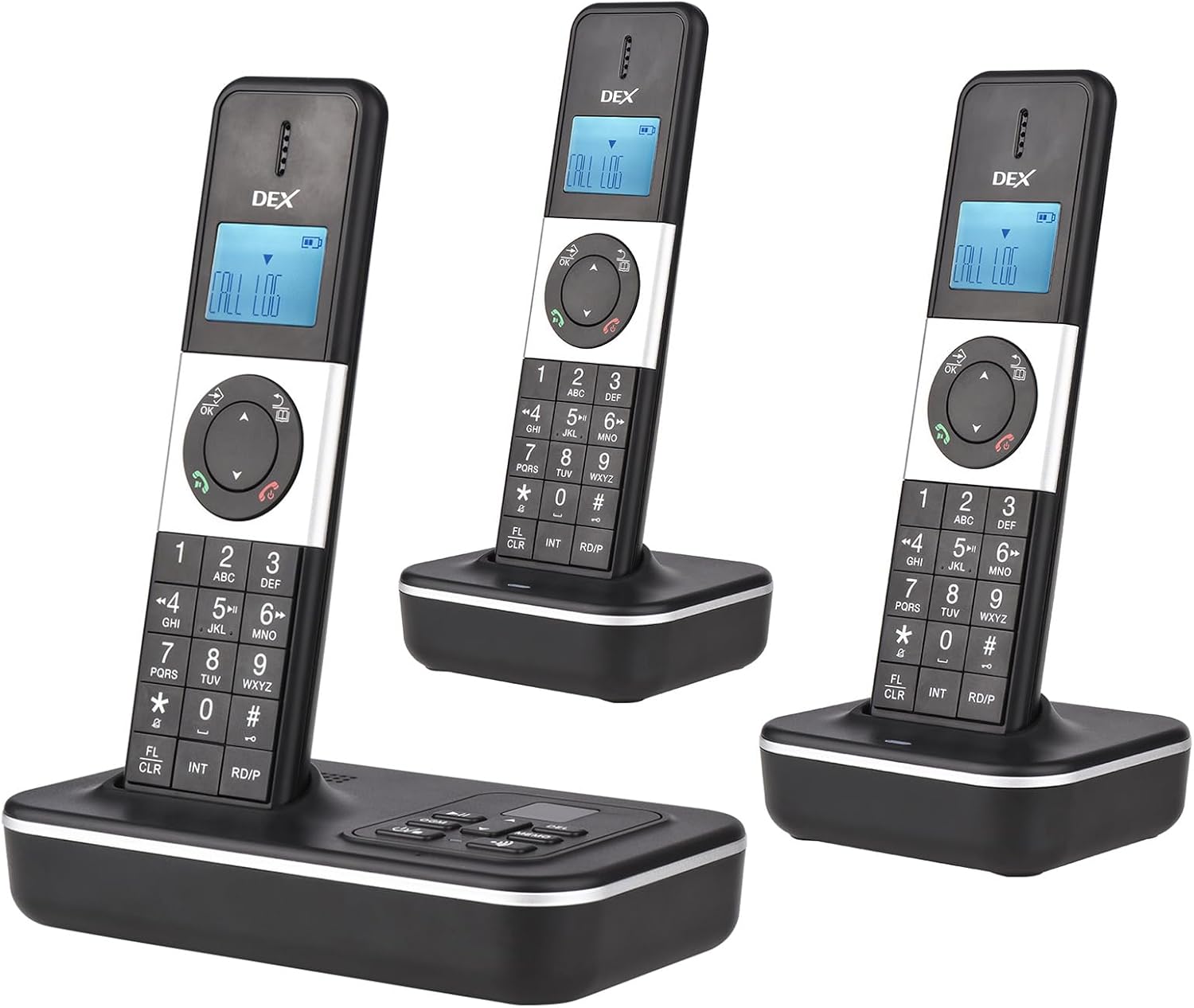
Image: The BISOFICE D1002 TAM-T cordless phone system, showing one base unit with a handset and two additional charging cradles with handsets.
Key Features:
- Multi-Handset Support: Each base unit can connect up to 5 mobile phones, and each mobile phone can be connected to up to 4 handsets.
- Language Options: Supports 16 interface languages including Spanish, English, French, German, Italian, Portuguese, Dutch, Hungarian, Greek, Polish, Danish, Norwegian, Swedish, Turkish, Russian, and Ukrainian.
- Advanced Call Features: Includes pre-dialing, edit, flash, redial, pause, alarm clock, auto/manual answer, dialing barring, LCD backlight, keypad lock, and mute.
- Memory Functions: Stores 30 incoming numbers, 10 outgoing numbers, and a 50-entry phone book (max 12 characters & 20 digits).
- Customizable Ringtones: 10 selectable ringer melodies with adjustable volume. Different melodies can be assigned for different calls.
- Answering Machine: Base unit features a 2-line LCD display, capable of playing and recording messages. Records up to 240 minutes of messages and allows recording of 2 groups of Outgoing Messages (OGM) with up to 120 seconds of memo recording.
2. Product Components
Familiarize yourself with the components of your BISOFICE D1002 TAM-T phone system.
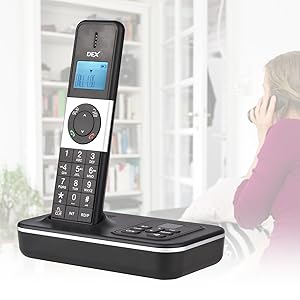
Image: Detailed diagram of the handset and base unit with numbered parts for identification.
Package Contents:

Image: All items included in the BISOFICE D1002 TAM-T package, including handsets, charging cradles, power adapters, phone cable, batteries, and user manual.
- Main Base Unit with Answering Machine
- Cordless Handsets (3 included)
- Charging Cradles for Handsets (2 included, plus one integrated with base unit)
- AC Power Adapters
- Rechargeable Batteries
- Telephone Line Cord
- User Manual
3. Setup Guide
3.1 Initial Setup
- Connect the Base Unit:
- Plug one end of the telephone line cord into the "LINE" jack on the back of the main base unit.
- Plug the other end of the telephone line cord into your telephone wall jack.
- Connect the AC power adapter to the "DC Jack" on the base unit and plug it into a standard electrical outlet.
- Install Handset Batteries:
- Open the battery compartment cover on the back of each handset.
- Insert the rechargeable batteries, observing the correct polarity (+ and -).
- Close the battery compartment cover.
- Charge Handsets:
- Place each handset into its respective charging cradle (the main base unit has one, and there are two separate cradles).
- Ensure the "Charge" indicator on the handset or base unit illuminates, indicating proper charging. Allow at least 12-15 hours for the initial charge.
- Connect Additional Charging Cradles:
- Plug the AC power adapters for the additional charging cradles into electrical outlets.
- Place the remaining handsets into these cradles for charging.
3.2 Registering Handsets (if necessary)
Handsets are typically pre-registered. If a handset displays "Unregistered" or similar, follow these steps:
- On the base unit, press and hold the PAGE button for approximately 5 seconds until the registration indicator on the base unit starts flashing.
- Within 60 seconds, on the handset you wish to register, press the OK button, then navigate to "Register Handset" (or similar option) in the menu.
- Enter the system PIN (default is usually 0000).
- The handset will display "Registering..." and then "Handset Registered" upon successful completion.
4. Operating Instructions
4.1 Basic Call Functions
- Making a Call:
- Pick up a handset.
- Dial the phone number.
- Press the TALK/ON button (green button).
- Answering a Call:
- When the phone rings, press the TALK/ON button.
- Ending a Call:
- Press the OFF/END button (red button) or place the handset back in its cradle.
- Redial:
- Press the RD/P button to access the redial list.
- Use the UP/DOWN arrow keys to select a number, then press TALK/ON to dial.
4.2 Answering Machine Functions
The base unit includes an integrated answering machine.
- Playing Messages:
- On the base unit, press the PLAY button.
- Messages will play in the order they were received.
- Recording Outgoing Message (OGM):
- Access the answering machine menu on the handset or base unit.
- Select "Record OGM" and follow the voice prompts to record your message.
- The system supports two OGM groups.
- Memo Recording:
- On the base unit, press and hold the MEMO button to start recording a memo. Release to stop.
- Memos can be up to 120 seconds long.
4.3 Phonebook and Caller ID
- Storing Phonebook Entries:
- On the handset, press the PHONEBOOK button.
- Select "Add New Entry" and enter the name (max 12 characters) and number (max 20 digits).
- Save the entry. The phonebook can store up to 50 entries.
- Caller ID Log:
- Press the UP/OUTGOING CALL button to view the Caller ID log.
- The log stores up to 30 incoming numbers.
- Use the arrow keys to scroll through entries. Press TALK/ON to call back a number from the log.

Image: Handset displaying "CALL LOG" with indicators for Caller ID, 30 incoming number memories, 10 outgoing number memories, and the redial/pause button highlighted.

Image: Close-up of the handset showing the LCD 3 Lines Display with "CALL LOG" visible.
4.4 Multi-Handset Features
- Intercom:
- To call another handset, press the INT button.
- Dial the number of the desired handset (e.g., 1, 2, 3).
- The other handset will ring.
- Call Transfer:
- During an external call, press the INT button to put the external call on hold.
- Dial the number of the handset you wish to transfer the call to.
- Once the other handset answers, you can hang up to transfer the call.
- Three-Way Conference Call:
- While on an external call, press the INT button to put the external call on hold.
- Dial the internal handset number you wish to add to the conference.
- Once the internal handset answers, press and hold the CONF (or similar) button to join all three parties.
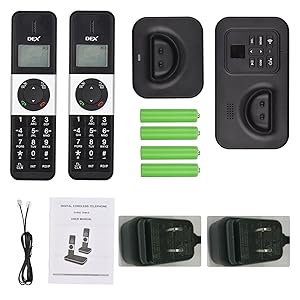
Image: Diagram illustrating a three-way conference call setup between an external call and two internal handsets.

Image: Visual representation of the BISOFICE D1002 TAM-T system supporting connection of up to 5 handsets to a single base unit, with handsets placed in various room settings.
5. Maintenance
- Cleaning: Use a soft, damp cloth to clean the phone and base unit. Do not use harsh chemicals or abrasive cleaners.
- Battery Care:
- Only use the specified rechargeable batteries.
- If the phone will not be used for an extended period, remove the batteries to prevent leakage.
- Dispose of old batteries according to local regulations.
- Placement: Keep the base unit and handsets away from heat sources, direct sunlight, and moisture. Avoid placing them near other electrical appliances that may cause interference.
6. Troubleshooting
If you experience issues with your BISOFICE D1002 TAM-T phone system, refer to the following common problems and solutions:
| Problem | Possible Cause | Solution |
|---|---|---|
| No dial tone / Cannot make or receive calls |
|
|
| Poor audio quality (static, unclear) |
|
|
| Handset displays "Unregistered" |
|
|
| Answering machine not recording messages |
|
|
| Difficulty understanding instructions / Abbreviations |
|
|
7. Specifications
| Feature | Detail |
|---|---|
| Model Number | D1002 TAM-T |
| Product Dimensions | 2 x 1 x 8 inches (Handset) |
| Item Weight | 2.29 pounds (Total package) |
| Display | 1.6 inch LCD, 3 Lines (Handset); 2 Lines (Base Unit) |
| Languages Supported | 16 (Spanish, English, French, German, Italian, Portuguese, Dutch, Hungarian, Greek, Polish, Danish, Norwegian, Swedish, Turkish, Russian, Ukrainian) |
| Phonebook Capacity | 50 entries (max 12 characters & 20 digits) |
| Incoming Call Log | 30 numbers |
| Outgoing Call Log | 10 numbers |
| Answering Machine Recording Time | Max 240 minutes |
| Memo Recording Time | Max 120 seconds (2 groups OGM) |
| Ringer Melodies | 10 selectable |
| Flash Time Options | 100/300/600/1000ms |

Image: Diagram showing the dimensions of the BISOFICE D1002 TAM-T handset and base unit in both centimeters and inches.

Image: Handset displaying "CALL LOG" with a list of 16 supported interface languages, including Portuguese, Spanish, English, French, German, Italian, Dutch, Hungarian, Greek, Polish, Danish, Norwegian, Swedish, Turkish, Russian, and Ukrainian.
8. Warranty and Support
For warranty information and technical support, please refer to the documentation included with your purchase or contact BISOFICE customer service directly. Specific warranty terms may vary by region and retailer.
For further assistance, you may visit the official Bisofice store on Amazon: Bisofice Amazon Store