
1. Product Overview
The ZK-4KX is a versatile DC-DC adjustable constant voltage and constant current automatic buck-boost power supply module. It features an LCD display that provides real-time information on input voltage, output voltage, current, power, and operational status. This module is designed for precise voltage and current regulation, making it suitable for various applications including power supply, battery charging, and LED constant current driving.
Key Features:
- High-definition LCD display for multiple parameters.
- Automatic buck/boost voltage conversion.
- Constant voltage (CV) and constant current (CC) output modes.
- Input anti-reverse protection.
- Output anti-backflow protection.
- Comprehensive protection features: undervoltage, over-voltage, over-current, over-power, over-temperature, timeout, and over-capacity.
- Supports solar charging applications.
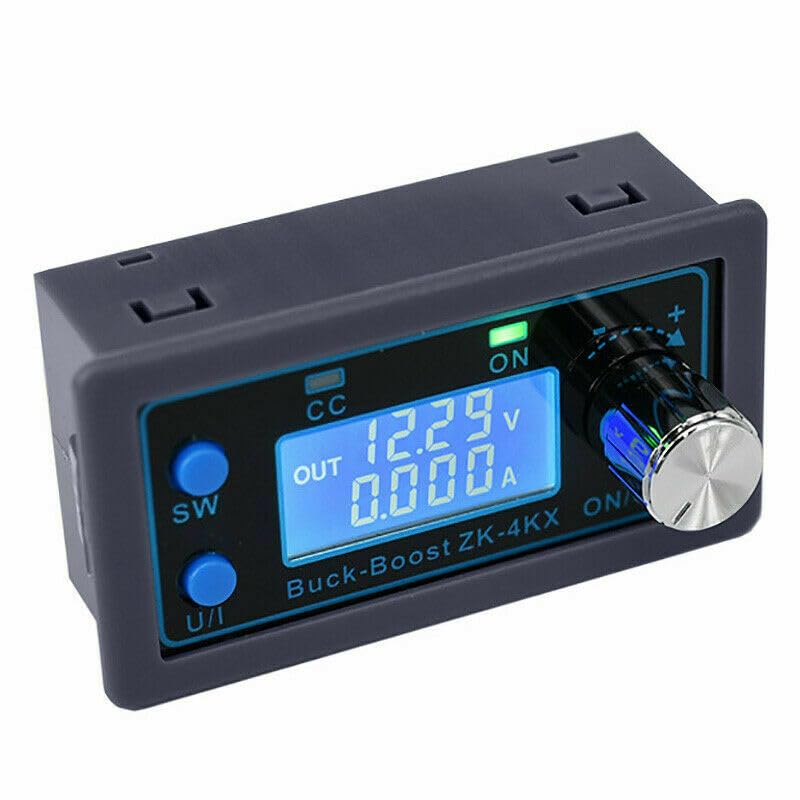
Figure 1.1: Front view of the ZK-4KX Buck Boost Converter, showing the LCD display and control buttons.
2. Setup
2.1 Component Identification:
Familiarize yourself with the various components and controls of the ZK-4KX module.
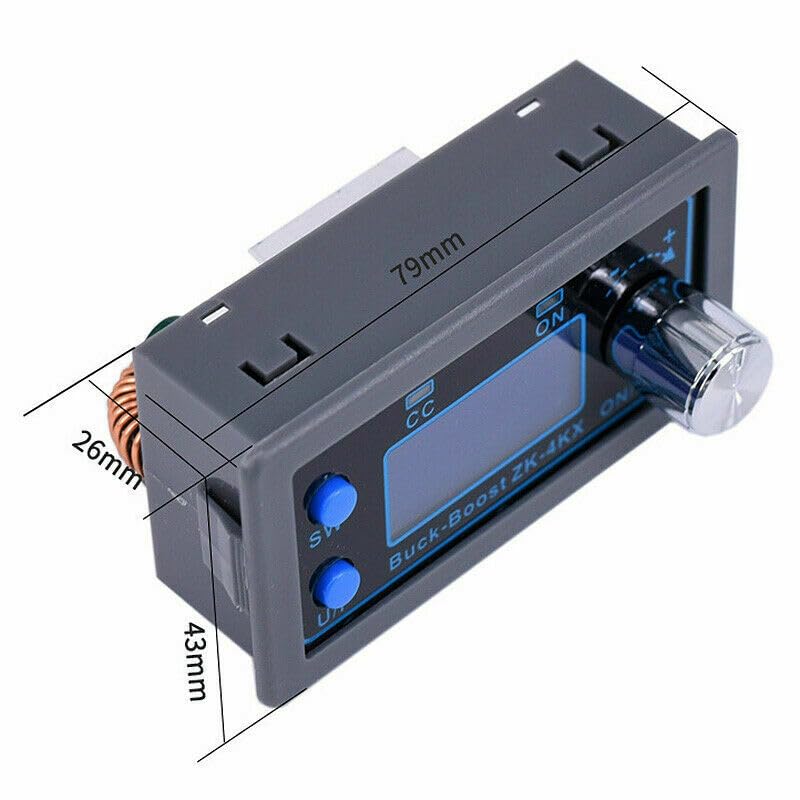
Figure 2.1: Labeled components of the ZK-4KX module. Key labels include 'CC' for Constant Current indicator, 'ON' for Output indicator, 'SW' for Switch button, 'U/I' for Voltage/Current display toggle, and the Code Potentiometer for adjustments.
- SW Button: Short press to switch between displaying input voltage, output voltage, current, power, capacity, energy, and time. Long press to enable/disable the output.
- U/I Button: Short press to switch between displaying voltage and current on the main screen. Long press to enter parameter setting mode.
- Code Potentiometer: Rotate clockwise to increase values, counter-clockwise to decrease values. Short press to confirm selection or switch between digits during setting. Long press to exit setting mode.
- CC Indicator: Illuminates when the module is operating in Constant Current mode.
- ON Indicator: Illuminates when the output is enabled.
2.2 Connections:
Ensure all connections are secure and correct before applying power.
- Input Power: Connect a DC power source (5V-30V) to the input terminals. Observe polarity: '+' for positive, '-' for negative.
- Output Load: Connect your load to the output terminals. Observe polarity: '+' for positive, '-' for negative.
- Cooling Fan (Optional): For output power exceeding 35W (up to 50W max), a cooling fan is required. Connect it to the designated fan header if available, or ensure adequate airflow.
3. Operating Instructions
3.1 Basic Operation:
- Power On: After connecting the input power, the module's LCD display will light up, showing the current input and output parameters.
- Enable/Disable Output: Long press the 'SW' button to toggle the output ON or OFF. The 'ON' indicator will light up when the output is enabled.
- Display Mode: Short press the 'SW' button to cycle through different display modes: Input Voltage, Output Voltage, Output Current, Output Power, Capacity (Ah), Energy (Wh), and Run Time.
- Voltage/Current Display Toggle: Short press the 'U/I' button to switch between displaying output voltage and output current on the main screen.
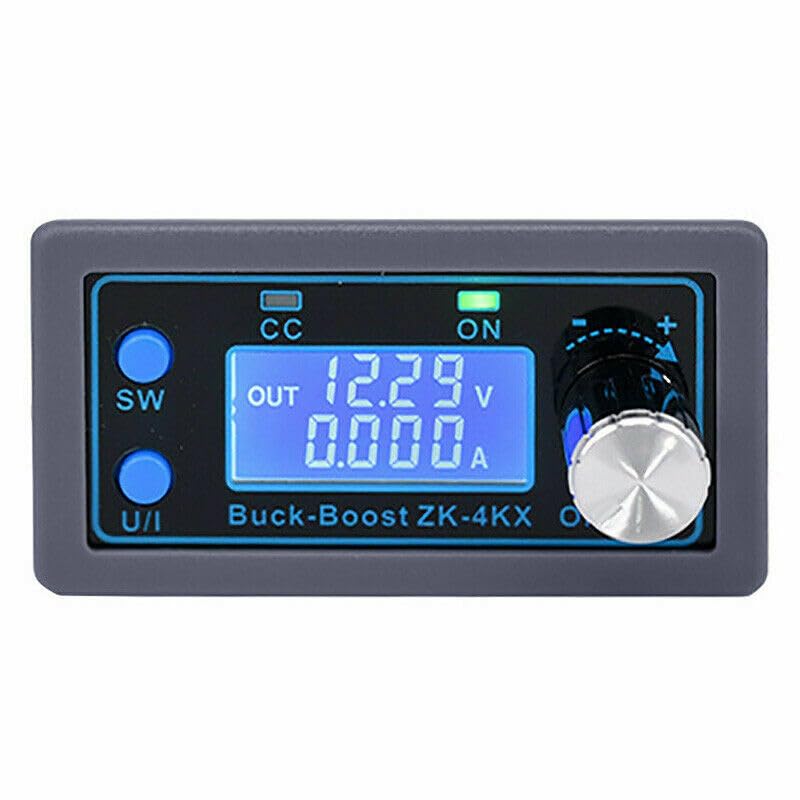
Figure 3.1: The ZK-4KX display showing output voltage (12.29V) and output current (0.000A).
3.2 Parameter Adjustment:
To adjust output voltage or current limit:
- Enter Setting Mode: Long press the 'U/I' button until the display shows the setting options.
- Select Parameter: Rotate the Code Potentiometer to select the parameter you wish to adjust (e.g., output voltage, output current limit). Short press the potentiometer to confirm selection.
- Adjust Value: Rotate the Code Potentiometer to change the value. Short press the potentiometer to move between digits for fine adjustment.
- Save and Exit: Long press the Code Potentiometer to save the settings and exit the setting mode.
3.3 Protection Settings:
The ZK-4KX includes various protection thresholds that can be configured in the setting mode. These include over-voltage protection (OVP), over-current protection (OCP), over-power protection (OPP), undervoltage protection (LVP), timeout protection (OHP), and over-capacity protection (OCP_C). Refer to the detailed setting menu for specific adjustments.
4. Maintenance
Proper maintenance ensures the longevity and optimal performance of your ZK-4KX module.
4.1 Cleaning:
- Ensure the module is powered off and disconnected from all sources before cleaning.
- Use a soft, dry cloth to wipe the exterior. For stubborn dirt, a slightly damp cloth can be used, but ensure no moisture enters the device.
- Avoid using harsh chemicals, solvents, or abrasive cleaners.
- Periodically inspect the heat sink for dust accumulation and gently clean it with compressed air if necessary to maintain efficient cooling.
4.2 Storage:
- Store the module in a cool, dry place away from direct sunlight and extreme temperatures.
- Keep it away from moisture, dust, and corrosive substances.
- If storing for extended periods, ensure it is clean and properly packaged to prevent physical damage.
5. Troubleshooting
This section provides solutions to common issues you might encounter.
| Problem | Possible Cause | Solution |
|---|---|---|
| No display/No power | Incorrect input voltage; Loose connections; Input polarity reversed. | Verify input voltage is within 5V-30V. Check all wiring connections. Ensure correct input polarity. |
| Output voltage is 0V | Output disabled; Protection triggered (OVP, OCP, etc.). | Long press 'SW' button to enable output. Check display for protection indicators and adjust settings or reduce load. |
| Output current is 0A or very low | Load not connected or faulty; Output current limit (OCP) set too low. | Verify load connection and functionality. Increase OCP setting in parameter mode. |
| Module gets hot quickly | Exceeding power limits without fan; Insufficient ventilation. | Ensure output power does not exceed 35W without a fan. If exceeding, install a cooling fan. Provide adequate airflow around the module. |
| Display shows 'PROT' or error code | Protection mechanism activated (e.g., OVP, OCP, OTP). | Identify the specific protection (refer to manual for codes). Address the cause (e.g., reduce voltage/current, allow to cool). |
6. Specifications
Detailed technical specifications for the ZK-4KX module.
| Parameter | Value |
|---|---|
| Product Name | ZK-4KX DC-DC Step UP Down Power Supply Module |
| Working Voltage | DC 5V-30V |
| Output Voltage | DC 0.5V-30V |
| Output Power | 50W (Max, requires fan); 35W (Default without fan) |
| Output Current | 4A (Max) |
| Voltage Display Resolution | 0.01V |
| Current Display Resolution | 0.001A |
| Conversion Efficiency | Approximately 88% |
| Work Frequency | 180KHz |
| Working Temperature Range | -20°C to 100°C |
| Working Humidity Range | 0%-95%RH |
| Dimensions | 79mm x 43mm x 49mm |
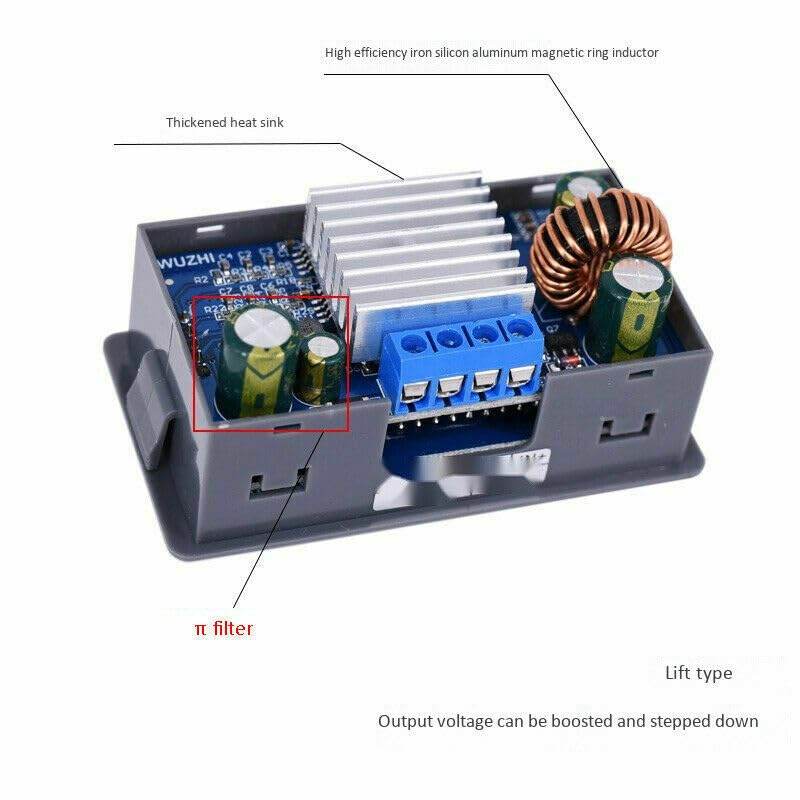
Figure 6.1: Dimensions of the ZK-4KX module (79mm length, 43mm width, 26mm height excluding potentiometer).
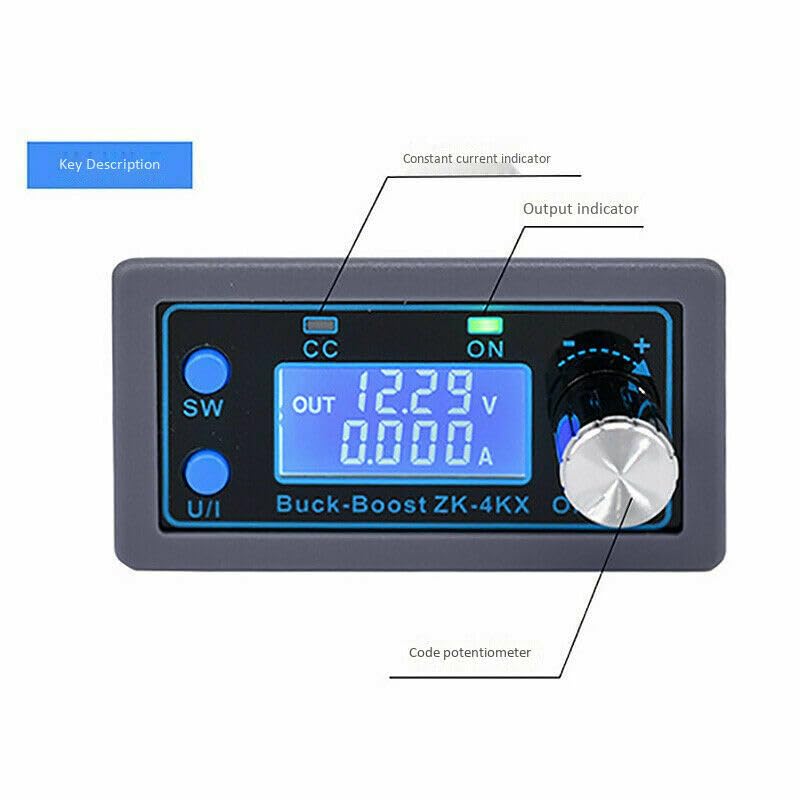
Figure 6.2: Internal view of the ZK-4KX module, highlighting the thickened heat sink, high-efficiency iron silicon aluminum magnetic ring inductor, and π filter for stable output.
7. Safety Information
Please read and adhere to the following safety guidelines to prevent injury or damage to the device:
- Do not exceed the specified input voltage range (DC 5V-30V).
- Ensure correct input and output polarity before connecting power. Reverse polarity can damage the module.
- Do not short-circuit the output terminals.
- Operate the module within its specified temperature and humidity ranges.
- For output power above 35W, ensure adequate cooling (e.g., by installing a fan) to prevent overheating.
- Keep the module away from water, flammable materials, and strong electromagnetic fields.
- Do not attempt to disassemble or modify the module. Repairs should only be performed by qualified personnel.
- Keep out of reach of children.
8. Warranty and Support
This product is covered by a standard manufacturer's warranty against defects in materials and workmanship. For warranty claims, technical support, or inquiries, please contact your retailer or the manufacturer directly. Please retain your proof of purchase for warranty validation.


