
1. Introduction
Thank you for choosing the Elbe ABT-A10-G Bluetooth 5.1 Active Noise Cancelling Headphones. This manual provides essential information for the safe and efficient use of your device. Please read it carefully before use and retain it for future reference.
2. Safety Information
- Do not expose the headphones to extreme temperatures, humidity, or corrosive substances.
- Avoid dropping or subjecting the headphones to strong impacts.
- Do not attempt to disassemble or modify the headphones. This will void the warranty.
- Clean the headphones with a soft, dry cloth. Do not use liquid cleaners.
- Prolonged listening at high volume levels can cause hearing damage. Adjust volume to a safe level.
- Do not use the headphones in situations where awareness of your surroundings is critical, such as driving or cycling.
3. Package Contents
Please check the package for the following items:
- Elbe ABT-A10-G Bluetooth ANC Headphones
- USB-C Charging Cable
- 3.5mm Audio Jack Cable
- User Manual (this document)
4. Product Overview
4.1 Headphone Components
Familiarize yourself with the various parts and controls of your Elbe ABT-A10-G headphones.

Image: Right earcup of the Elbe ABT-A10-G headphones, showing control buttons for volume, track navigation, and power/ANC.
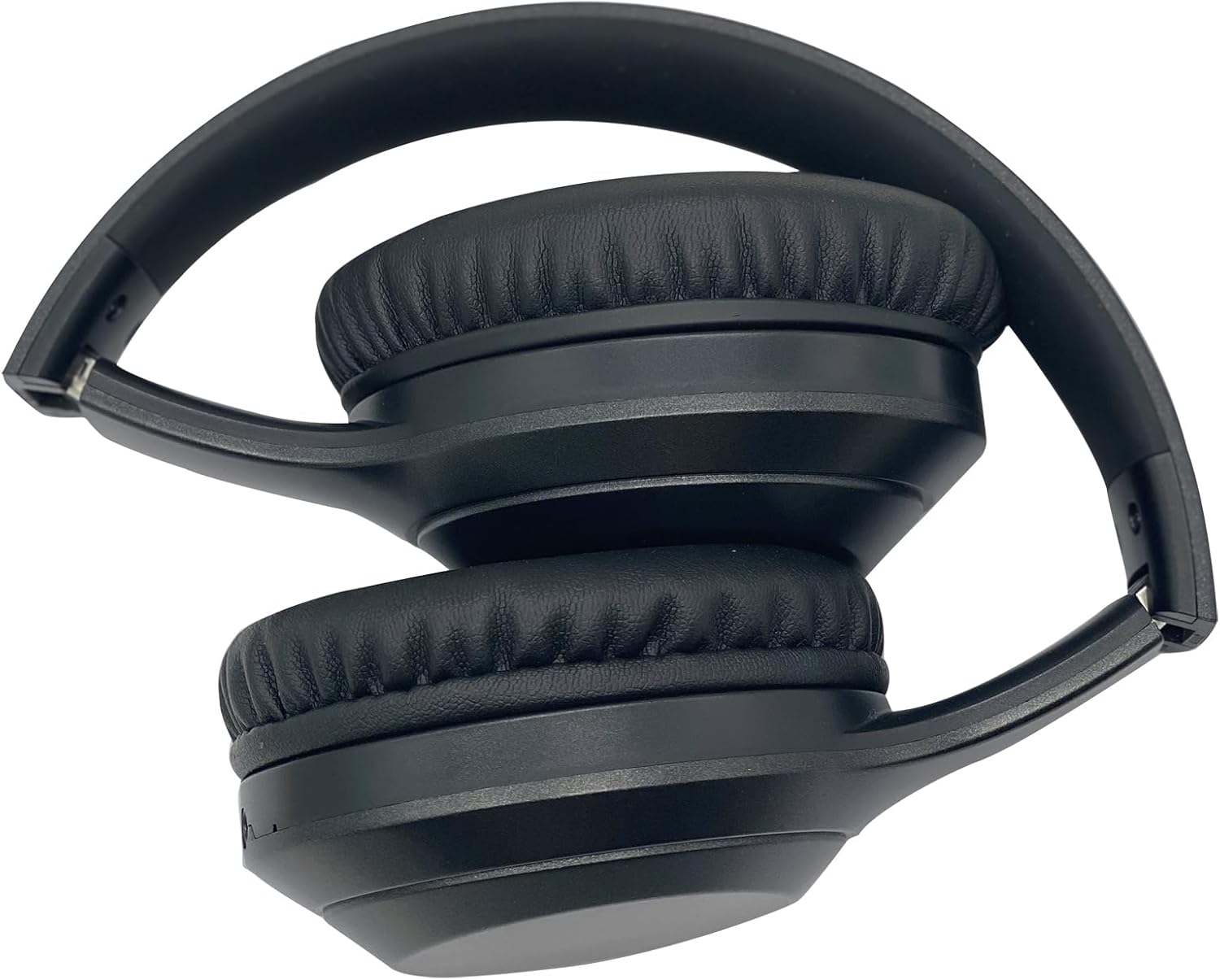
Image: Front view of the Elbe ABT-A10-G headphones, showcasing the overall design.
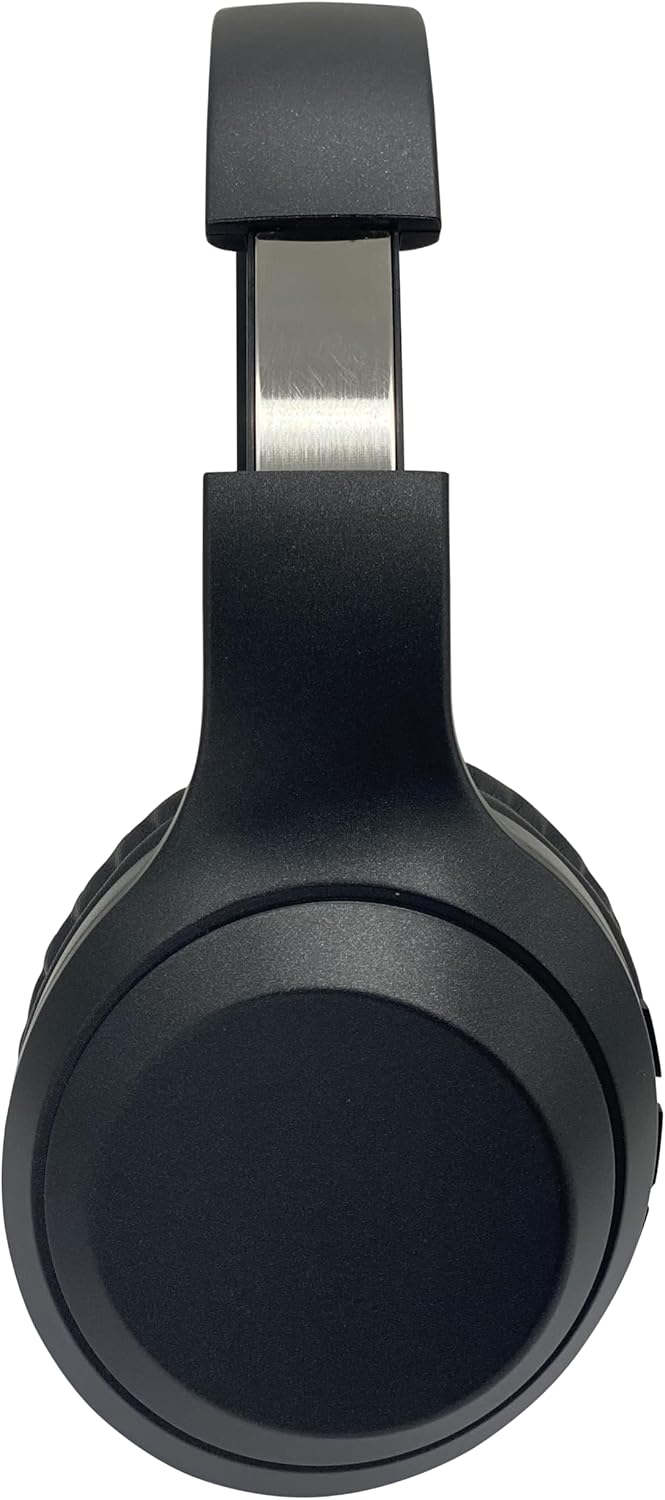
Image: Side view of the Elbe ABT-A10-G headphones, highlighting the adjustable headband for a comfortable fit.
4.2 Controls and Ports
- Power/ANC Button: Press and hold to power on/off. Short press to activate/deactivate Active Noise Cancellation.
- Volume Up/Next Track Button: Short press for volume up. Long press for next track.
- Volume Down/Previous Track Button: Short press for volume down. Long press for previous track.
- Multi-function Button (Play/Pause/Call): Press to play/pause music, answer/end calls. Long press to reject calls.
- USB-C Charging Port: For charging the headphones.
- 3.5mm Audio Jack: For wired connection.
- Microphone: For hands-free calls.
- LED Indicator: Shows power, charging, and pairing status.
5. Setup
5.1 Charging the Headphones
Before first use, fully charge the headphones.
- Connect the USB-C charging cable to the charging port on the headphones.
- Connect the other end of the cable to a USB power adapter (not included) or a computer's USB port.
- The LED indicator will show red during charging and turn off when fully charged.
A full charge takes approximately 2-3 hours and provides up to 10 hours of music playback.

Image: User enjoying music with Elbe ABT-A10-G headphones, illustrating the 10-hour music playback capability on a full charge.
5.2 Powering On/Off
- To Power On: Press and hold the Power/ANC button for approximately 3 seconds until the LED indicator flashes blue.
- To Power Off: Press and hold the Power/ANC button for approximately 3 seconds until the LED indicator turns off.
6. Operating Instructions
6.1 Bluetooth Pairing
- Ensure the headphones are powered off.
- Press and hold the Power/ANC button for about 5-7 seconds until the LED indicator flashes red and blue alternately. This indicates pairing mode.
- On your device (smartphone, tablet, computer), enable Bluetooth and search for available devices.
- Select "Elbe ABT-A10-G" from the list of devices.
- Once paired, the LED indicator will flash blue slowly.
6.2 Using Active Noise Cancellation (ANC)
The Elbe ABT-A10-G headphones feature Active Noise Cancellation to reduce ambient noise.

Image: A user wearing Elbe ABT-A10-G headphones, with a visual representation of sound waves being cancelled, demonstrating the Active Noise Cancellation (ANC) feature.
- To Activate ANC: Short press the Power/ANC button. The LED indicator will turn green.
- To Deactivate ANC: Short press the Power/ANC button again. The green LED will turn off.
6.3 Making and Receiving Calls
The built-in microphone allows for hands-free communication.

Image: A user engaged in a video call while wearing the Elbe ABT-A10-G headphones, illustrating the hands-free calling capability.
- Answer Call: Press the Multi-function button once.
- End Call: Press the Multi-function button once during a call.
- Reject Call: Press and hold the Multi-function button for 2 seconds.
6.4 Audio Playback
- Play/Pause: Press the Multi-function button once.
- Volume Up: Short press the Volume Up button.
- Volume Down: Short press the Volume Down button.
- Next Track: Long press the Volume Up button.
- Previous Track: Long press the Volume Down button.

Image: A diagram illustrating the high-quality sound output and integrated Bluetooth 5.0 technology of the Elbe ABT-A10-G headphones.
6.5 Wired Connection (3.5mm Audio Jack)
You can use the headphones with the included 3.5mm audio cable when the battery is low or with non-Bluetooth devices.
- Connect one end of the 3.5mm audio cable to the audio jack on the headphones.
- Connect the other end to the audio output of your device.
- In wired mode, Bluetooth functions and ANC may not be available or may function differently.
7. Maintenance and Care
Proper care ensures the longevity of your headphones.
- Cleaning: Wipe the headphones with a soft, dry, lint-free cloth. Do not use abrasive cleaners, alcohol, or chemical solvents.
- Storage: Store the headphones in a cool, dry place away from direct sunlight and extreme temperatures. The foldable design allows for compact storage.
- Battery: To preserve battery life, charge the headphones at least once every three months if not used regularly.
- Ear Pads: The ear pads are designed for comfort. Ensure they are kept clean and free from debris.

Image: The Elbe ABT-A10-G headphones in a folded position, highlighting their ergonomic, adjustable, and comfortable design for easy storage and portability.

Image: A close-up view of the soft, comfortable ear pads of the Elbe ABT-A10-G headphones, designed for extended wear.
8. Troubleshooting
If you encounter issues, refer to the following common problems and solutions:
| Problem | Possible Cause | Solution |
|---|---|---|
| Headphones do not power on. | Low battery. | Charge the headphones fully. |
| Cannot pair with device. | Headphones not in pairing mode; Bluetooth off on device; device too far. | Ensure headphones are in pairing mode (flashing red/blue). Turn on Bluetooth on your device. Move device closer to headphones. |
| No sound or low volume. | Volume too low; incorrect audio source; headphones not connected. | Adjust volume on headphones and device. Check if headphones are properly paired or connected via 3.5mm cable. |
| ANC not working effectively. | ANC not activated; very high-frequency or irregular noises. | Ensure ANC is activated (green LED). ANC is most effective against low-frequency, constant noise. |
| Microphone not working. | Microphone muted on device; headphones not selected as input. | Check device settings to ensure headphones are selected for calls and microphone is not muted. |
9. Specifications
| Feature | Specification |
|---|---|
| Model | ABT-A10-G |
| Bluetooth Version | 5.1 |
| Speaker Diameter | 40 mm |
| Playback Time | Up to 10 hours |
| Charging Port | USB-C |
| Audio Input | Bluetooth, 3.5mm AUX |
| Microphone | Integrated |
| Active Noise Cancellation (ANC) | Yes |
| Weight | 202 g |
| Material | Faux leather |
| Water Resistance | Not water-resistant |
10. Warranty and Support
Elbe products are designed and manufactured to the highest quality standards. This product is covered by a standard manufacturer's warranty against defects in materials and workmanship from the date of purchase.
For warranty claims or technical support, please contact your retailer or the official Elbe support channels. Please retain your proof of purchase for warranty service.