
1. Introduction
This manual provides detailed instructions for the safe and efficient operation of your SEVENKA D2 2-Bay Smart LCD Battery Charger. Please read this manual thoroughly before use and retain it for future reference.
The SEVENKA D2 is designed for charging various types of rechargeable batteries, featuring a smart LCD display for monitoring charging status and multiple safety protections.

Image 1.1: SEVENKA D2 2-Bay Smart LCD Battery Charger with USB cable.
2. Product Features
- 2-Bay Design: Independently charges two batteries simultaneously.
- Smart LCD Display: Shows charging voltage, current, time, battery type, and power percentage.
- Adjustable Charging Speed: Selectable 0.5A/1A/2A for lithium batteries (Ni-MH/Ni-Cd fixed at 0.5A).
- Universal Compatibility: Supports 3.7V Li-ion and 1.2V Ni-MH/Ni-Cd batteries, including 10400, 14500, 14650, 16340, 18350, 18500, 18490, 18650, 20700, 21700, 22650, 26650, 26700, AA, AAA, AAAA, C, SC.
- Advanced Safety Protections: Fire-retardant PC material, short circuit protection, over-voltage protection, automatic stop charging, overheat protection, reverse polarity protection.
- USB Input: Convenient charging via laptop, cell phone charger, or car charger.
3. Package Contents
Upon opening the package, please verify that all items are present and undamaged:
- 1 x SEVENKA D2 2-Slot Battery Charger
- 1 x USB Charging Cable
- 1 x User Manual (this document)

Image 3.1: Illustration of the charger, USB cable, and user manual included in the package.
4. Product Overview
Familiarize yourself with the components of your SEVENKA D2 charger:
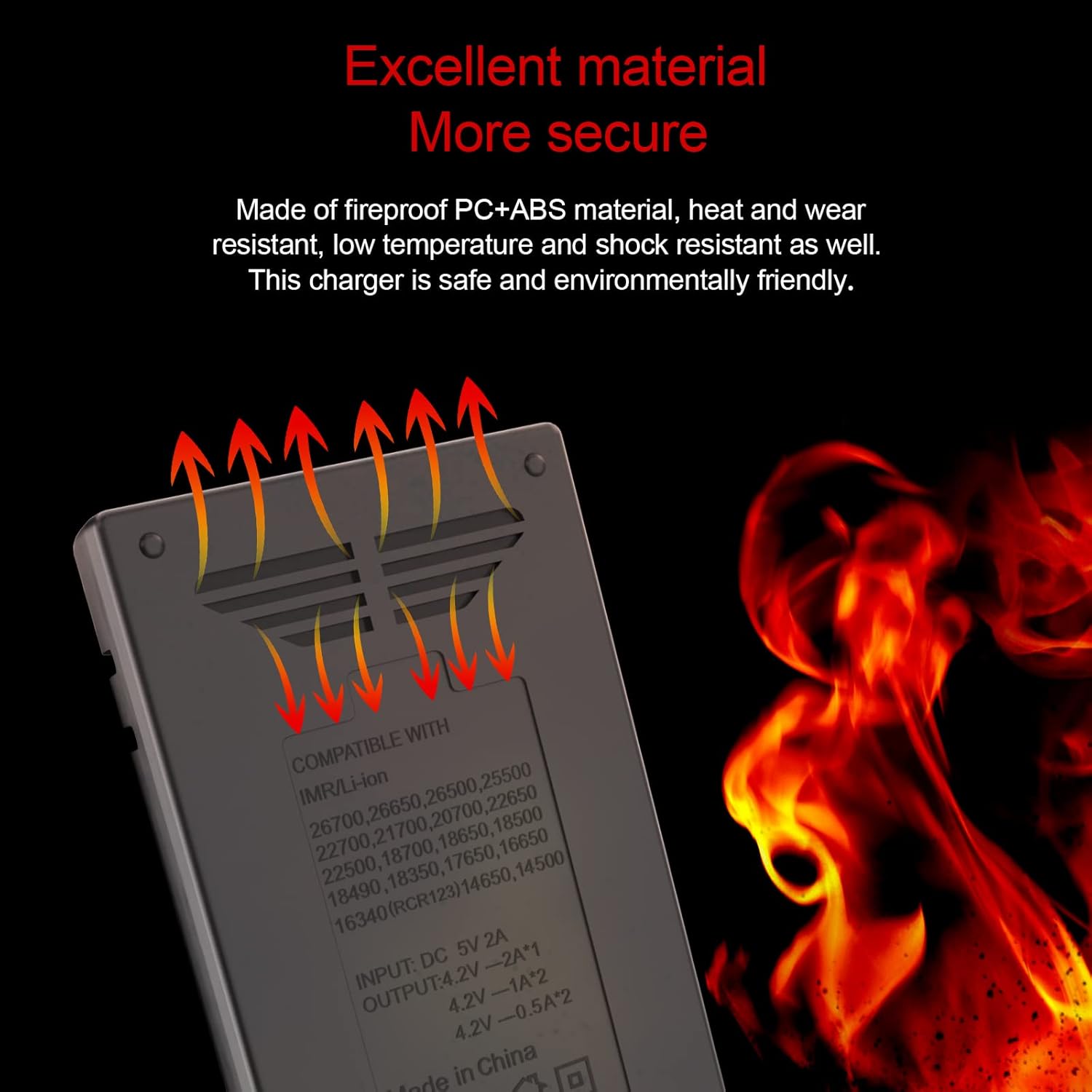
Image 4.1: Key components of the charger, including LCD display, DC 12V 2A input, operation button, and cathode.
- LCD Display: Shows real-time charging information.
- Charging Bays: Two independent slots for batteries.
- Operation Buttons (A/C): Used to select charging slots and adjust settings.
- USB Input Port: For connecting the power source.
5. Setup
- Connect Power: Insert the provided USB charging cable into the charger's input port. Connect the other end to a compatible USB power source (e.g., 5V USB adapter, computer USB port, power bank, car charger).
- Initial Display: The LCD screen will illuminate, indicating the charger is powered on and ready for use.
6. Operating Instructions
6.1 Inserting Batteries
- Carefully insert one or two rechargeable batteries into the charging bays, ensuring correct polarity (+ and - ends match the markings in the bay). The charger will automatically detect the battery type (Li-ion or Ni-MH/Ni-Cd) and begin charging.
- The LCD display will show charging information for each inserted battery.

Image 6.1: Charger with two batteries inserted, ready for charging.
6.2 Understanding the LCD Display
The smart LCD display provides comprehensive information about the charging process:

Image 6.2: Breakdown of information shown on the LCD display, including battery type, charging speed, voltage, and power percentage.
- Battery Type: Displays "Li-ion" or "Ni-MH".
- Charging Voltage: Current voltage of the battery.
- Charging Current (Speed): Shows 0.5A, 1A, or 2A.
- Battery Power Percentage: Indicates the approximate charge level.
- Charging Time: Elapsed time since charging began.
6.3 Adjusting Charging Speed
- For Li-ion batteries, you can adjust the charging current (speed) by pressing the corresponding operation button (A or C) for the desired bay. Available speeds are 0.5A, 1A, and 2A.
- For Ni-MH/Ni-Cd batteries, the charging speed is fixed at 0.5A and cannot be adjusted.
6.4 Compatible Battery Types
The charger is compatible with a wide range of rechargeable batteries:

Image 6.3: Visual representation of compatible Li-ion and Ni-MH/Ni-Cd battery sizes.
- Li-ion (4.2V/4.35V) / LiFePO4 (3.6V): 10400, 14500, 14650, 16340 (RCR123), 18350, 18500, 18490, 18650, 20700, 21700, 22650, 26650, 26700.
- Ni-MH / Ni-Cd (1.48V): AA, AAA, AAAA, C, SC.
6.5 Automatic Functions
- Automatic Battery Recognition: The charger automatically identifies Li-ion and Ni-MH/Ni-Cd batteries.
- Automatic Stop Charging: Charging will automatically cease once batteries are fully charged to prevent overcharging.

Image 6.4: Visual representation of the charger's automatic recognition, charging current selection, battery capacity measurement, reverse-battery protection, short circuit protection, and automatic stop charging features.
7. Safety Information
The SEVENKA D2 charger incorporates several safety features to ensure safe operation:
- Fire-Retardant Material: Constructed from fire-retardant PC material for enhanced safety.
- Short Circuit Protection: Prevents damage from short circuits.
- Over-Voltage Protection: Safeguards against excessive voltage input.
- Overheat Protection: Monitors internal temperature to prevent overheating.
- Reverse Polarity Protection: Protects against incorrect battery insertion.
Important Safety Precautions:
- Do not attempt to charge non-rechargeable batteries.
- Do not disassemble or modify the charger.
- Use the charger in a dry, well-ventilated area, away from direct sunlight and high temperatures.
- Keep out of reach of children.
- Unplug the charger from the power source when not in use.

Image 7.1: Illustration of the charger's fireproof material and heat dissipation design for enhanced safety.
8. Maintenance
- Cleaning: Disconnect the charger from power before cleaning. Use a soft, dry cloth to wipe the surface. Do not use abrasive cleaners or solvents.
- Storage: Store the charger in a cool, dry place when not in use.
- Inspection: Periodically inspect the charging cable and charger for any signs of damage. Do not use if damaged.
9. Troubleshooting
| Problem | Possible Cause | Solution |
|---|---|---|
| Charger not powering on. | No power connection or faulty cable/adapter. | Ensure the USB cable is securely connected to both the charger and a working power source. Try a different USB cable or power adapter. |
| Battery not charging. | Incorrect battery insertion, non-rechargeable battery, or faulty battery. | Check battery polarity. Ensure the battery is rechargeable and compatible with the charger. Try charging a different battery to isolate the issue. |
| LCD display shows error. | Battery fault, short circuit, or other internal issue. | Remove the battery and reinsert it. If the error persists, the battery may be faulty. If the charger itself shows an error without a battery, contact support. |
| Charger feels hot. | Normal operation (some warmth is expected), or poor ventilation. | Ensure the charger is in a well-ventilated area. If it becomes excessively hot, discontinue use and contact support. |
10. Specifications
| Feature | Detail |
|---|---|
| Model | D2 |
| Input Voltage | 5 Volts (DC) via USB |
| Output Current (Li-ion) | 0.5A / 1A / 2A (selectable) |
| Output Current (Ni-MH/Ni-Cd) | 0.5A (fixed) |
| Compatible Battery Types | Li-ion (4.2V/4.35V), LiFePO4 (3.6V), Ni-MH (1.48V), Ni-Cd (1.48V) |
| Compatible Battery Sizes | 10400, 14500, 14650, 16340, 18350, 18500, 18490, 18650, 20700, 21700, 22650, 26650, 26700, AA, AAA, AAAA, C, SC |
| Product Dimensions | 1"D x 2.7"W x 4.7"H (approximately 2.54 cm D x 6.86 cm W x 11.94 cm H) |
| Item Weight | 4.2 ounces (approximately 0.12 kg) |
| Material | Fire-retardant PC |
11. Warranty and Support
SEVENKA provides a one-year limited warranty for this product, covering manufacturing defects from the date of purchase. Additionally, a 30-day worry-free return policy is offered.
If you encounter any issues or have questions regarding your SEVENKA D2 charger, please contact SEVENKA customer service for assistance. Refer to your purchase documentation or the seller's information for contact details.
Please have your model number (D2) and purchase date available when contacting support.