
Introduction
Thank you for purchasing the VIANIS Motion Sensor Outdoor Wall Lantern. This manual provides essential information for the safe installation, operation, and maintenance of your new outdoor light fixture. This modern outside wall sconce coach lantern is designed for various outdoor applications such as porches, garages, and house exteriors, featuring smart motion activation, a dusk-to-dawn sensor, and durable, weather-resistant construction.
Safety Information
Please read all instructions carefully before installation and use. Failure to follow these instructions may result in electric shock, fire, or other hazards. Keep this manual for future reference.
- WARNING: Risk of electric shock. Disconnect power at the fuse or circuit breaker before installing or servicing.
- All electrical connections must be in accordance with local codes and ordinances, National Electrical Code (NEC), and Canadian Electrical Code (CEC).
- Consult a qualified electrician if you are unsure about the installation process.
- Ensure the fixture is properly grounded.
- Do not install near flammable materials.
- Use only E26 base bulbs, maximum 100 watts. Dimmable LED or incandescent bulbs are recommended to avoid flicker issues.
- Do not look directly into the light source when illuminated.
Package Contents
Verify that all components are present before beginning installation:
- VIANIS Motion Sensor Outdoor Wall Lantern (1 unit)
- Mounting Hardware
- Shade (Tempered Clear Glass)
- Bulb not included
Product Features
- Smart Motion Activation & Dusk-to-Dawn Sensor: Automatically turns ON at dusk with 30% dim light, activates to 100% high light upon motion detection, reverts to 30% brightness after 2 minutes without movement, and auto OFF at dawn. Motion sensor range: 40ft distance, 220 degrees.
- One-Click Mode Switch: Easily switch between 3 working modes: DIM MODE, ECO+ MODE, and Override Mode.
- Anti-rust and Weather Resistance: Constructed from high-quality die-cast aluminum with a matte black finish for durability, rust, and corrosion resistance. Superior waterproof and weatherproof capabilities.
- Unique Appearance & Durable: Gold-trimmed black finish and geometric frame design with durable tempered transparent glass.
- Easy Installation & E26 Socket: Comes pre-assembled. Bottom opening design for tool-free bulb changing and cleaning. Compatible with E26 socket bulbs (bulbs not included).
Setup and Installation
This fixture is designed for wall mounting. Professional installation is recommended if you are not familiar with electrical wiring.
- Prepare for Installation:
- Turn off power at the circuit breaker or fuse box to avoid electrical shock.
- Ensure the mounting surface is clean, dry, and structurally sound.
- Attach Mounting Base:
Secure the easy installation mounting base to the junction box using the provided screws. Ensure the base is level.

Image: Close-up of the easy installation mounting base, showing how it attaches to the wall.
- Wire Connections:
- Connect the ground wire (usually bare copper or green) from the fixture to the ground wire from the junction box.
- Connect the white wire (neutral) from the fixture to the white wire from the junction box.
- Connect the black wire (hot) from the fixture to the black wire from the junction box.
- Secure all connections with wire nuts.
- Mount the Fixture:
Carefully align the fixture with the mounting base and secure it using the decorative nuts or screws provided.
- Install Bulb:
Insert an E26 base bulb (max 100W, dimmable LED or incandescent recommended) into the socket. The bottom opening design allows for easy bulb access.
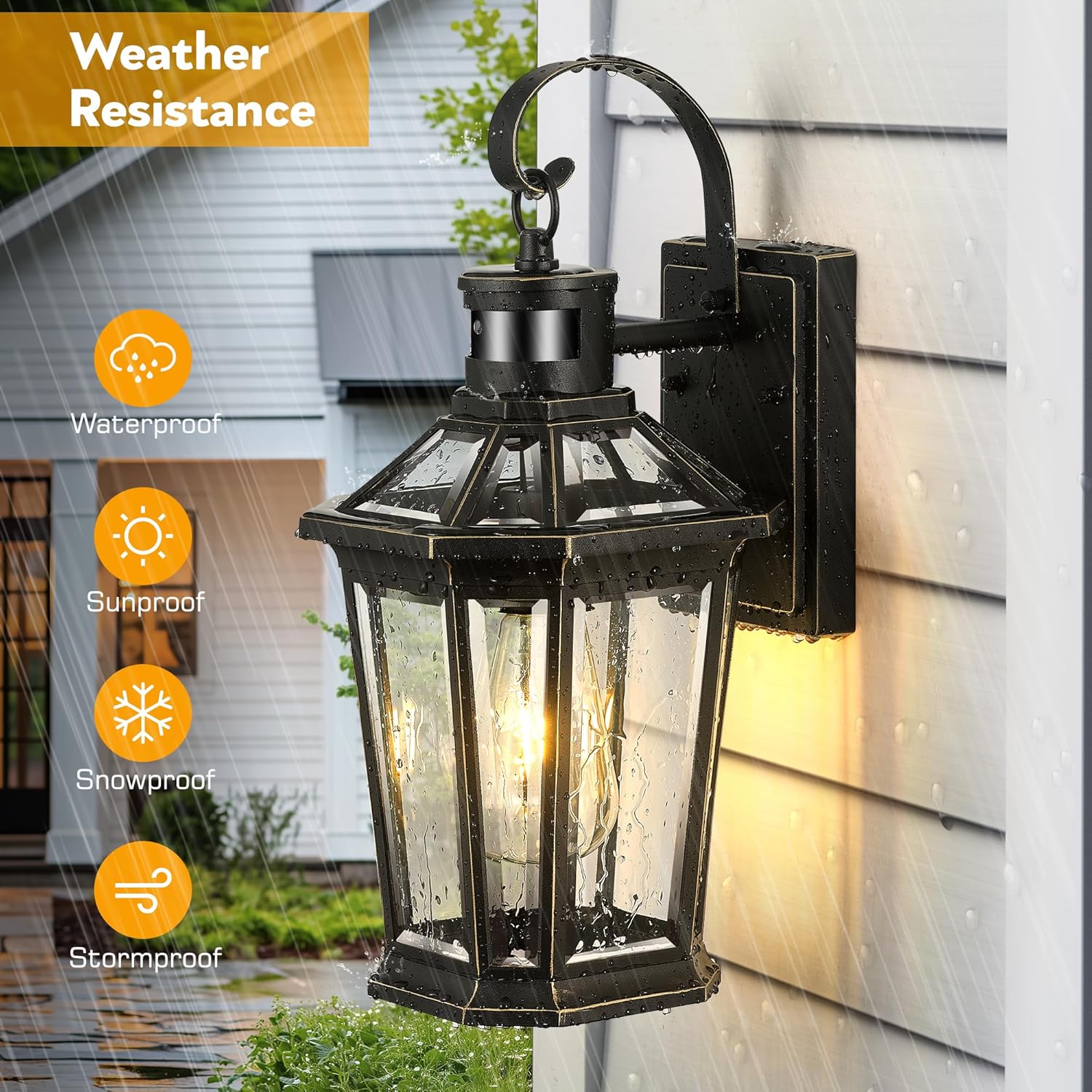
Image: Diagram showing the E26 socket and compatible bulb types, along with product dimensions.
- Restore Power:
Turn the power back on at the circuit breaker.
Operating Instructions
The VIANIS Motion Sensor Outdoor Wall Lantern features smart sensors and multiple operating modes.
Mode Switching
The light offers three distinct operating modes, easily switchable with a single button press on the fixture. An indicator light will confirm the selected mode.

Image: Diagram illustrating the one-click mode switching feature and the different indicator light colors for each mode.
- DIM MODE (Red Indicator Light):
At night, the light stays at 30% brightness. When motion is detected, it brightens to 100%. After 2 minutes without motion, it returns to 30% brightness. Automatically turns off at dawn.

Image: Visual representation of the DIM Mode: auto-off during daytime, 30% dim at night, 100% with motion, then back to 30%.
- ECO+ MODE (Green Indicator Light):
At night, the light remains off. When motion is detected, it turns on to 100% brightness. After 2 minutes without motion, it turns completely off. Automatically turns off at dawn.

Image: Visual representation of the ECO+ Mode: auto-off during daytime, off at night, 100% with motion, then back to off.
- D2D MODE (Blue Indicator Light):
The light automatically turns on at dusk and stays at 100% brightness throughout the night. It automatically turns off at dawn. Motion sensor functionality is inactive in this mode.

Image: Visual representation of the D2D Mode: light automatically turns on at dusk and off at dawn, staying at 100% brightness.
- Manual Override Mode (Indicator Light OFF):
To activate, quickly turn the light switch OFF and then ON within 2 seconds. The light will stay at 100% brightness for 8 hours, then automatically return to the previously selected auto mode. This mode is useful for extended periods of full illumination.

Image: Illustration of the Manual Override Mode, showing the light staying at 100% brightness for 8 hours.
Motion Sensor Adjustment
The motion sensor has an ultra-wide sensing coverage of 220 degrees and a maximum distance of 40 feet. The sensing distance can be adjusted to three settings: Far, Medium, and Near.

Image: Diagram showing the 220-degree sensing angle and adjustable sensing distance (Far, Medium, Nearest) up to 40 feet.
Brightness Dimming (Manual)
When in DIM MODE, the initial dim brightness (15%-100%) can be adjusted by a long press on the mode switch button. This feature is compatible with dimmable bulbs only.

Image: Illustration of the integrated dimmer, showing how to long-press to adjust brightness from 15% to 100%.
Maintenance
- Cleaning: Ensure power is off before cleaning. Wipe the fixture with a soft, damp cloth. Do not use abrasive cleaners or solvents, as they may damage the finish or glass.
- Bulb Replacement: Turn off power before replacing the bulb. The bottom opening design allows for easy access to the E26 socket. Replace with an E26 base bulb, maximum 100 watts.
- Inspection: Periodically check for any loose wiring or damage to the fixture.
Troubleshooting
| Problem | Possible Cause | Solution |
|---|---|---|
| Light does not turn on. |
|
|
| Motion sensor not detecting movement or detecting too much. |
|
|
| Light flickers. |
|
|
| Light stays on constantly. |
|
|
Specifications
| Model Number | V81291KG |
| Brand | VIANIS |
| Product Dimensions | 20.8L x 17.8W x 39.9H Centimetres (8.2"W x 15.7"H x 7"L) |
| Item Weight | 1.82 kg (4.01 Pounds) |
| Material | Die-cast Aluminum, Tempered Clear Glass |
| Colour | Black Gold |
| Power Source | Corded Electric |
| Voltage | 120 Volts (AC) |
| Bulb Base | E26 |
| Max Wattage | 100 watts |
| Light Output | 800 Lumens |
| Color Temperature | 3000 Kelvin (Warm White) |
| Special Features | Motion Sensor, Dusk-to-Dawn Sensor, Dimmable (with compatible bulbs), Weather Resistant |
| Indoor/Outdoor Usage | Outdoor |
| Water Resistance Level | Water Resistant |
Warranty and Support
This VIANIS product comes with a 1-year limited warranty from the date of purchase. This warranty covers defects in materials and workmanship under normal use.
For warranty claims, technical support, or any questions regarding your product, please contact VIANIS customer service. Refer to your purchase documentation for specific contact details or visit the official VIANIS website.
Manufacturer: VIANIS