
1. Product Overview
The eifagur Tri-Band WiFi 6E Antenna is designed to significantly improve Wi-Fi signal strength and speed for various devices. This omni-directional antenna supports 2.4GHz, 5GHz, and 6GHz bands, making it compatible with Wi-Fi 6 and 6E networks. Its magnetic base allows for flexible placement, and the long cable provides extended reach for optimal signal reception.

2. Key Features
- Tri-Band Support: Operates on 2.4GHz (2400 - 2485 MHz), 5GHz/5.8GHz (5150 - 5850 MHz), and 6GHz (5900-7125MHz) frequencies.
- High Gain: Provides 7dBi gain for enhanced signal reception.
- Omni-directional: Receives signals from all directions.
- RP-SMA Male Connectors: Standard connectors for compatibility with various devices.
- Long Cable: Equipped with a 10-foot (300cm) RG174 cable for flexible placement.
- Wide Compatibility: Works with Wi-Fi 6/6E routers, wireless network devices, PC desktop computer network cards, Bluetooth network cards, USB network adapters, and WLAN APs.
- Improved Bluetooth Range: Enhances coverage and reception stability for Bluetooth devices.
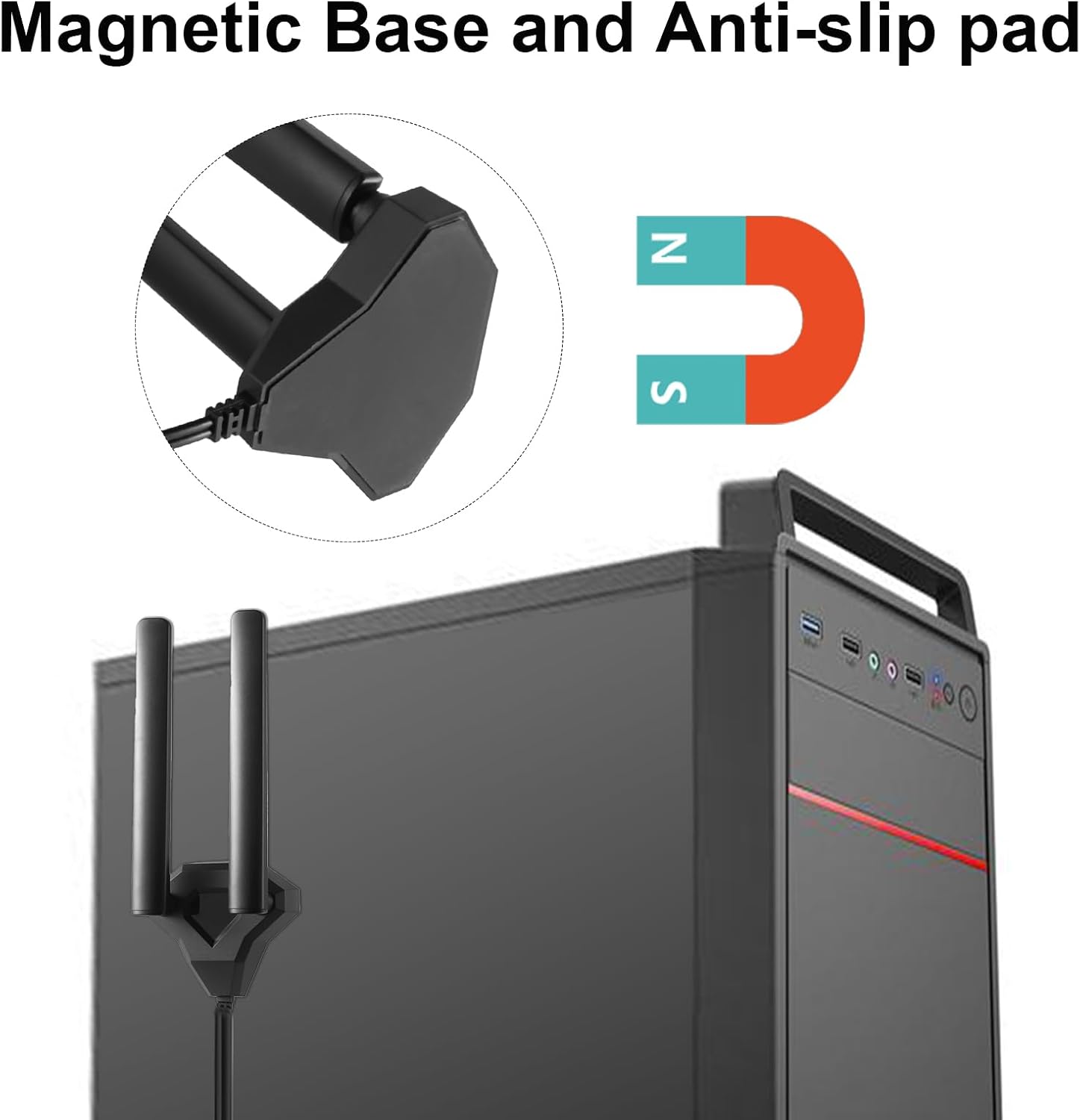
- Magnetic Base: Features a magnetic base for secure and convenient mounting on metal surfaces.
3. Package Contents
Please verify that all items are present and in good condition upon opening the package:
- 1 x eifagur Tri-Band WiFi 6E Antenna with Magnetic Base and Integrated Cable
4. Specifications
| Attribute | Value |
|---|---|
| Frequency Range | 2.4GHz (2400-2485MHz), 5GHz/5.8GHz (5150-5850MHz), 6GHz (5900-7125MHz) |
| Gain | 7dBi |
| Connector Type | RP-SMA Male |
| Cable Type | RG174 |
| Cable Length | 10 Feet (300cm) |
| Impedance | 50 Ohm |
| Direction | Omni-directional |
| Operating Temperature | -40°C ~ +85°C |
| Dimensions (Antenna Rods) | Approx. 6.9 inches (17.5 cm) to 8.1 inches (20.5 cm) adjustable height |
| Item Weight | 8.4 ounces |

5. Setup Instructions
- Identify Connection Ports: Locate the RP-SMA female antenna ports on your device (e.g., Wi-Fi router, PC motherboard, network card). These are typically small, threaded connectors.
- Connect the Antenna: Carefully screw the RP-SMA male connectors of the eifagur antenna cable into the corresponding ports on your device. Ensure a snug fit, but do not overtighten.
- Position the Antenna:
- Utilize the magnetic base to attach the antenna to a suitable metal surface, such as the side of a computer case or a metal desk leg.
- Position the antenna in an elevated location, free from obstructions, to maximize signal reception. Avoid placing it directly behind large metal objects or near sources of electromagnetic interference.
- Adjust the two antenna rods for optimal signal. They can be rotated 360 degrees and pivoted 90 degrees.
- Verify Connection: Once connected, power on your device. The system should automatically detect the external antenna and utilize it for Wi-Fi and Bluetooth connectivity. Check your device's network settings to confirm signal strength improvement.


6. Operating Instructions
The eifagur Tri-Band WiFi 6E Antenna operates passively to enhance your device's wireless capabilities. No specific software or drivers are required for the antenna itself, as it functions as a hardware extension.
- Wi-Fi Signal Improvement: The antenna will automatically work to improve the reception and transmission of Wi-Fi signals across 2.4GHz, 5GHz, and 6GHz bands. This can lead to increased internet speeds and reduced latency, especially in areas with weak signal.
- Bluetooth Range Extension: For devices with integrated Bluetooth, the antenna helps extend the effective range and stability of Bluetooth connections, reducing disconnections and improving audio quality for headsets or data transfer for other peripherals.
- Optimal Placement: Experiment with the antenna's placement and the angle of its rods to find the best signal strength for your environment. Higher positions and clear line-of-sight to your router or Bluetooth device generally yield better results.

7. Maintenance
The eifagur Tri-Band WiFi 6E Antenna requires minimal maintenance to ensure optimal performance.
- Cleaning: Periodically wipe the antenna and its base with a soft, dry cloth to remove dust. Do not use liquid cleaners or abrasive materials.
- Connection Check: Occasionally check that the RP-SMA connectors are securely fastened to your device. Loose connections can degrade signal quality.
- Environmental Conditions: While designed for indoor use, avoid exposing the antenna to extreme temperatures, high humidity, or direct sunlight for prolonged periods.
8. Troubleshooting
If you encounter issues with your eifagur Tri-Band WiFi 6E Antenna, please refer to the following common troubleshooting steps:
- Problem: Weak Wi-Fi Signal or Frequent Disconnections
- Check Connections: Ensure the antenna's RP-SMA connectors are securely screwed into your device's ports.
- Reposition Antenna: Try moving the antenna to a different location, preferably higher up and with a clearer line-of-sight to your Wi-Fi router. Avoid placing it behind large metal objects or thick walls.
- Adjust Rods: Experiment with the angle of the antenna rods. Sometimes a slight adjustment can significantly improve signal strength.
- Interference: Move the antenna away from other electronic devices that might cause interference (e.g., microwaves, cordless phones, other Wi-Fi devices).
- Router Settings: Ensure your router is configured for optimal performance and that its firmware is up to date.
- Problem: Bluetooth Range Not Improved
- Device Compatibility: Confirm that your device's Bluetooth module is compatible with external antennas (most modern Wi-Fi/Bluetooth combo cards are).
- Antenna Placement: Ensure the antenna is positioned optimally for your Bluetooth device. Direct line-of-sight is ideal.
- Bluetooth Driver: Update your Bluetooth drivers on your PC or device.
- Problem: Antenna Not Detected
- Secure Connection: Double-check that the connectors are fully screwed in.
- Device Functionality: Ensure the Wi-Fi/Bluetooth card or router itself is functioning correctly with its original antennas.
- Restart Device: Sometimes a simple restart of the computer or router can resolve detection issues.
9. Warranty and Support
eifagur stands behind the quality of its products. If you encounter any issues or have questions regarding your Tri-Band WiFi 6E Antenna, please do not hesitate to contact our customer support team.
- Customer Support: For assistance, please contact eifagur customer service. We aim to reply within 24 hours.
- Warranty: Information regarding specific warranty terms and conditions can be obtained by contacting customer support or referring to the product packaging/documentation.