
Introduction
Thank you for choosing the QERE M28 Gaming Earbuds. These true wireless stereo earbuds are designed to provide an immersive audio experience with features such as noise cancellation, a built-in microphone, and a waterproof design. This manual will guide you through the setup, operation, and maintenance of your new earbuds.
Package Contents
Please ensure all items are present in your package:
- QERE M28 Wireless Earbuds (Left and Right)
- Charging Case
- USB Type-C Charging Cable
- User Manual
Product Overview
The QERE M28 earbuds incorporate several advanced features for an enhanced audio experience.
Environmental Noise Cancellation
Equipped with intelligent noise reduction technology and dual microphones, these earbuds minimize environmental noise for clearer calls and a more focused listening experience.
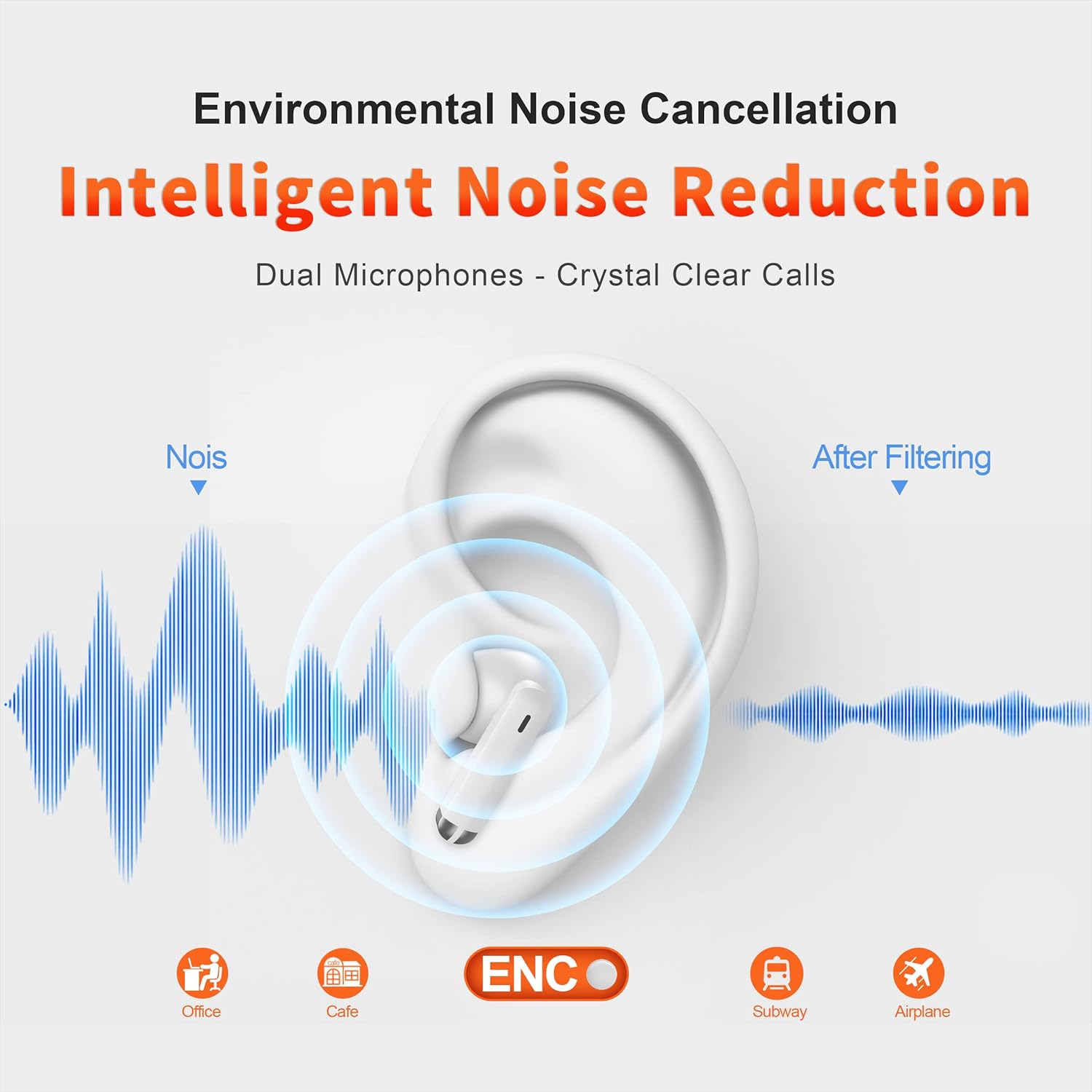
Image: Illustration of environmental noise cancellation technology, demonstrating how ambient sounds are filtered for improved audio clarity.
High-Fidelity Audio with Dynamic Speaker
Experience powerful bass and high-fidelity sound quality thanks to the 13mm dynamic speakers, delivering a wide sound field and rich audio depth.

Image: Detailed view of the 13mm dynamic speaker, illustrating its design for high-quality audio output.
Long Battery Life and Portability
The earbuds offer up to 20 hours of total playing time with the charging case. Each earbud weighs only 3.5g, making them lightweight and comfortable for extended use and easy to carry.

Image: Visual representation of the earbuds' 20-hour battery life and 3.5g weight, emphasizing portability.

Image: The compact design of the earbuds and charging case, demonstrating their portability and space-saving nature.
Ultra-Low Latency for Gaming
With a 60ms ultra-low latency, these earbuds provide a smooth and synchronized audio experience, crucial for gaming and video playback.

Image: A user engaged in mobile gaming, highlighting the benefit of 60ms ultra-low latency for an immersive experience.
Setup
Charging the Earbuds and Case
Before first use, fully charge the earbuds and charging case.
- Connect the provided USB Type-C cable to the charging port on the case.
- Connect the other end of the cable to a USB power adapter (not included) or a computer's USB port.
- The charging indicator on the case will show charging status. A full charge takes approximately 1.5 hours.

Image: The charging case connected to a Type-C cable, demonstrating the quick charge feature.
Bluetooth Pairing
To connect your earbuds to a device:
- Open the charging case. The earbuds will automatically enter pairing mode, indicated by flashing lights.
- On your device (smartphone, tablet, laptop), enable Bluetooth.
- Search for available Bluetooth devices and select "E28" or "M28" from the list.
- Once connected, the earbud indicator lights will stop flashing.
The earbuds feature Bluetooth 5.3 for faster, more reliable, and better compatibility with all Bluetooth-enabled devices (iOS, Android, Windows, etc.).

Image: The earbuds in their charging case, with a phone screen showing the Bluetooth pairing process for the 'E28' device.
Operating Instructions
Touch Controls
The QERE M28 earbuds feature sensitive touch controls for easy management of audio and calls.
| Action | Function |
|---|---|
| Single Tap | Play/Pause music, Answer/End call |
| Double Tap Left Earbud | Previous Song |
| Double Tap Right Earbud | Next Song |
| Long Press Left Earbud | Decrease Volume |
| Long Press Right Earbud | Increase Volume |
| Triple Tap | Activate Voice Assistant |

Image: Visual guide to the sensitive touch controls on the earbuds, illustrating functions like call management and music playback.
Power On/Off
- Power On: Open the charging case, or long-press the touch area on both earbuds for 3 seconds.
- Power Off: Place the earbuds back into the charging case and close the lid, or long-press the touch area on both earbuds for 5 seconds.
Maintenance
Cleaning
Regular cleaning helps maintain optimal performance and hygiene.
- Use a soft, dry, lint-free cloth to wipe the earbuds and charging case.
- Do not use abrasive cleaners, alcohol, or chemical solvents.
- Gently clean the ear tips and speaker mesh with a dry cotton swab to remove earwax or debris.
Storage
When not in use, store the earbuds in their charging case to protect them and keep them charged.
Water Resistance
The QERE M28 earbuds are waterproof. This means they are resistant to sweat and light splashes. Do not submerge them in water or expose them to heavy rain for extended periods.
Troubleshooting
If you encounter issues with your earbuds, refer to the following solutions:
| Problem | Solution |
|---|---|
| Earbuds not pairing |
|
| No sound from one earbud |
|
| Charging case not charging |
|
| Low volume |
|
Specifications
| Feature | Detail |
|---|---|
| Brand | QERE |
| Model Number | E28 (also referred to as M28) |
| Connectivity Technology | Wireless (Bluetooth) |
| Bluetooth Version | 5.3 |
| Bluetooth Range | Up to 35 Feet |
| Ear Placement | In Ear |
| Control Type | Touch (Media Control) |
| Noise Control | Sound Isolation / Environmental Noise Cancellation |
| Audio Driver Type | Dynamic Driver (13mm) |
| Audio Latency | 60 Milliseconds (Low Latency Gaming Mode) |
| Battery Average Life | Up to 14 Hours (earbuds), 20 Hours (with charging case) |
| Battery Charge Time | Approximately 1.5 - 2 Hours |
| Water Resistance Level | Waterproof |
| Item Weight (each earbud) | 3.5 Grams |
| Material | Polycarbonate (PC) |
| UPC | 767461944136 |
Warranty Information
The QERE M28 Gaming Earbuds come with a 1-year manufacturer's warranty. This warranty covers defects in materials and workmanship under normal use. It does not cover damage caused by misuse, accidents, unauthorized modifications, or normal wear and tear.
Support
For further assistance or if you encounter issues not covered in this manual, please refer to the official QERE website or contact their customer support. Keep your purchase receipt for warranty claims.