
Creality AMUS-HYZ-CR-Laser Falcon-40W
Creality Falcon2 40W Laser Engraver & Cutter Instruction Manual
Model: AMUS-HYZ-CR-Laser Falcon-40W
Brand: Creality
1. Introduction
This manual provides comprehensive instructions for the safe and efficient operation of your Creality Falcon2 40W Laser Engraver and Cutter. This powerful machine is designed for precise engraving and cutting on a wide range of materials, offering high speed and accuracy for both hobbyists and professionals.
Please read this manual thoroughly before operating the device to ensure proper usage, optimal performance, and safety.
2. Safety Information
Operating a laser engraver requires strict adherence to safety guidelines to prevent injury and damage. Always prioritize safety.
- Eye Protection: Always wear appropriate laser safety goggles when the machine is in operation. The laser beam can cause severe eye damage.
- Fire Safety: The machine is equipped with fire safety protections. Always supervise the engraving process. Keep a fire extinguisher nearby.
- Emergency Stop: Familiarize yourself with the emergency stop button and its location. Press it immediately in case of any malfunction or emergency.
- Ventilation: Ensure adequate ventilation in your workspace to dissipate fumes and smoke produced during engraving and cutting.
- Material Compatibility: Only engrave or cut materials recommended for this device. Certain materials may produce toxic fumes or catch fire easily.
- Laser Protective Cover: Ensure the laser protective cover is properly installed during operation.
- Tip-over Active Stop Function: The machine features a tip-over active stop function for added safety.
- Safety Lock Design: Utilize the safety lock design to prevent unauthorized use.
- Triple Monitoring Systems: The device includes Airflow, Flame, and Lens monitoring systems for enhanced safety.
For detailed safety instructions, refer to the full safety manual provided with your product.

Figure 2.1: Key Safety Features of the Falcon2 Laser Engraver.
3. Setup and Assembly
The Creality Falcon2 40W Laser Engraver comes largely pre-assembled for quick setup. Follow these steps to get started:
- Unboxing: Carefully remove all components from the packaging. Verify all parts are present according to the packing list.
- Placement: Place the engraver on a stable, level surface in a well-ventilated area.
- Connect Air Assist: Connect the integrated air assist pump to the laser module as per the diagram.
- Power Connection: Connect the power adapter to the machine and plug it into a suitable power outlet.
- Adjustable Stand: Utilize the adjustable risers and silicone pads on the stand to fine-tune the machine's height and level it on uneven tables.
- Software Installation: Install the recommended software (e.g., LightBurn, LaserGRBL) on your computer.
- Connect to Computer: Connect the engraver to your computer via USB.
For a visual guide on unboxing and initial setup, refer to the video below:
Video 3.1: Netflix Unboxing 40W Engraving Machine. This video demonstrates the unboxing process and initial setup of the Creality Falcon2 40W Laser Engraver.
Video 3.2: Creality Official: Teaching You to Make a Trojan Horse. This video provides insights into assembling a project, which can be helpful for understanding the machine's physical interaction with materials.
4. Operating Instructions
The Falcon2 40W offers powerful and precise capabilities. Here's how to operate it:
4.1 Material Preparation
Ensure your material is clean, flat, and securely placed on the honeycomb workbed. The machine supports engraving and cutting on various materials including wood, metal, acrylic, leather, ceramics, glass, food, plywood, cobblestones, solid wood, cardboard, round objects, stainless steel, and coated metal.
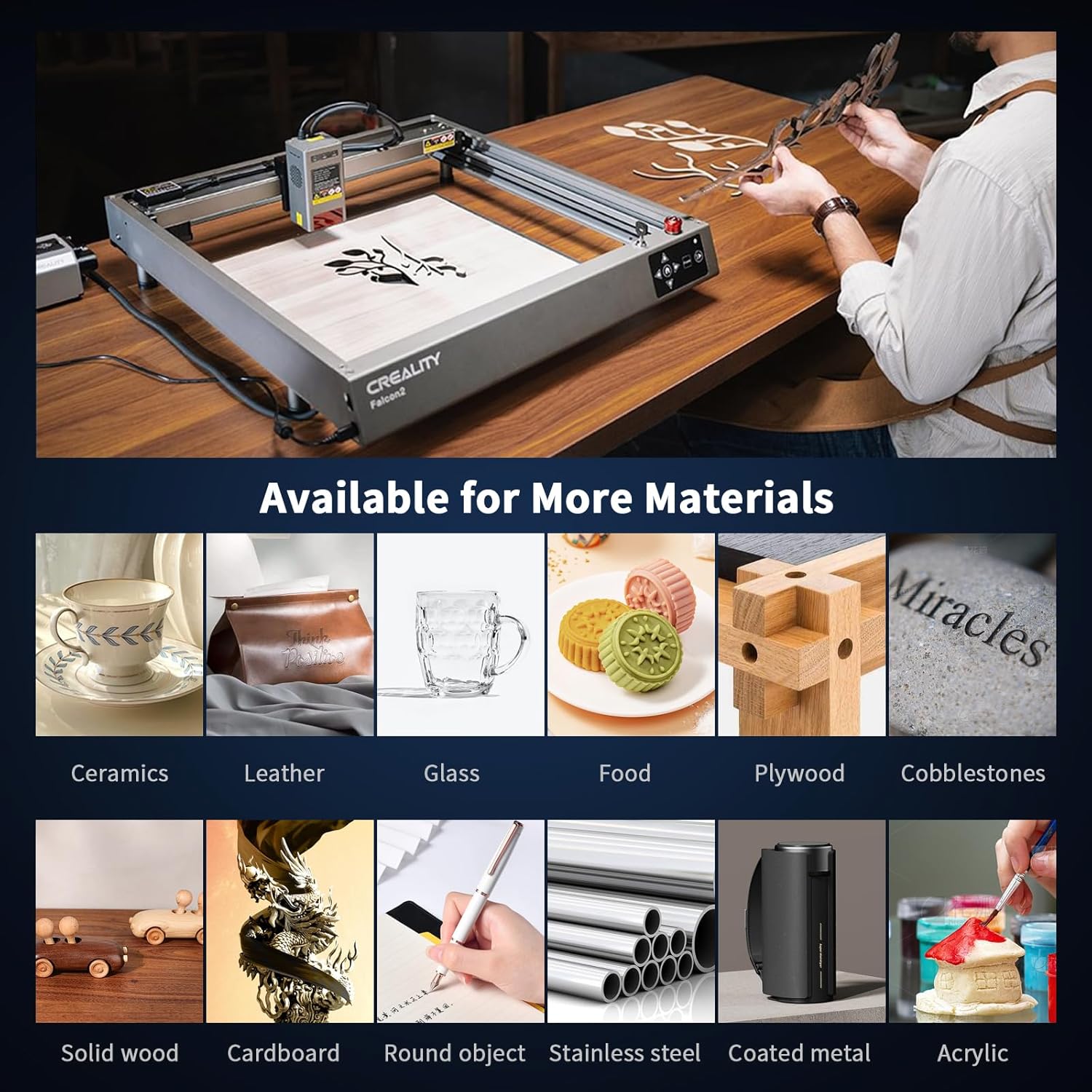
Figure 4.1: Diverse Material Compatibility of the Falcon2.
4.2 Power and Speed
The Falcon2 40W features a high-power laser for precise and detailed engraving. It boasts an engraving speed of up to 25000mm/min.
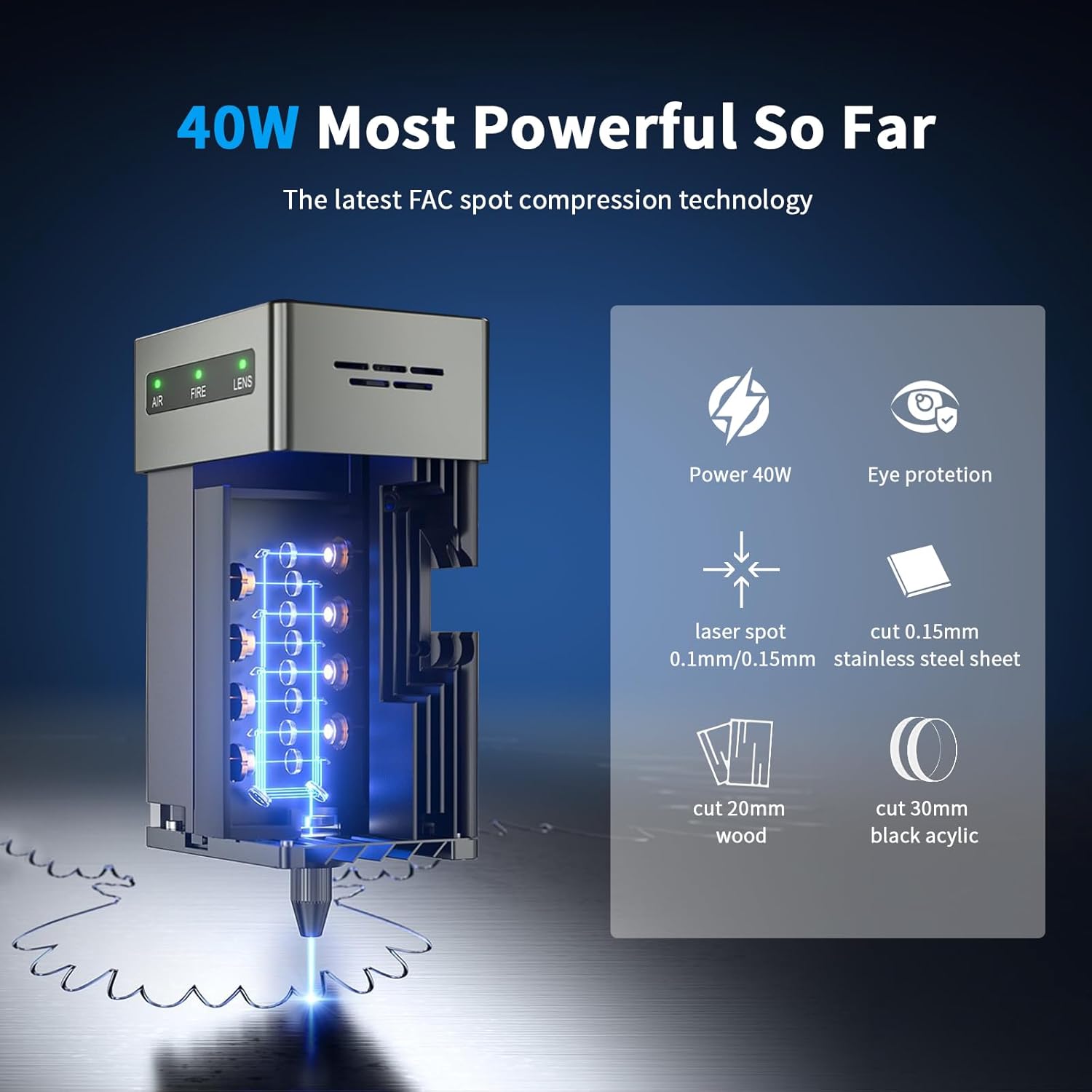
Figure 4.2: 40W Most Powerful Laser Output.

Figure 4.3: 25000mm/min Amazing Speed for Efficient Carving.
Video 4.1: 40W engraving machine technical characteristics. This video highlights the cutting capabilities of the 40W laser on various materials like wood, acrylic, and stainless steel.
Video 4.2: falcon2 40W laser engraver. A short demonstration of the Falcon2 40W's engraving and cutting speed.
Video 4.3: Stronger and faster engraving technology at its core. This video showcases the machine's ability to adjust beam focus and its impact on engraving and cutting quality.
4.3 Adjustable Light Beam & Spot Size
The engraver features an adjustable light beam, allowing you to adjust the laser focus according to material thickness. This enables both thick cutting and fine engraving. The spot size can be reduced by 50% (from 40W to 22W equivalent) for precise work.

Figure 4.4: Groundbreaking Integrated Air Assist.
4.4 Air Assist
The integrated air assist helps to blow away debris, ensuring cleaner and more accurate engravings and cuts. It can be adjusted for strong airflow during cutting and weak airflow during engraving.
4.5 Offline Creating
The Falcon2 supports offline creating. Simply insert a TF card with your design files, and you can operate the machine without a constant computer connection.
4.6 Software Compatibility
The device offers extensive compatibility with various design software, including LightBurn and LaserGRBL, making it suitable for both beginners and experienced users across Windows and macOS systems.

Figure 4.5: Easy to Use Interface.

Figure 4.6: Extensive Software Compatibility.
4.7 Creative Applications
The Creality Falcon2 40W opens up a world of creative possibilities. It is capable of engraving on materials like wood, leather, and metal, enabling users to bring their ideas to life. Whether for personal hobbies or small-business production, this engraver enhances productivity with its efficient performance.
Video 4.4: Example: Cutting to make a birdcage. This video demonstrates the machine's cutting precision for intricate designs.
Video 4.5: Creality Official: Teaching You to Make Graduation Gifts. This video showcases the machine's versatility in creating personalized gifts.
5. Maintenance
Regular maintenance ensures the longevity and optimal performance of your laser engraver.
- Lens Cleaning: The built-in lens monitoring system will trigger an alarm when the lens is dirty enough. Clean the lens regularly to maintain engraving quality and prevent damage.
- Workbed Cleaning: Periodically clean the honeycomb workbed to remove debris and residue from previous projects.
- Rail Lubrication: Apply a small amount of lubricant to the guide rails to ensure smooth movement of the laser module.
- Firmware Updates: Check the Creality official website for any available firmware updates to ensure your machine has the latest features and bug fixes.
6. Troubleshooting
If you encounter issues with your Falcon2 40W, refer to the following common problems and solutions:
| Problem | Possible Cause | Solution |
|---|---|---|
| Poor Engraving/Cutting Quality | Incorrect focus, dirty lens, wrong power/speed settings, material issues. | Adjust laser focus, clean the lens, optimize power/speed settings for the material, ensure material is flat. |
| Machine Not Responding | Loose cable connection, software error, power issue. | Check all cable connections, restart software and machine, verify power supply. |
| Smoke/Fumes Excessive | Insufficient ventilation, incorrect air assist settings, material type. | Improve room ventilation, adjust air assist to strong airflow, ensure material is suitable. |
| Laser Not Firing | Safety interlock engaged, laser module fault, software issue. | Check safety key and protective cover, consult support if module is faulty, verify software settings. |
| Inaccurate Positioning | Loose belts, incorrect software origin, machine not level. | Check and tighten belts, reset software origin, ensure machine is level using adjustable feet. |
If the problem persists, contact Creality customer support for further assistance.
7. Specifications
- Brand: Creality
- Model Number: AMUS-HYZ-CR-Laser Falcon-40W
- Product Dimensions: 8 x 13 x 20 inches
- Item Weight: 24 pounds
- Laser Output Power: 40W
- Engraving Speed: Up to 25000mm/min
- Country of Origin: China
- Date First Available: June 5, 2023

Figure 7.1: Product Dimensions of the Falcon2.
8. Warranty and Support
For warranty information and technical support, please refer to the official Creality website or contact their customer service directly. Keep your purchase receipt as proof of purchase.
You can also visit the Creality Store on Amazon for more product information and accessories.