
Introduction
This manual provides essential information for the setup, operation, maintenance, and troubleshooting of your Kenstar 43-inch 4K Ultra HD Smart LED Google TV, model SKS43UGTJ8. Please read this manual thoroughly before using your television to ensure proper and safe operation.
Safety Information
Always follow basic safety precautions when using this television to reduce the risk of fire, electric shock, and injury. Keep this manual for future reference.
- Do not expose the TV to rain or moisture.
- Do not block ventilation openings.
- Ensure proper grounding for the power cord.
- Unplug the TV during lightning storms or when unused for long periods.
- Refer all servicing to qualified service personnel.
What's in the Box
Verify that all components are present upon unboxing:
- Kenstar 43-inch 4K Ultra HD Smart LED Google TV
- Remote Control (with 2 AAA batteries)
- User Manual (this document)
- Warranty Card
- Table Stand
- Wall Mount Kit
- Power Cord
Setup
1. Physical Installation
You can install your TV using the included table stand or a wall mount. Ensure the TV is placed on a stable, level surface or securely mounted to a sturdy wall.
Table Stand Installation
- Carefully place the TV screen-down on a soft, clean surface.
- Attach the table stands to the designated slots at the bottom of the TV using the provided screws.
- Ensure the stands are firmly secured before carefully placing the TV upright.
Wall Mount Installation
- Refer to the separate wall mount installation guide included in the box.
- Ensure the wall can support the weight of the TV. Professional installation is recommended for wall mounting.

2. Connecting Peripherals
Connect your external devices to the TV using the available ports.
- HDMI: For connecting set-top boxes, gaming consoles, Blu-ray players. The TV supports multiple HDMI inputs.
- USB: For connecting USB storage devices to play media files. The TV has 2 USB ports.
- Ethernet: For a wired internet connection.
- Audio Input (3.5mm): For connecting external audio sources.
3. Power On and Initial Setup
- Connect the power cord to the TV and then to a power outlet.
- Press the power button on the remote control or on the TV.
- Follow the on-screen instructions to complete the initial Google TV setup, including language selection, network connection (Wi-Fi or Ethernet), and Google account sign-in.
Operating Instructions
1. Remote Control
The included smart remote control allows you to navigate the TV's features. Insert the 2 AAA batteries into the remote control, ensuring correct polarity.
2. Google TV Interface
Your Kenstar TV runs on Google TV, offering a personalized experience with content suggestions based on your viewing patterns. The interface provides easy access to movies, shows, apps, and your library.

3. Google Assistant
Use the built-in Google Assistant for voice commands. Press the dedicated Google Assistant button on your remote and speak into the microphone to search for content, control smart home devices, or get information.
4. App Installation and Usage
Access the Google Play Store directly from your TV to download and install a wide variety of applications. Popular streaming services like Netflix, Prime Video, Disney+ Hotstar, YouTube, and Spotify are readily available.

5. Casting and Screen Mirroring
The TV supports Chromecast for casting content from compatible mobile devices and AirPlay for Apple devices, allowing you to share photos, videos, and music directly to your TV screen.
6. Picture and Audio Quality
Experience stunning visuals with 4K Ultra HD resolution and HDR10 support, providing enhanced contrast and vibrant colors. The TV features Dolby Digital Plus for multi-dimensional audio, delivering an immersive sound experience.


7. Special Features
- Art Mode: Display artwork or photos when the TV is not in active use.
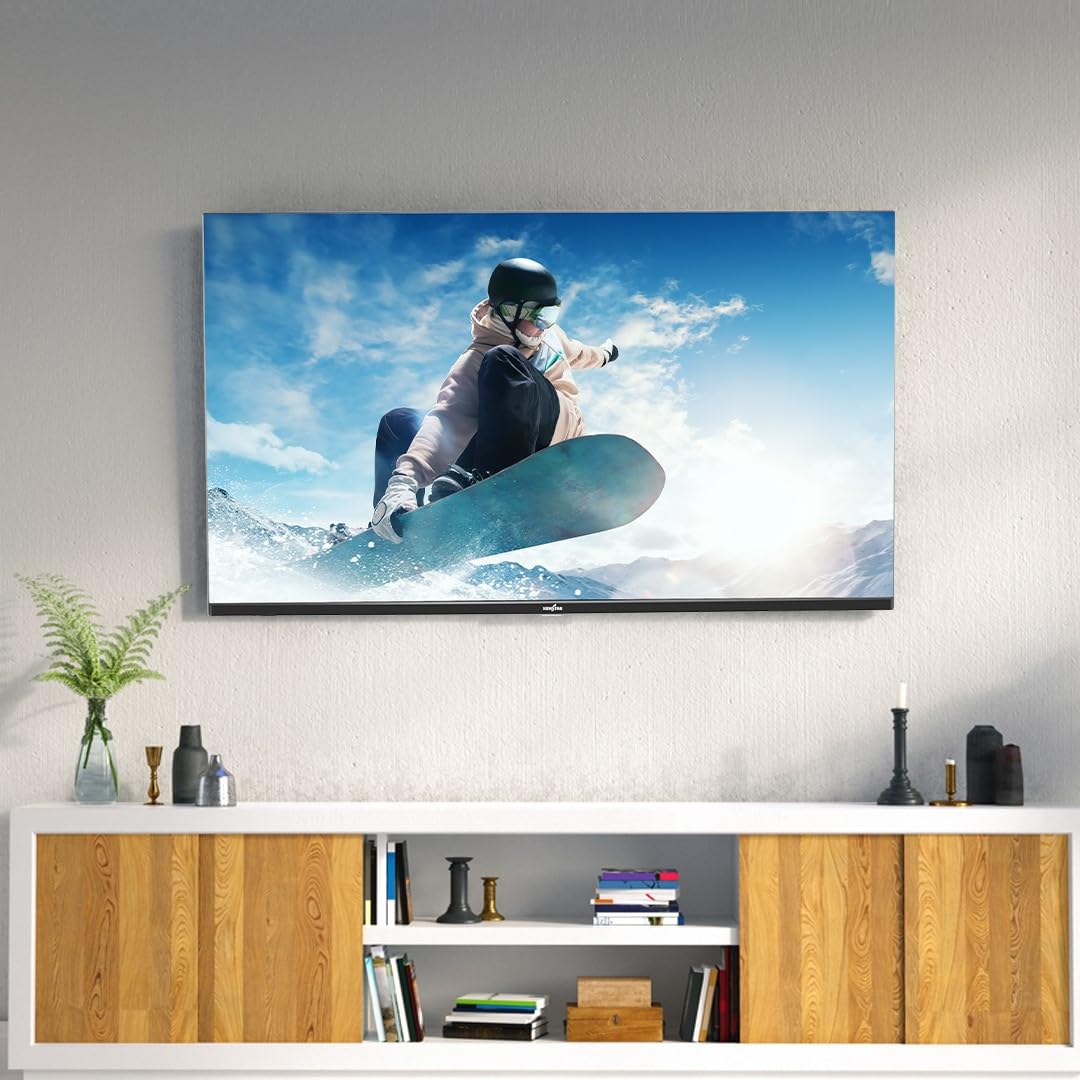
- Bezel-Less Design: Maximizes screen space for an immersive viewing experience.
- Parental Controls: Manage content access for children.
- Wide Viewing Angle: Ensures clear picture quality from various positions.
Maintenance
1. Cleaning the TV
- Always unplug the TV before cleaning.
- Use a soft, dry cloth to wipe the screen and TV body.
- For stubborn marks, lightly dampen the cloth with water or a mild, non-abrasive screen cleaner. Do not spray cleaner directly onto the screen.
- Avoid using harsh chemicals or abrasive materials.
2. Software Updates
Your Google TV may receive automatic software updates. Ensure your TV is connected to the internet to receive these updates, which can improve performance and add new features.
Troubleshooting
If you encounter issues with your TV, refer to the following common solutions:
| Problem | Possible Solution |
|---|---|
| No power | Check if the power cord is securely connected. Ensure the power outlet is working. |
| No picture, but sound is present | Check the input source. Ensure external devices are powered on and connected correctly. |
| No sound, but picture is present | Check volume levels. Ensure external audio devices are connected correctly. Check audio output settings. |
| Remote control not working | Replace the batteries. Ensure there are no obstructions between the remote and the TV. |
| Cannot connect to Wi-Fi | Check your router and internet connection. Re-enter the Wi-Fi password. Try restarting the TV and router. |
| Picture is distorted or unclear | Check the signal source. Adjust picture settings. Ensure cables are securely connected. |
If the problem persists after trying these solutions, please contact customer support.
Specifications
Key technical specifications for the Kenstar SKS43UGTJ8 TV:
| Feature | Detail |
|---|---|
| Model | SKS43UGTJ8 |
| Screen Size | 43 Inches (109 cm) |
| Resolution | 4K Ultra HD (3840 x 2160 Pixels) |
| Display Technology | LED |
| Refresh Rate | 60 Hz |
| Operating System | Google TV |
| Processor Count | 1 |
| RAM Memory | 2 GB |
| Storage Capacity | 16 GB |
| Graphics Coprocessor | Mali-G52MC1 |
| Audio Output Mode | Stereo |
| Audio Encoding | Dolby Digital Plus |
| Speakers Maximum Output Power | 24 Watts |
| Connectivity | Bluetooth, Ethernet, HDMI, USB, Wi-Fi |
| Total USB Ports | 2 |
| Viewing Angle | 178 Degrees |
| Product Dimensions (LxWxH) | 96.5 x 8.5 x 57 cm |
| Item Weight | 5.9 kg |
| Special Features | Art Mode, Bezel-Less Design, Chromecast, Parental Controls, Wide Viewing Angle |
Warranty and Support
Warranty Information
Your Kenstar TV comes with a limited warranty. Please refer to the included Warranty Card for detailed terms, conditions, and duration of the warranty coverage.
Customer Support
For technical assistance, service requests, or any inquiries regarding your Kenstar TV, please contact the manufacturer:
- Manufacturer: Goldenarch Consumer Electronics Pvt. Ltd.
- Contact Number: 9115951595
- Email: customercare@kenstar.in
- Address: 254, Udyog Vihar, Phase 4, Pin-122015
