
1. Introduction
This manual provides essential information for the safe and effective use of your Walimex pro Mover 200 TTL Replacement Battery. This high-capacity lithium-ion battery is designed to provide reliable power for your Mover 200 TTL studio flash, ensuring extended operation during professional photo shoots.
2. Safety Instructions
Please read and adhere to all safety warnings to prevent damage to the battery, flash unit, or personal injury. Keep this manual for future reference.
- DO NOT SHORT CIRCUIT: Avoid contact between the battery terminals with metal objects.
- DO NOT DISASSEMBLE: Do not attempt to open or modify the battery casing.
- DO NOT PUT INTO WATER OR FIRE: Exposure to water or fire can cause explosion or leakage.
- DO NOT CHARGE OR USE IN HIGH TEMPERATURE ENVIRONMENT (>50°C): High temperatures can degrade battery performance and pose a safety risk.
- Keep out of reach of children.
- Dispose of used batteries according to local regulations.

Image 1: Walimex pro Mover 200 TTL Replacement Battery showing printed safety warnings.
3. Product Features
The Walimex pro Mover 200 TTL Replacement Battery offers several key advantages for professional photographers:
- High Capacity: Provides power for up to 500 full-power flashes, ideal for extended shooting sessions.
- Durability: Designed for a long lifespan with numerous charge and discharge cycles.
- Lithium-Ion Technology: Benefits from no memory effect, allowing charging at any time without capacity loss.
- Compatibility: Fully compatible with the original Walimex pro Mover 200 TTL flash unit and its charger.
- Quick Replacement: Enables seamless battery swaps to maintain continuous operation during shoots.
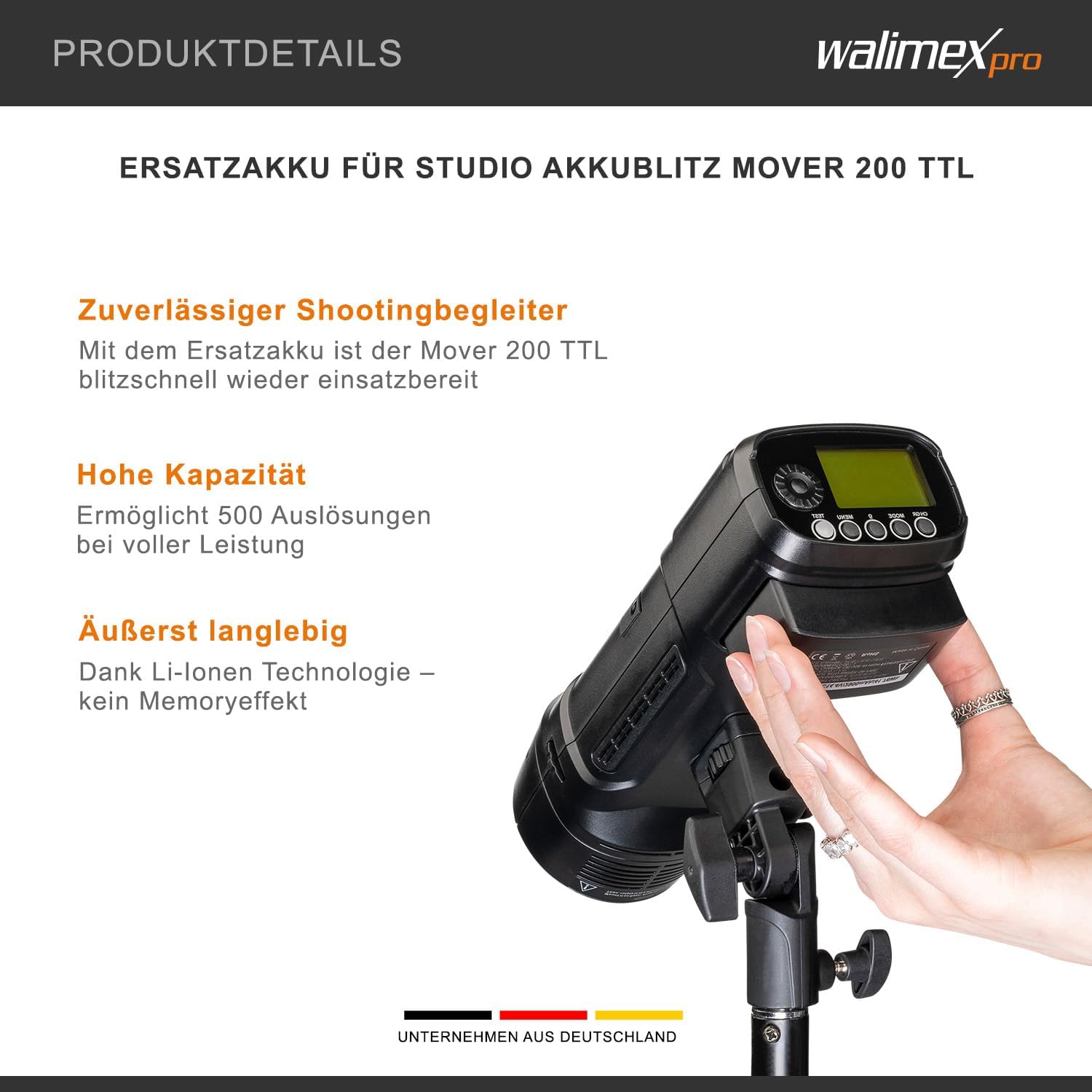
Image 2: Walimex pro Mover 200 TTL flash unit with the replacement battery correctly inserted.
4. Setup and Installation
To install the replacement battery into your Walimex pro Mover 200 TTL flash unit:
- Ensure the Mover 200 TTL flash unit is powered off.
- Locate the battery compartment on the flash unit.
- If replacing an existing battery, carefully remove the old battery.
- Insert the Walimex pro Mover 200 TTL Replacement Battery into the compartment, ensuring the contacts align correctly.
- Close the battery compartment securely.
5. Operating Instructions
5.1 Charging the Battery
Use only the original Walimex pro Mover 200 TTL charger to charge the battery. Connect the charger to a power source and then to the battery. The charging indicator on the charger will show the charging status. Disconnect the charger once the battery is fully charged.
5.2 Using the Battery with the Flash Unit
Once installed, power on your Mover 200 TTL flash unit. The battery will provide power for its operation. Monitor the battery level indicator on your flash unit to determine when recharging is necessary.
6. Maintenance and Storage
- Cleaning: Wipe the battery and its contacts with a dry, clean cloth. Do not use liquid cleaners.
- Storage: If storing the battery for an extended period, charge it to approximately 50-70% capacity. Store in a cool, dry place, away from direct sunlight and extreme temperatures.
- Temperature: Avoid exposing the battery to temperatures above 50°C (122°F) or below -10°C (14°F).
- Disposal: Do not dispose of the battery in household waste. Follow local regulations for proper recycling of lithium-ion batteries.
7. Troubleshooting
If you encounter issues with your battery, consider the following common solutions:
- Battery not charging: Ensure the charger is properly connected to both the power outlet and the battery. Verify the charger is functional.
- Flash unit not powering on: Check if the battery is correctly inserted and fully charged. Ensure the flash unit itself is functional.
- Reduced operating time: Battery capacity naturally degrades over time. Ensure the battery is fully charged before use. If the issue persists, the battery may be nearing the end of its lifespan.
- Overheating: If the battery feels excessively hot during charging or use, immediately disconnect it and allow it to cool. Do not use if overheating persists.
8. Specifications
| Specification | Value |
|---|---|
| Brand | walimex pro |
| Model Number | 23392 |
| Compatible Model | Mover 200 TTL |
| Voltage | 3.7 Volts (DC14.4V/2900mAh/41.76Wh as per battery label) |
| Battery Cell Composition | Lithium-Ion |
| Battery Capacity | 1250 (Modifier unknown, actual capacity 2900mAh/41.76Wh as per battery label) |
| Item Weight | 233 g |
| Package Dimensions | 10.7 x 7 x 4.3 cm |
9. Warranty and Support
For warranty information and technical support, please refer to the documentation provided with your original Walimex pro Mover 200 TTL flash unit or visit the official Walimex pro website. Keep your proof of purchase for warranty claims.


