
1. Introduction
Thank you for purchasing the Hernido PC0203B Portable Rechargeable CD Player. This manual provides detailed instructions for the proper use, setup, and maintenance of your device. Please read this manual thoroughly before operation to ensure optimal performance and longevity of your CD player.

Image 1.1: Hernido PC0203B Portable CD Player with included headphones.
2. Safety Information
- Do not expose the device to rain, moisture, or extreme temperatures.
- Avoid disassembling the unit. Refer all servicing to qualified personnel.
- Use only the specified charging cable and power adapter (not included) to charge the device.
- Do not use the device while driving if it distracts you from operating the vehicle safely.
- Protect your hearing: Avoid listening at high volume levels for extended periods.
3. Package Contents
Please check the package for the following items:
- CD Player
- USB Charging Cable
- Earphones
- Aux Cable
- User Manual

Image 3.1: Contents of the Hernido PC0203B package, including the CD player, earphones, AUX cable, and USB charging cable.
4. Product Overview
Familiarize yourself with the various parts and controls of your Hernido PC0203B CD player:

Image 4.1: Diagram illustrating the various buttons and ports on the Hernido PC0203B CD player.
- Power ON/OFF Switch/Hold
- DC In 5V (Charging Port)
- DIR (Directory/Album selection for MP3)
- PROG (Program Playback)
- Previous Track Button
- Next Track Button
- Play/Pause Button
- Stop Button
- Sound (EQ Mode Selection)
- Mode (Playback Mode Selection)
- Volume Knob
- Open (CD Compartment Latch)
- Earphone Port (3.5mm)
- Charging LED Indicator
5. Setup
5.1. Charging the Device
The Hernido PC0203B features a built-in 2000mAh rechargeable battery. Before first use, fully charge the device.
- Connect the supplied USB charging cable to the DC In 5V port on the CD player.
- Connect the other end of the USB cable to a USB power adapter (not included) or a computer's USB port.
- The Charging LED indicator will illuminate red during charging and turn blue when fully charged.

Image 5.1: The CD player connected to a power source via the USB charging cable, showing the charging indicator light.
5.2. Inserting a CD
- Slide the 'Open' latch to open the CD compartment cover.
- Carefully place a compatible CD (CD, CD-R, MP3 CD, HDCD) onto the spindle with the label side facing up.
- Gently press the center of the CD until it clicks into place.
- Close the CD compartment cover firmly until it latches.
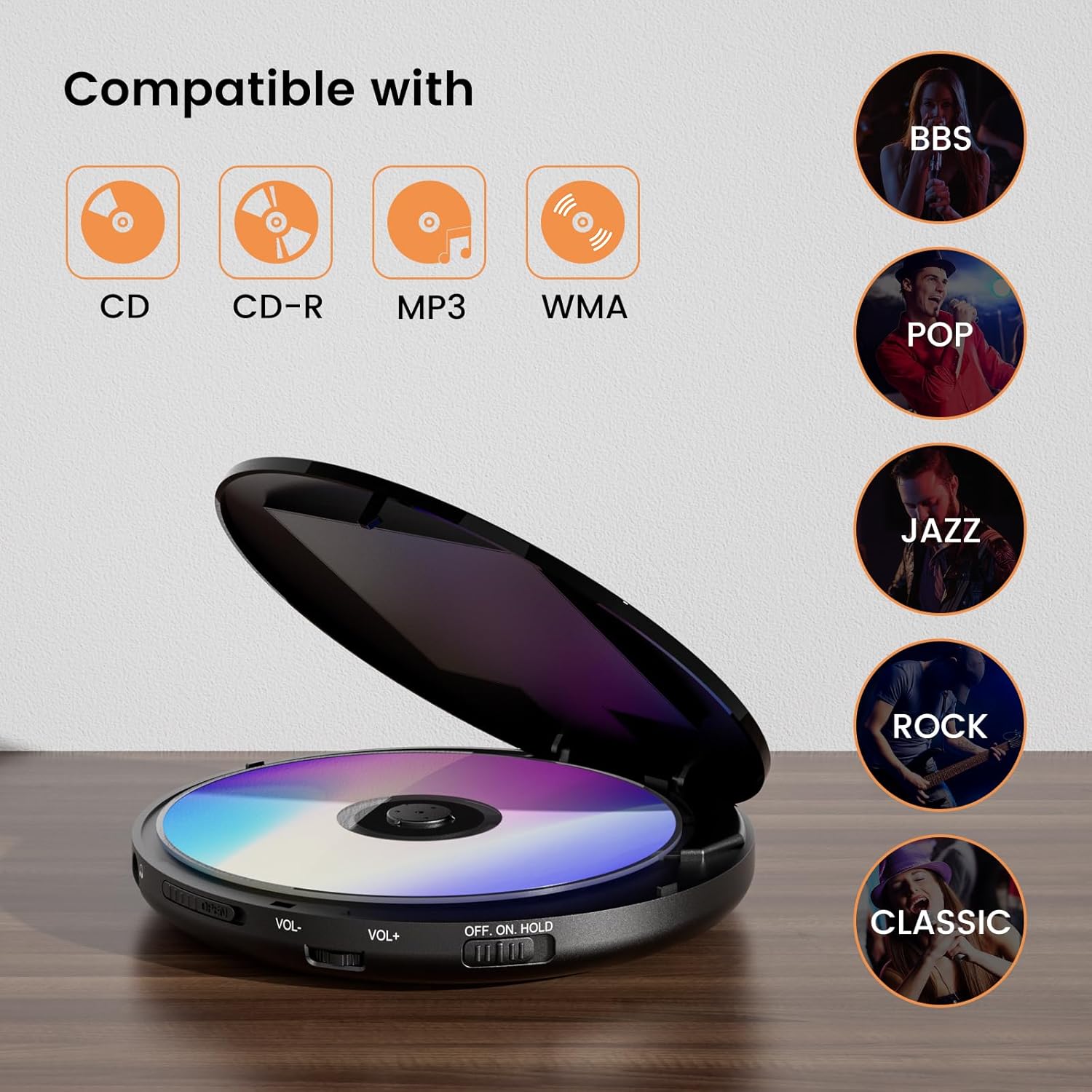
Image 5.2: The CD player with its lid open, demonstrating where to insert a CD. Icons indicate compatibility with CD, CD-R, MP3, and WMA formats.
5.3. Connecting Headphones or External Speakers
- For personal listening, plug the included earphones or your preferred 3.5mm headphones into the 'Earphone Port'.
- To connect to external speakers or a car audio system, use the supplied 3.5mm AUX cable. Plug one end into the 'Earphone Port' of the CD player and the other end into the AUX input of your external audio system.

Image 5.3: A user enjoying music with the Hernido CD player and connected earphones, highlighting the earphone jack.
6. Operating Instructions
6.1. Power On/Off and Hold Function
- To turn on the player, slide the 'Power ON/OFF Switch/Hold' to the 'ON' position.
- To turn off the player, slide the switch to the 'OFF' position.
- The 'HOLD' position locks all buttons to prevent accidental operation during transport.
6.2. Basic Playback Controls
- Play/Pause (►/−): Press to start playback or pause a playing track.
- Stop (■): Press to stop playback.
- Previous (◀◀): Press once to go to the beginning of the current track. Press twice to go to the previous track.
- Next (►►): Press to skip to the next track.
- Volume Knob: Rotate to adjust the listening volume.
6.3. EQ Sound Modes
The player offers 5 different Equalizer (EQ) sound modes to enhance your listening experience:
- Press the 'Sound' button repeatedly to cycle through the available EQ modes: BBS, POP, JAZZ, ROCK, CLASSIC.
6.4. Playback Modes
Press the 'Mode' button to select different playback options:
- Repeat a track: Repeats the current song.
- Repeat All: Repeats all songs on the disc.
- SHUF (Shuffle): Plays tracks in a random order.
- INTRO: Plays the first 10 seconds of each track.
- DIR (Directory): For MP3 CDs, navigates to the next album/folder.

Image 6.1: Visual representation of the 5 player modes available on the Hernido CD player.
6.5. Anti-Skip Protection
The Hernido PC0203B is equipped with anti-skip protection to ensure uninterrupted playback:
- Provides up to 60 seconds of anti-skip protection for standard CDs.
- Provides up to 120 seconds of anti-skip protection for MP3 CDs.

Image 6.2: The CD player positioned in a car, illustrating its anti-skip protection feature during travel.
6.6. Resume Function
The player can resume playback from where it last stopped:
- Long press the 'PROG' button to activate the last memory function. The player will resume from the last played position after being turned off and on.

Image 6.3: A user interacting with the 'PROG' button to activate the resume function on the CD player.
7. Maintenance
7.1. Cleaning
- Wipe the exterior of the player with a soft, dry cloth.
- Do not use abrasive cleaners or solvents.
- To clean the optical lens, use a specialized CD lens cleaning kit. Avoid touching the lens directly.
7.2. Storage
- When not in use, store the CD player in a cool, dry place away from direct sunlight and dust.
- Remove any CD from the compartment before storing for extended periods.
8. Troubleshooting
| Problem | Possible Cause | Solution |
|---|---|---|
| Player does not turn on. | Battery is depleted. Power switch is in 'OFF' or 'HOLD' position. | Charge the battery. Slide the power switch to 'ON'. |
| No sound. | Volume is too low. Headphones/AUX cable not connected properly. Disc is dirty or damaged. | Increase volume. Reconnect headphones/AUX cable. Clean or replace disc. |
| Disc skipping. | Disc is dirty or scratched. Player is subjected to strong vibrations. | Clean the disc. Ensure the player is on a stable surface or utilize anti-skip protection. |
| Disc not recognized. | Disc inserted incorrectly. Incompatible disc type. | Reinsert disc correctly (label side up). Ensure disc is CD, CD-R, MP3 CD, or HDCD. |
9. Specifications
| Feature | Detail |
|---|---|
| Model Number | PC0203B |
| Product Dimensions | 6.1 x 6.1 x 0.59 inches |
| Item Weight | 14.4 ounces |
| Battery | 1 Lithium Ion battery (included) |
| Connectivity Technology | Auxiliary (3.5mm jack) |
| Disc Compatibility | Standard CD, CD-R, MP3 CD, HDCD |
| Anti-Skip Protection | 60 seconds (CD), 120 seconds (MP3) |
| EQ Sound Modes | BBS, POP, JAZZ, ROCK, CLASSIC |
10. Warranty and Support
All Hernido products come with an 18-month warranty period. If you have any questions or require assistance with your Hernido PC0203B Portable Rechargeable CD Player, please do not hesitate to contact our customer support team. We are committed to providing 24-hour one-to-one service to address your concerns.
For support, please refer to the contact information provided with your purchase or visit the official Hernido store on Amazon: Hernido Store
