
Introduction
This manual provides detailed instructions for the assembly, operation, and maintenance of your SEDETA L Shaped Gaming Desk, Model 005-U. This versatile desk offers a reversible U-shaped or L-shaped configuration, integrated power strip, LED lighting, a keyboard tray, pegboard, and various storage solutions to optimize your workspace.
Safety Information
Warning:
- This desk is heavy (approximately 86 pounds) and requires careful handling during assembly. Always use proper lifting techniques and consider assistance to avoid injury.
- Follow all assembly instructions precisely to ensure structural integrity and prevent accidents.
- Ensure the desk is placed on a level surface and, if necessary, anchored to the floor or wall to prevent tipping, especially in households with children or pets.
- Do not overload shelves or drawers beyond their stated capacity.
Package Contents
Verify that all components are present before beginning assembly. If any parts are missing or damaged, please contact customer support.
- Desk panels and frame components
- File drawer with hanging file rails
- Pegboard panel
- Under-desk bookshelf
- 2-tier storage shelves
- Integrated power strip (2 AC outlets, 2 USB ports)
- Keyboard tray
- RGB LED light strip with remote control
- CPU stand
- Assembly hardware (screws, connectors, tools)
Setup and Assembly
The SEDETA L Shaped Gaming Desk is designed for flexible configuration, allowing you to assemble it as a 73-inch U-shaped desk or a 96.5-inch L-shaped desk. Refer to the included detailed assembly guide for step-by-step instructions. Ensure all connections are secure before use.

Image: Choose the Assembly Method as Required. This diagram illustrates the two primary configurations for the desk: a U-shaped setup and an L-shaped setup, complete with key dimensions for each.

Image: 7-in-1 Design Multifunctional U Shaped Computer Desk / L Shaped Desk. This image highlights the modularity of the desk, showing how it can be configured into either a U-shape or an L-shape, along with its various integrated features.
Reversible Design
The desk can be configured as either a U-shaped setup (73 inches wide) or an L-shaped setup (96.5 inches wide) to best fit your space and needs. Carefully review the assembly manual to select your preferred configuration before starting.
Operating Instructions
Integrated Power Strip
The desk includes a built-in power strip with 2 standard AC outlets (125V/12A) and 2 Power IQ-enabled USB charging ports (5V/2A). This allows you to conveniently power up to four devices simultaneously. Connect the desk's power cord to a wall outlet.

Image: Power Strip Design. This image provides a detailed view of the integrated power strip, highlighting its two AC outlets and two USB charging ports, with devices connected for charging.
RGB LED Light Strips
Enhance your gaming or working atmosphere with the integrated RGB LED light strip. Control the lights via a remote control or a dedicated smartphone application. Features include:
- Over 60,000 color options
- 29 flashing modes
- Music sync function with a built-in sensitivity adjustable microphone, allowing lights to change with sound and music rhythm
- Timer function for scheduled operation

Image: Desk with LED Lights. This image displays the desk in a gaming environment with vibrant LED lighting, illustrating both key control and APP control options for the RGB light strip.
Keyboard Tray
The pull-out keyboard tray is designed to accommodate most 108-key or 87-key keyboards along with a mouse, helping to free up valuable desktop space.
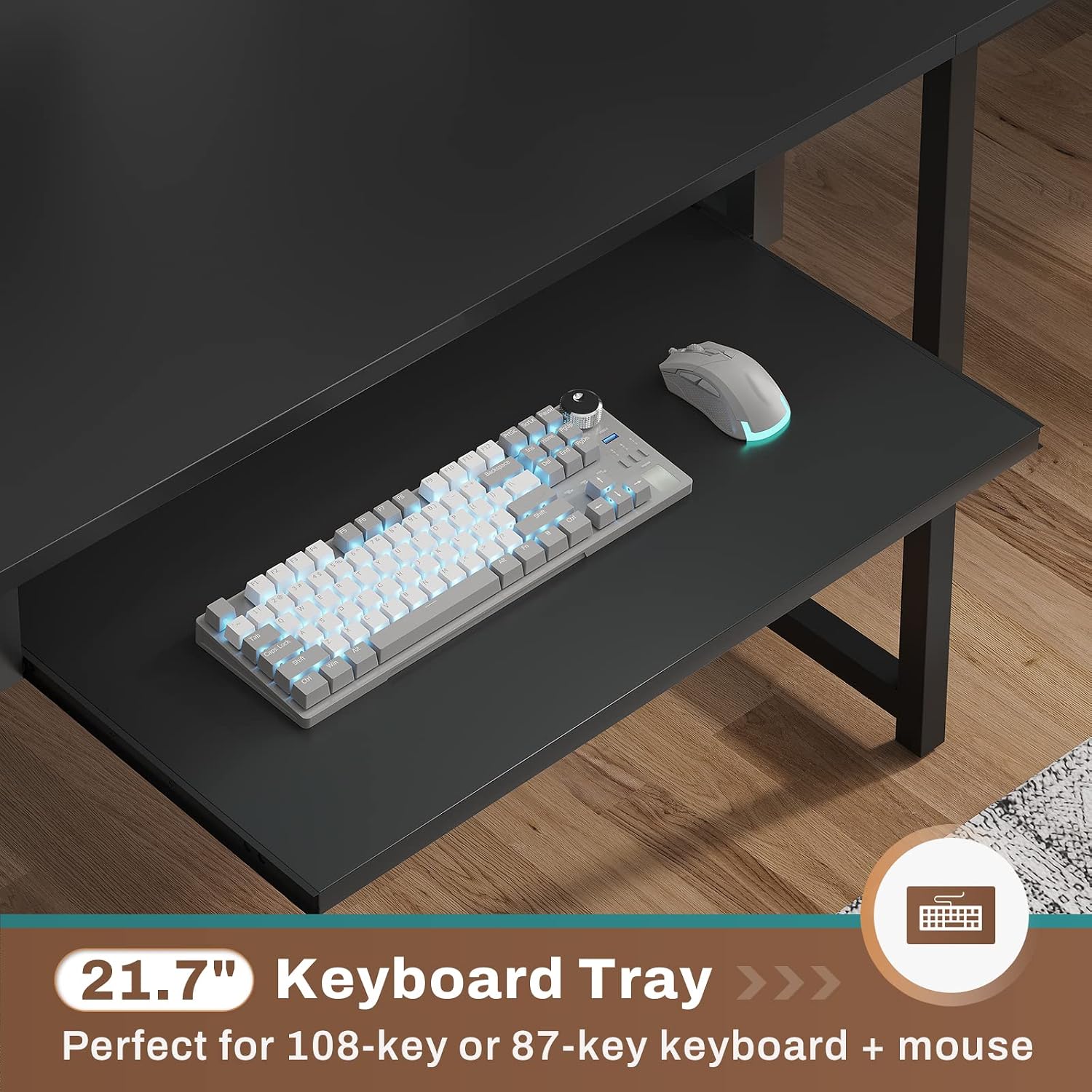
Image: 21.7" Keyboard Tray. This image shows the keyboard tray in use, demonstrating its capacity for a keyboard and mouse, designed to optimize desktop space.
File Drawer
The integrated file drawer is designed to hold letter, A4, or legal-size files, providing organized storage for your documents.

Image: 4 ways to use. This image illustrates the versatility of the file drawer, showing it configured for general storage, legal-size files, A4-size files, and letter-size files.
Pegboard
The metal pegboard offers customizable storage for small items, allowing you to keep frequently used accessories within easy reach and further declutter your desktop.

Image: Metal Pegboard without accessories. This image focuses on the metal pegboard feature, demonstrating its potential for organizing small office supplies and accessories.
Under Desk Bookshelf and Storage Shelves
The desk includes an under-desk bookshelf and two additional storage shelves, providing ample space for books, files, and other supplies. A dedicated CPU stand protects your computer host from moisture and dust.

Image: Under Desk Bookshelf. This image highlights the integrated bookshelf located beneath the desk surface, providing convenient storage for books and other materials.
Video: SEDETA U Shaped Desk. This video demonstrates the key features and configurations of the SEDETA U Shaped Desk, including its reversible design, storage options, and integrated power solutions.
Maintenance
- Cleaning: Wipe surfaces with a soft, damp cloth. Avoid abrasive cleaners or harsh chemicals that may damage the finish.
- Hardware: Periodically check all screws and fasteners to ensure they remain tight. Retighten as necessary to maintain stability.
- LED Lights: If LED lights malfunction, check the power connection and ensure the remote or app is properly paired.
Troubleshooting
Desk Wobbles After Assembly
Ensure all screws and connections are fully tightened. Verify that the desk is on a level surface. Adjust any leveling feet if present.
Power Strip Not Working
Check that the desk's main power cord is securely plugged into a functional wall outlet. Test the wall outlet with another device. Ensure no circuit breakers have tripped.
LED Lights Not Responding
Verify the power connection to the LED strip. Replace remote control batteries if applicable. Ensure the smartphone app is correctly installed and paired with the LED controller.
Specifications
| Brand | SEDETA |
| Model Number | 005-U |
| Shape | L-Shape / U-Shape (Reversible) |
| Product Dimensions (L-Shape) | 96.5"W x 19.7"D x 30"H |
| Product Dimensions (U-Shape) | 73"W x 39.4"D x 30"H |
| Color | Black |
| Material | Engineered Wood / Metal |
| Item Weight | 86 pounds |
| Number of Drawers | 1 (File Drawer) |
| Number of Shelves | 2 (Under-desk bookshelf, 2-tier storage) |
| Power Strip | 2 AC Outlets (125V/12A), 2 USB Ports (5V/2A) |
| Special Features | Built-In USB Outlet, Keyboard Tray, Reversible Design, LED Lights, Pegboard, File Drawer |
Warranty and Support
Thank you for choosing the SEDETA L Shaped Gaming Desk. We are committed to providing quality products and excellent customer service. If your desk arrives damaged, scratched, or with missing parts, please do not hesitate to contact our professional after-sales customer service team. We aim to address your concerns within 24 hours.
For support, please refer to the contact information provided with your purchase or visit the official SEDETA website.