
1. Introduction
Thank you for purchasing the Panasonic SC-PM702EG-K Compact Stereo System. This system offers a versatile audio experience with CD playback, DAB+/FM radio, USB connectivity, and Bluetooth streaming. This manual provides essential information for setting up, operating, and maintaining your new stereo system to ensure optimal performance and longevity.
Please read these instructions carefully before using the product and retain them for future reference.
2. Important Safety Information
- Power Source: Connect the unit only to an AC power outlet of the specified voltage.
- Ventilation: Ensure adequate ventilation. Do not block ventilation openings.
- Water and Moisture: Do not expose the unit to rain, moisture, dripping, or splashing. Do not place objects filled with liquids, such as vases, on the unit.
- Heat: Do not place the unit near heat sources such as radiators, heat registers, stoves, or other apparatus (including amplifiers) that produce heat.
- Cleaning: Unplug the unit from the wall outlet before cleaning. Use a dry cloth only.
- Servicing: Do not attempt to service this product yourself. Refer all servicing to qualified service personnel.
- Batteries: The remote control uses 1 AA battery. Ensure correct polarity when inserting. Do not mix old and new batteries.
3. Package Contents
Verify that all items are present in the package:
- Main Unit (Receiver/CD Player)
- Speakers (x2)
- Speaker Cables (x2)
- Remote Control
- AA Battery (for remote control)
- FM/DAB+ Antenna
- AC Power Cord
- Operating Instructions (this manual)
4. Setup
4.1 Unpacking and Placement
Carefully remove all components from the packaging. Place the main unit and speakers on a stable, flat surface. For optimal sound, position the speakers equidistant from the listening position and at ear level. Ensure there is sufficient space around the unit for ventilation.

Figure 4.1: Front view of the Panasonic SC-PM702EG-K micro HiFi system with its two speakers. The main unit is silver with a black display and controls, flanked by two black speakers.

Figure 4.2: The Panasonic SC-PM702EG-K micro HiFi system placed on a wooden cabinet, demonstrating its compact size and how it integrates into a home environment.
4.2 Speaker Connection
- Connect the supplied speaker cables to the speaker terminals on the back of the main unit and the corresponding terminals on each speaker.
- Ensure that the positive (+) and negative (-) terminals on the main unit match those on the speakers. Incorrect connection can result in poor sound quality.
4.3 Antenna Connection
Connect the supplied FM/DAB+ antenna to the antenna terminal on the rear of the main unit. Extend the antenna fully and position it for optimal reception.
4.4 Power Connection
Plug the AC power cord into the AC IN terminal on the back of the main unit, then plug the other end into a wall power outlet.
5. Operating Instructions
5.1 Basic Controls
- Power (On/Standby): Press the ON/OFF button on the main unit or remote control to turn the system on or off.
- Volume: Rotate the VOLUME knob on the main unit or use the VOL +/- buttons on the remote control to adjust the sound level.
- Source Selection: Press the SELECTOR button on the main unit or the dedicated source buttons (CD, Bluetooth, DAB/FM, USB) on the remote control to switch between input sources.
5.2 CD Playback
- Press the CD button to select the CD source.
- Open the CD tray and place a CD with the label side up.
- Close the CD tray. Playback will start automatically or after pressing the PLAY/PAUSE button.
- Use the SKIP buttons to navigate tracks.
5.3 Bluetooth Pairing and Playback
- Press the Bluetooth button to select the Bluetooth source. The display will show "PAIRING".
- On your Bluetooth device (e.g., smartphone), enable Bluetooth and search for available devices.
- Select "SC-PM702EG-K" from the list of devices. Once connected, the display will show "CONNECTED".
- Start playing audio on your Bluetooth device. The sound will be output through the stereo system.

Figure 5.1: This image illustrates the numerous playback options available on the system, including Bluetooth, CD, USB, Aux-in, FM Radio, and DAB+ radio.
5.4 USB Playback
- Insert a USB device (e.g., USB flash drive) into the USB port on the front of the main unit.
- Press the USB button to select the USB source.
- The system will automatically detect and begin playing compatible audio files from the USB device.
5.5 DAB+/FM Radio Tuning
- Press the DAB/FM button to select the radio source.
- For DAB+ radio, the system will automatically scan for available stations upon first use. For FM radio, press the TUNING +/- buttons to manually tune or hold to auto-scan.
- To save a station as a preset, press and hold a preset number button on the remote control.
5.6 Sound Adjustment
The system features separate bass and treble controls for personalized sound.
- Press the BASS or TREBLE buttons on the main unit or remote control.
- Use the +/- buttons to adjust the level.
- The "My Sound" mode allows for quick access to personalized sound presets.

Figure 5.2: This image highlights the Bass and Treble control features on the main unit and details the speaker components, specifically a 6 cm tweeter and a 10 cm woofer.

Figure 5.3: This image emphasizes the system's high-quality sound, attributed to its Sound Remastering Technology. It also notes compatibility with CD, Bluetooth, MP3, USB, and streaming sources.
6. Maintenance
6.1 Cleaning the Unit
To maintain the appearance of your system, wipe the main unit and speakers with a soft, dry cloth. Do not use abrasive cloths, waxes, or polishing sprays as they can damage the finish. For stubborn stains, lightly dampen a cloth with water and mild detergent, then wipe dry.
6.2 CD Lens Care
Avoid touching the CD lens inside the CD tray. If the lens becomes dirty, use a commercially available CD lens cleaner according to its instructions.
6.3 Battery Replacement
When the remote control's range decreases or it stops responding, replace the AA battery with a new one, ensuring correct polarity.
7. Troubleshooting
If you experience problems with your system, refer to the following table for possible solutions.
| Problem | Possible Cause | Solution |
|---|---|---|
| No power | Power cord not connected securely. | Check power cord connection to the unit and wall outlet. |
| No sound | Volume is too low or muted. Speaker cables are not connected correctly. | Increase volume. Check speaker cable connections, ensuring correct polarity. |
| CD does not play | CD is inserted incorrectly or is dirty/scratched. | Insert CD with label side up. Clean or replace CD. |
| Bluetooth pairing fails | Bluetooth device is too far or not in pairing mode. | Move device closer. Ensure Bluetooth is enabled and in pairing mode on your device. |
| Poor radio reception | Antenna is not positioned correctly or is damaged. | Adjust antenna position. Check for damage. |
8. Specifications
Product specifications are subject to change without notice.
| Feature | Detail |
|---|---|
| Model Number | SC-PM702EG-S |
| Brand Name | Panasonic |
| Item Weight | 5.8 Kilograms |
| Product Dimensions (Main Unit) | 21 x 26.6 x 11.4 cm |
| Speaker Dimensions (L x H x P) | 145 x 226 x 195 mm (approx.) |
| Total Output Wattage | 80 watts |
| Speaker Count | 2 |
| Speaker Type | Stereo, 2-way (10 cm Woofer, 6 cm Tweeter) |
| Connectivity Technology | Bluetooth, USB |
| Supported Standards | CD, DAB+, FM Radio |
| Compatible Devices | Smartphone |
| Power Source | Corded Electric |
| Batteries Required (Remote) | 1 AA battery |
| Color | Silver (Main Unit), Black (Speakers) |

Figure 8.1: This diagram provides the dimensions of the main unit (210mm width, 266mm depth, 114mm height) and the speakers (145 x 226 x 195 mm). It also indicates the main unit's weight as 2.2 kg and each speaker's weight as 1.8 kg, with a total output of 80W.
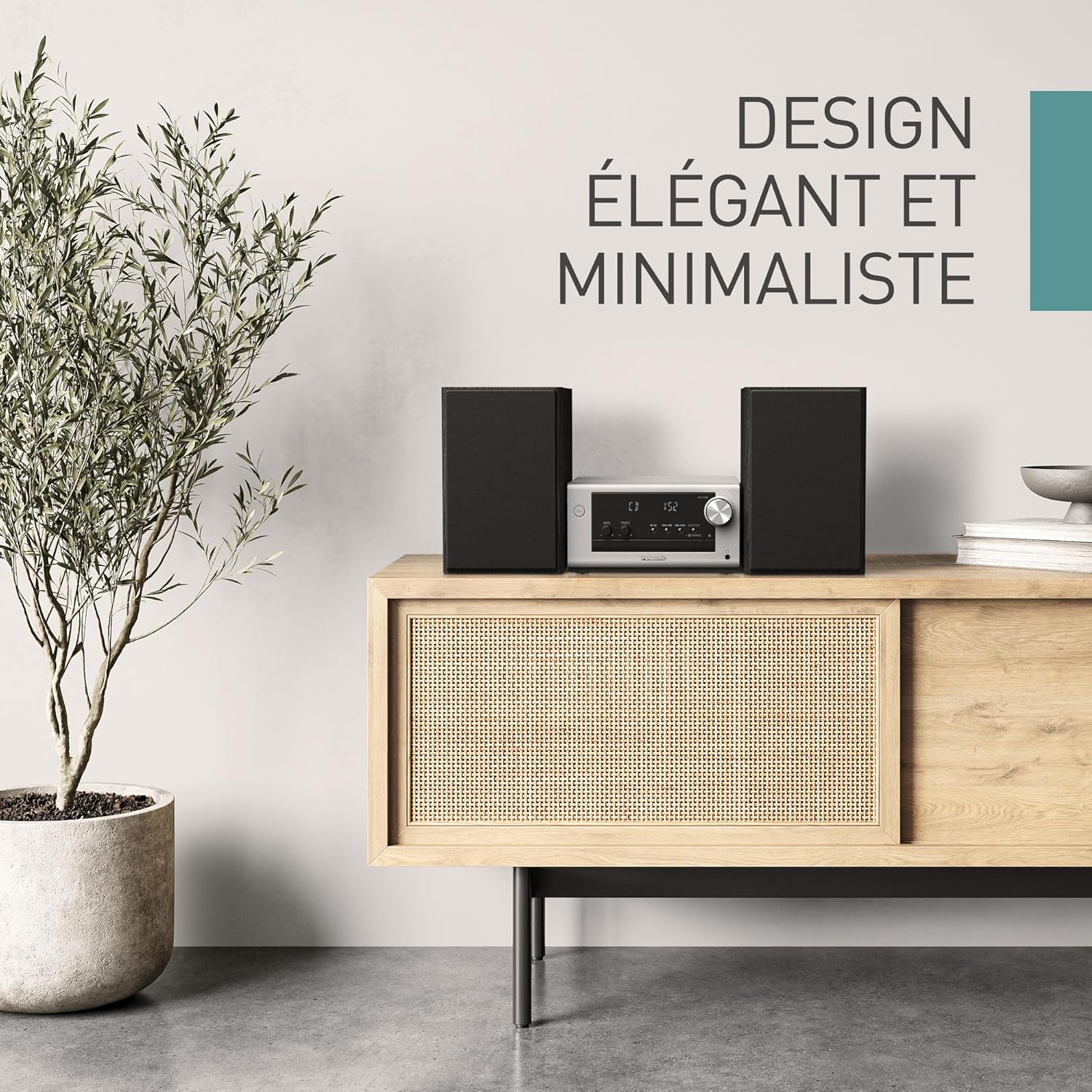
Figure 8.2: The Panasonic SC-PM702EG-K micro HiFi system is shown on a wooden cabinet in a modern living space, highlighting its elegant and minimalist design.
9. Warranty and Support
This Panasonic product is covered by a limited warranty. Please refer to the warranty card included in your product packaging for specific terms and conditions, including the warranty period and coverage details.
For technical support, service, or inquiries regarding your product, please visit the official Panasonic support website or contact your local Panasonic customer service center. Contact information can typically be found on the Panasonic website or in the warranty documentation.
When contacting support, please have your product model number (SC-PM702EG-K) and serial number ready.