
1. Product Overview
The Oral-B iO Series 3 electric toothbrush offers an advanced cleaning experience with its unique magnetic drive system. It delivers energy precisely to the bristle tips, which glide from tooth to tooth with gentle micro-vibrations for effective and comfortable brushing. This model features intelligent pressure control, multiple brushing modes, and a visual timer to ensure optimal oral hygiene.

Image: Oral-B iO Series 3 Electric Toothbrush, highlighting its packaging and 'Test Winner' status.
2. What's in the Box
Your Oral-B iO Series 3 package typically includes:
- Oral-B iO Series 3 Electric Toothbrush Handle
- 1 x Oral-B iO Ultimate Clean Brush Head
- Charging Station
- Travel Case

Image: Contents of the Oral-B iO Series 3 package, including the toothbrush, charger, and travel case.
3. Setup
- Unpack the Toothbrush: Carefully remove all components from the packaging.
- Charge the Battery: Place the toothbrush handle on the charging station. Ensure the station is connected to a power outlet. The battery indicator light will show charging progress. A full charge is recommended before first use.
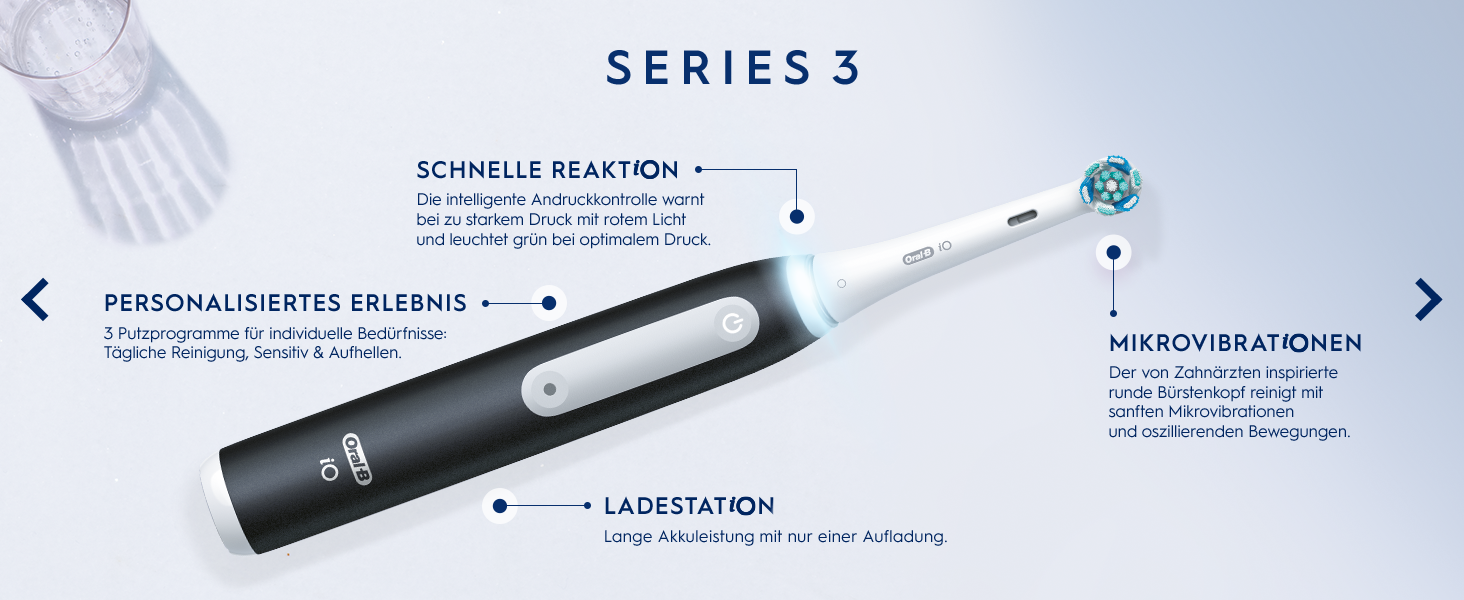
Image: Diagram illustrating key components including the charging station.
4. Operating Instructions
- Apply Toothpaste: Moisten the brush head and apply a small amount of toothpaste.
- Power On: Press the power button to turn on the toothbrush.
- Use Pressure Control: The intelligent pressure control warns with a red light if you apply too much pressure and illuminates green when optimal pressure is used. This protects your gums and ensures effective cleaning.
- Select Brushing Program: Choose from 3 brushing programs for different oral care needs: Daily Clean, Sensitive, and Whitening. Press the mode button to cycle through the programs.
- Brush Your Teeth: Guide the brush head slowly from tooth to tooth. Brush for the recommended 2 minutes. The visual timer will indicate when the recommended brushing time is reached.

Image: Intelligent Pressure Control indicating optimal pressure with a green light.

Image: The 360° light ring indicating the 2-minute brushing timer.
5. Key Features
- Advanced Cleaning Technology: Removes 100% more plaque for healthier gums in just one week compared to a manual toothbrush.
- Gum Protection: The iO pressure control indicates optimal pressure with a green light, ensuring gentle yet effective cleaning.
- Personalized Brushing: Features 3 brushing programs (Daily Clean, Sensitive, Whitening) to suit individual needs.
- Visual Timer: The toothbrush lights up when the dentist-recommended 2-minute brushing time is achieved, and also reminds you when to change the brush head.
- Round Brush Heads: Oral-B's round brush heads reach areas that elongated manual toothbrushes cannot.
- Long-lasting Battery: Equipped with a reliable, long-lasting lithium-ion battery for extended use.
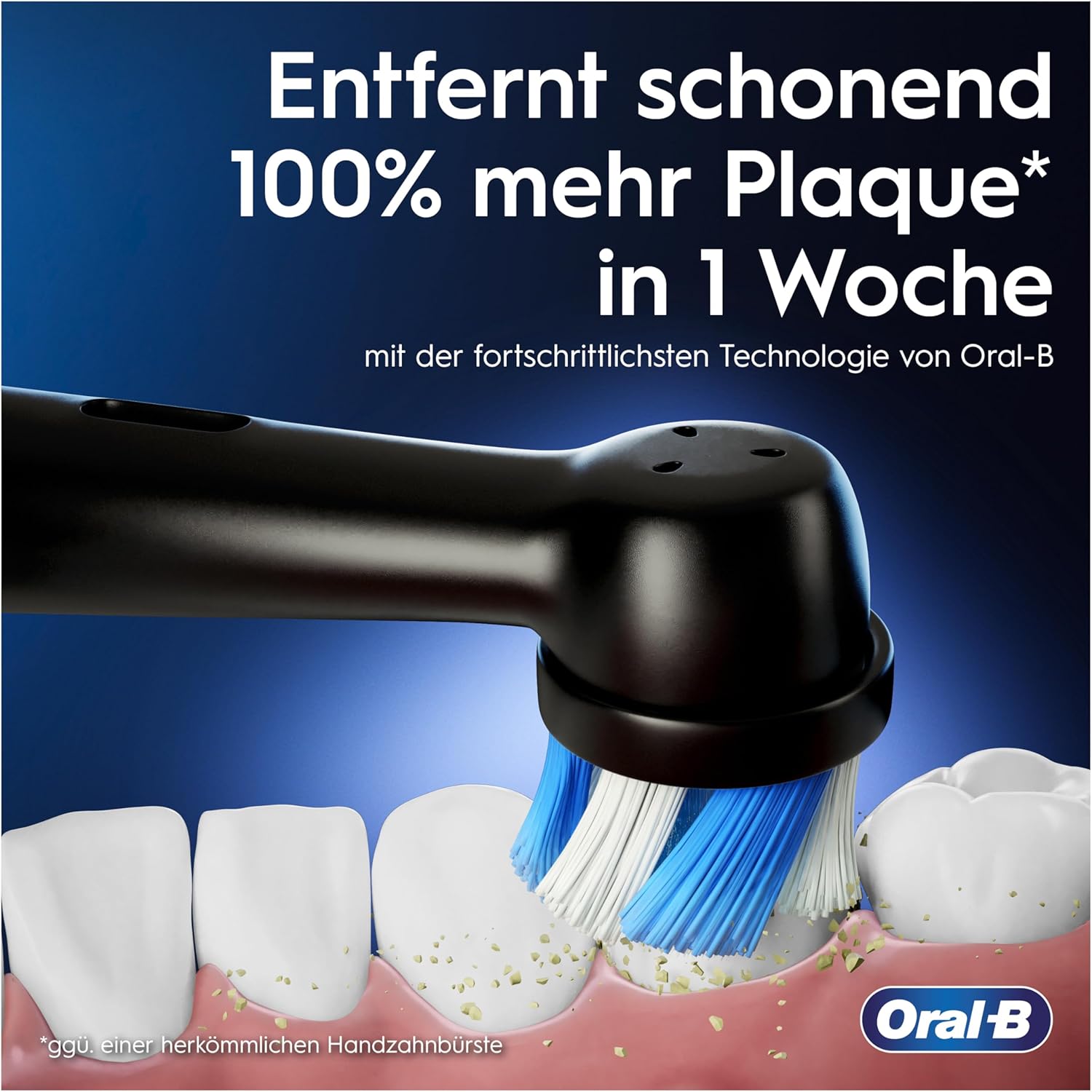
Image: Illustration of the brush head effectively removing plaque.
6. Maintenance
- Brush Head Replacement: Replace the brush head as needed, typically every three months, or when the indicator bristles fade. The toothbrush will provide a reminder for brush head change.
- Cleaning the Handle: After each use, rinse the brush head thoroughly under running water. Wipe the handle with a damp cloth to remove any toothpaste residue.
- Cleaning the Charging Station: Periodically wipe the charging station with a damp cloth. Ensure it is unplugged before cleaning.
7. Troubleshooting
If you encounter any issues with your Oral-B iO Series 3 toothbrush, please refer to the following common solutions:
- Toothbrush does not turn on: Ensure the battery is charged. Place the handle on the charging station for at least 30 minutes.
- Brush head does not vibrate/rotate: Ensure the brush head is securely attached to the handle. If the issue persists, try a different brush head.
- Pressure control light is always red: You might be applying too much pressure. Try to brush more gently. The light should turn green when optimal pressure is applied.
- Short battery life: Ensure the toothbrush is fully charged. Battery performance can decrease over time with regular use.
For further assistance, please contact Oral-B customer support.
8. Warnings and Safety Information
- Use with gentle pressure to avoid injury to gums and teeth.
- Do not use for purposes other than oral hygiene.
- Keep out of reach of children.
- Do not immerse the charging station in water.
- If the product is dropped, the brush head should be replaced before the next use even if no visible damage is apparent.
9. Specifications
| Feature | Detail |
|---|---|
| Brand | Oral-B |
| Model Number | 8006540731536 |
| Power Source | Battery Powered (Lithium-Ion) |
| Number of Brushing Modes | 3 (Daily Clean, Sensitive, Whitening) |
| Special Features | Brushing Timer, Intelligent Pressure Control, Micro-vibrations |
| Brush Head Shape | Round |
| Country of Origin | Germany |
| Dimensions (Packaging) | 24.4 x 17 x 9.4 cm |
| Weight (Packaging) | 580 Grams |
10. Warranty and Support
This product is new from an authorized dealer. Invoice including VAT is available. Shipping to packing stations is possible.
For support or warranty claims, please contact the manufacturer directly:
Sulzbacher Str. 40,65823 Schwalbach a. Ts.,
Germany
For more information, please visit the official Oral-B website or refer to the legal notices provided with your purchase.