
X-PEST 7107
X-PEST Solar Bug Zapper with Motion Sensor Light (Model 7107)
User Instruction Manual
Introduction
This manual provides detailed instructions for the installation, operation, and maintenance of your X-PEST Solar Bug Zapper with Motion Sensor Light. This device is designed to provide both outdoor lighting and effective insect control using solar power.
Product Features
- 2-in-1 Functionality: Combines a motion-sensing white light with a UV bug zapper.
- Solar Powered: Charges during the day and operates automatically at night, offering energy efficiency.
- Durable Construction: Made from sturdy ABS material, designed to be waterproof, heat-resistant, and frost-resistant for reliable outdoor use.
- Motion Sensor: PIR motion sensor detects movement up to 10 feet with a 120° induction angle, activating the white light for approximately 20 seconds.
- Multiple Operating Modes: Features three distinct modes for lighting and bug zapping.
- Easy Installation: Can be installed using screws or adhesive tape.
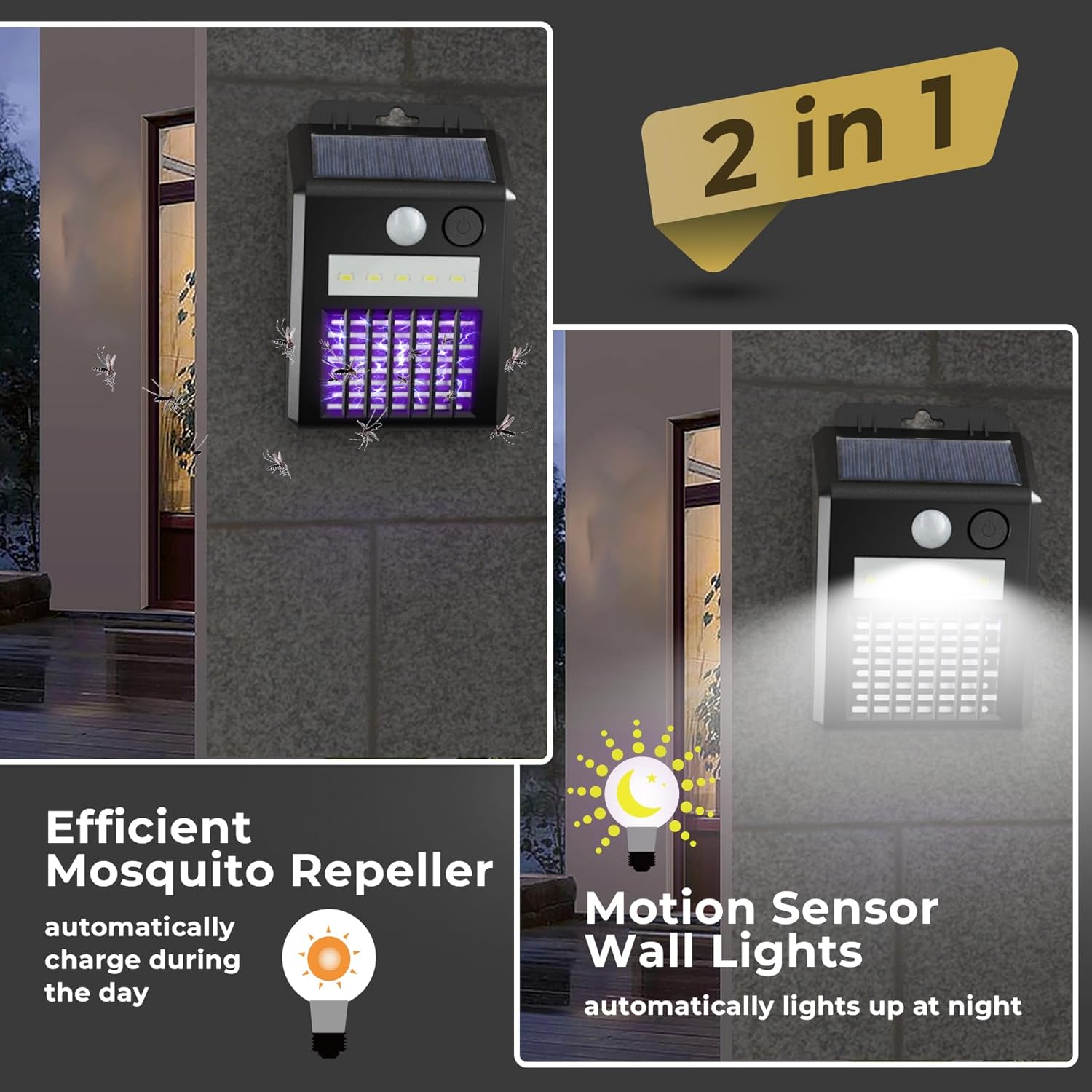
Image: The X-PEST Solar Bug Zapper functions as both an efficient mosquito repeller and a motion sensor wall light, automatically charging during the day and lighting up at night.
Setup and Installation
- Unpack: Carefully remove the bug zapper from its packaging.
- Initial Charge: Before first use, place the device in direct sunlight for at least 8-10 hours to ensure the internal battery is fully charged.
- Choose Location: Select an outdoor location that receives ample direct sunlight throughout the day for optimal charging. Ensure the location is where insect control and motion-activated lighting are desired, such as patios, yards, porches, or fences.
- Installation Methods:
- Using Screws: Mark the desired mounting points. Drill pilot holes if necessary. Secure the device to the surface using the provided screws.
- Using Adhesive Tape: Clean the mounting surface thoroughly. Apply the adhesive tape to the back of the device and firmly press it onto the desired surface. Ensure the surface is smooth and dry for best adhesion.
- Optimal Height: For best motion detection, install the unit at a height of approximately 6-10 feet. The motion sensor has a sensing distance of 16-20 feet and an induction angle of 120°.
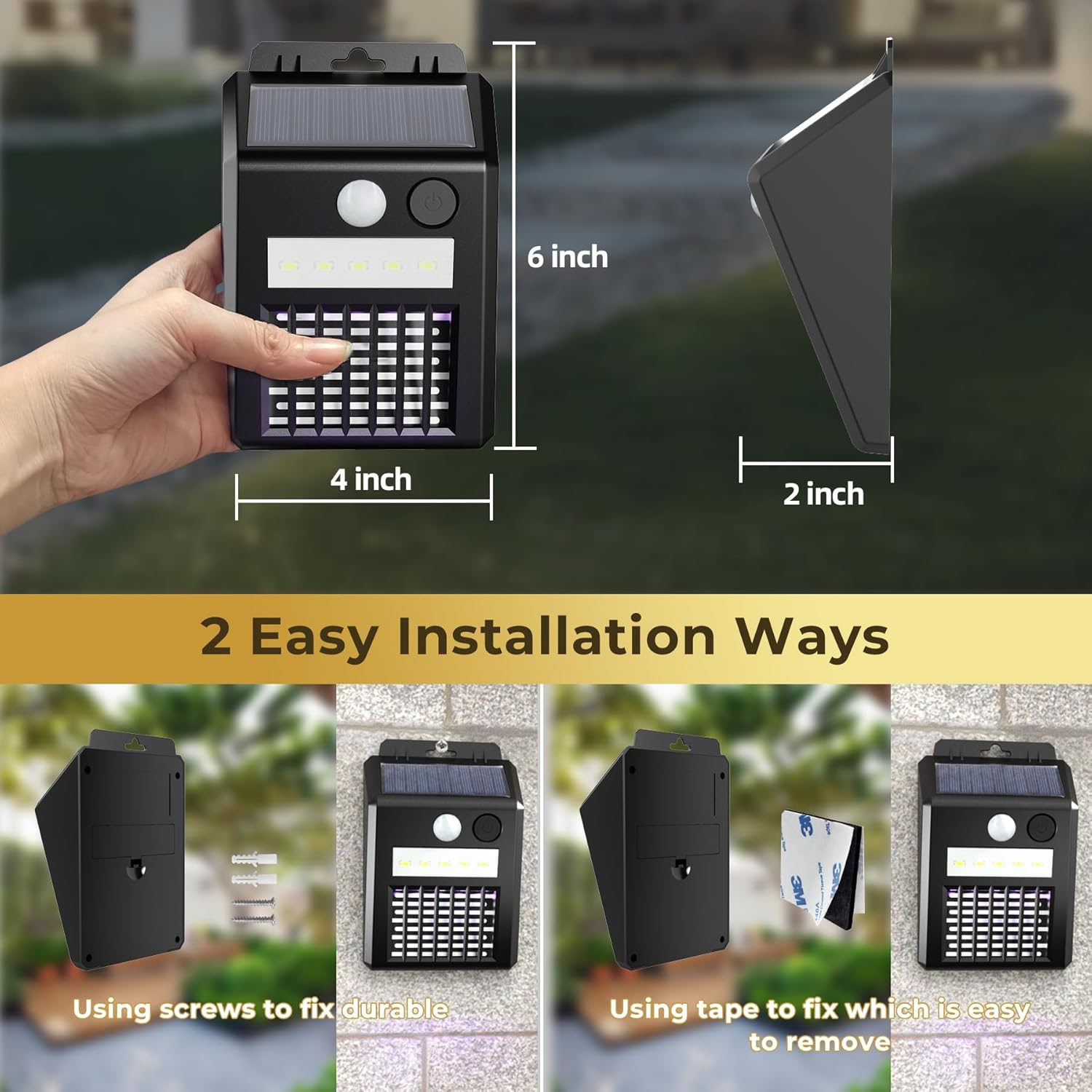
Image: The bug zapper measures approximately 6 inches in height, 4 inches in width, and 2 inches in depth. It offers two easy installation methods: using screws for durable fixing or adhesive tape for easy removal.

Image: The PIR motion sensor light has a 120° induction angle and a sensing distance of 16-20 feet. It is recommended to install it up to 10 feet high for optimal performance.
Operating Instructions
The X-PEST Solar Bug Zapper features an independent switch to cycle through three operating modes:
- Mode 1: White Lighting Induction - The white LED light activates when motion is detected and turns off after a short period of no motion. The UV bug zapper function is off in this mode.
- Mode 2: UV Lighting (Always On) - The UV bug zapper light remains continuously on at night to attract and eliminate insects. The white LED light is off in this mode.
- Mode 3: UV Lighting Always On, White Lighting Induction - The UV bug zapper light remains continuously on, and the white LED light activates when motion is detected.
Press the power button repeatedly to cycle through these modes. The device will remember the last selected mode.

Image: Visual representation of the three operating modes: Mode 1 (white light on motion), Mode 2 (UV light always on), and Mode 3 (UV light always on, white light on motion).
Video: This video demonstrates the solar bug zapper's motion sensor night light and mosquito trap functions, showcasing its operation in an outdoor setting.
Maintenance
- Cleaning the Zapper Grid: Regularly check the bug zapper grid for accumulated insect debris. Turn off the device before cleaning. Use a small brush (not included) to gently remove dead insects from the grid. Do not use water or cleaning solutions directly on the electrical components.
- Cleaning the Solar Panel: Wipe the solar panel periodically with a soft, damp cloth to remove dust, dirt, or leaves. A clean solar panel ensures efficient charging.
- Battery Replacement: The internal battery is replaceable, extending the product's lifespan. Refer to the manufacturer's guidelines for specific battery type and replacement instructions.
- Seasonal Storage: If storing the device for an extended period, ensure it is fully charged before storage. Store in a cool, dry place.
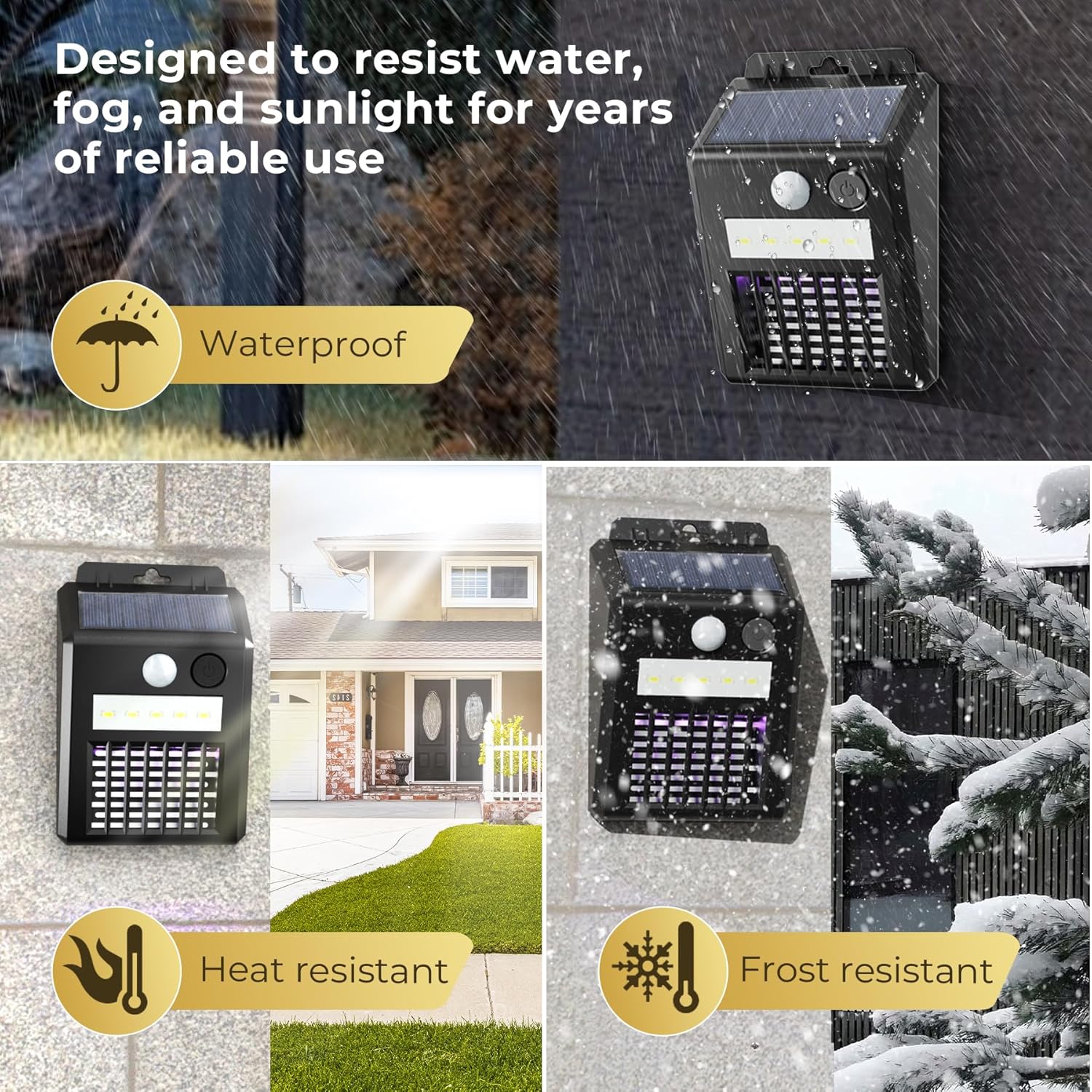
Image: The X-PEST Solar Bug Zapper is designed to resist water, fog, and sunlight, making it waterproof, heat-resistant, and frost-resistant for years of reliable outdoor use.
Troubleshooting
| Problem | Possible Cause | Solution |
|---|---|---|
| Light not turning on at night. | Insufficient solar charge. | Ensure the solar panel is in direct sunlight for 8-10 hours daily. Clean the solar panel if dirty. |
| Motion sensor not activating light. | Incorrect mode selected or sensor obstruction. | Check if Mode 1 or Mode 3 is selected. Ensure no obstructions are blocking the motion sensor. |
| Bug zapper not attracting/killing insects. | Incorrect mode selected or grid is dirty. | Ensure Mode 2 or Mode 3 is selected. Clean the zapper grid of any debris. |
| Light turns off too quickly. | Low battery charge. | Allow the device to charge fully in direct sunlight. |
Specifications
- Brand: X-PEST
- Model Number: 7107
- Material: Acrylonitrile Butadiene Styrene (ABS)
- Power Source: Solar
- Target Species: Fly, Mosquito, Gnat, Moth, Fruit Flies
- Motion Sensor: PIR, 120° Induction Angle, 16-20 ft Sensing Distance
- Waterproof Rating: IP55 (implied from "Designed to resist water")
- Dimensions: Approximately 6 inches (Height) x 4 inches (Width) x 2 inches (Depth) (from image)
Warranty and Support
For warranty information and customer support, please refer to the product packaging or contact X-PEST customer service directly. Keep your purchase receipt for any warranty claims.
Ask a question about this manual
Ask about setup, troubleshooting, compatibility, parts, safety, or missing instructions. Manuals+ will review the question and use this page’s manual context to help answer it.