
LNMBBS M101
LNMBBS M101 10-inch Android 11 Tablet User Manual
Model: M101 | Brand: LNMBBS
1. Introduction
Welcome to the user manual for your new LNMBBS M101 10-inch Android 11 Tablet. This guide provides essential information on setting up, operating, maintaining, and troubleshooting your device. The M101 tablet features the latest Android 11 system, a vibrant 10-inch IPS display, a powerful 8-core CPU, and extensive storage options, designed for a smooth and enjoyable user experience.

Figure 1: LNMBBS M101 Tablet with Android 11 Interface
This image shows the LNMBBS M101 tablet from the front, highlighting its display with the Android 11 operating system. The sleek design and the rear of the tablet are also partially visible.
2. Setup
2.1 Unboxing and Initial Charge
Upon receiving your tablet, please check the package contents to ensure all accessories are present. It is recommended to fully charge the tablet before its first use.
2.2 Power On/Off
- To Power On: Press and hold the power button located on the side of the tablet until the screen lights up.
- To Power Off: Press and hold the power button, then select 'Power off' from the options that appear on the screen.
2.3 Language Settings
To set your preferred language:
- Go to Settings.
- Navigate to System.
- Select Languages & input.
- Move your desired language to the first position in the list to apply the change.
2.4 Wi-Fi Connection
The tablet supports both 2.4GHz and 5GHz Wi-Fi frequencies for stable communication.
- Go to Settings.
- Select Network & internet.
- Tap on Wi-Fi and turn it on.
- Select your desired Wi-Fi network from the list and enter the password if prompted.
3. Operating Your Tablet
3.1 Basic Navigation
Utilize touch gestures such as tapping, swiping, pinching, and spreading to navigate the interface and interact with applications.
3.2 App Management
The tablet comes with GMS certification, supporting a wide range of Google services and popular applications like Gmail, Facebook, Twitter, YouTube, Line, and Instagram. You can easily switch between your favorite applications.

Figure 2: Tablet with Memory and Storage Details
This image illustrates the tablet's memory specifications, including 4GB RAM, 64GB internal ROM, and the capability for 256GB expandable storage.
3.3 Display Settings
The 10-inch IPS Full HD liquid crystal display offers a super high resolution of 1920x1200 pixels, providing excellent clarity, color, and smoothness. For eye comfort, you can switch to a dark color scheme to reduce screen brightness, easing eye strain and conserving battery power.

Figure 3: High-Resolution IPS Display
This image demonstrates the tablet's 10.1-inch IPS display with 1920x1200 resolution, showcasing its ability to render high-definition visuals.
3.4 Camera Usage
The tablet is equipped with a 13-megapixel rear camera and an 8-megapixel front camera. These cameras offer higher definition than typical tablet cameras, ensuring clear photos and enabling enjoyable video calls with family and friends.

Figure 4: Rear and Front Camera Capabilities
This image highlights the tablet's 13-megapixel rear camera and 8-megapixel front camera, emphasizing their suitability for capturing clear images and facilitating video communication.
3.5 Storage Management
The tablet comes with 64GB of built-in storage, which is sufficient for general use. For additional storage, you can expand it up to 256GB using a MicroSD card (sold separately). This allows you to store more files, videos, and applications.
3.6 Wireless Projection
You can wirelessly project content from your tablet to a smart TV. Ensure both your tablet and smart TV are connected to the same Wi-Fi network, then follow your TV's instructions for screen mirroring or casting.
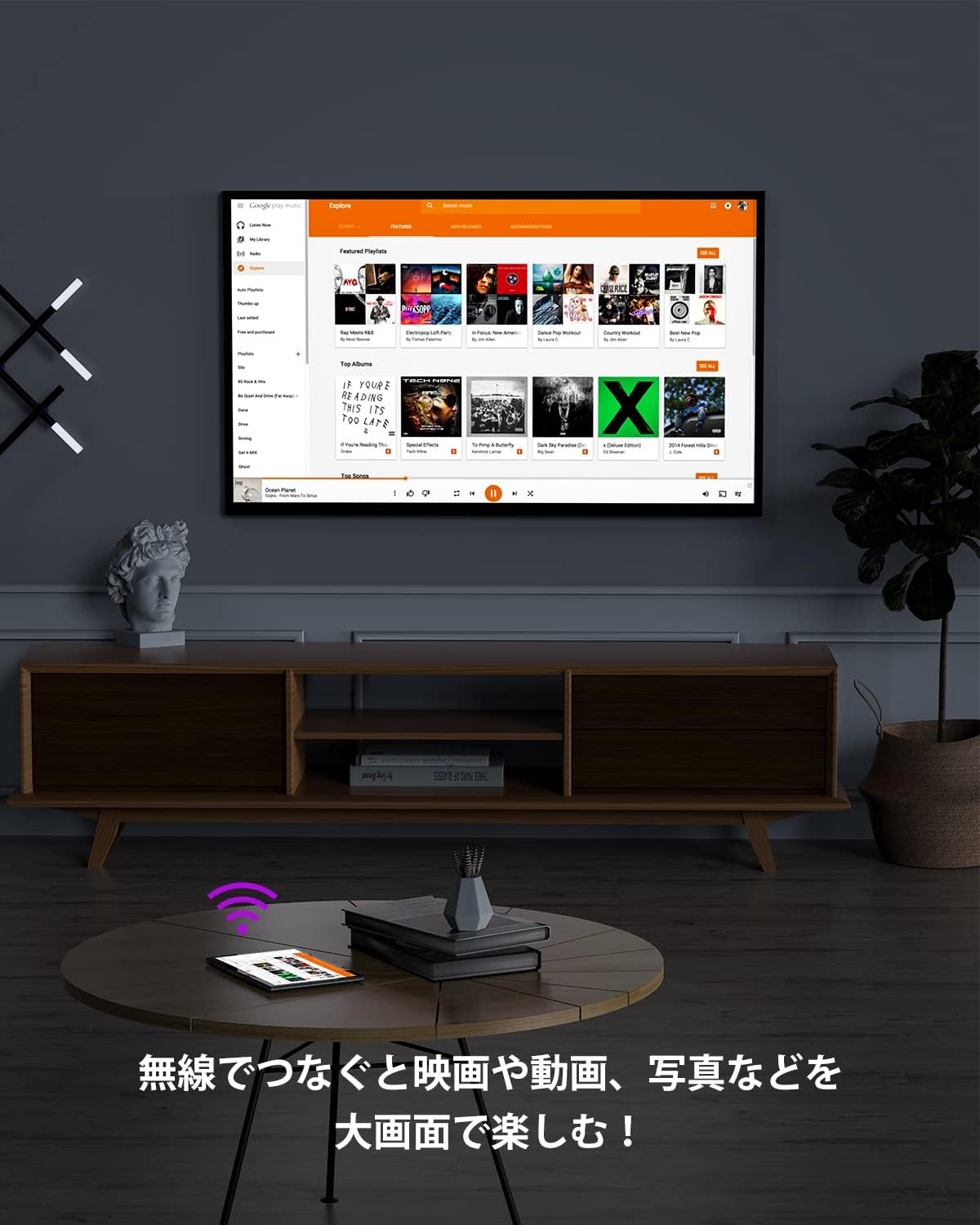
Figure 5: Wireless Screen Projection
This image shows the tablet wirelessly connected to a large television screen, illustrating the wireless projection feature for an enhanced viewing experience.
3.7 Other Features
The tablet includes additional features such as GPS for navigation, FM radio, and Google voice control for hands-free operation.
4. Maintenance
4.1 Battery Care
The tablet is equipped with a 6000mAh large-capacity battery. To maximize battery life, avoid extreme temperatures, do not let the battery completely drain frequently, and use the provided charger or a certified compatible charger.
4.2 Cleaning
To clean your tablet, gently wipe the screen and body with a soft, lint-free cloth. Avoid using harsh chemicals or abrasive materials that could damage the device.
5. Troubleshooting
If you encounter issues with your tablet, try the following basic troubleshooting steps:
- Device Unresponsive: Press and hold the power button for about 10-15 seconds to force a restart.
- Wi-Fi Connection Issues: Ensure your Wi-Fi router is working correctly and that the tablet is within range. Try restarting both the tablet and the router.
- App Crashes: Clear the cache of the problematic app (Settings > Apps > [App Name] > Storage > Clear cache) or reinstall the app.
- Slow Performance: Close unnecessary background apps, clear cache, or free up storage space.
For persistent issues, please refer to the warranty and support section for assistance.
6. Specifications
| Feature | Specification |
|---|---|
| Brand | LNMBBS |
| Model Number | P101-JP-B0529 |
| Operating System | Android 11 |
| Screen Size | 10.1 inches |
| Display Resolution | 1920x1200 pixels (Full HD) |
| CPU Brand | ARM |
| CPU Speed | 1.8 GHz (8-Core) |
| RAM | 4 GB |
| Internal Storage | 64 GB |
| Expandable Storage | Up to 256 GB (MicroSD) |
| Rear Camera | 13 MP |
| Front Camera | 8 MP |
| Battery Capacity | 6000 mAh (22.8 Watt-hours) |
| Wi-Fi Type | 2.4GHz/5GHz (802.11a/b/g/n/ac) |
| Bluetooth | Bluetooth 5.0 |
| Speakers | Dual Speakers |
| Product Dimensions | 24 x 15 x 0.7 cm |
| Item Weight | 850 g |
| Color | Gray |
7. Warranty and Support
Your LNMBBS M101 tablet comes with a 1-year limited warranty. If you have any questions, concerns, or require technical assistance, please contact our customer support. Our team is dedicated to providing friendly and helpful support for all your inquiries.
Please refer to your purchase documentation or the official LNMBBS website for specific contact details and warranty claim procedures.
Ask a question about this manual
Ask about setup, troubleshooting, compatibility, parts, safety, or missing instructions. Manuals+ will review the question and use this page’s manual context to help answer it.