
1. Introduction
Thank you for choosing the Shanrya Portable 1080p HD Mini Pocket Video Recorder. This compact and versatile device is designed for discreet video recording and photography, featuring 1080p HD resolution, infrared night vision, motion detection, and a powerful magnetic clip for easy placement. This manual provides detailed instructions to help you set up, operate, and maintain your device for optimal performance.
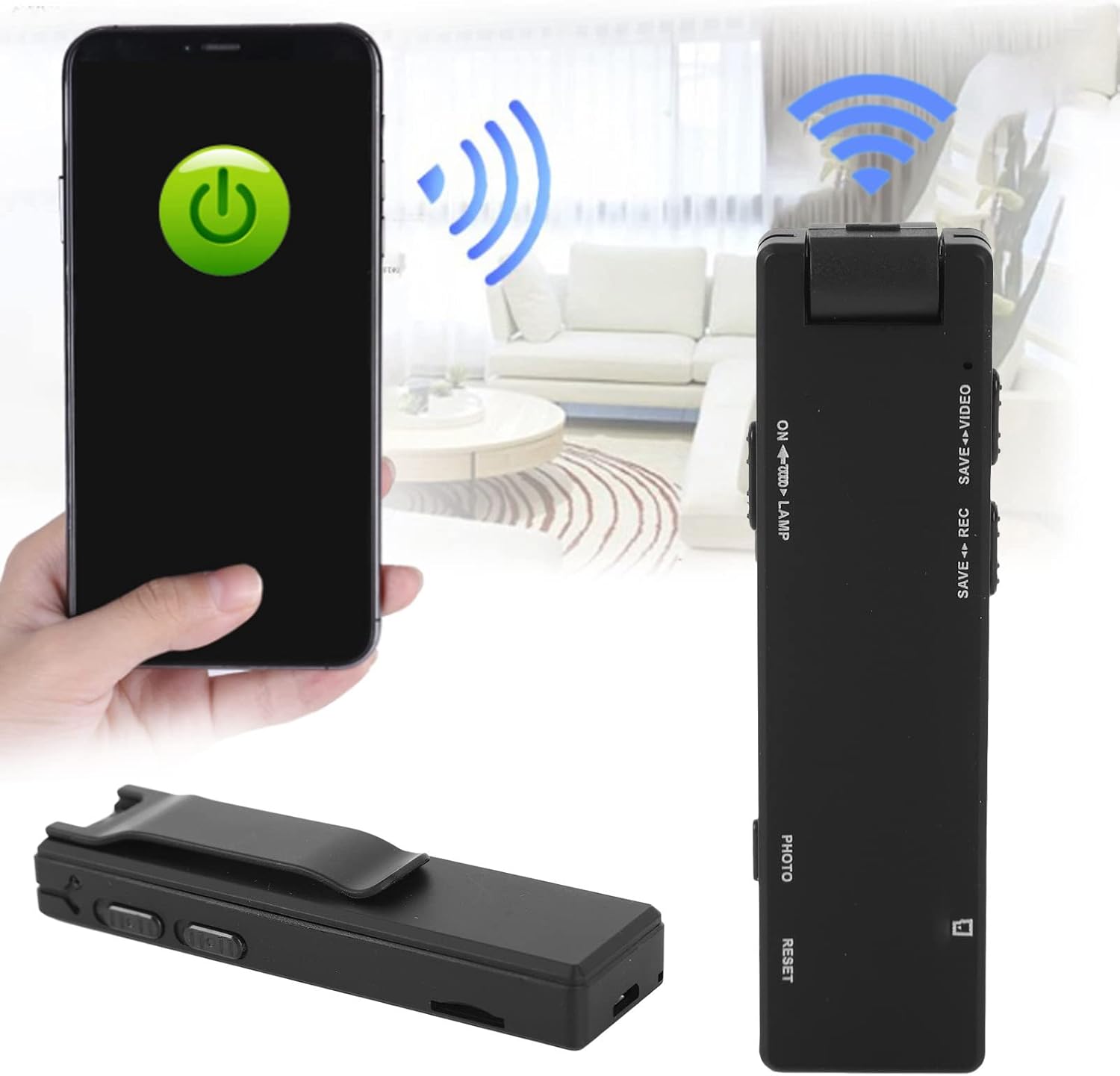
Image: The Shanrya Mini Pocket Video Recorder demonstrating its compact form factor and potential for wireless connectivity with a smartphone, highlighting its portability.
2. Product Overview
Familiarize yourself with the components and features of your Shanrya Mini Pocket Video Recorder.

Image: A detailed diagram illustrating the various buttons and ports on the Shanrya Mini Pocket Video Recorder, including controls for video, recording, photo capture, TF card slot, USB interface switch, and LED/night vision light control.
Key Features:
- 1080p HD Video Recording: Capture clear and detailed footage.
- HD Lens: Equipped with a high-definition lens for superior image quality.
- Motion Detection: Automatically records when movement is detected.
- Infrared Night Vision: Records in low-light conditions with LED fill light.
- Record While Charging: Continuous operation while connected to power.
- One-Click Photo: Easy single-button photo capture.
- Wide Angle Shooting: Broader field of view for comprehensive coverage.
- Magnetic Adsorption: Strong magnetic base for secure and flexible mounting.

Image: Visual representation of the camera's core functionalities, including its HD capabilities, motion detection, night vision, and the practical magnetic adsorption for versatile placement.
3. Setup
3.1 Charging the Device
Before first use, fully charge the device. Connect the camera to a USB power adapter (not included) or a computer's USB port using the provided USB cable. The indicator light will show charging status and turn off when fully charged.

Image: The Shanrya Mini Pocket Video Recorder displayed alongside its USB charging cable, illustrating the components required for power replenishment.
3.2 Inserting a TF Card
The camera requires a TF (microSD) card for storing recordings. Insert a formatted TF card (up to 32GB, Class 10 recommended) into the TF Card Slot until it clicks into place. Ensure the card is inserted correctly to avoid damage.
4. Operating Instructions
4.1 Power On/Off
- To Power On: Press and hold the Power button until the indicator light turns on.
- To Power Off: Press and hold the Power button until the indicator light turns off.
4.2 Recording Video
To start video recording, slide the 'SAVE VIDEO' switch to the video recording position. The indicator light will flash, indicating that recording is in progress. To stop and save the video, slide the 'SAVE VIDEO' switch back to the neutral position.

Image: A close-up view of the control panel on the Shanrya Mini Pocket Video Recorder, highlighting the 'SAVE REC' and 'SAVE VIDEO' switches for initiating and saving recordings.
4.3 Taking Photos
To take a photo, press the 'PHOTO' button briefly. The indicator light will flash once to confirm a photo has been taken and saved.
4.4 Night Vision / LED Fill Light
The camera features an LED fill light for recording in dark environments, capable of capturing images within 5-8 meters. To activate or deactivate the LED fill light and night vision, use the 'ON LAMP' switch.

Image: The Shanrya Mini Pocket Video Recorder with its LED fill light engaged, demonstrating its effectiveness in capturing clear images in low-light conditions, suitable for security monitoring.

Image: A close-up of the 'ON LAMP' switch on the camera, which controls the LED fill light and night vision functions.
4.5 Motion Detection
The camera can be set to record automatically when motion is detected. Refer to the device's specific mode settings (if available via firmware or companion app) for activation. When motion detection is active, the camera will only record when movement is sensed, conserving battery and storage space.

Image: The Shanrya Mini Pocket Video Recorder positioned alongside a vibrant family photograph, emphasizing its capability to capture high-quality 2 million HD images and videos.
5. Connecting to a Computer
To access recorded files, connect the camera to your computer using the provided USB cable. The device will appear as a removable disk. You can then transfer or view your video and photo files.
6. Maintenance
- Cleaning: Use a soft, dry cloth to clean the camera body. For the lens, use a specialized lens cleaning cloth. Avoid abrasive materials or harsh chemicals.
- Storage: Store the camera in a cool, dry place away from direct sunlight and extreme temperatures.
- Battery Care: To prolong battery life, avoid fully discharging the battery frequently. Charge the device regularly, even if not in use for extended periods.
7. Troubleshooting
- Device not turning on: Ensure the battery is charged. Connect to a power source and try again.
- Cannot record: Check if a TF card is inserted and properly formatted. Ensure there is sufficient storage space on the card.
- Poor video/photo quality: Ensure the lens is clean. Check lighting conditions; activate night vision if necessary.
- Computer not recognizing device: Try a different USB port or cable. Ensure the USB interface switch on the camera is in the correct position (if applicable).
- Indicator lights not working as expected: Refer to the specific operating mode instructions. If issues persist, try resetting the device using the 'RESET' button (if available, typically a small pinhole).
8. Specifications
| Brand | Shanrya |
| Model | B0C6J93638 |
| Video Recording Resolution | 1080p |
| Photo Sensor Technology | CMOS |
| Image Stabilization | No |
| Manufacturer | Shanrya |
| First Available Date | September 18, 2023 |
9. Warranty and Support
For warranty information or technical support, please contact the manufacturer, Shanrya, through your purchase platform or their official website. Keep your purchase receipt as proof of purchase for any warranty claims.