

1. Introduction
Welcome to the instruction manual for your Shimoda Action X50 v2 Starter Kit. This versatile camera backpack is engineered for photographers who demand robust protection and adaptable storage for their equipment in various environments. This manual provides essential information for the proper setup, operation, and maintenance of your Action X50 v2 backpack and its included Medium DSLR Core Unit.

Image: The Shimoda Action X50 v2 backpack shown alongside its Medium DSLR Core Unit.
2. Setup
2.1 Core Unit Installation
The Medium DSLR Core Unit is designed to provide shockproof protection for your camera and lenses. To install:
- Open the main compartment of the Action X50 v2 backpack.
- Carefully insert the Medium DSLR Core Unit into the designated internal space. Ensure it sits snugly at the bottom of the backpack.
- Utilize the internal attachment points to secure the Core Unit, preventing movement during transport.
- Arrange the adjustable dividers within the Core Unit to customize compartments for your specific camera body, lenses, and accessories.

Image: The Action X50 v2 backpack with the Core Unit inserted, showing internal organization.
2.2 Torso Height Adjustment
The Action X50 v2 features four height options, offering approximately 9 cm (3.5 inches) of vertical adjustment to ensure a custom fit for various torso lengths. To adjust:
- Loosen all shoulder and waist straps.
- Locate the torso adjustment system on the back panel of the backpack.
- Select the appropriate height setting that aligns the shoulder straps comfortably over your shoulders and positions the waist belt correctly on your hips.
- Secure the adjustment mechanism.
2.3 Harness Adjustment
Proper harness adjustment is crucial for comfort and weight distribution.
- Once the torso height is set, put on the backpack.
- Fasten and tighten the waist belt first, ensuring it rests on your hip bones to bear most of the weight.
- Tighten the shoulder straps until the pack feels secure against your back, but not overly tight.
- Adjust the sternum strap across your chest for added stability and to prevent the shoulder straps from slipping.
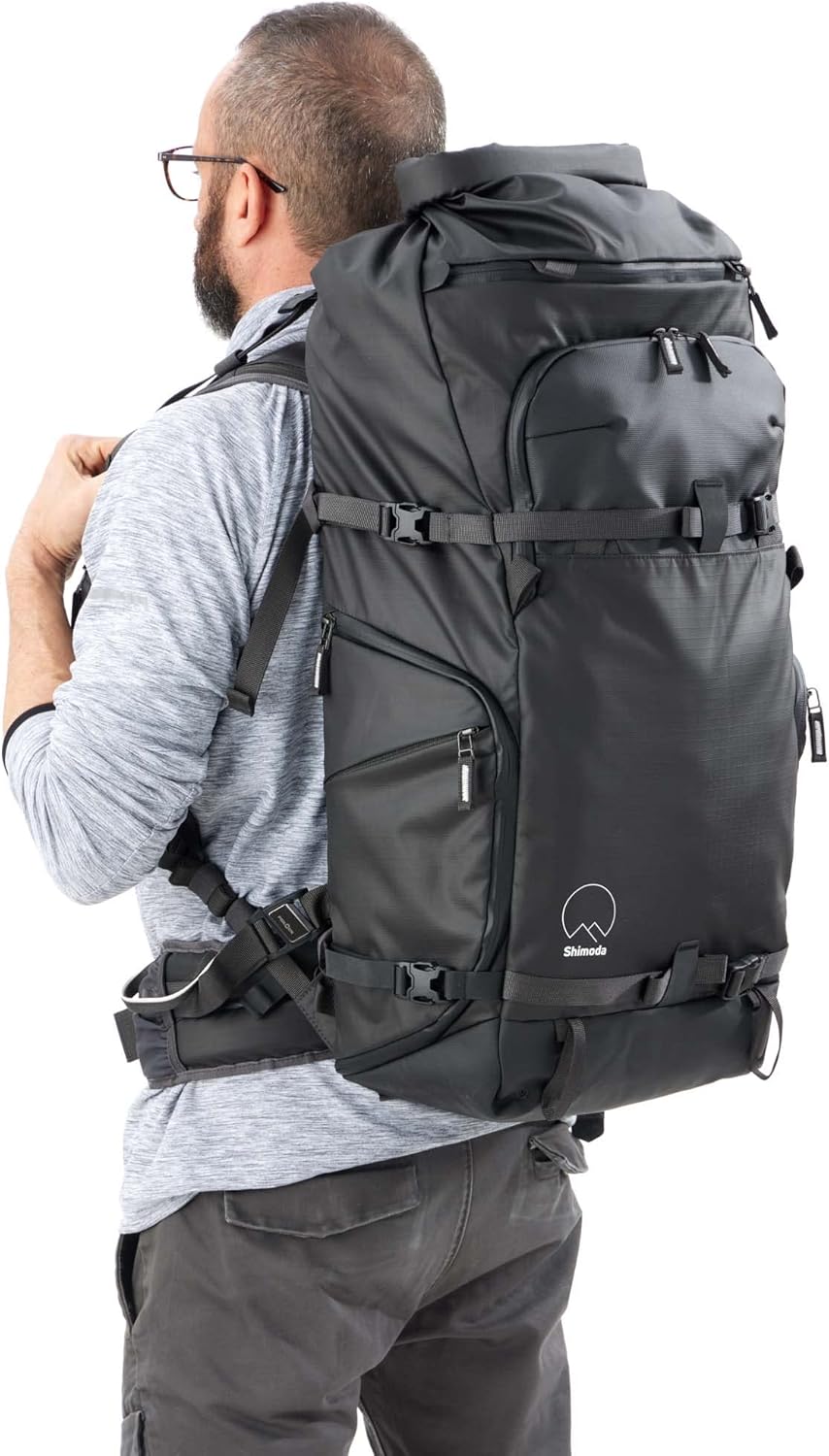
Image: A person wearing the Action X50 v2 backpack, demonstrating correct fit and harness positioning.
3. Operating Instructions
3.1 Dual Laptop/Tablet Sleeves
The Action X50 v2 features both rear and front panel padded sleeves, each capable of accommodating a laptop up to 16 inches. This allows for flexible packing options, such as carrying both a tablet and a laptop simultaneously.
3.2 Expandable Roll-Top Access
The roll-top design allows you to adjust the backpack's volume by up to 7 liters, adapting to your gear requirements while maintaining a compact profile. The top section also includes a quick-access YKK SplashGuard zipper for rapid access to contents, particularly useful in adverse weather conditions.
3.3 Hidden Tracking Device Sleeve
A dedicated hidden sleeve is integrated to hold a personal tracking device (e.g., Apple AirTag, Tile Pro). This feature assists in locating your pack if it is misplaced or lost.
3.4 Side Access
The backpack is equipped with side access points, allowing for quick and convenient retrieval of your camera gear from the Core Unit without fully removing the pack.
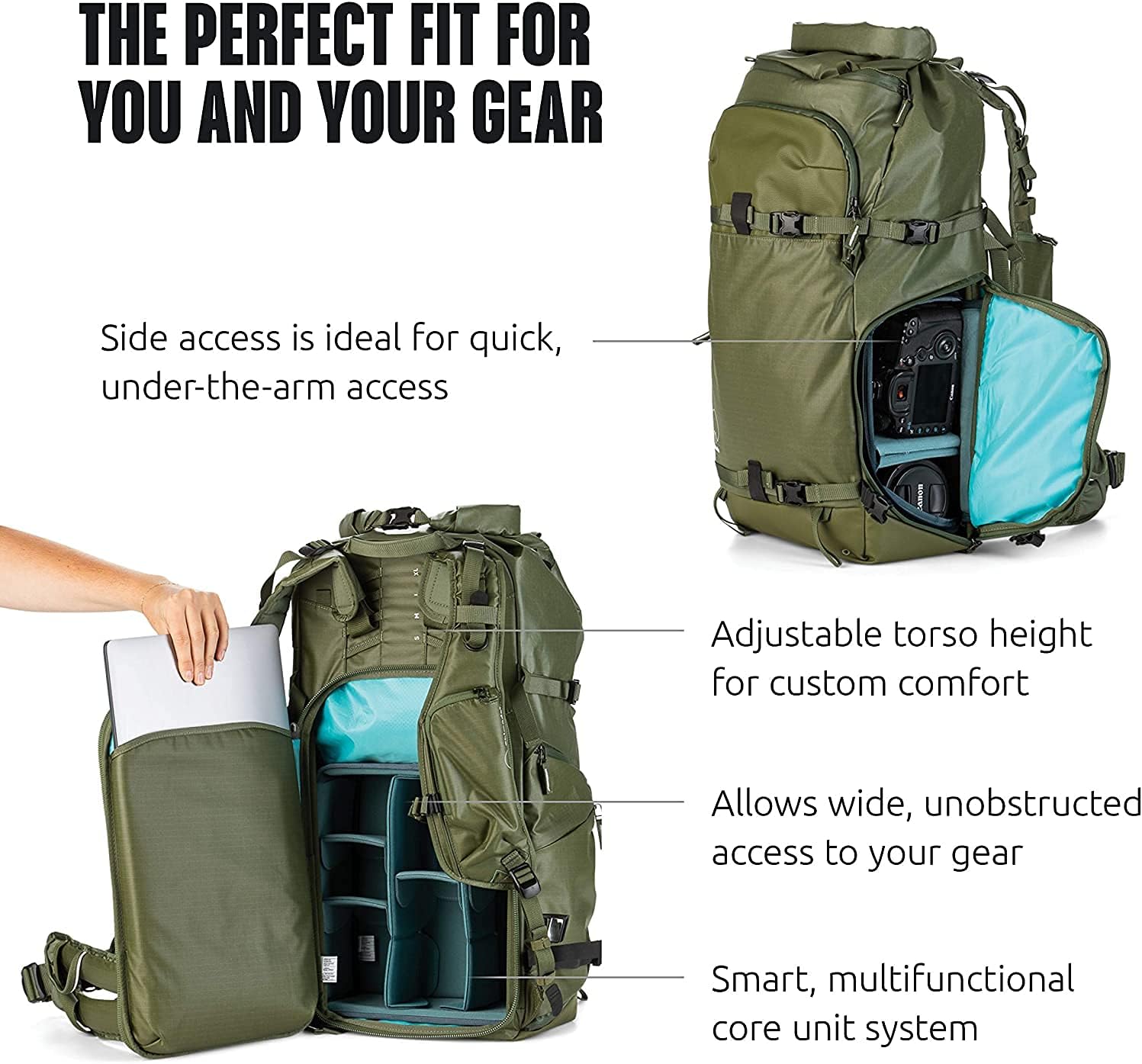
Image: The Action X50 v2 backpack with its side access panel open, demonstrating laptop insertion.
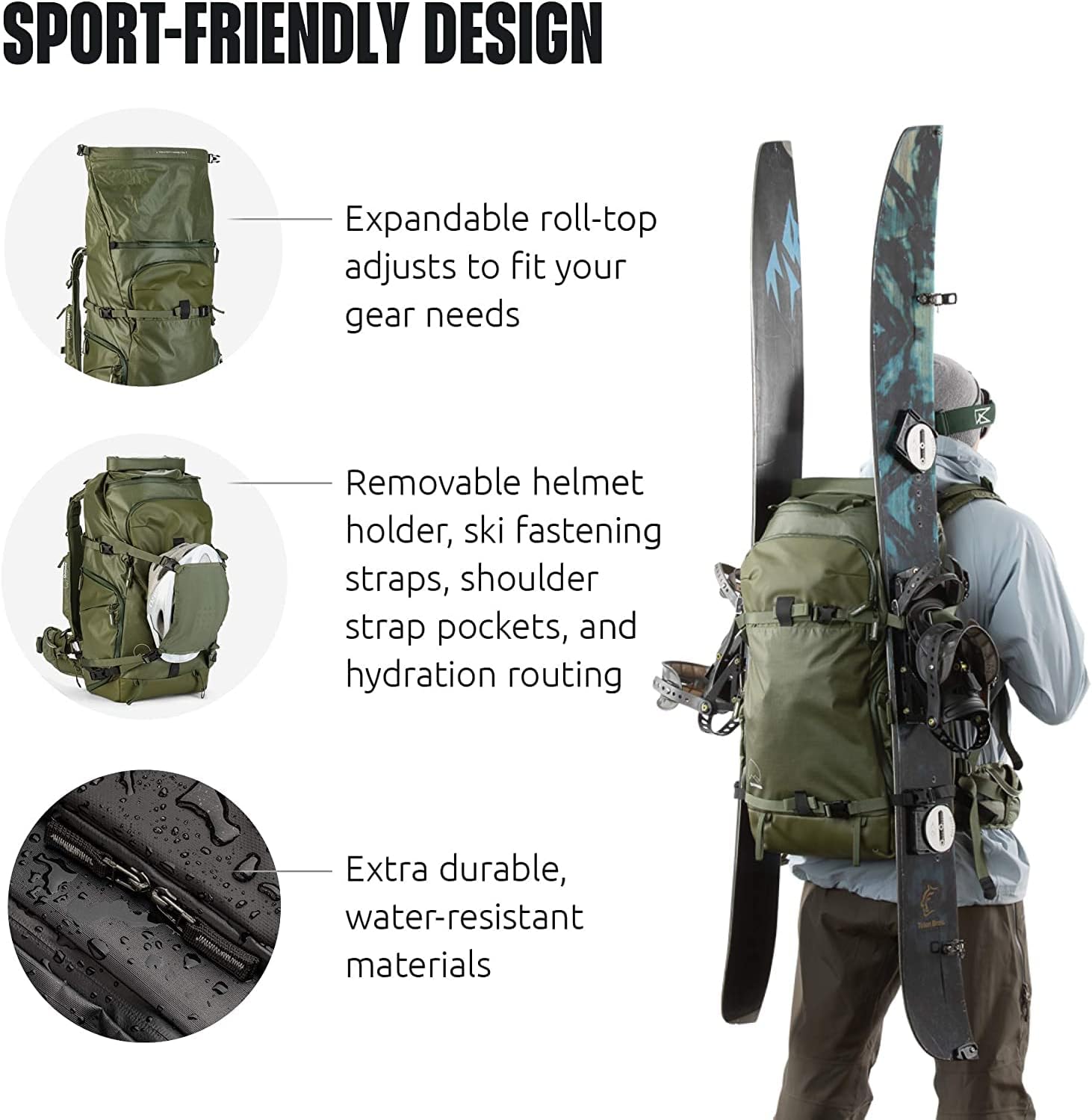
Image: The Action X50 v2 backpack with skis attached, highlighting its sport-friendly design and external attachment points.
4. Maintenance
To ensure the longevity and performance of your Shimoda Action X50 v2 backpack, follow these maintenance guidelines:
- Cleaning: For general cleaning, wipe the exterior with a damp cloth and mild soap. Avoid harsh chemicals or abrasive cleaners. For deeper cleaning, hand wash with cold water and air dry. Do not machine wash or tumble dry.
- Water Resistance: The backpack is constructed with water-resistant materials. For prolonged exposure to heavy rain, utilize the included rain cover (if applicable) for additional protection.
- Zippers and Buckles: Periodically check zippers and buckles for debris. Clean them as needed to ensure smooth operation. Lubricate zippers with a silicone-based spray if they become stiff.
- Storage: Store the backpack in a cool, dry place away from direct sunlight when not in use.
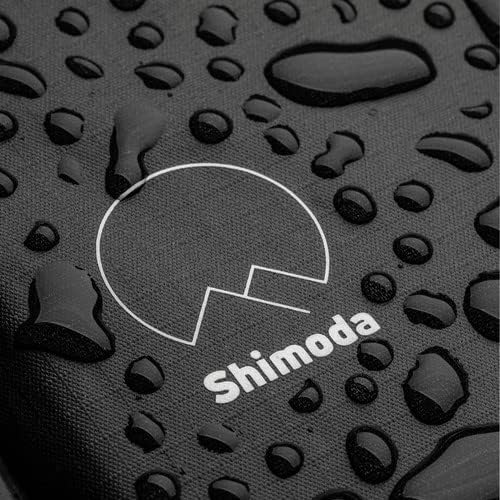
Image: A close-up view of water droplets on the backpack's fabric, illustrating its water-resistant properties.
5. Troubleshooting
If you encounter any issues with your Shimoda Action X50 v2 Starter Kit, consider the following:
- Uncomfortable Fit: Re-evaluate the torso height adjustment (Section 2.2) and ensure all harness straps are properly tightened and positioned (Section 2.3). Experiment with different settings to find the optimal fit for your body.
- Gear Not Fitting: If your equipment does not fit as expected, try reconfiguring the dividers within the Medium DSLR Core Unit. Ensure that larger items are placed strategically. Consider if a different size Core Unit might be more suitable for your specific gear loadout.
- Stiff Zippers: Clean any visible debris from the zipper teeth. Apply a small amount of zipper lubricant to improve functionality.
For issues not resolved by these steps, please refer to the Warranty and Support section.
6. Specifications
| Feature | Specification |
|---|---|
| Product Dimensions | 7.9 x 11.8 x 22 inches |
| Item Weight | 4.6 pounds |
| Capacity Total | 7 Liters (expandable roll-top) |
| Model Number | 520-139 |
| Core Unit Compatibility | Small, Medium, Large DSLR Core Units; Mirrorless series |
| Laptop/Tablet Sleeves | Dual, fits up to 16-inch devices |
| Torso Adjustment | Approx. 9 cm (3.5 in) vertical adjustment |
7. Warranty and Support
Shimoda products are manufactured to high-quality standards. For detailed information regarding product warranty, returns, or technical support, please visit the official Shimoda website or contact their customer service department directly. Keep your proof of purchase for any warranty claims.


