
AMZSA GT88
AMZSA GT88 Smartwatch Ultra User Manual
Model: GT88
1. Product Overview
The AMZSA GT88 Smartwatch Ultra is a versatile and robust device designed for both men and women, offering advanced features for communication, fitness tracking, and health monitoring. Its durable design and comprehensive functionalities make it an ideal companion for daily life and sports activities.
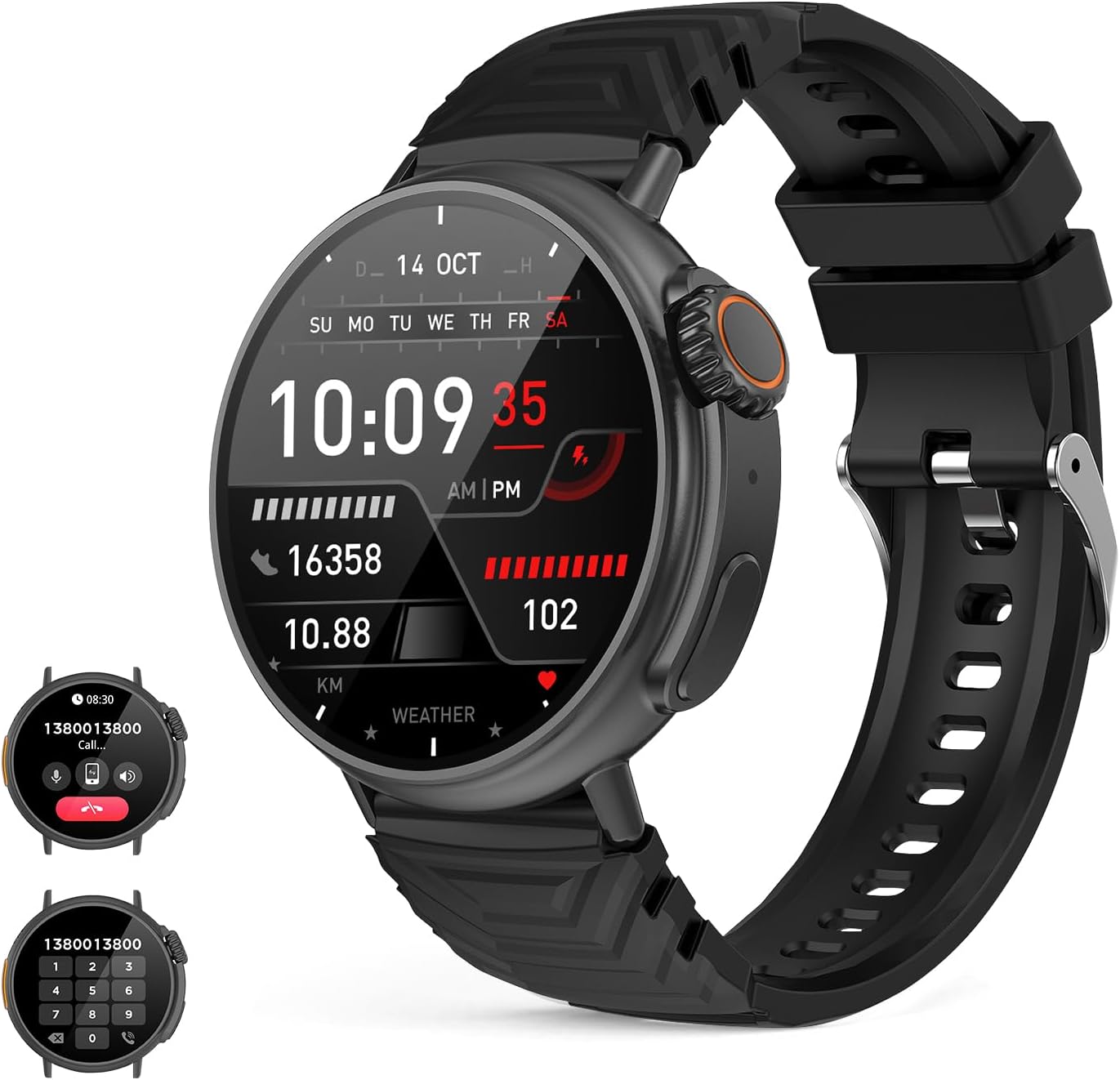
Figure 1.1: AMZSA GT88 Smartwatch Ultra, displaying its main interface with activity metrics.

Figure 1.2: Overview of key features of the GT88 Smartwatch.
2. What's in the Box
Upon unboxing your AMZSA GT88 Smartwatch Ultra, please ensure all the following components are present:
- 1 x AMZSA GT88 Smartwatch Ultra
- 2 x Charging Cables (USB, without charging plug)
- 1 x Screen Protector
- 1 x User Manual (this document)
3. Key Features
- Robust Design: Corrosion-resistant titanium casing with a 1.52-inch round 360*360 high-definition display.
- Call Functionality: Built-in microphone and speaker for making and answering calls directly from the watch.
- Message Notifications: Receive alerts from social applications like WhatsApp and Facebook.
- Extensive Sport Modes: Over 120 sport modes for comprehensive activity tracking.
- IP67 Water Resistance: Certified for water and dust resistance, suitable for various activities including swimming.
- Personal Health Tracker: Real-time monitoring of heart rate, blood pressure, blood oxygen (SpO2), and detailed sleep analysis.
- Music Player & Control: Play music and control playback directly from the smartwatch.
- AI Voice Assistant: Integrated voice assistant for convenient control.
- Customizable Watch Faces: Personalize your watch face with selfies or preferred images.
- Long Battery Life: 300 mAh battery providing up to 5 days of typical use.
4. Setup Guide
4.1 Initial Charging
Before first use, fully charge your smartwatch. Connect one of the provided charging cables to the charging port on the back of the watch and the other end to a USB power source (e.g., computer USB port, wall adapter). A full charge typically takes approximately 2 hours.
4.2 App Installation
To unlock the full potential of your smartwatch, download the companion application. The recommended app is typically 'Da Fit' or similar, available on both iOS App Store and Android Google Play Store. Search for 'Da Fit' and install it on your smartphone.
4.3 Device Pairing
- Ensure your smartwatch is charged and powered on.
- Enable Bluetooth on your smartphone.
- Open the installed companion app ('Da Fit').
- Follow the in-app instructions to add a new device. The app will search for available smartwatches.
- Select 'GT88' or the corresponding device name from the list.
- Confirm the pairing request on both your smartphone and the smartwatch if prompted.
- Once paired, ensure 'audio BT' and 'phone calls' options are activated on the watch settings to enable call functionality.
5. Operating Instructions
5.1 Basic Navigation
The smartwatch features a responsive touchscreen and a digital crown/side buttons for navigation:
- Swipe Up/Down: Scroll through menus and notifications.
- Swipe Left/Right: Access quick functions or different screens.
- Tap: Select an item or open an application.
- Digital Crown: Rotate to scroll, press to return to the home screen or confirm selections.
5.2 Making and Receiving Calls
Once paired via Bluetooth and with the 'audio BT' and 'phone calls' options enabled on your watch, you can manage calls directly from your wrist.

Figure 5.1: Making and receiving calls on the smartwatch.
- To Make a Call: Access the phone function on your watch. You can dial a number directly using the on-screen keypad, select from recent calls, or access synced contacts.
- To Answer a Call: When a call comes in, the watch will display the caller ID. Tap the green answer icon to accept the call.
- To Decline a Call: Tap the red decline icon.
5.3 Message Notifications
The smartwatch supports real-time message notifications from various social applications, including WhatsApp and Facebook, ensuring you stay updated without needing to check your phone constantly.
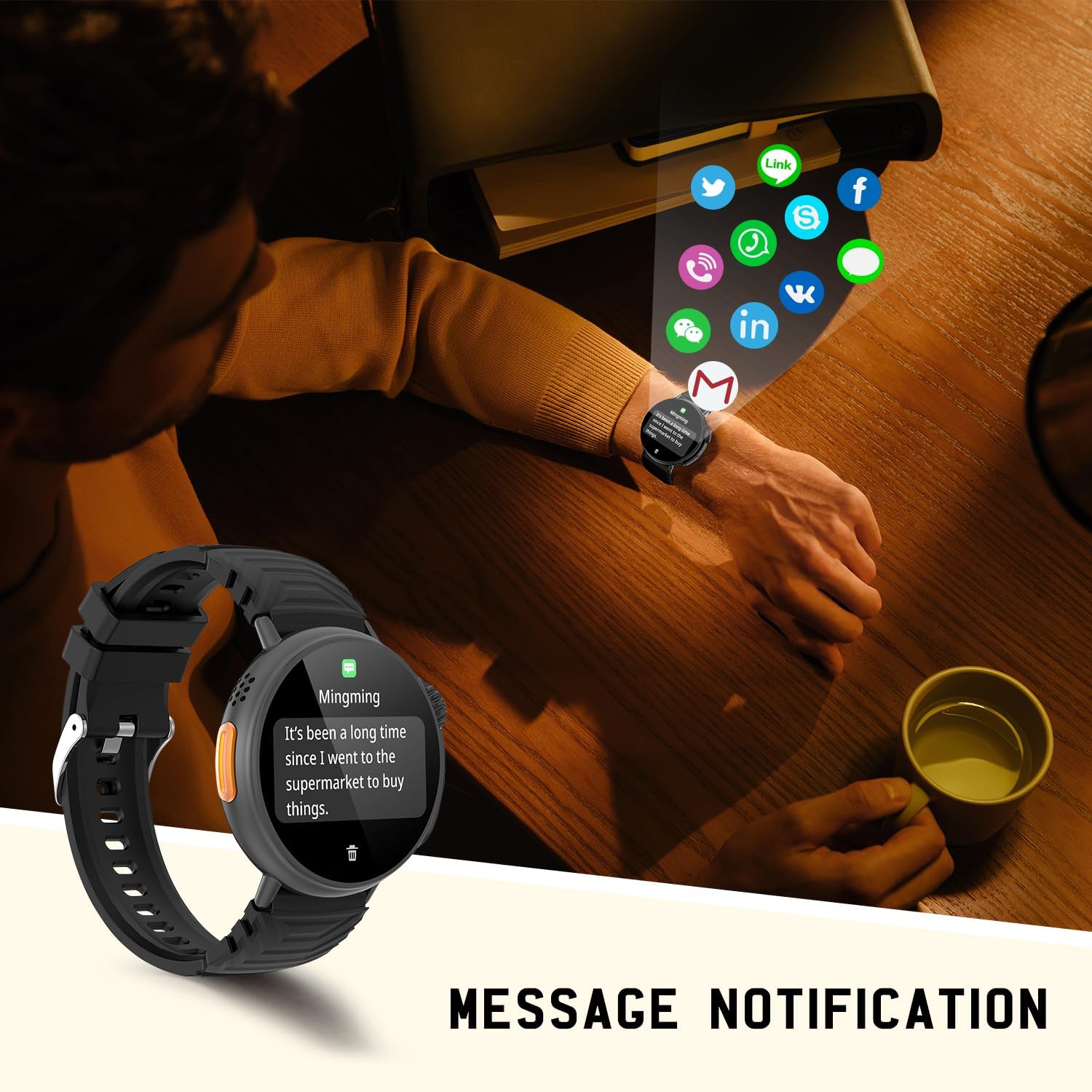
Figure 5.2: Receiving message notifications on the smartwatch.
5.4 AI Voice Assistant
Utilize the integrated AI voice assistant for hands-free control. Simply activate the voice assistant feature on your watch and speak your commands, such as making calls, checking weather, or playing music.

Figure 5.3: Interacting with the AI Voice Assistant.
5.5 Music Control
Control your smartphone's music playback directly from your smartwatch. You can play, pause, skip tracks, and adjust volume.
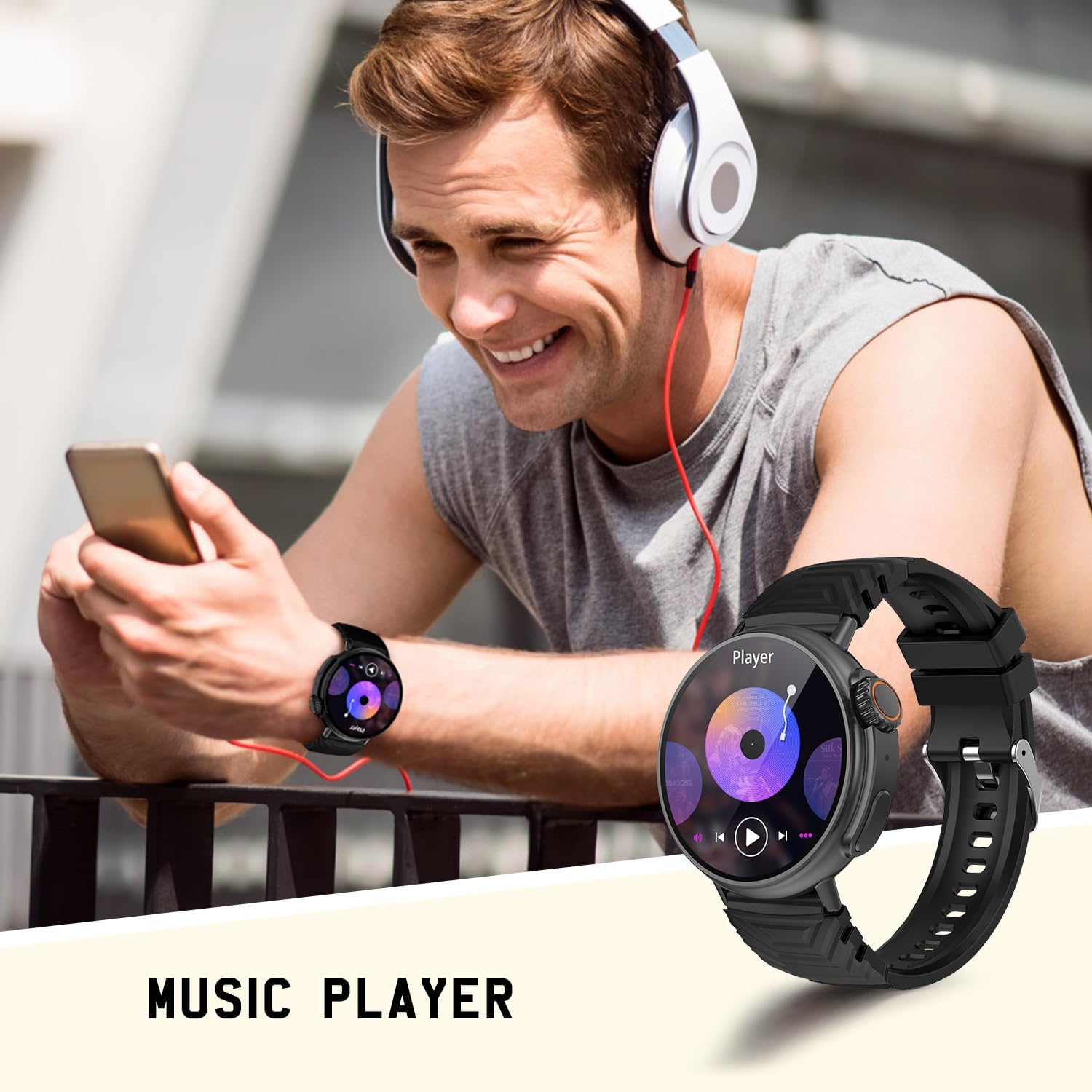
Figure 5.4: Controlling music playback via the smartwatch.
5.6 Custom Watch Faces
Personalize your smartwatch by choosing from over 150 watch faces or by uploading your own photos as backgrounds.

Figure 5.5: Examples of customizable watch faces.
6. Health Monitoring
The GT88 Smartwatch provides comprehensive health tracking features to help you monitor your well-being.
6.1 Heart Rate, Blood Pressure, and SpO2
Monitor your heart rate, blood pressure, and blood oxygen saturation (SpO2) in real-time. Access these functions through the health menu on your watch or the companion app for detailed historical data.
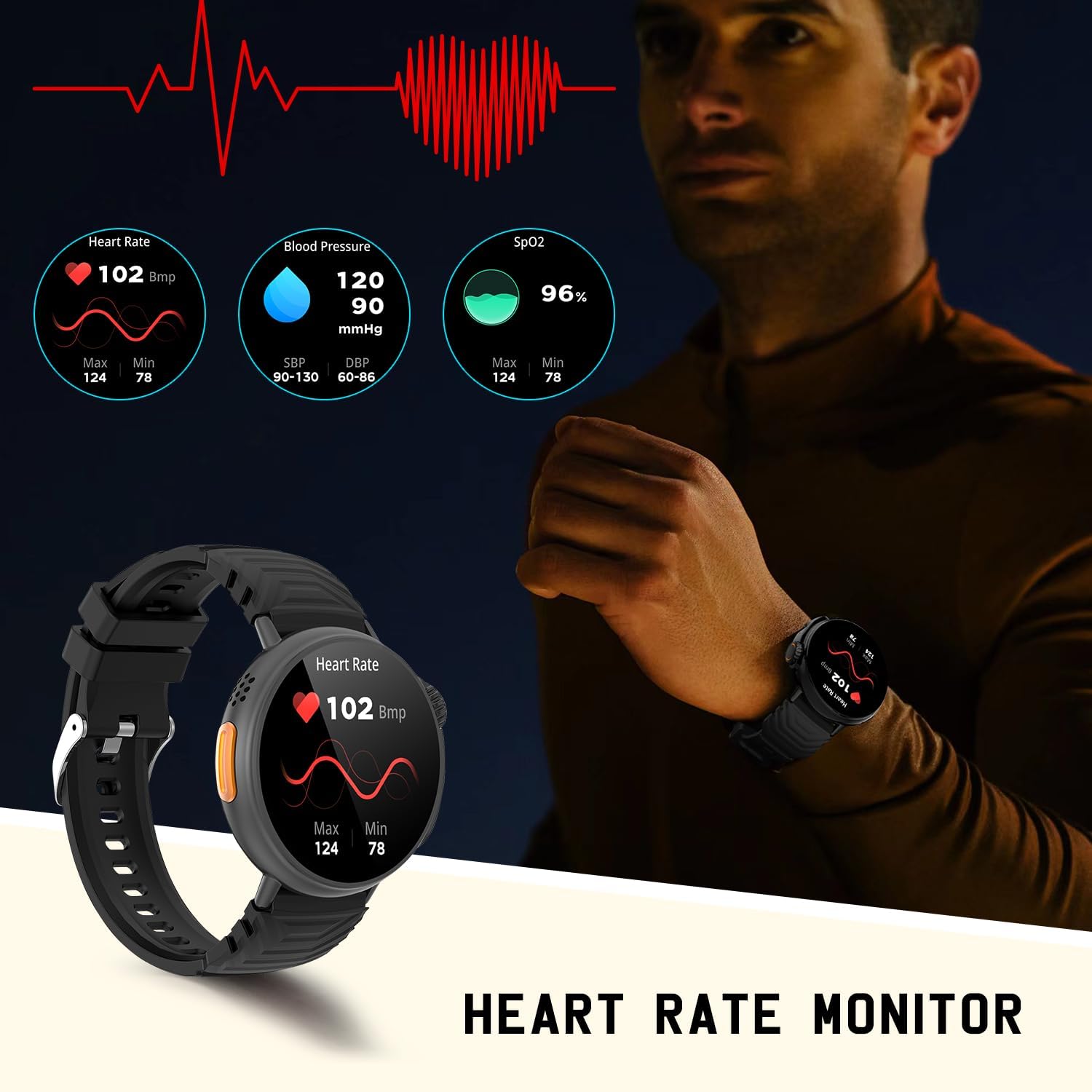
Figure 6.1: Real-time health monitoring on the smartwatch.
6.2 Sleep Tracking
The smartwatch accurately records your sleep status, including deep sleep, light sleep, and awake times, providing insights into your sleep quality. View detailed analysis in the companion app.

Figure 6.2: Sleep tracking functionality.
7. Sport Modes
With over 120 sport modes, the GT88 Smartwatch is designed to track a wide range of physical activities. It monitors daily activity data such as steps, calories burned, distance covered, and active hours.

Figure 7.1: Multi-sport mode tracking.
Examples of supported activities include:
- Running
- Cycling
- Swimming
- Walking
- Tennis
- And many more.
8. Water Resistance (IP67)
The AMZSA GT88 Smartwatch is certified with an IP67 rating, meaning it is resistant to dust and can withstand immersion in water up to 1 meter for 30 minutes. This makes it suitable for daily use, including hand washing, rain, and swimming.

Figure 8.1: IP67 Water Resistance.
Note: While IP67 rated, avoid prolonged exposure to hot water, steam, or strong water jets, as this may compromise the seal over time.
9. Battery Life
The smartwatch is equipped with a 300 mAh lithium polymer battery. Under typical usage conditions, the battery can last for approximately 5 days. Charging time is around 2 hours.
- Capacity: 300 mAh
- Average Usage: Up to 5 days
- Charging Time: Approximately 2 hours
10. Troubleshooting
If you encounter any issues with your AMZSA GT88 Smartwatch Ultra, please refer to the following common troubleshooting steps:
10.1 Connectivity Issues (Bluetooth)
- Ensure Bluetooth is On: Verify that Bluetooth is enabled on both your smartwatch and smartphone.
- Restart Devices: Try restarting both your smartwatch and smartphone.
- Forget Device: On your smartphone's Bluetooth settings, 'forget' or 'unpair' the smartwatch, then attempt to pair again through the companion app.
- App Permissions: Ensure the companion app has all necessary permissions enabled (e.g., location, notifications).
10.2 Charging Problems
- Check Cable and Connection: Ensure the charging cable is securely connected to both the watch and the power source. Try a different USB port or wall adapter.
- Clean Contacts: Gently clean the charging contacts on the watch and cable with a dry cloth to remove any dust or debris.
10.3 Inaccurate Readings (Health/Sport)
- Proper Fit: Ensure the watch is worn snugly on your wrist, not too tight or too loose.
- Clean Sensor: Keep the sensor on the back of the watch clean and free from sweat or dirt.
- Stillness for Readings: For accurate heart rate, blood pressure, or SpO2 readings, remain still during the measurement.
10.4 Screen Unresponsive / Freezing
- Force Restart: Press and hold the digital crown/power button for about 10-15 seconds until the device restarts.
- Charge: Ensure the watch has sufficient battery.
11. Specifications
| Brand | AMZSA |
| Model Name | GT88 |
| Product Dimensions | 4.95 x 5.2 x 1.2 cm |
| Item Weight | 79 grams |
| Display Size | 1.52 Inches |
| Display Type | AMOLED |
| Resolution | 360 x 360 |
| Operating System | Android (Compatible with iOS and Android) |
| Battery Type | Lithium Polymer |
| Battery Capacity | 300 mAh |
| Average Battery Life | 5 Days |
| Charging Time | 2 Hours |
| Connectivity | Bluetooth |
| Water Resistance | IP67 |
| Input Interface | Buttons, Touchscreen |
12. Warranty and Support
For warranty information and customer support, please refer to the documentation provided with your purchase or contact AMZSA customer service directly. Keep your proof of purchase for any warranty claims.
While software updates are not guaranteed for a specific period, the manufacturer may release updates to improve functionality and performance. Please check the companion app regularly for any available updates.
Related documentsGT88

Ask a question about this manual
Ask about setup, troubleshooting, compatibility, parts, safety, or missing instructions. Manuals+ will review the question and use this page’s manual context to help answer it.