
1. Introduction
Thank you for choosing the Efolen Women's Smartwatch. This manual provides essential information for setting up, operating, and maintaining your device. Please read it carefully to ensure optimal performance and longevity of your smartwatch.

Image: The Efolen Women's Smartwatch, showcasing both the elegant gold metal band with diamond accents and an alternative soft pink silicone band.
2. Package Contents
- 1 x Efolen Women's Smartwatch
- 1 x Stainless Steel Diamond-Set Strap
- 1 x Soft Silicone Strap
- 1 x Charging Cable
- 1 x User Manual
3. Setup Guide
3.1 Charging the Smartwatch
Before first use, fully charge your smartwatch. Connect the magnetic charging cable to the charging points on the back of the watch and plug the USB end into a power adapter (not included) or a computer's USB port.

Image: The smartwatch display showing a charging indicator, indicating the device is receiving power.
3.2 App Installation and Pairing
- Scan the QR code in the manual or on the watch screen (if available) to download the companion app, or search for 'FitCloudPro' (common app for similar devices) in your smartphone's app store.
- Ensure your smartphone's Bluetooth is enabled.
- Open the app and follow the on-screen instructions to register an account and add your device.
- Select your smartwatch from the list of available Bluetooth devices in the app to complete the pairing process.
The smartwatch is compatible with iOS 8.0 and Android 4.0 or higher.
3.3 Adjusting the Watch Band
The watch comes with two interchangeable bands. The stainless steel band can be adjusted by removing links using the provided tool (if applicable). The silicone band offers flexibility and comfort.
Refer to the included mini-tool for adjusting the metal strap if necessary.
4. Operating Instructions
4.1 Basic Navigation
- Touch Screen: Swipe left/right, up/down to navigate through menus and features. Tap to select.
- Side Button: Press to return to the home screen or wake the device.
4.2 Bluetooth Calling
Once paired with your smartphone, you can make and receive calls directly from your smartwatch.
- Making Calls: Access the dial pad or contacts list on the watch.
- Receiving Calls: Answer or reject incoming calls directly from the watch screen.
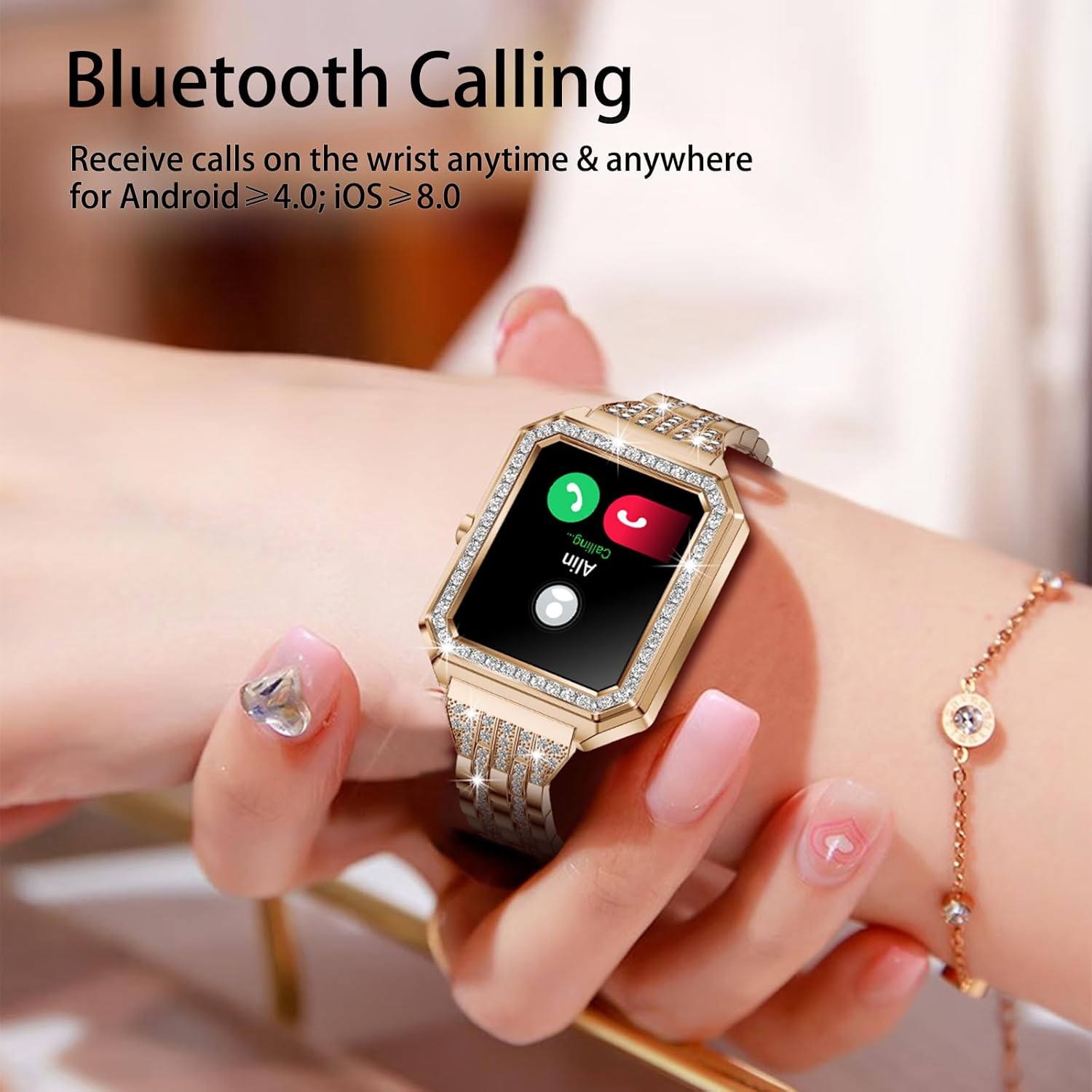
Image: A close-up of the smartwatch on a wrist, showing an incoming call notification with options to answer or decline.
4.3 Health Monitoring
The smartwatch provides 24-hour real-time tracking of various health metrics.
- Heart Rate: Monitors your heart rate throughout the day.
- Blood Oxygen (SpO2): Measures your blood oxygen saturation levels.
- Blood Pressure: Provides estimates of your blood pressure.
- Sleep Tracking: Analyzes your sleep patterns, including light and deep sleep stages.
- Menstrual Cycle Tracking: Helps women track their menstrual cycle, ovulation, and fertile window.
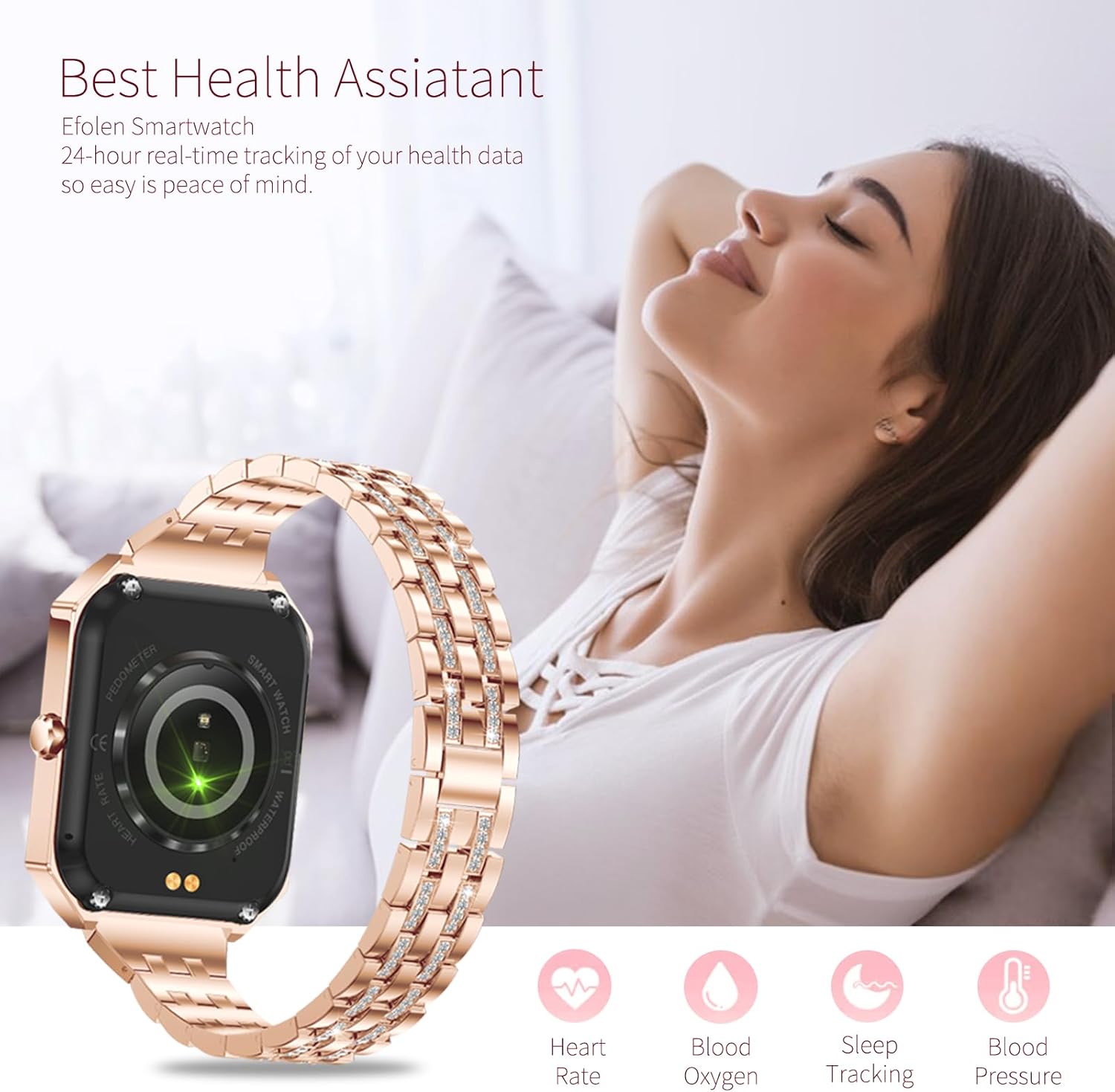
Image: The back of the smartwatch, highlighting the optical sensors used for heart rate and blood oxygen monitoring.

Image: The smartwatch screen showing a calendar interface for menstrual cycle tracking, indicating different phases.
4.4 Fitness Tracking
Monitor your daily activity and exercise performance.
- Step Counter: Tracks your daily steps, calories burned, and distance covered.
- Multi-Sport Modes: Supports various exercise modes, including yoga and tennis.
- GPS Tracking: Utilizes your smartphone's GPS to map running, walking, or cycling routes.

Image: The smartwatch screen showing a step counter interface, displaying steps, calories, and distance.
4.5 Smart Features
- Information Notifications: Receive alerts for WhatsApp, SMS, and other app messages directly on your wrist.
- Music Player Control: Control music playback on your smartphone (play, pause, skip tracks).
- AI Voice Assistant: Use voice commands for various functions (e.g., "Open WhatsApp," "Call Mary").
- Alarm Clock: Set alarms for reminders.
- Weather Forecast: View current weather conditions.
- Sedentary Reminder: Get alerts to move after periods of inactivity.
- Water Reminder: Reminds you to drink water regularly.
- Brightness Adjustment: Adjust screen brightness for optimal viewing.
- Countdown & Timer: Built-in timer and countdown functions.
- DIY Watch Faces: Customize your watch face with personal photos or choose from over 200 pre-designed faces.
- Remote Camera: Use the watch as a remote shutter for your phone's camera.
- Find Phone: Locate your paired smartphone.

Image: The smartwatch screen showing music playback controls, including play/pause, skip, and Bluetooth connection status.

Image: The smartwatch screen showing the AI Voice Assistant interface, prompting the user to speak commands like "Open WhatsApp" or "Call Mary Please."

Image: A collage of various customizable watch faces, demonstrating the wide range of aesthetic options available, including personalized DIY faces.
5. Maintenance
5.1 Water Resistance (IP67)
The smartwatch has an IP67 waterproof rating, meaning it is resistant to splashes, rain, and brief immersion in water. It is suitable for daily cleaning and getting wet in the rain. However, it is not recommended for swimming, hot showers, or diving.

Image: The smartwatch submerged in water, with icons indicating its resistance to rain and suitability for daily cleaning, highlighting its IP67 waterproof rating.
5.2 Cleaning and Care
- Wipe the watch and band regularly with a soft, dry cloth.
- Avoid using harsh chemicals or abrasive materials.
- Ensure the charging contacts are clean and dry before charging.
5.3 Battery Life
The smartwatch is equipped with a 210 mAh Lithium-ion battery. Battery life varies based on usage. To maximize battery life, reduce screen brightness, limit notifications, and disable features not in use.
6. Troubleshooting
6.1 Connectivity Issues
- Ensure Bluetooth is enabled on your smartphone and the watch.
- Make sure the watch is within the Bluetooth range of your phone.
- Restart both the smartwatch and your smartphone.
- Unpair and re-pair the device through the app.
6.2 Inaccurate Health Readings
- Ensure the watch is worn snugly on your wrist, but not too tight.
- Keep the sensors on the back of the watch clean.
- Note that smartwatch readings are for reference only and should not be used for medical diagnosis.
6.3 Watch Not Powering On
- Ensure the watch is fully charged.
- Check the charging cable and adapter for damage.
- Try a different USB port or power source.
6.4 General Issues
If you encounter any other usage or quality issues, please do not hesitate to contact Efolen customer support. Our technical team is dedicated to resolving your concerns as quickly as possible.
7. Specifications
| Feature | Specification |
|---|---|
| Brand | Efolen |
| Model Number | c8f1e62c-77fe-4785-b623-c1daac3a9c69 |
| Color | Gold |
| Operating System | Android (compatible with Android 4.0+ and iOS 8.0+) |
| Screen Size | 1.59 Inches |
| Shape | Rectangular |
| Connectivity | Bluetooth |
| Special Features | Mobile phone search, Bluetooth photo, Pedometer, Heart rate monitor, Blood pressure monitor, Oximetry monitor, Sleep monitor, Contacts, Alarm clock, Sedentary reminder, Water reminder, Brightness adjustment, Countdown, Timer |
| Material | Stainless Steel |
| Compatible Devices | Smartphone |
| Battery Composition | Lithium-ion |
| Battery Capacity | 210 mAh |
| GPS | Via smartphone |
| Water Resistance | IP67 |
8. Support
For any questions, technical assistance, or warranty inquiries, please contact Efolen customer support through the platform where you purchased the product. Our dedicated team is ready to assist you with any issues you may encounter.