1. Introduction
This manual provides comprehensive instructions for the HOLDWELL Compressor Controller Xe-70M. This unit is designed as a replacement controller compatible with Ingersoll Rand compressor systems, offering advanced control and monitoring capabilities.
Key features include:
- Start/stop Control
- Manual Load/Unload Control
- Automatic Load Control (Auto-Restart)
- Integrated Dryer Control
- Modulation (Fixed Speed Only)
- Mod/ACS (Fixed Speed Only)
- Lead/Lag (Fixed Speed Only)
- Blower Control (Includes Low Ambient Option)
- Power Out Restart Option
- Progressive Adaptive Control (PAC)
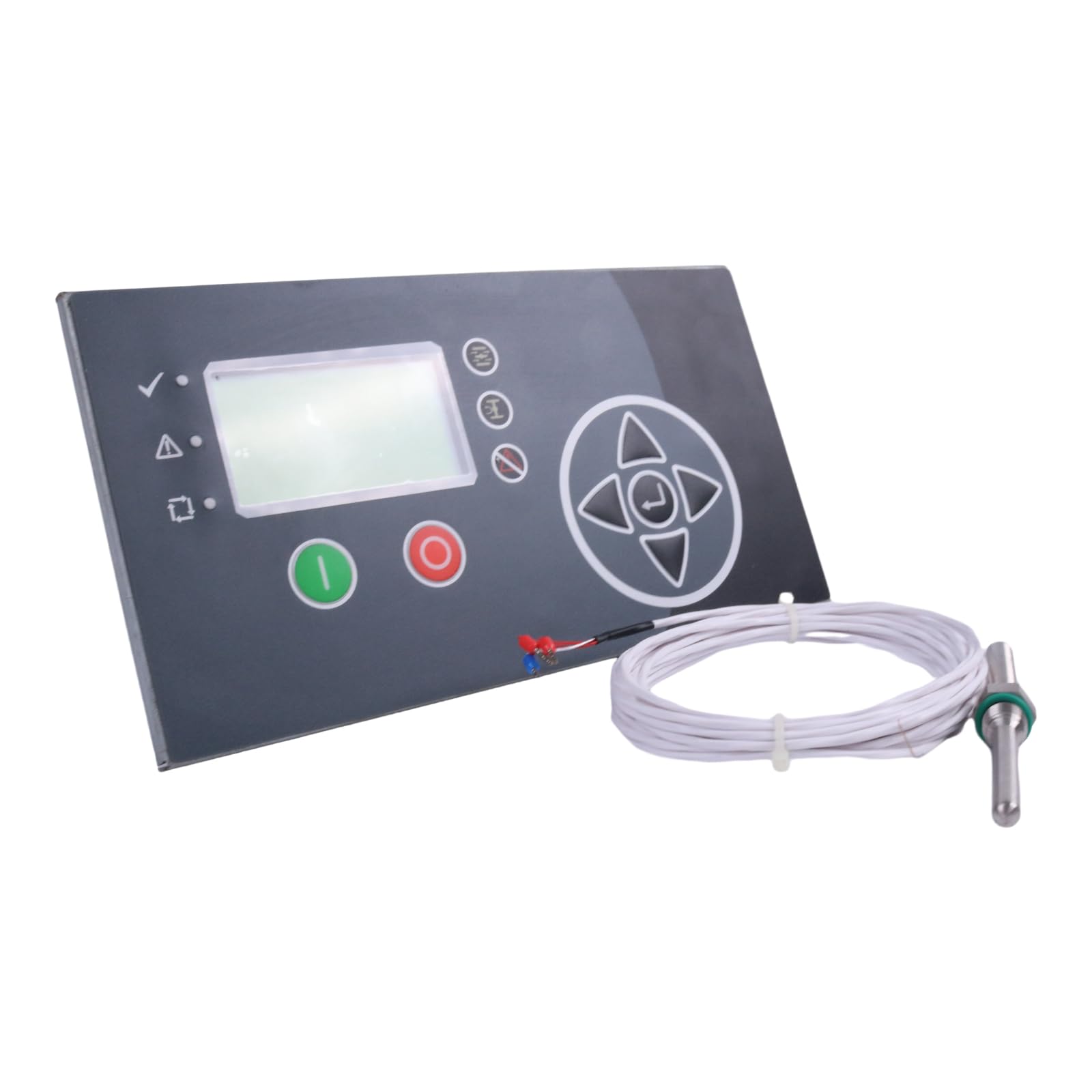
Figure 1: HOLDWELL Compressor Controller Xe-70M with temperature sensor.
2. Setup and Installation
The Xe-70M controller is designed as a direct replacement for compatible Ingersoll Rand compressor systems. Professional installation is recommended to ensure correct wiring and configuration.
2.1 Pre-Installation Checks
- Ensure the compressor system is powered off and locked out before beginning installation.
- Verify that the Xe-70M controller is the correct model for your compressor system.
- Inspect the controller for any visible damage.
2.2 Installation Steps
- Carefully remove the existing compressor controller, noting all wiring connections. It is advisable to photograph the existing setup for reference.
- Mount the HOLDWELL Xe-70M controller in the designated panel location.
- Connect all necessary wiring (power, sensors, control signals) to the corresponding terminals on the Xe-70M. Refer to the wiring diagram provided with your specific compressor model for accurate connections.
- Ensure all connections are secure and properly insulated.
- Install the included temperature sensor, if applicable, following the compressor manufacturer's guidelines.

Figure 2: Side view of the Xe-70M controller, illustrating terminal blocks for wiring connections.
3. Operating Instructions
The Xe-70M controller features a digital display and intuitive controls for managing compressor operations.
3.1 Basic Operation
- Start/Stop Control: Use the designated buttons on the control panel to initiate or cease compressor operation.
- Manual Load/Unload Control: Manually switch the compressor between loaded and unloaded states as required.
- Automatic Load Control (Auto-Restart): The controller can automatically manage compressor loading based on system demand and restart after power interruptions.
3.2 Advanced Features
- Integrated Dryer Control: Manages the operation of an integrated air dryer for optimal air quality.
- Modulation (Fixed Speed Only): Adjusts compressor output to match demand for fixed-speed compressors.
- Mod/ACS (Fixed Speed Only): Advanced control for fixed-speed systems.
- Lead/Lag (Fixed Speed Only): Manages multiple fixed-speed compressors to optimize efficiency and runtime.
- Blower Control (Includes Low Ambient Option): Controls cooling blower operation, with options for low ambient temperature conditions.
- Power Out Restart Option: Configurable setting to automatically restart the compressor after a power outage.
- Progressive Adaptive Control (PAC): Optimizes compressor performance based on real-time operating conditions.
3.3 Eco Mode (Optional)
The optional Eco Mode provides enhanced monitoring and data access:
- Automatic Email Notification: Receive alerts for alarms and trips.
- Automatic Performance Log: Records compressor performance data.
- Inspection Log and Graph: Provides detailed logs and graphical representations of inspections.
- Web Page Access: View asset performance and inspection logs/graphs via standard web browsers.

Figure 3: Angled view of the Xe-70M controller, showing its compact design and included sensor.
4. Maintenance
Regular maintenance ensures the longevity and optimal performance of your Xe-70M compressor controller. Always disconnect power before performing any maintenance.
- Cleaning: Periodically clean the exterior of the controller with a soft, dry cloth. Avoid using abrasive cleaners or solvents.
- Inspections: Regularly inspect wiring connections for tightness and signs of wear or corrosion.
- Firmware Updates: Check the manufacturer's website for any available firmware updates to ensure the controller operates with the latest features and bug fixes.
- Environmental Conditions: Ensure the operating environment remains within specified temperature and humidity ranges to prevent damage.

Figure 4: Rear view of the Xe-70M controller, detailing mounting points and internal component layout.
5. Troubleshooting
This section provides guidance for common issues. For complex problems, contact HOLDWELL technical support.
| Problem | Possible Cause | Solution |
|---|---|---|
| Controller does not power on. | No power supply; incorrect wiring; blown fuse. | Check power connections; verify wiring against diagram; inspect and replace fuses if necessary. |
| Compressor fails to start. | Emergency stop engaged; incorrect operating mode; sensor fault. | Disengage emergency stop; select correct operating mode; check sensor connections and readings. |
| Inaccurate readings on display. | Faulty sensor; loose sensor connection. | Inspect sensor wiring; replace sensor if faulty. |
| Eco Mode features not accessible. | Eco Mode not enabled; network connectivity issue. | Ensure Eco Mode is activated in settings; verify network connection to the controller. |
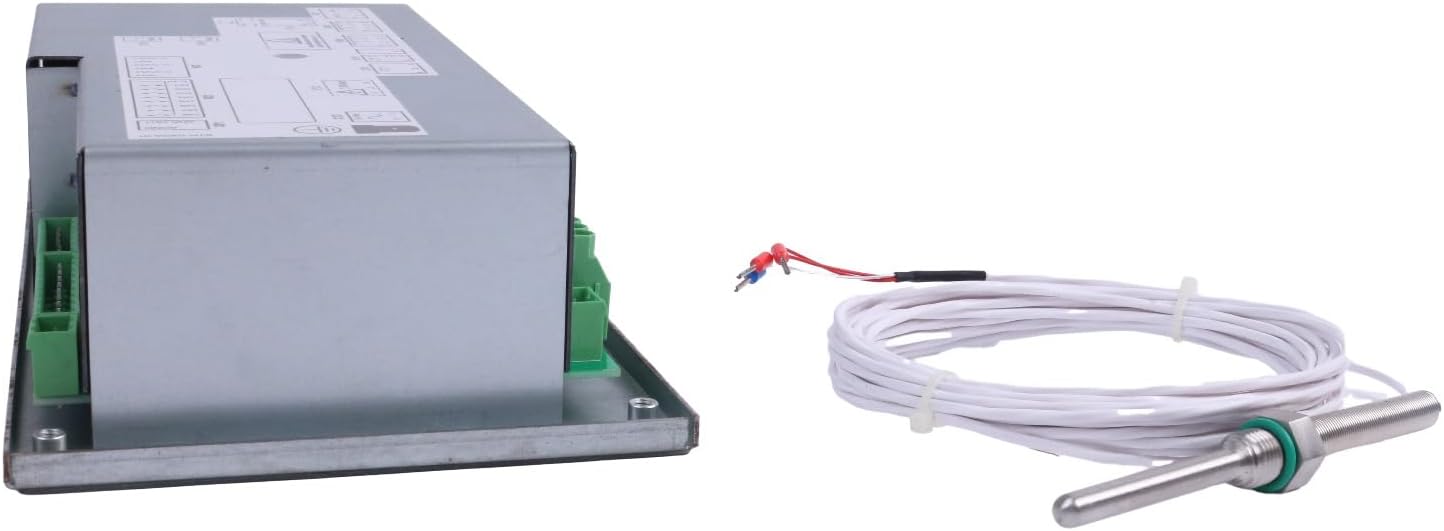
Figure 5: Additional angled view of the Xe-70M controller and its accompanying sensor.
6. Specifications
| Feature | Detail |
|---|---|
| Model | Xe-70M |
| Brand | HOLDWELL |
| Compatibility | Ingersoll Rand Compressor Systems |
| Included Components | Compressor controller x 1 |
| Color | Black |
| Display Type | Digital |
| Operating Temperature | 20 Degrees Celsius (Note: This value seems unusually specific and low for a typical operating range. Users should consult the full product datasheet for complete environmental specifications.) |
| ASIN | B0C698CXY8 |
| Manufacturer | HOLDWELL |
7. Warranty and Support
7.1 Warranty Information
Specific warranty details for the HOLDWELL Compressor Controller Xe-70M are provided by the manufacturer at the time of purchase. Please refer to your purchase documentation or contact HOLDWELL directly for comprehensive warranty terms and conditions.
7.2 Technical Support
For any questions regarding the installation, operation, maintenance, or troubleshooting of your HOLDWELL Xe-70M controller, please contact HOLDWELL customer support. Contact information can typically be found on the manufacturer's official website or your purchase invoice.
Note: The product is a replacement part. While designed for compatibility, always ensure proper installation and consult original equipment manuals where applicable.