
1. Important Safety Information
Please read all instructions carefully before installation and use. Retain this manual for future reference.
- Electrical Safety: Always turn off the power at the circuit breaker or fuse box before beginning installation or performing any maintenance. Ensure all electrical connections comply with local codes and ordinances. If you are unsure about wiring, consult a qualified electrician.
- Mounting: Ensure the mounting structure can support the weight of the fan. The fan must be mounted with the blades at least 7 feet (2.1 meters) from the floor.
- Blade Clearance: Maintain a minimum clearance of 30 inches (76 cm) from the wall to the blade tips to ensure proper airflow and prevent interference.
- Cleaning: Always disconnect power before cleaning. Use a soft, damp cloth. Do not use abrasive cleaners.
- Children and Pets: Keep children and pets away from the fan during operation and maintenance.
2. Package Contents
Verify that all components are present before beginning installation:
- Ceiling Fan with Integrated Light
- Remote Control
- Mounting Hardware
- Instruction Manual
3. Product Specifications
| Brand | WenineStar |
| Model Number | WenineStar-2026 |
| Size | 20 inches (Diameter) |
| Dimensions (L x W x H) | 20"L x 20"W x 5"H |
| Material | Wood, PMMA |
| Mounting Type | Semi Flush Mount |
| Light Source | Integrated LED |
| Wattage | 50 watts |
| Brightness | Up to 4500 lumens |
| Control Method | Remote Control, App Operable |
| Fan Speeds | 6 |
| Motor Type | Reversible, Silent (approx. 35dB) |
Recommended room size: 90-225 sq.ft.
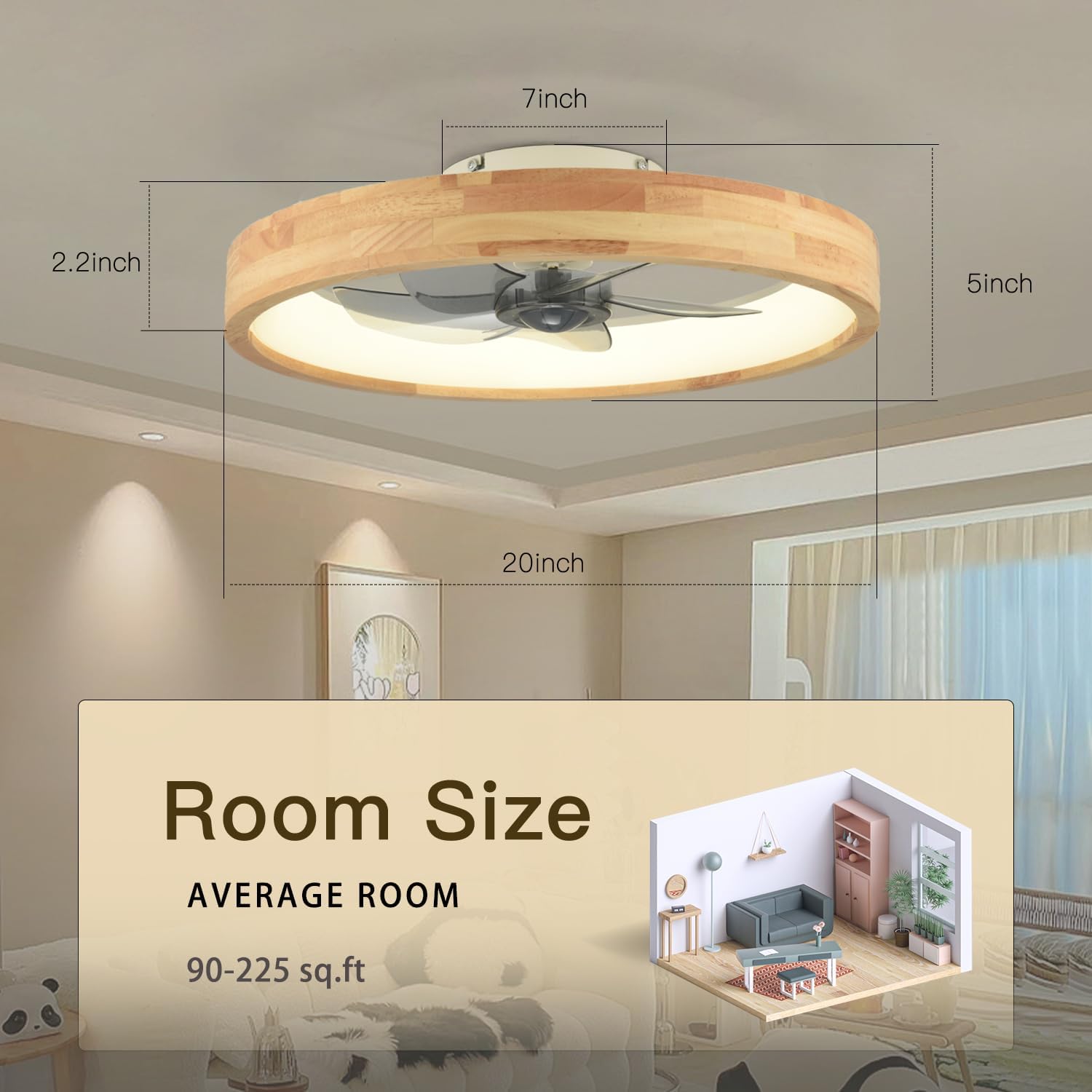
Diagram showing the dimensions of the WenineStar 20-inch ceiling fan and recommended room size of 90-225 sq.ft.
4. Installation Guide
The WenineStar ceiling fan is designed for easy installation. Most components are pre-assembled. Follow these general steps:
- Prepare for Installation: Turn off power at the circuit breaker. Clear the work area.
- Mounting Bracket: Secure the mounting bracket to the ceiling junction box. Ensure it is firmly attached and can support the fan's weight.
- Wiring: Connect the fan's electrical wires to the household wiring according to the wiring diagram provided in the separate installation instructions. Typically, this involves connecting live, neutral, and ground wires. Use wire nuts to secure connections.
- Attach Fan Body: Carefully lift the fan body and attach it to the mounting bracket. Ensure all screws are tightened securely.
- Final Checks: Double-check all connections and ensure the fan is securely mounted. Restore power at the circuit breaker.
Refer to the detailed installation instructions included in your package for specific wiring diagrams and mounting procedures.
5. Operating Instructions
Your WenineStar ceiling fan can be controlled via the included remote control or a compatible smartphone application.
5.1 Remote Control Functions
The remote control allows for comprehensive adjustment of fan and light settings:
- Power On/Off: Separate buttons for fan and light.
- Fan Speed: Select from 6 adjustable fan speeds.
- Light Dimming: Adjust light brightness from 0% to 100%.
- Color Temperature: Cycle through warm light (3000K), natural light (4500K), and cold white light (6000K).
- Reversible Motor: Change fan direction for summer (downdraft) or winter (updraft) modes.
- Timer: Set the fan to turn off automatically after 1 or 2 hours.
- Night Light Mode: Activates a low-brightness light setting.
- Mute: Silences operational beeps.
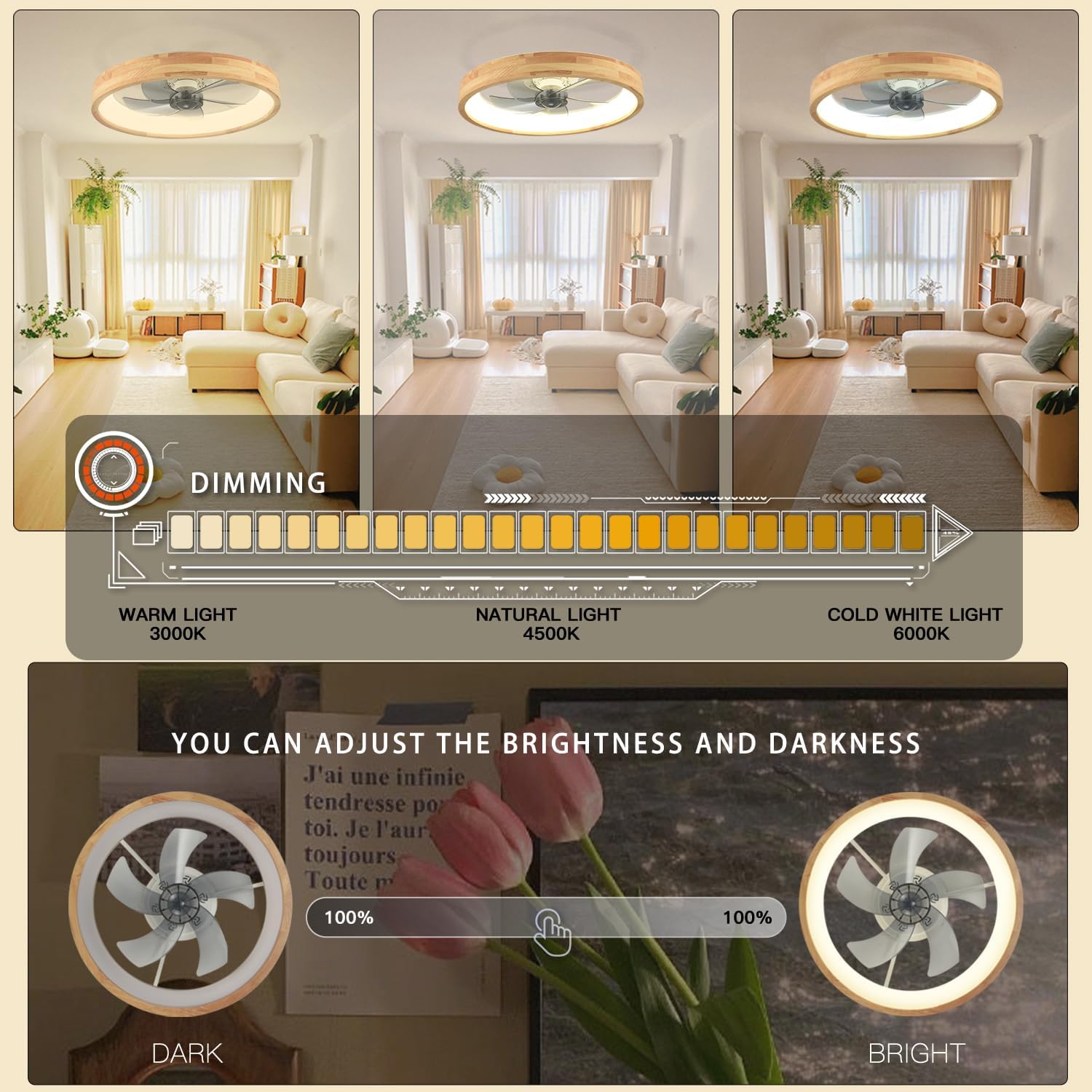
Adjust light brightness and color temperature from warm to cool white.
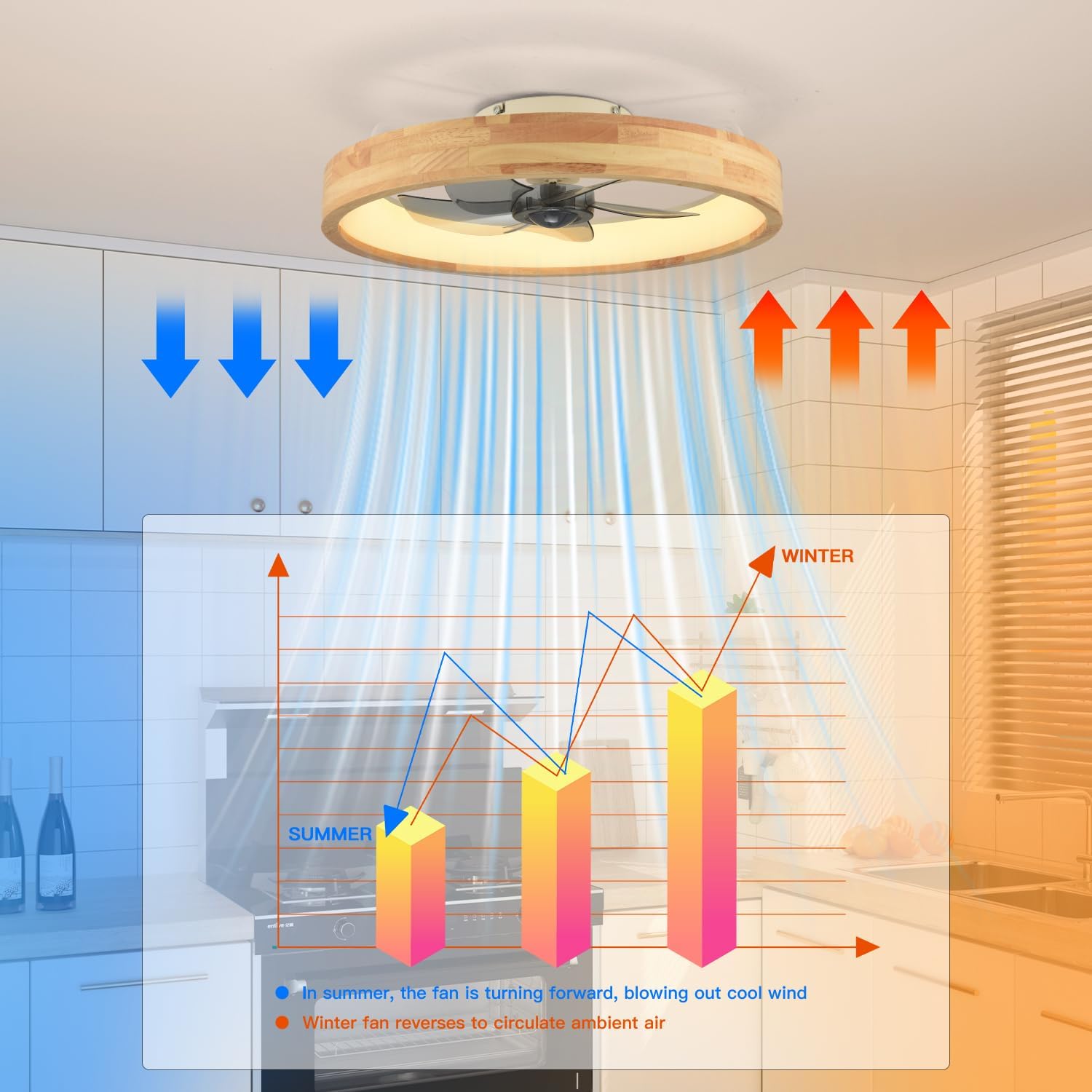
Utilize the reversible motor for optimal airflow in both summer and winter.
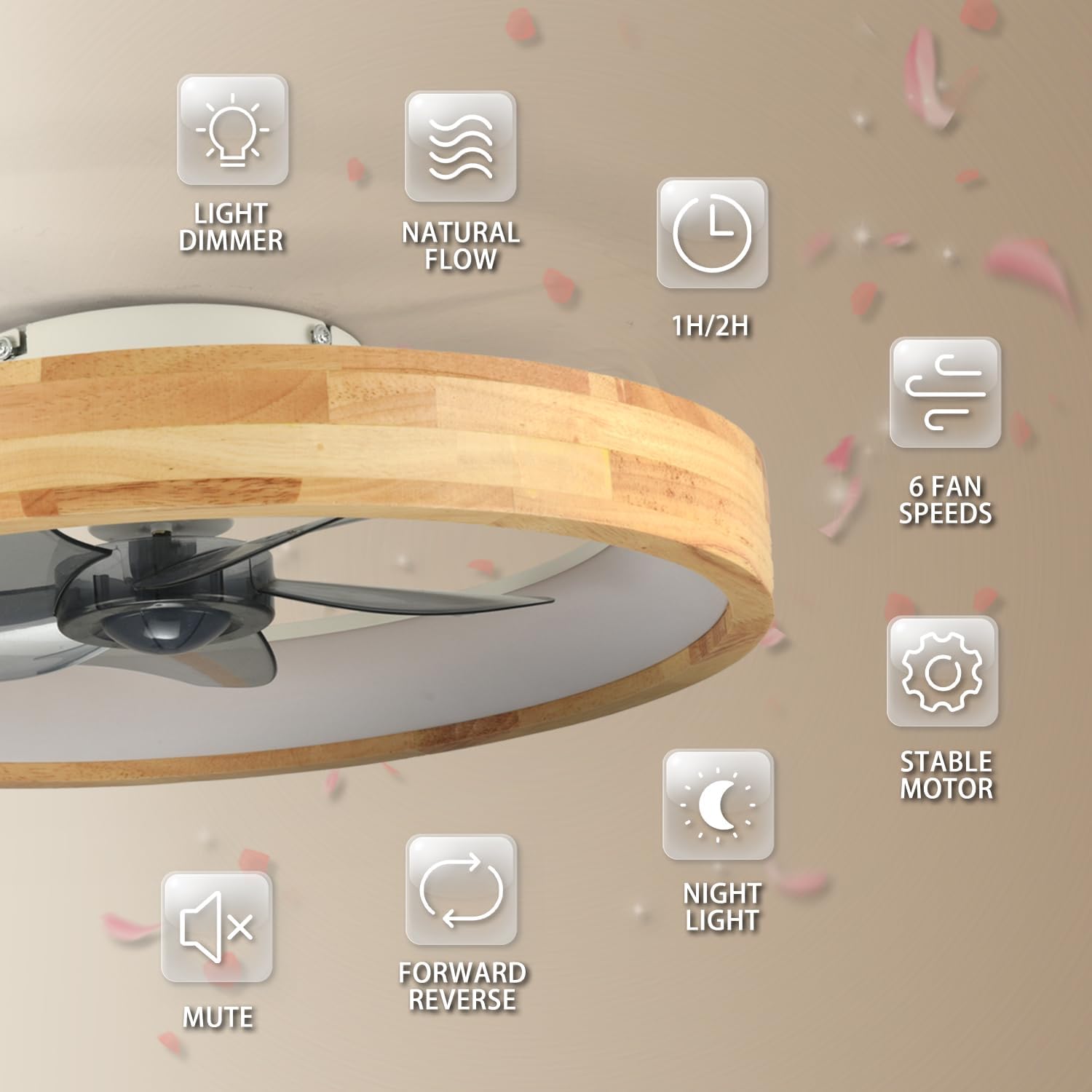
Overview of the fan's key features, including dimming, fan speeds, and timing.

The fan operates quietly at approximately 35dB, ensuring a peaceful environment.
5.2 Smartphone App Control
For additional convenience, the fan can be controlled via a dedicated smartphone application. Download the app from your device's app store and follow the in-app instructions for pairing and control.

Control your fan and light settings using either the remote or a smartphone app.
5.3 Video Demonstration
Video demonstrating the light and fan functions of the WenineStar ceiling fan, showcasing different light settings and fan speeds.
6. Maintenance
Regular maintenance ensures optimal performance and longevity of your ceiling fan.
- Cleaning: To clean the fan, ensure the power is turned off at the circuit breaker. Use a soft, lint-free cloth to wipe down the wooden frame and light cover. For the fan blades, a slightly damp cloth can be used. Avoid using harsh chemicals or abrasive cleaning materials, as these can damage the finish.
- Dust Removal: Periodically remove dust from the fan blades and motor housing to prevent accumulation that could affect performance.
- Tighten Fasteners: Check all screws and fasteners annually to ensure they are secure.

Instructions for easy cleaning of the fan, emphasizing power disconnection.
7. Troubleshooting
If you encounter issues with your WenineStar ceiling fan, refer to the following common problems and solutions:
| Problem | Possible Cause | Solution |
|---|---|---|
| Fan does not start | No power supply; Loose wiring; Remote control battery low or not paired. | Check circuit breaker. Ensure all wiring connections are secure. Replace remote batteries or re-pair the remote control according to the separate remote pairing instructions. |
| Light does not turn on | No power supply; Loose wiring; LED module fault. | Check power. Verify wiring. If issue persists, contact customer support. |
| Remote control not working | Batteries dead; Not paired; Obstruction between remote and receiver. | Replace batteries. Re-pair the remote. Ensure clear line of sight to the fan's receiver. |
| Fan makes excessive noise | Loose screws; Unbalanced blades. | Check and tighten all mounting screws. Ensure blades are securely attached. |
| App control not connecting | Incorrect app version; Network issues; Pairing failure. | Ensure you have the latest app version. Check your Wi-Fi connection. Follow app's pairing instructions carefully. |
8. Warranty and Support
WenineStar products are manufactured to high-quality standards. For specific warranty details, please refer to the warranty card included with your purchase or contact WenineStar customer support.
If you require technical assistance or have questions regarding your product, please contact our customer support team through the contact information provided in your product packaging or on the official WenineStar website.