
PHILIPS HC3530/15
Philips HC3530/15 Series 3000 Hair Clipper User Manual
Model: HC3530/15
1. Important Safety Information
Please read this safety information carefully before using the appliance. Failure to follow these instructions may result in electric shock, fire, or serious injury.
- Always keep the blades away from your skin while charging.
- Do not use the appliance while charging.
- Keep the trimmer away from water sources. Do not use it in or near water.
- Always unplug the trimmer from the power source before cleaning or storing.
- Do not use on infants or children.
- Always test the trimmer on a small area of skin before use to check for any adverse reactions.
- Always follow the recommended cleaning and maintenance procedures to ensure the trimmer's safety and longevity.
- This appliance is not intended for use by persons (including children) with reduced physical, sensory or mental capabilities, or lack of experience and knowledge, unless they have been given supervision or instruction concerning use of the appliance by a person responsible for their safety.
2. Product Overview
The Philips HC3530/15 Series 3000 Hair Clipper is designed for easy and efficient hair cutting. It features DualCut technology with self-sharpening blades and Trim-n-Flow technology to prevent clogging.

Figure 2.1: Retail packaging of the Philips HC3530/15 Hair Clipper, showing the product and its key features.
2.1 Components
- Hair Clipper Unit
- Hair Comb Attachment
- Beard Comb Attachment
- Power Adapter
- Cleaning Brush

Figure 2.2: The Philips HC3530/15 Hair Clipper shown with its two comb attachments: a hair comb (black) and a beard comb (clear).

Figure 2.3: A detailed view of the clipper's length setting dial, indicating various cutting lengths from 1mm to 23mm.
3. Setup and Initial Use
3.1 Charging the Appliance
Before first use, fully charge the hair clipper. A full charge takes approximately 8 hours and provides up to 75 minutes of cordless use.
- Ensure the appliance is switched off.
- Insert the small plug of the power adapter into the socket at the bottom of the clipper.
- Plug the adapter into a wall outlet.
- The charging indicator light will illuminate to show that the appliance is charging.
- Unplug the appliance once fully charged.
Note: The appliance cannot be used while charging.
3.2 Attaching and Removing Comb Attachments
The clipper comes with two comb attachments for different hair lengths and types.
- To attach: Slide the desired comb attachment onto the clipper head until it clicks into place.
- To remove: Gently pull the comb attachment upwards and away from the clipper head.
4. Operating Instructions
4.1 Adjusting Hair Length Settings
The clipper offers 13 length settings, ranging from 0.5mm (without comb) to 23mm, adjustable via the zoom wheel.
- Ensure a comb attachment is securely fitted.
- Rotate the zoom wheel to select your desired hair length. The selected length will be displayed on the clipper.
- For a 0.5mm trim, remove the comb attachment.

Figure 4.1: A hand demonstrating how to adjust the cutting length using the zoom wheel on the clipper.
4.2 Hair Clipping
For best results, ensure hair is clean and dry before clipping.
- Select the desired comb attachment and length setting.
- Switch on the appliance.
- Move the clipper slowly against the direction of hair growth. Ensure the flat part of the comb attachment is always in contact with the scalp.
- For an even cut, pass the clipper through the hair multiple times.
- Switch off the appliance after use.

Figure 4.2: A user demonstrating hair clipping on the side of the head, holding the clipper against the scalp.

Figure 4.3: A close-up view of the clipper's blades and comb attachment actively cutting hair.
4.3 Beard Trimming
The clipper can also be used for beard trimming. Use the beard comb attachment for desired length or without a comb for a close trim.
- Attach the beard comb or use without a comb for a 0.5mm trim.
- Adjust the length setting as desired.
- Move the clipper against the direction of beard growth, ensuring the comb (if used) is flat against the skin.
- For detailing or shaping, remove the comb and carefully use the blades directly on the skin.
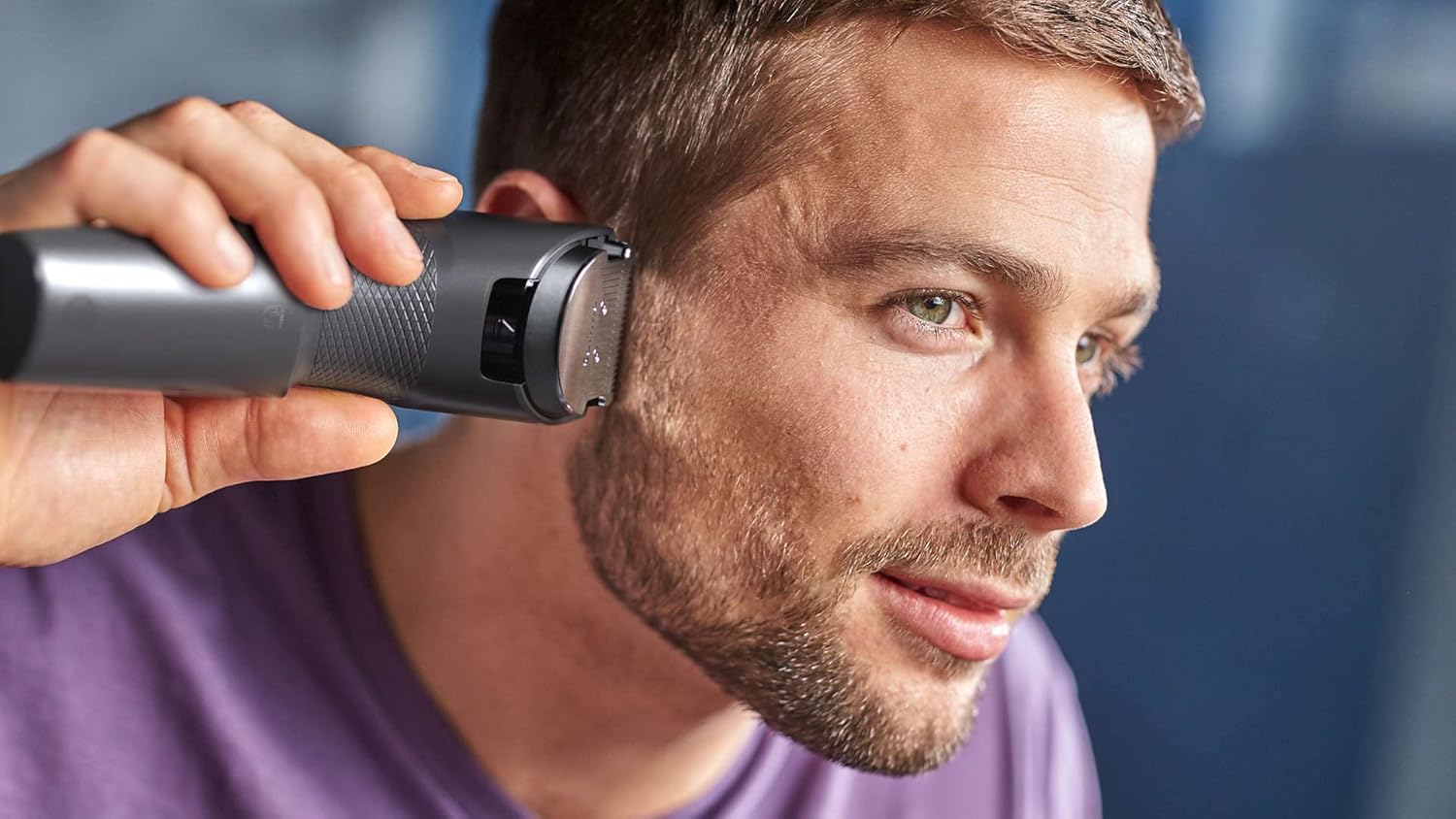
Figure 4.4: A user trimming his beard with the clipper, demonstrating use without a comb for a closer finish.

Figure 4.5: A user trimming his beard with the clipper, using a comb attachment for an even length.
5. Cleaning and Maintenance
Regular cleaning ensures optimal performance and extends the lifespan of your clipper.
5.1 Cleaning the Clipper Head and Blades
- Switch off the appliance and unplug it from the power source.
- Remove any comb attachments.
- Use the provided cleaning brush to remove loose hairs from the cutting element and the inside of the clipper.
- The blades can be rinsed under running water. Ensure the clipper body does not get wet.
- Allow all parts to air dry completely before reassembling or storing.
Note: Do not use abrasive cleaning agents or harsh chemicals on the clipper or its attachments.
5.2 Lubrication
The blades are designed to be self-sharpening and generally do not require lubrication. If you notice reduced performance, a small drop of light machine oil (not included) can be applied to the blades.
6. Troubleshooting
If you encounter issues with your Philips HC3530/15 Hair Clipper, refer to the following common problems and solutions:
| Problem | Possible Cause | Solution |
|---|---|---|
| Clipper does not turn on. | Battery is depleted. | Charge the clipper for at least 8 hours. |
| Clipper pulls hair or cuts unevenly. | Blades are clogged with hair or dull. | Clean the blades thoroughly. Ensure hair is dry before clipping. If blades are dull, consider replacement or contact support. |
| Reduced battery life. | Battery not fully charged or aging. | Ensure full charge cycle. Battery performance may decrease over time. |
| Comb attachment does not stay on. | Attachment not correctly fitted or damaged. | Ensure the comb clicks into place. Inspect for damage; replace if necessary. |
7. Specifications
| Feature | Detail |
|---|---|
| Model | HC3530/15 |
| Brand | PHILIPS |
| Blade Material | Stainless Steel |
| Power Source | Battery Powered (Cordless use) |
| Cordless Use Time | Up to 75 minutes |
| Charging Time | 8 hours |
| Length Settings | 13 (0.5mm to 23mm) |
| Special Features | DualCut Technology, Trim-n-Flow Technology |
| Color | Silver |
| Item Weight | 0.61 Kilograms |
| Country of Origin | Indonesia |
8. Warranty and Support
This Philips appliance comes with a 2-year warranty from the date of purchase, covering manufacturing defects under normal use.
For detailed warranty terms, product support, or to register your product, please visit the official Philips website or contact Philips customer service in your region. Keep your proof of purchase for warranty claims.
You can find more information and support at: www.philips.com/support
Ask a question about this manual
Ask about setup, troubleshooting, compatibility, parts, safety, or missing instructions. Manuals+ will review the question and use this page’s manual context to help answer it.