1. Introduction
Thank you for choosing the SONGMICS Electric Height Adjustable Desk. This manual provides essential information for the safe assembly, operation, and maintenance of your new desk. Please read these instructions carefully before use and retain them for future reference.
2. Safety Information
- Ensure all components are present and undamaged before assembly. Do not use if any parts are missing or faulty.
- Keep children and pets away from the desk during operation to prevent injury.
- Do not overload the desk. Refer to the specifications for maximum load capacity.
- Avoid placing liquids directly on the control panel or near electrical components.
- Disconnect power before cleaning or performing any maintenance.
- The anti-collision system is designed to prevent damage, but always exercise caution during height adjustments.
3. Package Contents
Please verify that all parts listed below are included in your package. For a detailed list of hardware and specific assembly steps, refer to the separate assembly guide provided with your product.
- Desk tabletop (140 x 60 cm)
- Electric lifting columns and feet
- Control panel with LED display
- Power adapter and cable
- Fabric storage pocket
- Headphone/bag hooks (3x)
- Cable management grommets (2x)
- Assembly hardware and tools
4. Setup and Assembly
The SONGMICS Electric Height Adjustable Desk is designed for straightforward assembly. Follow the detailed, illustrated instructions in the separate assembly guide for step-by-step installation.
- Unpacking: Carefully remove all components from the packaging.
- Frame Assembly: Assemble the steel frame according to the instructions, ensuring all screws are tightened securely.
- Tabletop Attachment: Attach the tabletop to the assembled frame.
- Control Panel Installation: Mount the control panel in the desired location.
- Accessory Installation: Attach the fabric pocket and hooks as desired. Note: The fabric pocket and large hook cannot be fixed on the same side.
- Cable Connection: Connect the power cable and motor cables as indicated in the assembly guide.
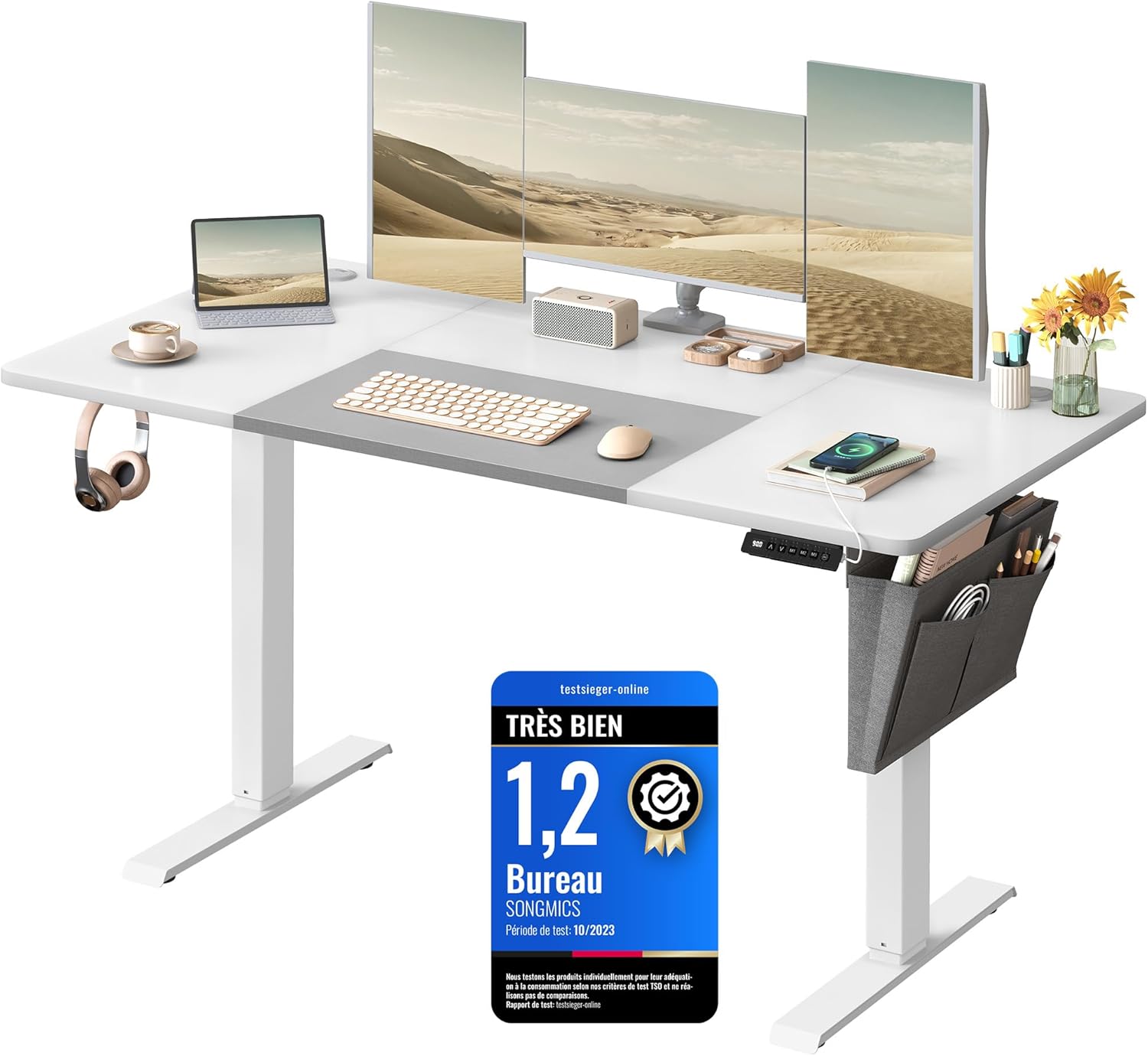
Image: The SONGMICS Electric Height Adjustable Desk fully assembled, showcasing its design and integrated accessories like the storage pocket and cable management.
5. Operating Instructions
5.1 Control Panel Overview

Image: The desk's control panel, showing the LED display, up/down arrows, memory buttons (M1, M2, M3, M4), and a USB-A charging port.
The control panel features an LED display, up and down arrow buttons for height adjustment, four memory preset buttons (M1, M2, M3, M4), and a USB-A charging port (5V/1A).
5.2 Adjusting Height
- Press the Up (▲) or Down (▼) arrow buttons to move the desk to your desired height.
- The desk can be continuously adjusted between 72 cm (minimum) and 120 cm (maximum).
- The adjustment speed is approximately 25 mm/s.

Image: Close-up of the control panel, indicating a quiet operation with noise levels below 48 dB and an adjustment speed of 25 mm/s.
5.3 Setting Memory Presets
The desk allows you to save up to four preferred heights for quick adjustment.
- Adjust the desk to your desired height using the Up/Down buttons.
- Press the M button, then immediately press one of the memory preset buttons (M1, M2, M3, or M4).
- The LED display will confirm the height has been saved to that preset.
- To recall a saved height, simply press the corresponding memory preset button (M1, M2, M3, or M4). The desk will automatically move to the saved position.
5.4 Anti-Collision Feature
The desk is equipped with an anti-collision system. If the desk encounters an obstacle during height adjustment, it will automatically stop and reverse slightly to prevent damage. Always ensure the area around the desk is clear during operation.
5.5 USB Charging Port
A USB-A port (5V/1A) is integrated into the control panel, allowing you to conveniently charge small electronic devices.
6. Features and Organization
6.1 Cable Management
The desk includes two cable pass-through openings on the tabletop to help organize and route your cables, maintaining a tidy workspace.

Image: A close-up view of one of the desk's cable management grommets, designed to keep wires organized.
6.2 Storage Pocket and Hooks
A fabric storage pocket can be attached to either the left or right side of the desk for convenient storage of books, magazines, or other small items. Three hooks are also provided for hanging headphones, bags, or other accessories.

Image: The desk featuring its integrated cable management openings, a fabric storage pocket for small items, and a large hook for hanging headphones or bags.
6.3 Stable and Quiet Operation
The desk is constructed with a robust steel frame, ensuring stability even at its maximum height. The motor operates quietly, with a noise level below 50 dB, minimizing disruption in your workspace.

Image: A detailed view of the desk's robust construction, featuring a strong steel frame and adjustable feet for stability, capable of supporting up to 80 kg.
7. Maintenance
- Cleaning: Wipe the tabletop and frame with a soft, damp cloth. Avoid harsh chemicals or abrasive cleaners.
- Inspection: Periodically check all screws and connections to ensure they are tight. Retighten if necessary.
- Electrical Components: Keep the control panel and power unit dry and free from dust.
8. Troubleshooting
| Problem | Possible Cause | Solution |
|---|---|---|
| Desk does not move | Power cable disconnected; Motor cable loose; Overload. | Check power and motor connections; Reduce weight on desk; Reset the system (refer to assembly guide for specific reset procedures). |
| Uneven movement | Uneven load; Loose connections. | Distribute weight evenly; Check and tighten all frame connections. |
| Anti-collision activates frequently | Obstacles in path; Sensitivity setting (if adjustable). | Ensure clear path during adjustment; Consult assembly guide for anti-collision sensitivity adjustment if available. |
If you encounter issues not listed here or if solutions do not resolve the problem, please contact customer support.
9. Specifications

Image: A technical diagram illustrating the desk's dimensions (140 cm length, 60 cm width, 72-120 cm height) and its static load capacity of 70 kg.
| Feature | Detail |
|---|---|
| Model Number | LSD016W02 |
| Dimensions (L x W x H) | 140 x 60 x (72-120) cm |
| Height Adjustment Range | 72 cm to 120 cm |
| Static Load Capacity | 70 kg (154 lbs) |
| Dynamic Load Capacity | 80 kg (176 lbs) (Frame) |
| Material | Engineered Wood (Tabletop), Steel (Frame), Fabric (Pocket) |
| Weight | 28 kg (61.7 lbs) |
| Noise Level | < 50 dB |
| Adjustment Speed | 25 mm/s |
| Memory Presets | 4 programmable heights |
| USB Port | USB-A (5V/1A) |
| Color | Basic White + Dove Grey |
10. Warranty and Support
For warranty information, please refer to the documentation provided with your purchase or contact the retailer. If you require technical assistance, have questions about assembly, or need to report a missing/damaged part, please contact SONGMICS customer support through their official website or the retailer where the product was purchased. Please have your model number (LSD016W02) and purchase details ready.