
Datarm DT-02
Datarm DT-02 Rechargeable Soft Selfie Light Instruction Manual
Model: DT-02
Introduction
This manual provides essential instructions for the safe and effective use of your Datarm DT-02 Rechargeable Soft Selfie Light. Please read thoroughly before operation.
Package Contents
- Selfie Light x1
- Type C Cable x1
- Hot Shoe Mount x1
- Front Clip x1
- User Manual x1
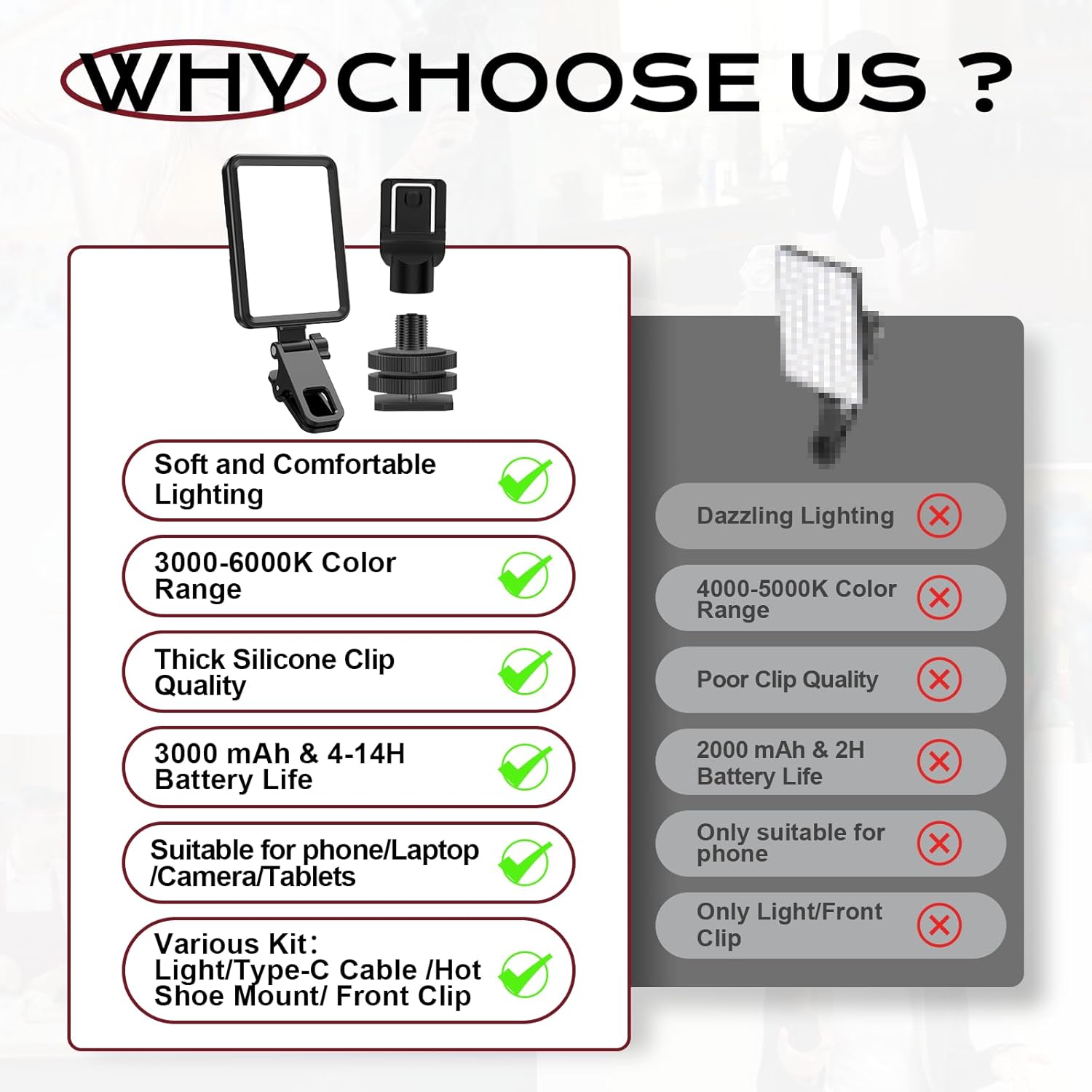
Image: Contents of the Datarm DT-02 Selfie Light package.
Product Overview
The Datarm DT-02 is a versatile, portable LED light designed to enhance your photos and videos. It features adjustable brightness and color temperature, a built-in rechargeable battery, and a dual clamping design for broad compatibility.

Image: Datarm DT-02 Selfie Light in various usage scenarios.
Setup and Installation
- Attaching the Front Clip: Align the front clip with the slot on the selfie light and slide it in until it clicks securely.
- Attaching to a Device: Open the clip and attach it to the top edge of your phone, tablet, or laptop. Ensure the light faces forward and the clip is stable. The clip features a soft silicone pad to protect your screen.
- Adjusting the Angle: The clip allows for 180° adjustment, enabling both horizontal and vertical installation to achieve the desired lighting angle.
- Using the Hot Shoe Mount (for cameras): For cameras with a hot shoe, remove the front clip and attach the hot shoe mount to the light. Slide the mount into your camera's hot shoe and tighten the locking wheel.

Image: Step-by-step guide for attaching the selfie light to various devices.
Operating Instructions
- Power On/Off: Locate the ON/OFF button on the back of the light. Press and hold to power on or off.
- Change Color Mode: Press the 'M' button to cycle through the 3 available color modes: Cold Light, Natural Light, and Warm Light.
- Adjust Brightness: Use the '+' and '-' buttons to increase or decrease the brightness level. There are 10 adjustable brightness levels for each color mode.
- Battery Level Indicator: The LED indicators on the back of the light display the current battery level.

Image: Control panel of the selfie light showing power, mode, and brightness buttons.

Image: Demonstration of the 3 color modes and 10 brightness levels.
Charging the Device
The selfie light has a built-in rechargeable battery. Use the provided Type-C cable to charge the device. Connect the Type-C end to the light's charging port and the USB-A end to a compatible power source (e.g., wall adapter, computer USB port). A full charge takes approximately 3 hours and provides 4-14 hours of use depending on brightness settings.

Image: Charging the selfie light with a Type-C cable.
Maintenance
- Keep the device clean by wiping it with a soft, dry cloth.
- Avoid exposing the device to extreme temperatures or direct sunlight for prolonged periods.
- Do not immerse the device in water or expose it to excessive moisture, as it is not waterproof.
- Store the device in a cool, dry place when not in use.
Troubleshooting
- Light not turning on: Ensure the device is charged. Connect it to a power source using the Type-C cable.
- Light flickering: Check the battery level. If low, recharge the device.
- Difficulty attaching: Ensure the clip is fully open and aligned correctly with your device. The silicone pads should make firm contact without excessive force.
Specifications
| Feature | Detail |
|---|---|
| Product Dimensions | 4.09 x 2.95 x 0.4 inches |
| Item Weight | 3.87 ounces |
| Model Number | DT-02 |
| Battery | 1 Lithium Metal battery (included) |
| Battery Life | 4-14 Hours (depending on brightness) |
| Connectivity Technology | USB |
| Hardware Interface | USB Type C |
Warranty and Support
For warranty information or technical support, please refer to the contact details provided in your product packaging or visit the official Datarm website. Keep your purchase receipt for warranty claims.
Official Product Videos
Video: Official product demonstration of the Datarm Selfie Light, highlighting its portability and use with a phone.
Video: A short demonstration showcasing the selfie light's effectiveness for content creation.
Ask a question about this manual
Ask about setup, troubleshooting, compatibility, parts, safety, or missing instructions. Manuals+ will review the question and use this page’s manual context to help answer it.