
Introduction
This manual provides essential information for the safe and effective installation, maintenance, and use of your Practixx replacement blades for PX-RRM-500Wi and PX-RRM-600Wi robotic lawnmowers. These blades are designed to ensure optimal cutting performance and longevity for your robotic lawnmower. Please read all instructions carefully before proceeding with installation or maintenance.
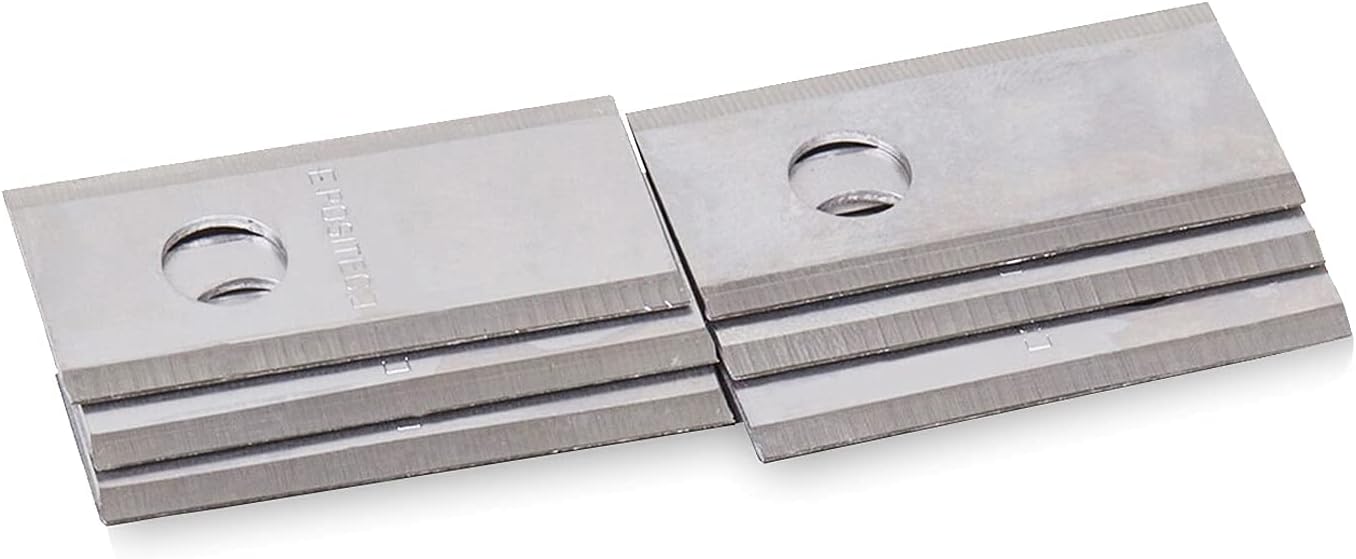
Image: A set of Practixx robotic lawnmower replacement blades, showing their sharp edges and mounting holes.
Setup and Installation
Replacing the blades on your robotic lawnmower is a straightforward process, but it requires adherence to safety precautions. Always ensure the lawnmower is powered off and disconnected from its charging station before beginning any maintenance.
Safety Precautions:
- Always turn off the robotic lawnmower and disconnect it from its power source or charging station before handling the blades.
- Wear protective gloves to prevent cuts from sharp blades.
- Handle old and new blades with extreme care.
- Keep children and pets away from the work area.
Tools Required:
- Small Phillips head screwdriver (or appropriate tool for your mower's blade screws).
- Protective gloves.
Installation Steps:
- Carefully turn the robotic lawnmower upside down to access the cutting deck and blades.
- Locate the old blades and the screws holding them in place.
- Using the appropriate screwdriver, carefully remove the screws from the old blades. Keep the screws if they are in good condition, or use the new screws provided with the replacement blade pack.
- Remove the old blades and dispose of them safely. Wrap them in thick paper or cardboard before placing them in the trash to prevent injury.
- Position a new Practixx replacement blade onto the blade holder, aligning the screw holes.
- Insert a new screw (or a good condition old screw) and tighten it securely. Ensure the blade can pivot freely on the screw, as this is essential for proper cutting. Do not overtighten.
- Repeat the process for all blades that need replacement. It is recommended to replace all blades simultaneously for balanced cutting performance.
- Once all blades are replaced, carefully turn the lawnmower back to its upright position.
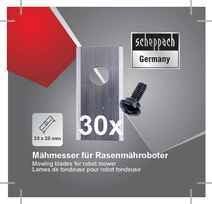
Image: Front of the Practixx replacement blades packaging, indicating a pack of 30 blades and compatibility for robot mowers.
Operating Considerations
After replacing the blades, ensure all screws are securely fastened and the blades can pivot freely. Before resuming operation, perform a quick visual check to confirm no tools or debris are left near the cutting deck. The robotic lawnmower can then be reconnected to its power source and resume normal operation. New, sharp blades will improve cutting efficiency and result in a cleaner, healthier lawn.
Maintenance
Regular inspection and timely replacement of your robotic lawnmower blades are crucial for maintaining optimal performance and lawn health.
Blade Inspection:
- Periodically inspect the blades for signs of wear, dullness, nicks, or damage. The frequency depends on your lawn's size, grass type, and the presence of obstacles.
- Dull blades can tear grass instead of cleanly cutting it, leading to an unhealthy appearance and increased susceptibility to disease.
Replacement Frequency:
It is generally recommended to replace robotic lawnmower blades every 1 to 3 months, depending on usage intensity and lawn conditions. For heavily used mowers or lawns with tough grass, more frequent replacement may be necessary.
Disposal:
Dispose of old, dull blades responsibly. They are sharp and can cause injury. Wrap them securely in newspaper or cardboard and place them in a designated metal recycling bin if available, or with general waste according to local regulations.
Troubleshooting
| Problem | Possible Cause | Solution |
|---|---|---|
| Lawnmower not cutting effectively / Uneven cut | Dull or damaged blades; Incorrect blade installation (not pivoting freely); Debris caught in cutting deck. | Replace blades with new ones; Ensure blades are correctly installed and can pivot; Clean cutting deck of debris. |
| Unusual noise from cutting deck | Loose blades or screws; Foreign object caught in blades. | Check and tighten all blade screws; Carefully inspect and remove any foreign objects (ensure mower is off and disconnected). |
| Blades wear out quickly | Frequent contact with hard objects (stones, roots); Very dense or tough grass; Infrequent cleaning of cutting deck. | Clear lawn of obstacles; Adjust mowing schedule or height; Regularly clean cutting deck. |
Specifications
| Feature | Detail |
|---|---|
| Product Type | Robotic Lawnmower Replacement Blades |
| Brand | Practixx |
| Compatibility | Practixx PX-RRM-500Wi, PX-RRM-600Wi Robotic Lawnmowers |
| Quantity | 30 Blades per pack (includes screws) |
| Blade Dimensions | Approx. 33 x 18 mm (as indicated on packaging) |
| Material | High-quality steel |
| Article Number (Art-No.) | 7913001600 |
| Manufacturer (Packaging) | Scheppach GmbH |

Image: Packaging of the replacement blades, showing 'scheppach Germany' branding and '30x' quantity.

Image: Back of the replacement blades packaging, displaying the Article Number (Art-No. 7913001600) and barcode.
Warranty Information
Specific warranty details for these replacement blades are typically provided with the product packaging or can be found on the official Practixx or Scheppach website. As consumable items, replacement blades generally have a limited warranty covering manufacturing defects. Please retain your proof of purchase for any warranty claims.
Customer Support
For further assistance, technical support, or inquiries regarding your Practixx robotic lawnmower replacement blades, please refer to the contact information provided on the product packaging or visit the official Practixx or Scheppach customer support website. When contacting support, please have your product details and any relevant purchase information ready.