
1. Introduction
This manual provides detailed instructions for the installation, operation, and maintenance of your FRONTECH H61 Chipset Motherboard. Designed for LGA1155 processors, this motherboard offers essential features for building a reliable computing system. Please read this manual thoroughly before proceeding with installation to ensure proper setup and functionality.
2. Safety Information
- Always disconnect the power supply from the wall outlet before installing or removing any components.
- Wear an anti-static wrist strap to prevent electrostatic discharge (ESD) damage to components.
- Handle the motherboard by its edges to avoid touching sensitive components.
- Ensure proper ventilation within your computer case to prevent overheating.
- Keep the motherboard away from moisture and extreme temperatures.
3. Package Contents
Verify that all items are present in your FRONTECH H61 Motherboard package:
- FRONTECH H61 Motherboard
- I/O Shield
- SATA Data Cable
- Driver CD
- User Manual (this document)

The FRONTECH H61 motherboard displayed alongside its retail packaging, driver CD, I/O shield, and SATA data cable.
4. Product Overview
The FRONTECH H61 motherboard is designed to support Intel LGA1155 processors, including i3, i5, i7, and Pentium series. It features two DDR3 RAM slots, multiple USB and SATA ports, and integrated graphics outputs.

An overhead view of the FRONTECH H61 motherboard, showcasing the CPU socket, RAM slots, PCIe slot, and various connectors.
4.1. Key Features
- CPU Support: LGA1155 socket for Intel i3/i5/i7/Pentium processors.
- Chipset: Intel H61 Express Chipset.
- Memory: 2x DDR3 RAM slots, supporting up to 16GB at 1066/1333/1600 MHz.
- Expansion Slots: 1x PCI Express x16, 1x PCI Express x1, 1x NVMe/M.2 slot.
- Storage: 3x SATA 2.0 (3GB/s) ports.
- Connectivity: Integrated 100/1000 Mbps LAN, multiple USB 2.0 ports.
- Video Output: 1x HDMI, 1x VGA.
- Audio: 6-channel HD Audio Codec.

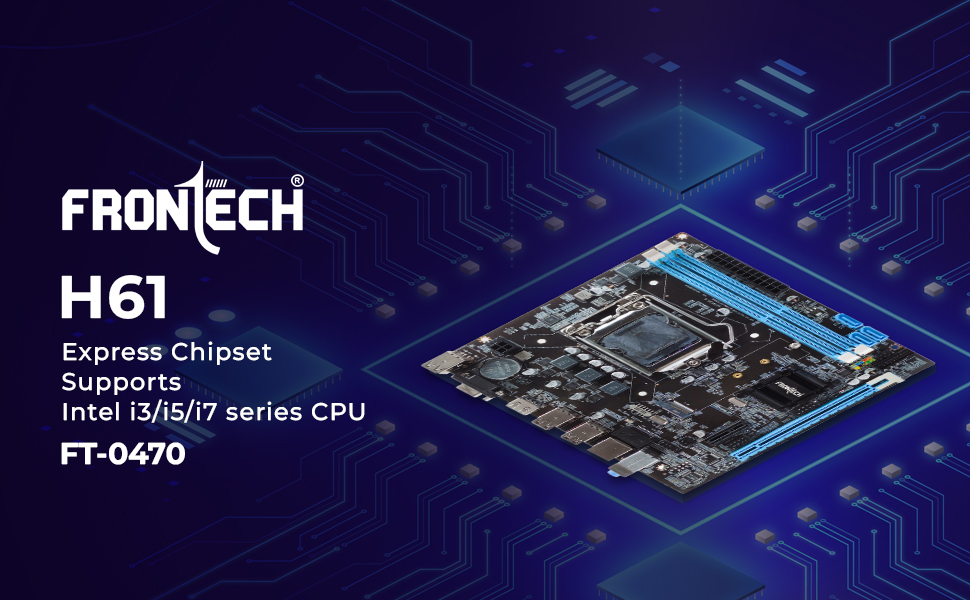
An illustrative image highlighting the FRONTECH H61 Express Chipset and its compatibility with Intel i3, i5, and i7 series CPUs, model FT-0470.
4.2. Rear I/O Panel

A close-up view of the motherboard's rear I/O panel, highlighting the USB 2.0 ports, LAN port, and audio ports.
- USB 2.0 Ports: Multiple ports for connecting peripherals.
- LAN Port: RJ45 connector for network connectivity.
- Audio Ports: 3-in-1 audio jacks for microphone, line-in, and line-out.
- Video Ports: HDMI and VGA for display output.

A close-up of the integrated HDMI and VGA video output ports located on the motherboard's rear I/O panel.
4.3. Internal Connectors
An image emphasizing the dual channel DDR3 memory support with two 240-pin SD RAM slots, allowing for expandable memory up to 16 GB.
- DDR3 RAM Slots: Two slots for system memory.
- SATA Ports: Three SATA 2.0 ports for storage devices.
- NVMe/M.2 Slot: For high-speed solid-state drives.
- Front Panel Connectors: Headers for USB, audio, and system controls.

A detailed image showing the two DDR3 RAM slots, the NVMe/M.2 slot, and the three SATA 2.0 (3GB/s) ports on the motherboard.
5. Setup and Installation
Follow these steps for proper installation of your FRONTECH H61 Motherboard and components.
5.1. Motherboard Installation
- Install the I/O shield into the rear opening of your computer case.
- Carefully align the motherboard with the standoffs in the case.
- Secure the motherboard with screws, ensuring it is firmly seated.
5.2. CPU and Cooler Installation
- Open the CPU socket lever and carefully place the LGA1155 processor, aligning the golden triangle on the CPU with the mark on the socket.
- Close the lever to secure the CPU.
- Apply thermal paste to the CPU (if not pre-applied on the cooler).
- Install the CPU cooler according to its manufacturer's instructions and connect its fan cable to the CPU_FAN header.
5.3. RAM Installation
- Open the clips on both ends of the DDR3 RAM slots.
- Align the notch on the RAM module with the key in the slot.
- Press down firmly on both ends of the RAM module until the clips snap into place.
5.4. Storage Device Installation
- For SATA drives: Connect one end of the SATA data cable to a SATA port on the motherboard and the other end to your HDD/SSD. Connect the SATA power cable from your power supply to the drive.
- For NVMe/M.2 SSDs: Insert the M.2 SSD into the NVMe slot, secure it with the provided screw, and ensure it is properly seated.
5.5. Power Supply Connection
- Connect the 24-pin ATX power connector from your power supply to the main power socket on the motherboard.
- Connect the 4-pin ATX 12V power connector to the corresponding socket near the CPU.
5.6. Front Panel and Peripheral Connections
- Connect the front panel headers (Power SW, Reset SW, HDD LED, Power LED) to the corresponding pins on the motherboard. Refer to the motherboard diagram for correct pin assignments.
- Connect front panel USB and audio cables to their respective headers.
- Connect any additional components like graphics cards (into the PCIe x16 slot) or other expansion cards.
6. Operating Instructions
6.1. Initial Boot and BIOS Setup
- After assembling all components, connect your monitor, keyboard, and mouse.
- Power on your system. During startup, press the designated key (usually DEL or F2) to enter the BIOS/UEFI setup utility.
- In the BIOS, verify that all installed components (CPU, RAM, storage) are detected correctly.
- Configure boot order to prioritize your operating system installation media (USB drive or DVD).
- Save changes and exit the BIOS.
6.2. Operating System Installation
Insert your operating system installation media and follow the on-screen prompts to install your preferred OS.
6.3. Driver Installation
After OS installation, install the necessary drivers for your motherboard components. Use the provided driver CD or download the latest drivers from the FRONTECH official website. Essential drivers include:
- Chipset Drivers
- LAN Drivers
- Audio Drivers
- Graphics Drivers (if using integrated graphics)
7. Maintenance
Regular maintenance helps ensure the longevity and stable performance of your motherboard.
- Cleaning: Periodically clean dust from the motherboard and components using compressed air. Ensure the system is powered off and unplugged before cleaning.
- BIOS Updates: Check the FRONTECH website for BIOS updates. Only update the BIOS if necessary and follow the instructions carefully to avoid system instability.
- Component Checks: Ensure all cables and components are securely connected.
8. Troubleshooting
If you encounter issues, refer to the following common troubleshooting steps:
- No Power: Ensure all power cables (24-pin ATX, 4-pin ATX 12V) are securely connected. Check power supply functionality.
- No Display: Verify monitor connection and input source. Reseat the graphics card (if applicable) and RAM modules. Try using a different video output port (HDMI or VGA).
- System Instability/Crashes: Check RAM modules for proper seating. Test RAM with diagnostic tools. Ensure CPU cooler is properly installed and making good contact.
- POST Errors/Beep Codes: Consult the motherboard's beep code guide (often found online or in a more detailed manual) to diagnose hardware issues.
- Peripheral Not Detected: Ensure USB devices are connected to functional ports. Reinstall drivers for the affected peripheral.
9. Specifications
Detailed technical specifications for the FRONTECH H61 Motherboard (FT-0470).
| Feature | Specification |
|---|---|
| Brand | FRONTECH |
| Model Number | H61/1155 SOCKET DDR3 |
| Series | M/B H61/1155 SOCKET DDR3 (FT-0470) |
| Form Factor | ATX |
| CPU Socket | LGA 1155 |
| Compatible Processors | Intel i3, i5, i7, Pentium, Celeron |
| Chipset | Intel H61 Express |
| Memory Technology | DDR3 |
| Memory Slots | 2x DDR3 RAM Slots |
| Maximum Memory Supported | 16 GB |
| Memory Clock Speed | 1600 MHz |
| Graphics Card Interface | PCI Express x16 |
| Expansion Slots | 1x PCIEX16, 1x PCIEX1, 1x NVMe/M.2 slot |
| SATA Slots | 3x SATA 2.0 (3GB/s) |
| USB Ports | 6+4 USB Ports (Rear: 6x USB 2.0, Internal: 2x USB 2.0 headers for 4 ports) |
| HDMI Ports | 1 |
| VGA Ports | 1 |
| Ethernet Ports | 1 (100/1000 Mbps) |
| Audio | 6-channel HD Audio Codec |
| Product Dimensions | 17 x 19 x 2.1 cm |
| Item Weight | 480 g |
| Batteries Included | Yes (1 Lithium Metal battery for CMOS) |

The FRONTECH H61 motherboard mounted inside a computer chassis, with an overlay detailing its CPU support, chipset, memory, integrated sound, expansion slots, and integrated LAN.
10. Warranty and Support
10.1. Warranty Information
The FRONTECH H61 Motherboard comes with a 1-Year Limited Warranty. This warranty guarantees protection and support for your investment against manufacturing defects under normal use conditions. Please retain your proof of purchase for warranty claims.
10.2. Technical Support
For technical assistance, troubleshooting, or warranty inquiries, please contact FRONTECH customer support. You can find contact information on the official FRONTECH website or through your retailer.
For additional resources, including updated drivers and BIOS versions, please visit the official FRONTECH website.


