
Rolanstar hq-dnzh031-03
Rolanstar Computer Desk with Power Outlets & LED Light
Model: hq-dnzh031-03
Brand: Rolanstar
Introduction
Thank you for choosing the Rolanstar Computer Desk. This manual provides essential information for the proper assembly, operation, and maintenance of your new desk. Please read it thoroughly before beginning assembly or use to ensure safety and optimal performance.

The Rolanstar Computer Desk, featuring integrated LED lighting and convenient storage solutions.
Safety Information
Please adhere to the following safety guidelines to prevent injury or damage to the product:
- Ensure proper assembly for stability. All screws and fasteners must be tightened securely.
- Do not exceed the recommended weight limits. The main desk surface is designed for general office use, while each fabric drawer can support up to 8 lbs.
- Securely anchor the desk to a wall if necessary, especially in households with children or pets, to prevent tipping.
- Keep liquids away from electrical outlets and components to prevent electric shock.
- Do not stand or sit on the desk.
Setup
Unpacking and Preparation
- Carefully unpack all components and verify against the parts list provided in your package.
- Lay out all parts on a soft, clean surface to prevent scratches.
- Assembly requires two people for optimal safety and ease.
- While some tools may be included, it is recommended to have a Phillips head screwdriver and a rubber mallet on hand.
Assembly Steps
Follow the detailed step-by-step instructions and diagrams provided in your product's physical assembly manual. Ensure all connections are firm before proceeding to the next step.

The fabric drawers are designed for easy, tool-free assembly in three simple steps.

Detailed dimensions of the desk and its components, including the fabric storage drawers.
Operating Instructions
Power Outlets
The desk is equipped with a built-in power strip for convenient charging and power access. It includes 2 standard AC outlets (120V/12A), 2 USB-A ports (5V/2.4A), and 1 USB-C port (5V/3A).
- Plug the desk's main power cord into a grounded wall outlet.
- Connect your devices to the available AC outlets or USB ports.
- Ensure devices are compatible with the provided voltage and amperage.

Integrated power strip provides convenient access to charging and power for multiple devices.
LED Lighting System
The desk features multi-color RGB LED light strips with over 60,000 color options. Control the lights using the included smart controller or a dedicated phone application.
- Smart Controller: Use the physical controller to turn lights on/off, change colors, adjust brightness, and select modes (e.g., mic mode, music mode, timing mode).
- Phone App: Download the compatible app (refer to the QR code or instructions in your package) to unlock full customization, including precise color selection, brightness control, and advanced mode settings. The lights can also sync with music for dynamic effects.
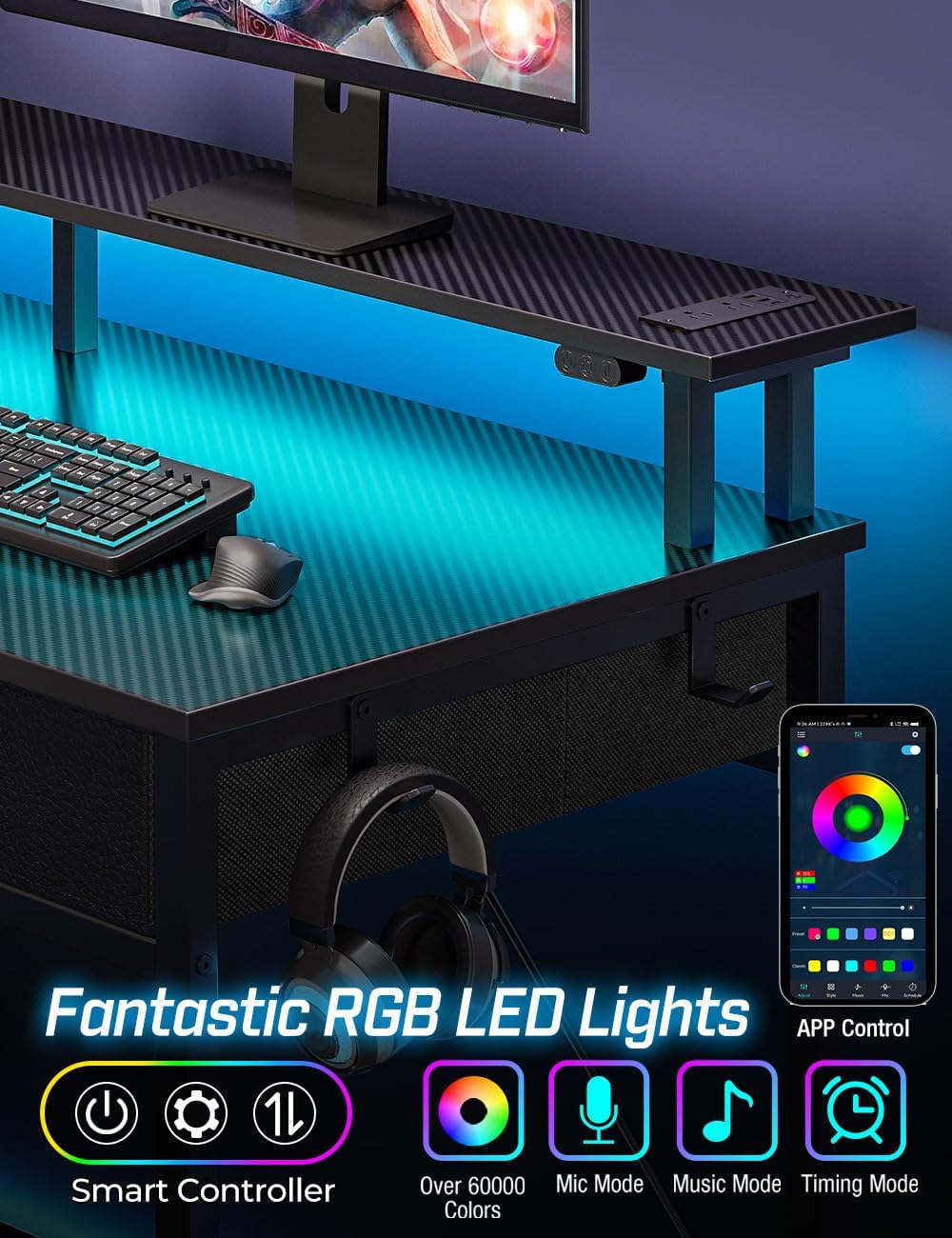
Control your RGB LED lights with the smart controller or through the dedicated phone application for a personalized lighting experience.
Storage and Ergonomics
The desk offers ample storage and ergonomic features to enhance your workspace.
- Fabric Drawers: Utilize the three fabric drawers for organizing documents, office supplies, or gaming equipment.
- Lower Shelves: The two lower shelves on the side provide additional space for a PC tower, books, or other items, helping to keep your desktop clutter-free.
- Monitor Stand: The elevated monitor stand helps you maintain a healthy cervical spine by positioning your monitor at an optimal viewing height, promoting correct sitting posture.
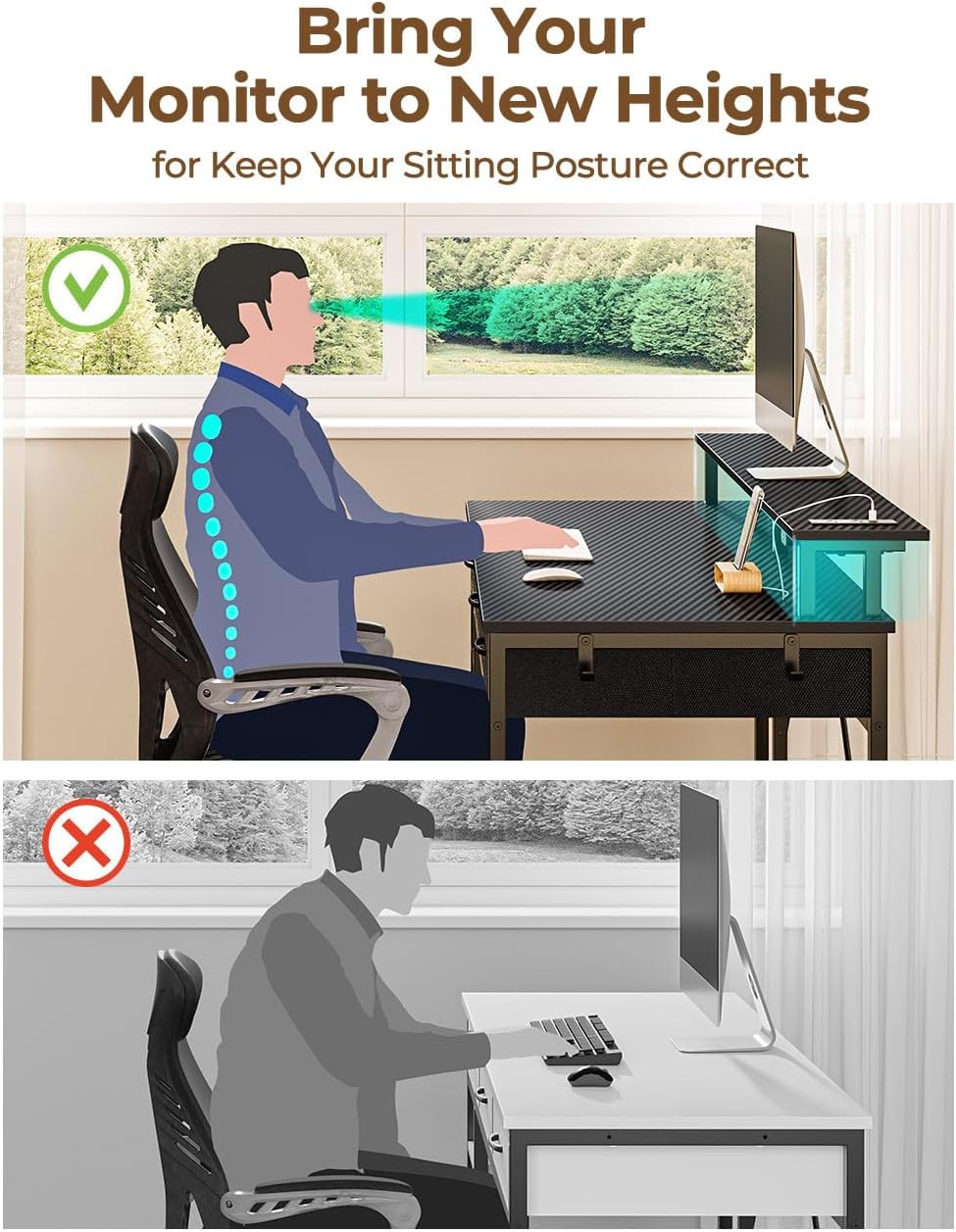
The monitor stand helps elevate your screen to promote a correct and healthy sitting posture.
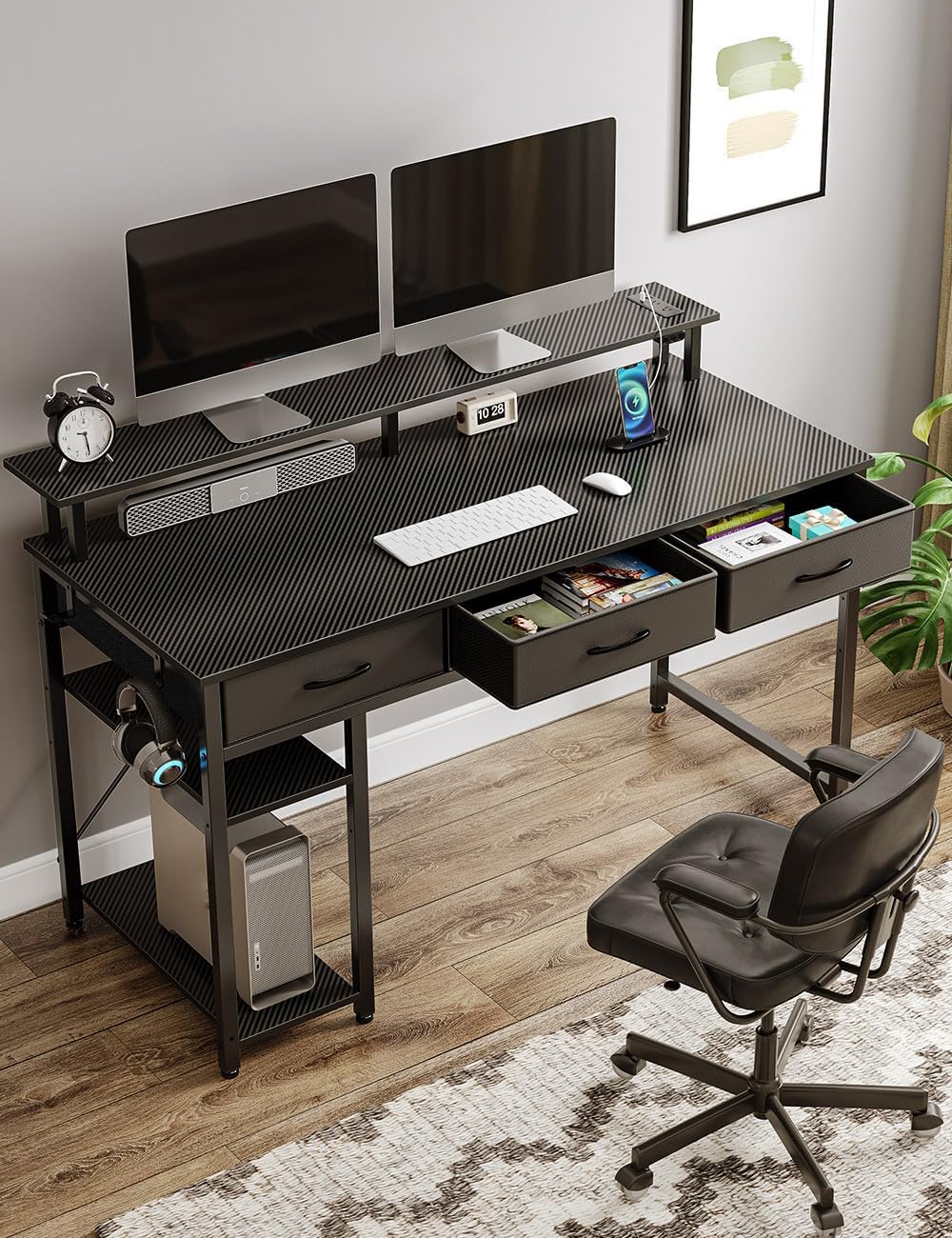
The desk provides a spacious and organized environment suitable for home office or gaming setups.
Maintenance
- Cleaning: Wipe the desk surfaces with a soft, damp cloth. Avoid harsh chemicals or abrasive cleaners that could damage the finish.
- Dusting: Regularly dust the desk, especially around electrical components and LED strips, to ensure proper function and appearance.
- Fasteners: Periodically check all screws and fasteners to ensure they remain tight. Retighten as needed to maintain stability.
- Cable Management: Keep cables organized and untangled to prevent damage and ensure safety.
Troubleshooting
- Desk Wobbles: Check that all assembly screws are fully tightened. Ensure the desk is on a level surface; adjust leveling feet if present.
- Power Outlets Not Working: Verify the desk's main power cord is securely plugged into a functioning wall outlet. Check if the wall outlet itself has power.
- LED Lights Not Functioning: Ensure the LED power cable is properly connected. Check the smart controller's battery (if applicable) or ensure the phone app is correctly paired and functioning.
- Drawers Not Sliding Smoothly: Ensure the fabric drawers are assembled correctly and fully inserted into their designated slots. Check for any obstructions.
Specifications
| Feature | Detail |
|---|---|
| Brand | Rolanstar |
| Model Number | hq-dnzh031-03 |
| Product Dimensions (D x W x H) | 18.9"D x 55"W x 30.5"H |
| Item Weight | 39.5 Pounds |
| Color | Carbon Black |
| Material | Engineered Wood (Top), Alloy Steel (Base) |
| Power Outlets | 2 AC Outlets (120V/12A), 2 USB-A Ports (5V/2.4A), 1 USB-C Port (5V/3A) |
| LED Lighting | RGB, 60,000+ colors, App/Controller control, Music Sync |
| Drawers | 3 Fabric Drawers (8 lbs max capacity each) |
| Shelves | 2 Lower Shelves |
| Monitor Stand | Included |
| Assembly Required | Yes (Recommended 2 people) |
Warranty and Support
Warranty Information
Please note that this product is sold without an explicit warranty. For any concerns regarding manufacturing defects or missing parts upon delivery, please contact the seller or retailer directly within their specified return or exchange period.
Customer Support
For further assistance, questions, or to report any issues with your Rolanstar Computer Desk, please contact the retailer or visit the official Rolanstar brand store online. Provide your model number (hq-dnzh031-03) and purchase details for quicker service.
Related Documents - hq-dnzh031-03
 |
ODK Desk with 3 Drawers and 2 Shelves: User Manual & Assembly Guide This user manual provides comprehensive assembly instructions, a detailed parts list, and important precautions for the ODK Desk with 3 Drawers and 2 Shelves. It also includes customer service information, warranty details, and troubleshooting tips for a smooth setup and usage experience. |
 |
Assembly Instructions for anof2217 L-Shaped Computer Desk Detailed assembly instructions for the anof2217 L-shaped computer desk. This guide provides step-by-step assembly, parts list, and textual descriptions of diagrams for your industrial computer desk with power outlets and USB-C. |
 |
Executive Desk with Drawers User Manual - Assembly and Care Guide Comprehensive user manual for the Ophelia & Co. Executive Desk with Drawers, including safety instructions, parts list, detailed assembly steps, customer service information, and troubleshooting guide. |
 |
Home Office Computer Desk Assembly Instructions Step-by-step guide for assembling the Home Office Computer Desk with Monitor Stand and Keyboard Tray, featuring a keyboard tray and storage shelves. |
 |
Computer Desk with Shelf - Assembly Instructions User manual and assembly instructions for the IFANNY Computer Desk with Shelf. Includes parts list, hardware details, and step-by-step guidance for building the desk. |
 |
Inbox Zero L-Shaped Desk User Manual and Assembly Guide Comprehensive user manual and assembly guide for the Inbox Zero L-Shaped Desk, featuring detailed instructions, parts list, safety precautions, and troubleshooting tips for home office setup. |
Ask a question about this manual
Ask about setup, troubleshooting, compatibility, parts, safety, or missing instructions. Manuals+ will review the question and use this page’s manual context to help answer it.