
1. Introduction
This manual provides essential information for the safe and effective operation, setup, and maintenance of your Ironsten XING Laser 1500W CW Fiber Laser Cleaning Machine. This industrial-grade system is designed for efficient removal of rust, paint, oil, and other industrial residues from various surfaces using a continuous wave fiber laser.
2. Safety Information
WARNING: Laser radiation can cause severe eye injury and skin burns. Always follow safety protocols.
- Eye Protection: Always wear appropriate laser safety goggles (ANSI Z136.1 compliant) when operating the machine. The included faceshield and protective lens are essential safety components.
- Skin Protection: Avoid direct exposure of skin to the laser beam. Wear protective clothing if necessary.
- Ventilation: Ensure adequate ventilation in the work area to dissipate fumes and particles generated during cleaning.
- Non-Contact Operation: The laser cleaning process is non-contact, minimizing damage to the substrate.
- Emergency Stop: Familiarize yourself with the location and operation of the emergency stop button on the control panel.
- Authorized Personnel: Only trained and authorized personnel should operate this equipment.
3. What's in the Box
Upon unpacking, verify that all components are present:
- XING Laser 1500W CW Fiber Laser Cleaning Machine Unit
- Handheld Wobble Head Gun
- Protective Lens (spare)
- Air-pipe
- Faceshield (laser safety goggles)
- Power Cable
- User Manual (this document)
4. Setup
Follow these steps to set up your laser cleaning machine:
- Placement: Position the machine on a stable, level surface in a well-ventilated area. Ensure sufficient space around the unit for air circulation and access.
- Power Connection: Connect the power cable to the machine and then to a suitable power outlet. Ensure the power supply matches the machine's requirements.
- Water Cooling System: The machine features an integrated water-cooled system. Ensure the water tank is filled with distilled or deionized water to the recommended level. Check for any leaks before operation.
- Handheld Gun Connection: Connect the handheld wobble head gun to the designated port on the main unit. Ensure the connection is secure.
- Air Pipe Connection: Attach the air-pipe to the designated inlet for compressed air, which is used to assist in debris removal and lens protection.
- Safety Gear: Before powering on, ensure all operators are wearing appropriate laser safety goggles and protective gear.
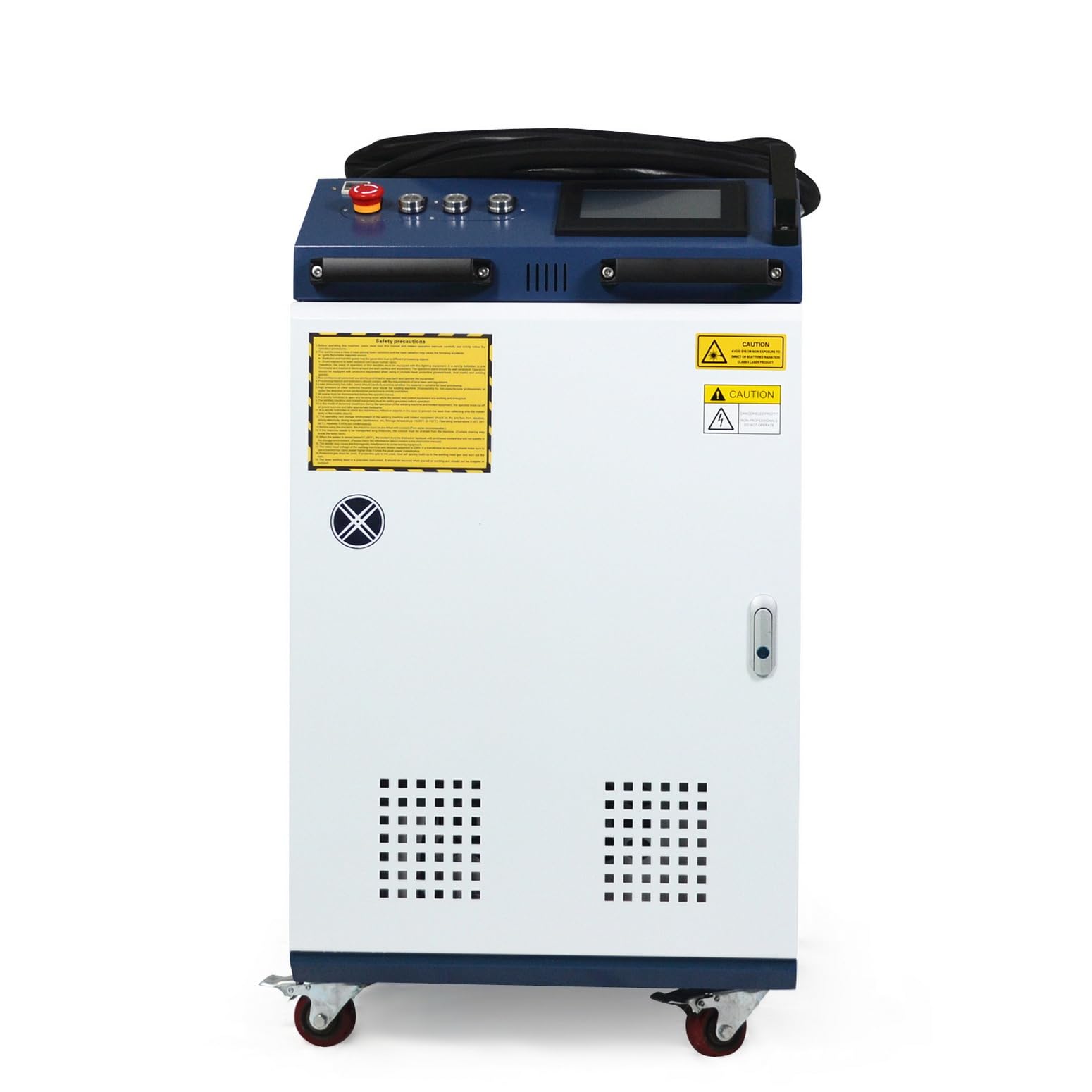
Figure 4.1: Side view of the laser cleaning machine.

Figure 4.2: Top view of the machine showing the control panel.

Figure 4.3: Rear view of the machine with cooling fan.
5. Operating Instructions
This section details the operational procedures for the laser cleaning machine.
5.1 Powering On and Initial Checks
- Ensure all connections are secure and safety gear is worn.
- Turn on the main power switch. The control panel display will illuminate.
- Allow the system to perform its self-check. Monitor the display for any error messages.
- Verify the water cooling system is functioning correctly.
5.2 Selecting Cleaning Modes
The machine offers flexible cleaning modes for various applications:
- Single Line Scan: This mode allows for a precise, single-line laser path, adjustable up to 300 mm (11.8 inches) in width. Ideal for detailed cleaning or specific linear areas.
- Dual Vibration Scan: This mode provides a wider cleaning path, up to 200 mm (7.8 inches), by rapidly vibrating the laser beam. Suitable for larger surfaces and faster material removal.
Use the control panel to select the desired scan mode and adjust parameters such as laser power, frequency, and scan width according to the material and contamination type.
5.3 Using the Handheld Gun
The handheld wobble head gun is designed for ergonomic use and versatility.
- The gun weighs approximately 1.6 lb, reducing operator fatigue.
- It features an upgraded protective lens cover to shield the internal optics from debris.
- Multiple beam paths within the wobble head allow for dynamic laser patterns.
- Hold the gun firmly and maintain a consistent distance from the target surface for optimal cleaning results.

Figure 5.1: Operator using the handheld laser cleaning gun.
5.4 Application Examples
The 1500W CW Fiber Laser Cleaning Machine is effective for:
- Rust Removal: Efficiently removes surface rust from various metals without damaging the base material.
- Paint Stripping: Removes layers of paint and coatings. Note that paint removal may generate soot, requiring proper ventilation.
- Oil and Grease Removal: Cleans industrial oils, grease, and other contaminants.
- Surface Preparation: Prepares surfaces for welding, bonding, or further treatment.
Video 5.1: Demonstration of the laser cleaning power and effect on various surfaces.
Video 5.2: Illustrates the scanning patterns available with the cleaning machine.
Video 5.3: Shows surface cleaning effects using an 800W laser power setting.
Video 5.4: Demonstrates the 1500W XING Laser cleaning heavy rust from a 20x20 inch surface.
6. Maintenance
Regular maintenance ensures optimal performance and longevity of your laser cleaning machine.
- Water Cooling System: Regularly check the water level in the cooling system and replenish with distilled or deionized water as needed. Periodically replace the water to prevent algae growth and mineral buildup.
- Protective Lens: Inspect the protective lens on the handheld gun before each use. Clean it gently with a lint-free cloth and appropriate lens cleaner. Replace the lens if it shows signs of damage or excessive wear.
- Air Filters: Clean or replace air filters on the main unit as recommended by the manufacturer to ensure proper airflow and cooling.
- General Cleaning: Keep the exterior of the machine clean and free of dust and debris.
- Cable Inspection: Periodically inspect all cables and connections for signs of wear or damage.
7. Troubleshooting
This section addresses common issues you might encounter.
| Problem | Possible Cause | Solution |
|---|---|---|
| Machine does not power on | No power supply; Emergency Stop engaged | Check power cable connection and outlet; Release Emergency Stop button. |
| No laser output | Laser not enabled; Interlock switch open; Faulty cable | Ensure laser is enabled on control panel; Check all safety interlocks; Inspect handheld gun cable. |
| Overheating warning | Insufficient water in cooling system; Blocked air vents | Check and refill water tank; Clean air filters and ensure proper ventilation. |
| Poor cleaning performance | Incorrect parameters; Damaged protective lens; Incorrect focal distance | Adjust laser power and scan settings; Inspect and replace protective lens; Maintain correct working distance. |
If you encounter issues not listed here or if solutions do not resolve the problem, please contact customer support.
8. Specifications
| Feature | Detail |
|---|---|
| Manufacturer | XING Laser |
| Model | 1500W CW Fiber Laser Cleaning Machine |
| Laser Type | Continuous Wave (CW) Fiber Laser |
| Laser Power | 1500W |
| Scan Modes | Single Line Scan (up to 300 mm), Dual Vibration Scan (up to 200 mm) |
| Handheld Gun Weight | Approx. 1.6 lb |
| Cooling System | Integrated Water-Cooled |
| Safety Compliance | ANSI Z136.1 |
| ASIN | B0C5V9WPX1 |
| Date First Available | May 21, 2023 |
9. Warranty and Support
For warranty information, technical support, or service inquiries, please contact the seller, 6AM LIFE LLC. Retain your proof of purchase for warranty claims.