
Ddidbi P66D
Ddidbi Smart Watch P66D User Manual
Model: P66D | Brand: Ddidbi
Introduction
Welcome to the comprehensive user manual for your new Ddidbi Smart Watch P66D. This advanced fitness watch is designed to seamlessly integrate into your daily life, offering a wide array of features including call answering and making, a vibrant 1.85" HD screen, continuous health monitoring, and support for 112 sport modes. It is also built to be durable with IP68 waterproof rating. This manual will guide you through the setup, operation, and maintenance of your device to ensure you get the most out of its capabilities.

Image: The Ddidbi Smart Watch P66D with a white band, displaying various health metrics and a call interface.
Video: An official overview of the Ddidbi Smart Watch for Men and Women, highlighting its key features and design.
What's Included in the Box
Upon unboxing your Ddidbi Smart Watch P66D, please ensure all the following components are present:
- Smart Watch (1 unit)
- White Watch Band (1 unit)
- Sport Watch Band (1 unit)
- Magnetic Charger (1 unit)
- User Manual (1 unit)

Image: A visual representation of all items included in the Ddidbi Smart Watch P66D package.
Setup
1. Charging the Device
Before initial use, fully charge your Ddidbi Smart Watch. Connect the magnetic charger to the charging points on the back of the watch and plug the USB end into a compatible power source (e.g., computer USB port, USB wall adapter). A full charge typically takes approximately 2 hours. The watch has a 280 Milliamp Hours battery.
2. App Installation
To unlock the full potential of your smart watch, download the Glory Fit app from your smartphone's app store (available for both Android and iOS devices). Search for "Glory Fit" and install the application.
3. Pairing with Your Smartphone
Ensure your phone's Bluetooth is enabled and the Glory Fit app is open. Follow the on-screen instructions within the app to add your device and complete the pairing process. Once paired, the watch will synchronize time and data with your phone.

Image: A user interacting with the Ddidbi Smart Watch on their wrist, demonstrating its wearability.
Operating the Smart Watch
Display and Watch Faces
The Ddidbi Smart Watch features a vibrant 1.85-inch HD touchscreen display (240 x 280 resolution) for clear visuals and easy navigation. You can customize your watch face through the Glory Fit app, choosing from hundreds of exquisite designs or even setting your own photo as the background.

Image: The watch display showcasing its high-definition quality and options for personalized watch faces.
Phone Calls
Equipped with a single-chip processor and dual-mode Bluetooth, the watch allows you to make and answer calls directly from your wrist. This feature keeps your phone safely tucked away while you stay connected.

Image: A person demonstrating the wireless Bluetooth phone call feature of the smart watch.
Health Monitoring
The Ddidbi Smart Watch provides comprehensive health monitoring features, including:
- Heart Rate Monitor: Continuous 24-hour heart rate monitoring or manual tracking.
- Sleep Monitor: Automatically tracks your sleep patterns, including deep sleep, light sleep, and awake time, providing insights into your sleep quality.
- Activity Tracker: Records daily activity data such as steps, calories burned, distance, and active hours.

Image: Health monitoring features, showing activity tracking during the day and sleep tracking at night.
Sport Modes & Activity Tracking
With 112 sport modes, the Ddidbi Smart Watch accurately records your exercise data to help improve your sport efficiency. It supports various activities including walking, running, cycling, basketball, yoga, and more, providing comprehensive data for your fitness journey.

Image: A visual representation of the 112 sport modes available on the smart watch, covering a wide range of physical activities.
Notifications and Connectivity
Stay connected by receiving SMS messages and SNS notifications from popular social media platforms such as Facebook, WhatsApp, Twitter, Instagram, LinkedIn, and Skype directly on your fitness tracker.

Image: The smart watch's ability to display notifications from various social media and messaging applications.
Weather Forecast
With automatic weather syncing when connected to your phone, the Ddidbi Smart Watch provides you with up-to-date weather information for the week ahead, helping you plan your activities and schedule with ease.

Image: The smart watch displaying weather information, aiding in daily planning.
Other Functions
The Ddidbi Smart Watch also includes features such as Music Control, Camera Control, and Alarm Clock, enhancing its utility beyond health and fitness tracking.

Image: A collection of icons illustrating the diverse functionalities of the Ddidbi Smart Watch.
Maintenance
Cleaning and Care
To maintain the longevity and appearance of your smart watch, regularly clean the device and its bands with a soft, damp cloth. Avoid using harsh chemicals or abrasive materials.
Water Resistance
The Ddidbi Smart Watch P66D boasts an IP68 waterproof rating, making it resistant to dust and capable of withstanding immersion in water up to 1.5 meters for 30 minutes. While it is suitable for daily use and light water exposure (e.g., hand washing, rain), it is not recommended for hot showers, saunas, or diving.

Image: The three protection designs of the smart watch: IP68 waterproof, dustproof, and shockproof.
Band Replacement
Your Ddidbi Smart Watch comes with two interchangeable bands: a casual silicone band and a sport silicone band. You can easily switch between them to suit your mood or activity. Refer to the quick-release pins on the underside of the bands for removal and attachment.
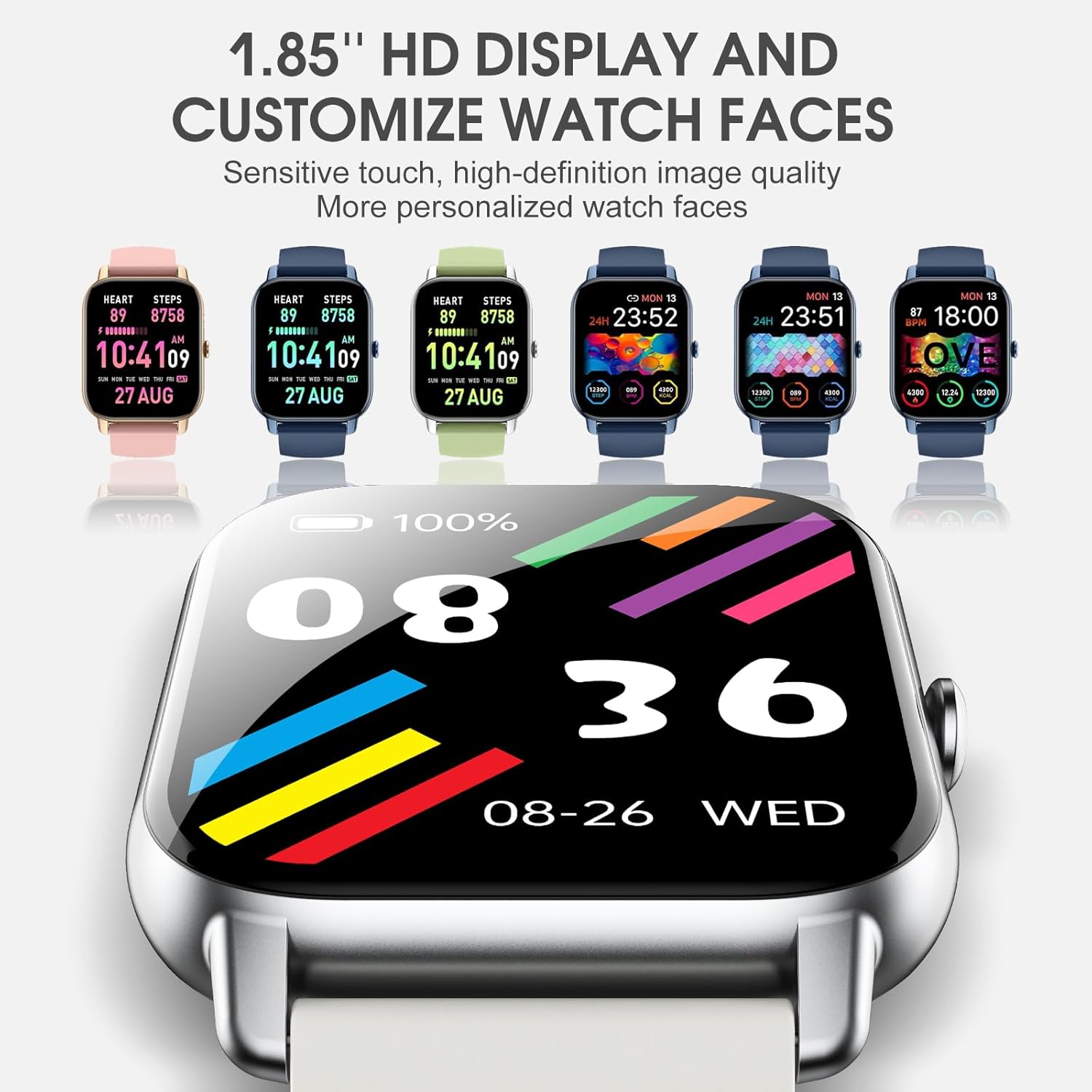
Image: The smart watch with two different band styles, allowing for personalization.
Troubleshooting
If you encounter any issues with your Ddidbi Smart Watch P66D, please refer to the following common troubleshooting tips:
- Connectivity Issues: Ensure Bluetooth is enabled on your phone and the watch is within range. Restart both the watch and your phone, then try re-pairing through the Glory Fit app.
- Display Not Responding: Try restarting the watch by pressing and holding the side button. Ensure the screen is clean and dry.
- Inaccurate Tracking: Ensure the watch is worn snugly on your wrist, about one finger's width above your wrist bone. For best results, keep the sensor clean. Calibrate activity tracking within the Glory Fit app if available.
- Notifications Not Appearing: Check notification permissions for the Glory Fit app in your phone's settings. Ensure the app is running in the background.
- Battery Draining Quickly: Reduce screen brightness, turn off unnecessary notifications, and limit continuous heart rate monitoring if not needed.
For more detailed troubleshooting or persistent issues, please consult the Glory Fit app's help section or contact customer support.
Specifications
| Feature | Detail |
|---|---|
| Model Number | P66D |
| Screen Size | 1.85 Inches |
| Resolution | 240 x 280 |
| Battery Capacity | 280 Milliamp Hours (Lithium Polymer) |
| Waterproof Rating | IP68 |
| Connectivity | Bluetooth |
| Operating System Compatibility | Android, iOS |
| Special Features | Heart Rate Monitor, Sleep Monitor, 112 Sport Modes, Call Functionality |
| Item Weight | 4.2 ounces (0.12 Kilograms) |
| Dimensions | 10.71 x 3.39 x 0.59 inches (Package) |
Warranty Information
The Ddidbi Smart Watch P66D comes with a standard manufacturer's warranty. Please retain your proof of purchase for any warranty claims. For specific details regarding warranty coverage, duration, and terms, refer to the warranty card included in your product packaging or contact Ddidbi customer support.
Customer Support
Should you require further assistance, have questions not covered in this manual, or need technical support, please reach out to Ddidbi customer service. Contact information can typically be found on the product packaging, the official Ddidbi website, or within the Glory Fit application.
For the most up-to-date information and support resources, please visit the product's official page or the Ddidbi brand website.
Related documentsP66D

Ask a question about this manual
Ask about setup, troubleshooting, compatibility, parts, safety, or missing instructions. Manuals+ will review the question and use this page’s manual context to help answer it.