
HAPPYAUDIO S3
HAPPYAUDIO S3 Wireless Headphones User Manual
Model: S3
Product Overview
The HAPPYAUDIO S3 Wireless Headphones are designed for an immersive audio experience, featuring Bluetooth 5.3 for stable connectivity, True Wireless Stereo (TWS) functionality, and an ergonomic ear-hook design ideal for sports and active lifestyles. These earbuds are built with IPX6 waterproofing, making them resistant to sweat and splashes, and incorporate Environmental Noise Cancellation (ENC) for clear calls. Control is intuitive with physical buttons on each earbud.
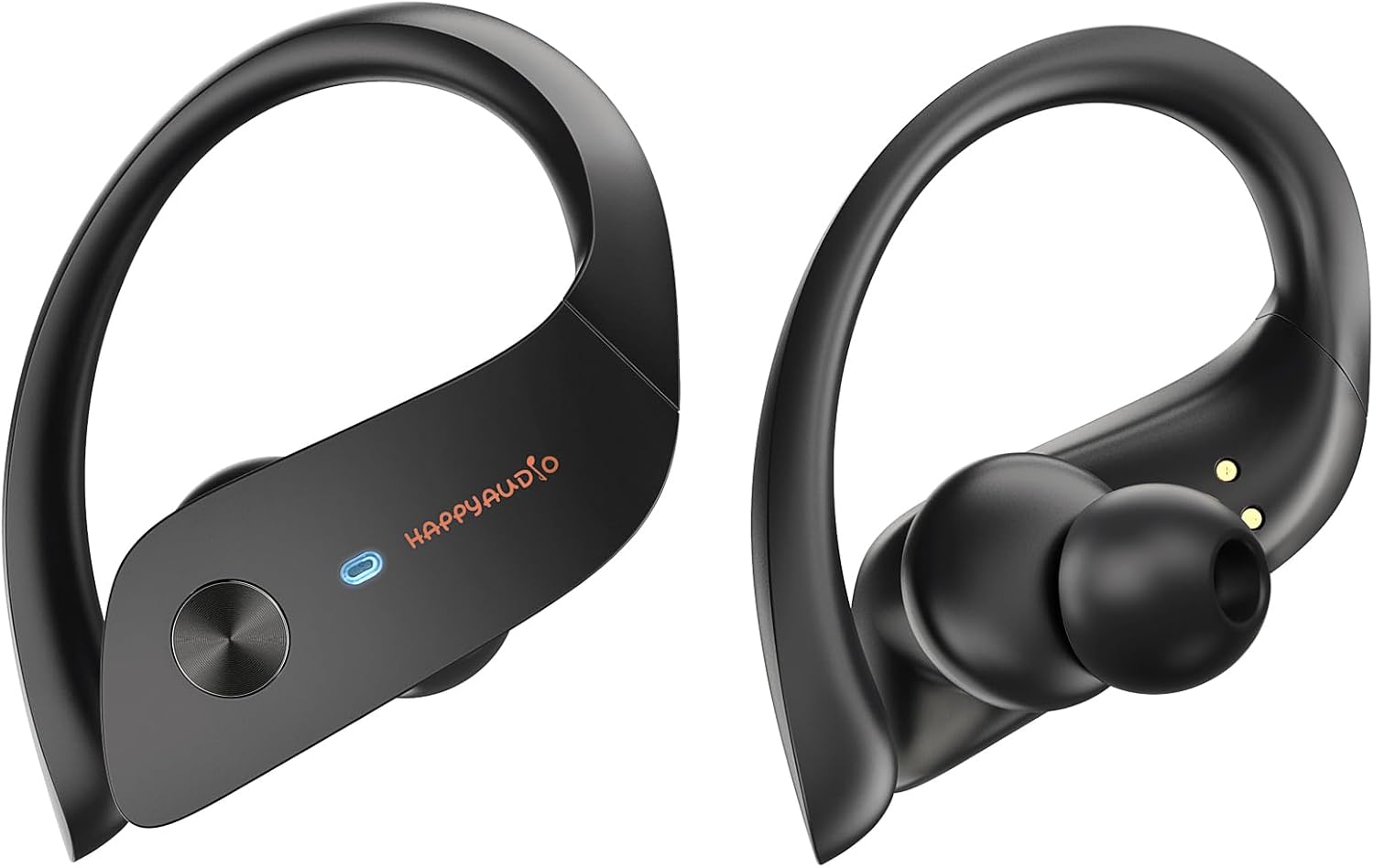
Figure 1: Front view of HAPPYAUDIO S3 Wireless Headphones.
Setup and Pairing
To begin using your HAPPYAUDIO S3 headphones, ensure they are charged and then follow these simple pairing steps:
- Charge the Headphones: Before first use, fully charge the headphones and the charging case. Refer to the "Charging" section for details.
- Activate Bluetooth: On your mobile device (smartphone, tablet, etc.), navigate to the Bluetooth settings and ensure Bluetooth is turned on.
- Enter Pairing Mode: Open the charging case. The headphones will automatically enter pairing mode, indicated by a flashing LED light on the earbuds.
- Select Device: On your device's Bluetooth list, look for "HAPPYAUDIO S3" and select it to connect.
- Confirmation: Once connected, the LED indicator on the headphones will stop flashing, and you may hear an audible confirmation.
The headphones are designed to automatically reconnect to the last paired device when removed from the case and Bluetooth is active on the device.
Video 1: Demonstrates the setup and fit of the HAPPYAUDIO S3 Wireless Headphones, including how they wrap around the ear for a secure fit during activities.
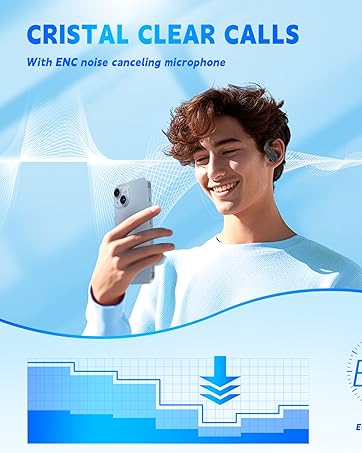
Figure 2: The ear-hook design ensures a secure and comfortable fit, preventing accidental dislodgement during physical activity. The package includes multiple ear tip sizes for personalized comfort.
Operating Instructions
The HAPPYAUDIO S3 headphones feature intuitive button controls for managing your audio and calls. The physical buttons prevent accidental touches common with touch-sensitive controls.
Music Playback Controls:
- Play/Pause: Single press the button on either the Left (L) or Right (R) earbud.
- Next Track: Double press the button on the Right (R) earbud.
- Previous Track: Double press the button on the Left (L) earbud.
- Volume Up: Press and hold the button on the Right (R) earbud for 1 second.
- Volume Down: Press and hold the button on the Left (L) earbud for 1 second.
Call Management:
- Answer/End Call: Single press the button on either earbud.
- Reject Call: Press and hold the button on either earbud for 2 seconds.
Voice Assistant:
- Activate Voice Assistant (Siri, Google Assistant, etc.): Triple press the button on either earbud.

Figure 3: Detailed diagram of the one-button control functions for music and calls on the HAPPYAUDIO S3 headphones.
Charging
The HAPPYAUDIO S3 headphones offer extended battery life and convenient charging options.
Battery Life:
- Up to 7 hours of listening time on a single charge.
- Up to 56 hours of total listening time with the portable charging case.
Charging the Headphones:
Place the earbuds back into their charging case. They will automatically begin charging. The LED indicators on the earbuds and the digital display on the case will show the charging status.
Charging the Case:
Connect the provided USB-C charging cable to the charging port on the case and plug the other end into a compatible USB power source (e.g., wall adapter, computer USB port). The digital display on the case will indicate the charging progress.

Figure 4: Illustration of the HAPPYAUDIO S3's impressive battery life, showing 7 hours of listening time and 56 hours with the charging case.

Figure 5: The charging case features a convenient USB-C port for quick and efficient recharging.
Key Features
IPX6 Waterproof and Sweatproof:
The HAPPYAUDIO S3 headphones are rated IPX6, meaning they are highly resistant to powerful water jets and sweat. This makes them ideal for intense workouts, running in light rain, or any activity where exposure to moisture is expected. Note: IPX6 rating does not mean they can be submerged in water.

Figure 6: The IPX6 rating ensures durability against sweat and splashes, perfect for active users.
Deep Bass Experience:
Experience rich, powerful bass and clear audio across all frequencies. The acoustic design of the S3 headphones delivers an immersive listening experience for various music genres.

Figure 7: Enjoy a powerful and clear deep bass experience with your HAPPYAUDIO S3 headphones.
Crystal Clear Calls with ENC:
Equipped with Environmental Noise Cancellation (ENC) technology, the HAPPYAUDIO S3 headphones effectively reduce background noise during calls, ensuring your voice is heard clearly by the person on the other end, even in noisy environments.

Figure 8: The ENC noise-canceling microphone ensures crystal clear call quality by reducing ambient noise.
Specifications
| Brand | HAPPYAUDIO |
| Model Number | S3 |
| Ear Placement | In Ear |
| Form Factor | In Ear |
| Noise Control | Environmental Noise Cancellation (ENC) |
| Headphones Jack | USB-C (for charging case) |
| Batteries | 2 Lithium Polymer batteries (included) |
| Product Dimensions | 5 x 3 x 2 inches |
| Item Weight | 3.46 ounces |
| Country of Origin | China |
Troubleshooting
If you encounter any issues with your HAPPYAUDIO S3 headphones, please refer to the following common troubleshooting steps:
- No Sound/Poor Sound Quality:
- Ensure the headphones are fully charged.
- Check if the headphones are properly paired with your device. Try unpairing and re-pairing.
- Adjust the volume on both your device and the headphones.
- Clean the ear tips and speaker mesh to remove any debris that might be blocking sound.
- Try different ear tip sizes to ensure a proper seal in your ear canal.
- Headphones Not Pairing:
- Ensure Bluetooth is enabled on your device.
- Make sure the headphones are in pairing mode (flashing LED).
- Turn off Bluetooth on other nearby devices to avoid interference.
- Restart your device and the headphones (by placing them in the case and taking them out again).
- Charging Issues:
- Ensure the charging cable is securely connected to both the case and the power source.
- Try a different USB-C cable or power adapter.
- Clean the charging contacts on both the earbuds and inside the case.
- Unstable Connection:
- Keep your device within the recommended Bluetooth range (typically 10 meters/33 feet).
- Avoid physical obstructions between your device and the headphones.
- Minimize interference from other wireless devices.
Video 2: A short product showcase of the HAPPYAUDIO S3 Earhook Headphones, demonstrating their use in an active setting.
Maintenance and Care
Proper maintenance ensures the longevity and optimal performance of your HAPPYAUDIO S3 headphones.
- Cleaning: Regularly wipe the earbuds and charging case with a soft, dry, lint-free cloth. For ear tips, remove them and clean with mild soap and water, then dry thoroughly before reattaching. Do not use harsh chemicals or abrasive materials.
- Storage: When not in use, always store the headphones in their charging case to protect them from dust, dirt, and physical damage. Store in a cool, dry place away from extreme temperatures.
- Water Exposure: While IPX6 rated, avoid intentional submersion in water. After exposure to sweat or splashes, wipe the headphones dry before placing them back in the charging case to prevent corrosion of charging contacts.
- Battery Care: To preserve battery health, avoid fully discharging the headphones or case for extended periods. Charge them regularly, even if not in frequent use.
Safety Information
Please read and follow these safety guidelines to prevent injury or damage to your device:
- Hearing Protection: To avoid hearing damage, do not listen at high volume levels for long periods. Use the headphones at a moderate volume.
- Driving Safety: Do not use headphones while driving or cycling, or in situations where you need to hear surrounding sounds.
- Choking Hazard: Keep the headphones and their accessories out of reach of small children and pets to prevent accidental ingestion.
- Temperature: Avoid exposing the headphones to extreme temperatures (hot or cold), direct sunlight, or fire.
- Disposal: Do not dispose of this product with household waste. Please follow local regulations for proper disposal of electronic devices and batteries.
Warranty and Support
For warranty information, technical support, or any inquiries regarding your HAPPYAUDIO S3 Wireless Headphones, please refer to the documentation included in your product packaging or visit the official HAPPYAUDIO website. Keep your proof of purchase for warranty claims.
Manufacturer: HAPPYAUDIO
Date First Available: May 20, 2023
Ask a question about this manual
Ask about setup, troubleshooting, compatibility, parts, safety, or missing instructions. Manuals+ will review the question and use this page’s manual context to help answer it.