
Introduction
The MXUXEN B0C5STP258 is an APP-controlled vibrating stimulator designed for comprehensive stimulation. This device combines a vibrating ring, taint stimulator, and mini bullet anal plug, offering multiple points of stimulation simultaneously. It features dual powerful motors with 9 vibration patterns and can be controlled via a smartphone application or a remote control. Made from body-safe silicone, it is USB magnetic rechargeable and 100% waterproof for easy cleaning and versatile use.
This manual provides essential information for the safe and effective use of your MXUXEN B0C5STP258 device. Please read it thoroughly before first use and retain it for future reference.
Product Features
- Multi-point Stimulation: Designed to stimulate the penis, testicles, perineum (taint), and anal area simultaneously.
- Dual Motors & 9 Vibration Patterns: Equipped with two powerful motors offering 9 distinct vibration modes for varied experiences.
- APP & Remote Control: Can be controlled wirelessly via a dedicated smartphone application (Bluetooth compatible with iOS and Android) or a handheld remote control.
- Beginner-Friendly Anal Plug: Features a tapered tip for comfortable insertion and a soft connection cord for easy removal.
- Flexible & Body-Safe Material: Constructed from soft, 100% body-safe silicone for comfort and flexibility, suitable for various body shapes and sizes.
- USB Magnetic Rechargeable: Convenient charging via USB magnetic cable.
- 100% Waterproof: Fully submersible for easy cleaning and use in wet environments.
- Discreet Packaging: Product is shipped in neutral packaging to ensure privacy.
Setup
1. Initial Charging
Before first use, fully charge the device. Connect the USB magnetic charging cable to the charging port on the device and to a USB power source (e.g., power bank, PC, or wall adapter). The indicator light will show charging status. A full charge typically takes a few hours.

Image: The MXUXEN B0C5STP258 device connected to its magnetic USB charging cable. The device is black with a gold-colored band, and a small light indicates charging status.
2. App Download and Connection
To utilize the APP control features, download the "Love Spouse" application. Scan the QR code provided below or search for "Love Spouse" in your device's app store (compatible with iOS and Android).

Image: A graphic displaying two QR codes. The first QR code is for downloading the "Love Spouse" app, and the second QR code is for adding the device, with the code "5705" also visible. The MXUXEN device is shown next to the QR codes.
For app download, visit: https://sextoy.zlmicro.com/index.php?g=Extend&m=App&a=getWchatQrcode&id=20
Device pairing code: 5705
Once the app is installed, turn on your device. Open the app and follow the on-screen instructions to pair your device via Bluetooth. Ensure Bluetooth is enabled on your smartphone.
Operating Instructions
1. Power On/Off
Press and hold the power button on the device or remote control to turn it on or off. The indicator light will illuminate when the device is active.
2. Remote Control Operation
The included remote control allows for direct adjustment of vibration patterns and intensity. Refer to the remote's buttons for specific functions (e.g., power, mode change, intensity adjustment).

Image: The MXUXEN B0C5STP258 device and its remote control, highlighting the dual motors, 9 intense vibration patterns, and a 49ft remote control range.
3. APP Control Operation
The "Love Spouse" app offers advanced control features:
- Classic Mode: Choose from 9 pre-set vibration patterns.
- Video Mode: Sync vibrations with your favorite local videos for an immersive experience.
- Music Mode: Vibrations synchronize with the rhythm of music from your library.
- Delimit Mode: Create and customize individual vibration patterns by drawing on the phone screen.
- Shake Mode: Control vibrations by shaking your phone.
- Interactive Mode: Connect with a partner via the app for remote control and shared experiences.

Image: A smartphone screen displaying the "Love Spouse" app interface, showcasing different operation modes like Classic, Video, Music, Delimit, Shake, and Interactive modes, along with a world map indicating long-distance control capabilities.
4. Usage Guidelines
The device is designed to be flexible and can be adjusted to fit comfortably. Ensure proper lubrication is used for comfortable insertion, especially for the anal plug component. The double penis rings are designed to provide support and enhance sensation.

Image: An illustration of the MXUXEN B0C5STP258 device highlighting its design for synchronous stimulation of the penis, taint, and anal areas.

Image: The MXUXEN B0C5STP258 device demonstrating its flexible and stretchable design, suitable for various sizes, with illustrations of different ring sizes (M, L, XXL).
Maintenance
1. Cleaning
The device is 100% waterproof. Clean it thoroughly with warm water and a mild, toy-safe soap before and after each use. Rinse completely and allow to air dry or pat dry with a lint-free cloth.
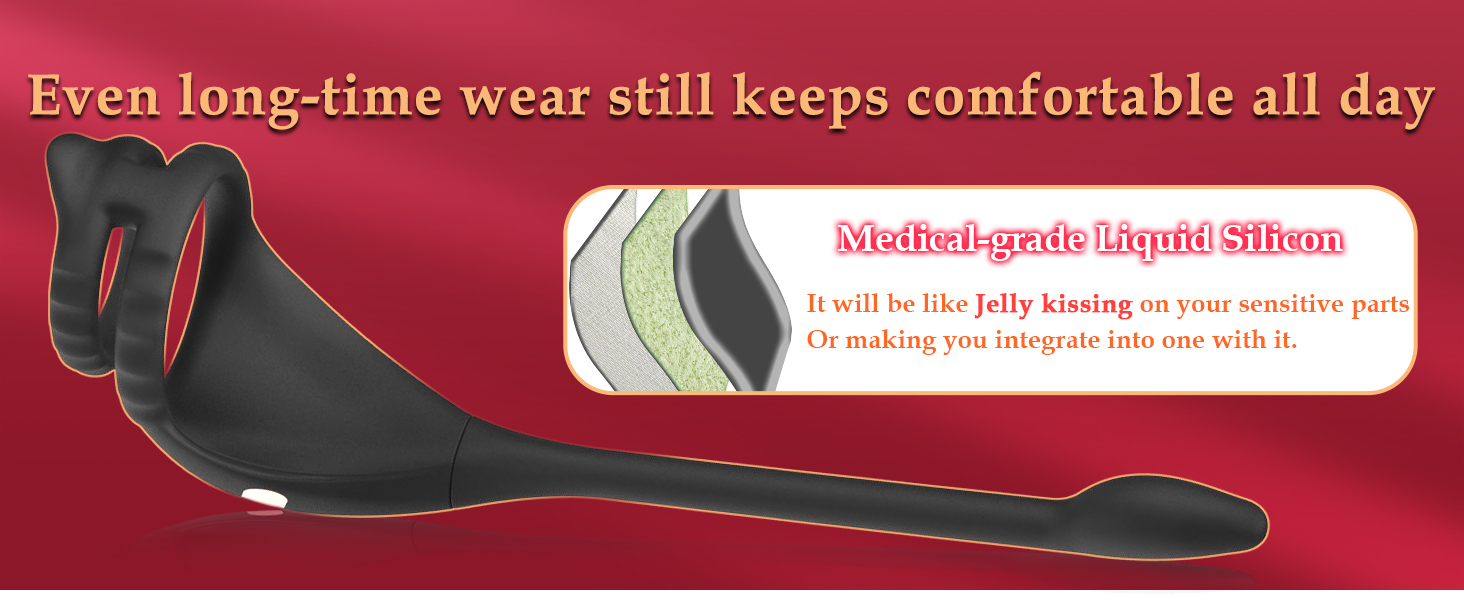
Image: The MXUXEN B0C5STP258 device partially submerged in water, illustrating its 100% waterproof design and USB magnetic rechargeable feature.
2. Storage
Store the device in a clean, dry place away from direct sunlight and extreme temperatures. Keep it separate from other toys made of different materials to prevent damage or degradation.
Troubleshooting
- Device Not Turning On: Ensure the device is fully charged. Connect it to the charger and check if the indicator light illuminates. If it still doesn't turn on after charging, contact customer support.
- App Connection Issues:
- Ensure Bluetooth is enabled on your smartphone.
- Make sure the device is powered on and within Bluetooth range.
- Restart both the device and the app.
- If issues persist, try reinstalling the app.
- Weak or No Vibration: The device may require charging. If fully charged and still experiencing weak vibrations, contact customer support.
- Remote Control Not Working: Ensure the device is powered on. Check the remote control's battery if applicable (though this model uses an app, the remote is likely paired). Re-pair the remote if necessary (refer to app instructions).
Specifications
| Brand | MXUXEN |
| Model Number | B0C5STP258 |
| Material | Body-safe Silicone (Plastic for remote) |
| Color | Black |
| Power Source | USB Magnetic Rechargeable (1 Nonstandard Battery included) |
| Water Resistance | 100% Waterproof |
| Control Method | APP Control (Bluetooth), Remote Control |
| Vibration Patterns | 9 Intense Vibration Patterns |
| Package Dimensions | 5.31 x 2.87 x 2.24 inches |
| Weight | 5.93 ounces |
Safety Information
This product is intended for adult use only (18 years and older). Statements regarding this product have not been evaluated by the FDA and are not intended to diagnose, treat, cure, or prevent any disease or health condition. Discontinue use if any discomfort or irritation occurs. Consult a healthcare professional if you have any concerns or pre-existing medical conditions.
Always use a water-based lubricant with silicone products to prevent damage to the material.
Official Product Videos
Remote Control Prostate Sex Toy Overview
Video: This video provides an overview of the MXUXEN B0C5STP258 device, demonstrating its features and how it functions as a remote-controlled prostate stimulator. It highlights the design and various modes of operation.