
1. Introduction
This manual provides essential instructions for the safe and efficient use of your BOSYTRO 24V 41A 1000W Switching Power Supply. Please read this manual thoroughly before installation and operation to ensure proper functionality and to prevent damage to the unit or connected devices.
The BOSYTRO switching power supply is designed to convert AC input voltage (110-240V) to a stable DC 24V output, with a maximum current of 41A and a maximum power output of 1000W. It is suitable for a wide range of applications including LED strips, CCTV systems, radio equipment, cameras, and various electronic instruments.

Figure 1: BOSYTRO 24V 41A 1000W Switching Power Supply.
2. Safety Instructions
Always adhere to the following safety guidelines to prevent electric shock, fire, or damage to the power supply and connected equipment:
- Voltage Selection: Before connecting the power supply, ensure the input voltage selector switch is set correctly for your region (115V for US, 230V for EU). Incorrect voltage selection can cause severe damage.
- Indoor Use Only: This power supply is designed for indoor use in dry environments. Do not expose it to water, moisture, or high humidity.
- Proper Ventilation: Ensure adequate airflow around the unit. Do not block ventilation holes. The built-in fan requires clear space to operate effectively.
- Grounding: Always connect the power supply to a properly grounded outlet.
- Overload Protection: Do not exceed the maximum output current (41A) or power (1000W) to prevent overload.
- Professional Installation: If you are unsure about wiring or installation, consult a qualified electrician.
- Avoid Contact: Do not touch the power supply with wet hands. The casing may become hot during operation; avoid direct contact with hot surfaces.
- Disconnect Power: Always disconnect the power supply from the main power source before performing any maintenance, troubleshooting, or making connections.
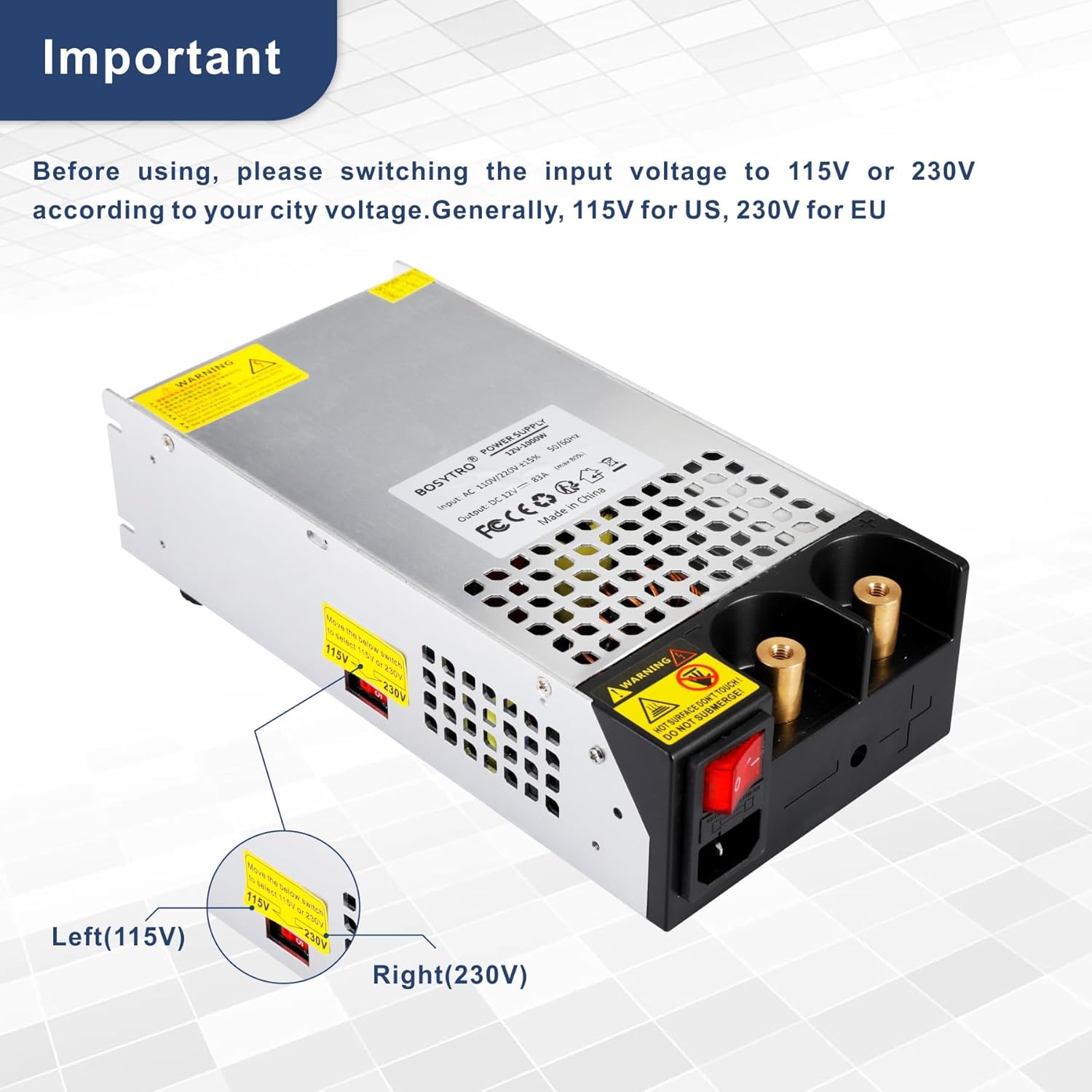
Figure 2: Important voltage selector switch (115V/230V). Ensure correct setting before use.
3. Product Features
The BOSYTRO 24V 41A 1000W Switching Power Supply incorporates several features for reliable and safe operation:
- High Efficiency: Converts AC 110-240V to stable DC 24V with high conversion efficiency.
- Easy Connection: Features two nickel-plated copper terminals for convenient and secure direct wire or clamp connections.
- Smart Cooling System: Equipped with an aluminum alloy casing with multiple ventilation holes and a built-in cooling fan to prevent overheating.
- Multiple Protection Mechanisms: Includes overload, over-current, over-temperature, and short-circuit protection to safeguard the unit and connected devices.
- Stable Operation: Anti-slip pads on the bottom enhance stability and further aid heat dissipation.

Figure 3: Smart Cooling System with built-in fan.

Figure 4: Multiple protection features for safety.
4. Specifications
| Parameter | Value |
|---|---|
| Model | 24V 41A 1000w |
| Input Voltage | AC 110-240V |
| Output Voltage | DC 24V (±5%) |
| Output Current (Max) | 41A |
| Output Power (Max) | 1000W |
| Frequency | 50/60 Hz |
| Dimensions (L x W x H) | 21.5 x 11.5 x 5 cm (8.46 x 4.53 x 1.97 inches) |
| Weight | 1.5 kg (3.3 lbs) |
| Mounting Type | Floor Mount |
| Compliant Specifications | CE |
| Manufacturer | BOSYTRO |

Figure 5: Product dimensions and key specifications.
5. Setup
- Unpacking: Carefully remove the power supply from its packaging. Inspect for any signs of damage during transit.
- Placement: Place the power supply on a stable, flat surface. Ensure there is sufficient space around the unit for proper ventilation, especially around the fan and ventilation holes.
- Voltage Selection: CRITICAL STEP! Locate the red voltage selector switch on the side of the unit (refer to Figure 2). Slide the switch to match your local AC mains voltage (115V or 230V). Incorrect selection will damage the unit.
- Connecting Output Devices:
The power supply features two nickel-plated copper terminals for output connections. You can use:
- Direct Wire Connection: Strip the insulation from your DC load wires (positive and negative) and securely fasten them under the terminal screws. Ensure a tight connection to prevent arcing.
- Alligator Clips: For temporary connections or testing, alligator clips can be attached to the terminals.
Ensure correct polarity (+ to + and - to -) when connecting your devices. Refer to your device's manual for specific wiring requirements.
- Connecting Input Power: Connect the AC power cord to the power supply's input socket and then plug it into a grounded wall outlet.

Figure 6: Multiple connection methods for output devices.
6. Operating Instructions
- Power On: After all connections are securely made and the voltage selector is correctly set, flip the red power switch to the 'ON' position. The power supply will begin to operate.
- Monitoring: Observe the connected devices to ensure they are receiving power correctly. The cooling fan may activate during operation, especially under higher loads, which is normal.
- Power Off: To turn off the power supply, flip the red power switch to the 'OFF' position. For complete disconnection, unplug the AC power cord from the wall outlet.

Figure 7: The main power switch.
7. Maintenance
- Cleaning: Periodically clean the exterior of the power supply with a soft, dry cloth. Do not use liquid cleaners or solvents. Ensure the ventilation holes are free from dust and debris.
- Inspection: Regularly inspect the power cord and output connections for any signs of wear, damage, or loose connections.
- Storage: When not in use for extended periods, store the power supply in a cool, dry place, away from direct sunlight and moisture.
- No User-Serviceable Parts: Do not attempt to open the casing or repair the unit yourself. This may void the warranty and expose you to dangerous voltages. Refer all servicing to qualified personnel.
8. Troubleshooting
If you encounter issues with your power supply, refer to the following common problems and solutions:
| Problem | Possible Cause | Solution |
|---|---|---|
| No power output | 1. Power switch is OFF 2. AC power cord not connected 3. Incorrect voltage selection 4. Internal fuse blown |
1. Turn power switch ON 2. Ensure AC cord is securely plugged in 3. Verify voltage selector (115V/230V) is correct 4. Contact support; do not attempt to replace fuse yourself |
| Output voltage is unstable or incorrect | 1. Overload condition 2. Loose output connections 3. Faulty connected device |
1. Reduce load to within specifications 2. Check and tighten output terminal connections 3. Test with a different device |
| Unit overheats and shuts down | 1. Insufficient ventilation 2. Overload condition 3. Fan malfunction |
1. Ensure clear space around unit; clean vents 2. Reduce load 3. Contact support |
| Fan is excessively loud | 1. Normal operation under heavy load 2. Dust accumulation in fan |
1. This may be normal; if persistent and loud, check for dust 2. Clean vents and fan area (with power disconnected) |
If the problem persists after trying these solutions, please contact BOSYTRO customer support.
9. Wide Application
This versatile switching power supply is suitable for a broad range of applications, including but not limited to:
- Industrial Automation
- Recreational Vehicles (RVs)
- Radio and Car Audio Systems
- LED Strip Lighting
- CCTV and Video Surveillance Systems
- Computer Projects and 3D Printers
- Motor Pumps and Security Cameras
- LCD Screens and Laboratory Computers
- Other 24-volt electronic devices
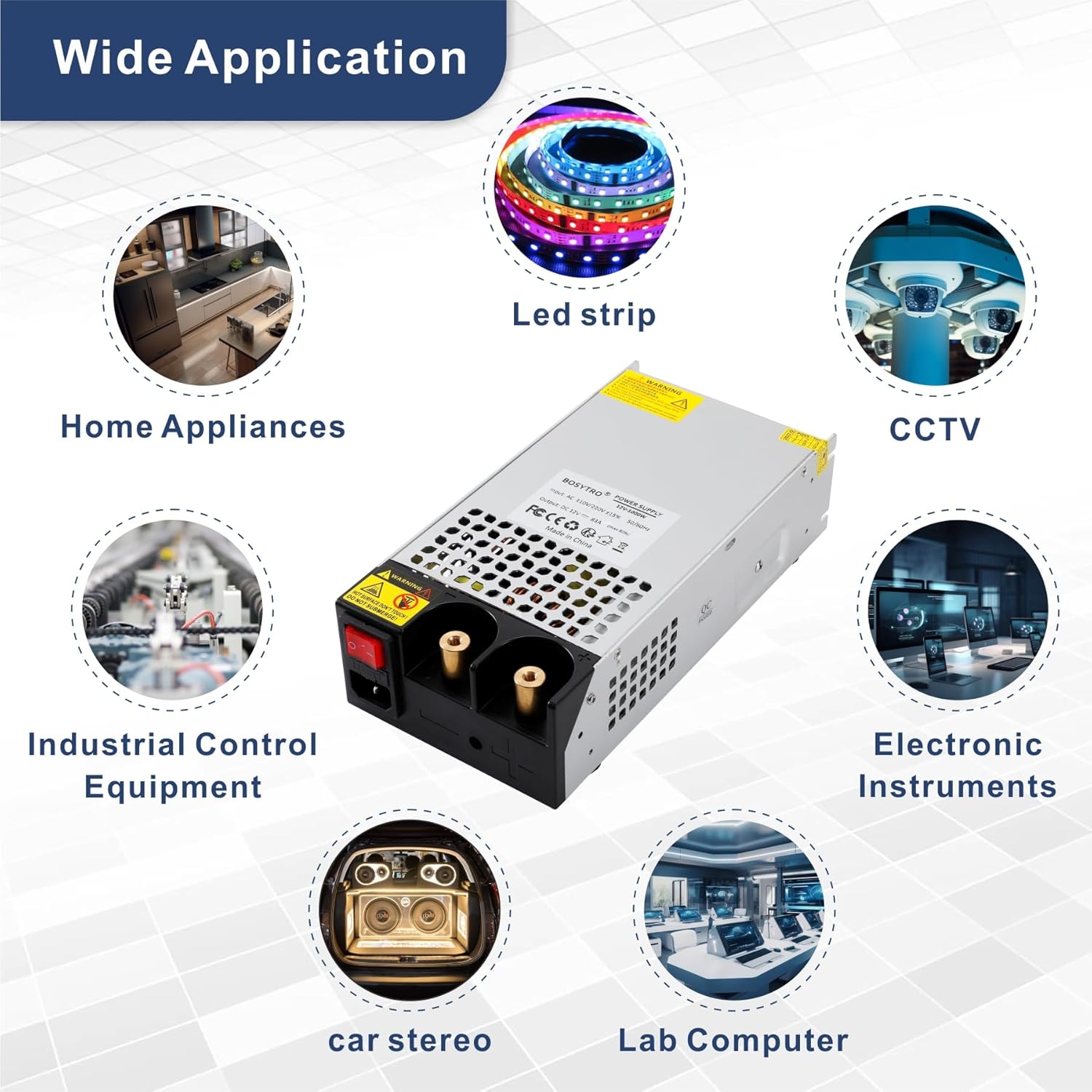
Figure 8: Examples of wide applications for the BOSYTRO power supply.
10. Warranty and Support
BOSYTRO products are manufactured to high-quality standards. This product comes with a standard manufacturer's warranty against defects in materials and workmanship. Please retain your proof of purchase for warranty claims.
For technical support, warranty inquiries, or further assistance, please contact BOSYTRO customer service through the retailer where the product was purchased or visit the official BOSYTRO website for contact information.