
1. Introduction
This manual provides instructions for the setup, operation, and maintenance of your Allotech HOR 40 remote control. This portable transmitter features 4 channels (4 buttons) and is designed for ease of use and compact portability. It is compatible with various Hormann and Tubauto gate and garage door systems operating at 40.685 MHz.
The Allotech HOR 40 remote control is designed to be programmed in the same manner as the original transmitter, with a quick and straightforward process.

Image 1: Allotech HOR 40 Remote Control, front view, showing four grey buttons arranged in a cross pattern and a small LED indicator.
2. Safety Information
- Keep the remote control out of reach of children.
- Do not expose the device to extreme temperatures, direct sunlight, or moisture.
- Do not attempt to disassemble or repair the remote control yourself. Refer to qualified personnel.
- Ensure the gate or garage door area is clear before operating to prevent injury or damage.
- The programming process should ideally be performed by two people for safety and convenience, especially when dealing with the receiver unit.
3. Package Contents
The Allotech HOR 40 package includes:
- 1 x Allotech HOR 40 Remote Control
- 1 x 12V Battery (pre-installed)
- 1 x Instruction Manual (this document)
4. Compatibility
This remote control is compatible with Hormann and Tubauto automatic systems operating at a frequency of 40.685 MHz. It replaces the following handheld transmitters:
- Hormann HSE2
- Hormann HSM4
- Hormann HSM2
- Hormann HSE4
- Hormann HS2
- Hormann HS4
- Tubauto HS2
- Tubauto HS4
- Tubauto HSM2
- Tubauto HSM4
Important: This remote is only compatible with Hormann systems using a 40.685 MHz frequency and grey buttons. It is NOT compatible with other frequencies or button colors (e.g., green, orange, yellow, blue, black).

Image 2: Compatibility chart showing the Allotech HOR 40 remote control alongside various Hormann remotes. It highlights compatibility with 40.685 MHz grey button remotes and explicitly shows non-compatible remotes with different frequencies and button colors (green, orange, yellow, blue, black).
5. Setup and Programming
The Allotech HOR 40 remote control can be programmed in two ways: by copying from an existing Hormann remote or by programming directly to your radio receiver.
5.1. If you have an original Hormann remote
You can copy the code from your HORMANN remote control (grey button) to your new remote by following these steps:
- Step 1: Take your original remote.
First, press and hold a key on your original remote. Then hold your original HORMANN remote control and your new model remote control in your hand. Bring them together as shown in the diagram (Fig. A) below by placing them head to head.
- Step 2: Use your new remote.
On your new remote control, press a button and allow it to be pressed. The light on your new remote should flash slowly for four seconds, then faster. This indicates a successful programming operation. Finally, release the buttons on your remote controls, then test your remote.
Note: To program each of the keys on your remote control, repeat the operation as many times as necessary.
5.2. If you want to program your remote with your receiver
- Step 1 & 2: Locate your radio receiver.
Press the push button on your receiver. The LED on your receiver should light up and flash slowly. Take your new remote control and press a key for more than 5 seconds. The LED light on your receiver should flash faster. Finally, release the button on your remote control. The light on your receiver should flash for a few more seconds then go out.
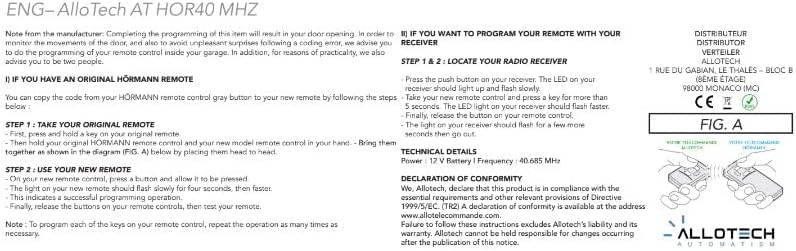
Image 3: Diagram (Fig. A) illustrating the head-to-head programming method for the Allotech HOR 40 remote control, showing two remote controls held together for code transfer.
6. Operating Instructions
Once programmed, operate your gate or garage door by pressing the corresponding button on the Allotech HOR 40 remote control. The remote has four buttons, allowing you to control up to four different functions or devices, depending on how it was programmed.
- Press a programmed button once to activate the associated function (e.g., open/close gate, open/close garage door).
- Ensure you are within the operating range (up to 10 meters) of the receiver for reliable operation.
- Observe the gate/door movement to ensure safe and proper operation.

Image 4: The Allotech HOR 40 remote control superimposed on a background of a house with a garage door, illustrating its intended use.
7. Maintenance
7.1. Cleaning
Clean the remote control with a soft, dry cloth. Do not use abrasive cleaners or solvents, as these can damage the casing.
7.2. Battery Replacement
The remote control uses a 12V battery. If the operating range decreases significantly or the LED indicator does not light up when a button is pressed, the battery may need replacement. To replace the battery:
- Carefully open the remote control casing.
- Remove the old 12V battery.
- Insert a new 12V battery, ensuring correct polarity.
- Close the casing securely.
Dispose of old batteries according to local regulations.
8. Troubleshooting
| Problem | Possible Cause | Solution |
|---|---|---|
| Remote control does not work. | Battery is low or dead. | Replace the 12V battery. |
| Remote control does not work. | Not programmed correctly. | Repeat the programming steps (Section 5). Ensure correct frequency and compatibility. |
| Reduced operating range. | Low battery. Interference. Obstructions. | Replace battery. Ensure clear line of sight to receiver. Check for sources of radio interference. |
| LED on remote does not light up. | Dead battery. Faulty remote. | Replace battery. If problem persists, contact support. |
9. Specifications
| Brand | ALLOTECH |
| Model Name | HOR 40 |
| Color | Grey |
| Connectivity Technology | Radio Frequency (RF) |
| Frequency | 40.685 MHz |
| Number of Channels/Buttons | 4 |
| Compatible Devices | Hormann automatic systems (40.685 MHz, grey buttons) |
| Special Feature | Portable |
| Battery Type | 1 x 12V Alkaline (included) |
| Maximum Range | 10 Meters (approx.) |
| Dimensions (approx.) | 55 mm (Height) x 44 mm (Width) x 12 mm (Depth) |
| Weight (approx.) | 35 g |

Image 5: Diagram showing the approximate dimensions of the Allotech HOR 40 remote control: 55 mm height, 44 mm width, and 12 mm depth.
10. Warranty Information
Warranty information is not explicitly provided in the product details. Please refer to your point of purchase or the manufacturer's official website for details regarding warranty terms and conditions.
Declaration of Conformity: Allotech declares that this product is in compliance with the essential requirements and other relevant provisions of Directive 1999/5/EC. A declaration of conformity is available at the address www.allotelecommande.com.
11. Support
For technical assistance or further inquiries, please contact your retailer or visit the manufacturer's website.
Manufacturer/Distributor:
ALLOTECH
1 RUE DU GABIAN, LE THALES - BLOC B
(8EME ETAGE)
98000 MONACO (MC)
Failure to follow these instructions excludes Allotech's liability and its warranty. Allotech cannot be held responsible for changes occurring after the publication of this notice.


