
1. Introduction
Thank you for choosing the OYAYO DP88CX 88-Key Semi-Weighted Digital Piano. This manual provides essential information for the safe and efficient use of your instrument. Please read it thoroughly before operating the piano and retain it for future reference.
2. Safety Instructions
- Power Supply: Use only the specified power adapter. Ensure the voltage matches the requirements of your region. Disconnect the power cord during lightning storms or when unused for extended periods.
- Water and Moisture: Do not expose the instrument to rain, moisture, or any liquids. Avoid placing objects filled with liquids on the piano.
- Placement: Place the piano on a stable, level surface. Avoid direct sunlight, heat sources, or excessive dust.
- Cleaning: Clean the instrument with a soft, dry cloth. Do not use abrasive cleaners, waxes, or solvents.
- Servicing: Do not attempt to repair or disassemble the instrument yourself. Refer all servicing to qualified personnel.
3. Package Contents
Carefully unpack your OYAYO DP88CX and ensure all items are present:
- OYAYO DP88CX Digital Piano
- Keyboard Stand
- Music Stand
- Sustain Pedal
- Power Supply (AC Adapter)
- USB Cable
- User Manual (this document)
- Piano Bag

An overview of the OYAYO DP88CX digital piano along with its complete set of accessories, including the keyboard stand, music stand, sustain pedal, power adapter, USB cable, and carrying bag.
4. Product Overview
The OYAYO DP88CX features an 88-key semi-weighted keyboard designed to provide a realistic playing experience. It includes various functions for learning and performance.
Key Features:
- 88 Semi-Weighted, Touch-Sensitive Keys
- 129 Tones, 128 Rhythms, 30 Demo Songs
- Bluetooth MIDI Functionality
- USB Connectivity for MIDI and Power
- Built-in Dual Stereo Speakers
- Headphone Output for Private Practice
- Sustain Pedal Input
- Dual Keyboard Mode
- Integrated Rechargeable Battery (3.7V/2200mAh)
- LED Digital Display

A visual breakdown of the complete set components, including the LED digital display, music stand, durable keyboard construction, adjustable height stand, and sustain pedal.

An illustration of the piano's diverse connectivity options, including ports for a microphone, sustain pedal, headphones, external audio input (phone), and USB for data transfer or charging.
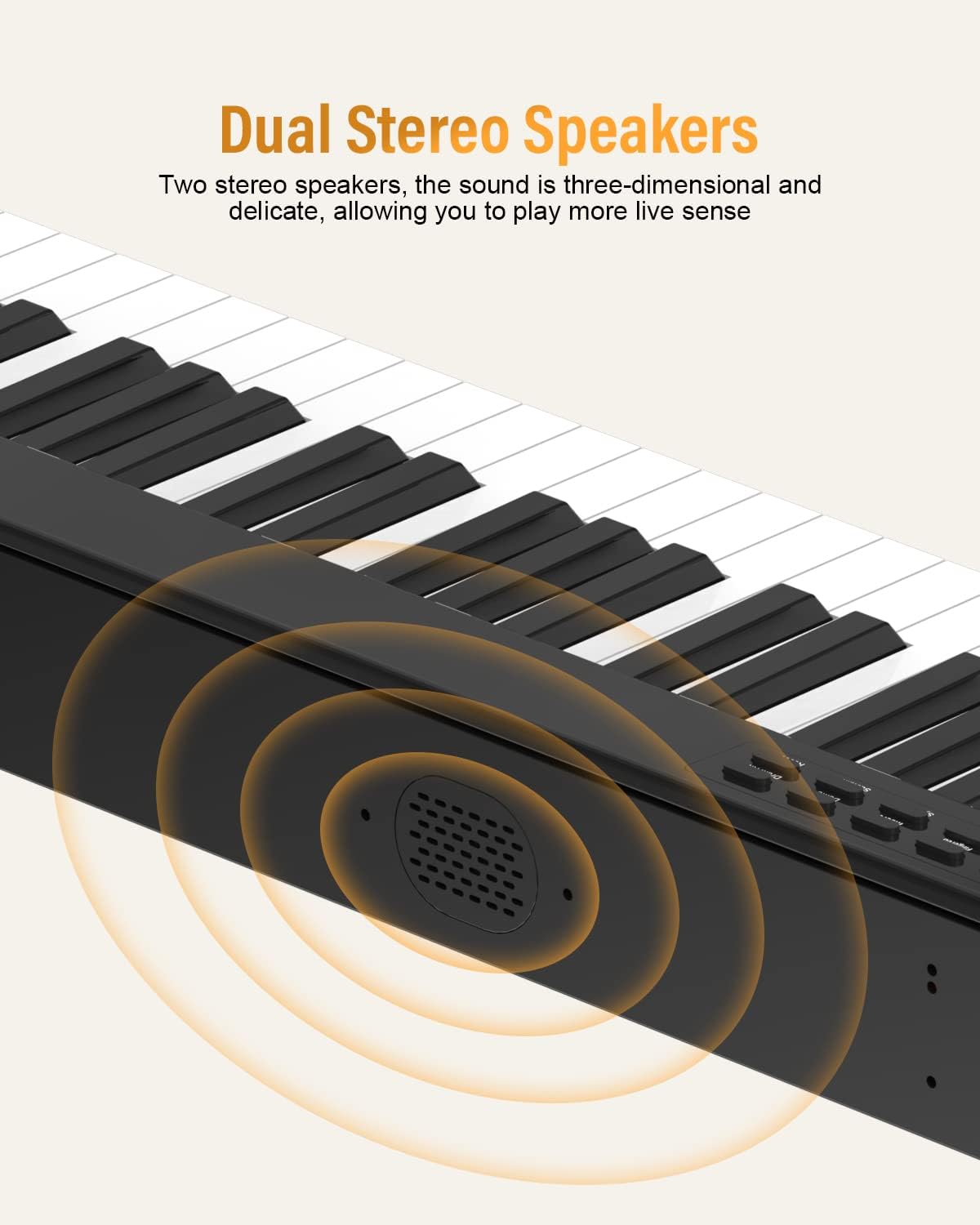
A diagram highlighting the integrated dual stereo speakers, designed to provide a rich and immersive sound experience.
5. Setup
- Assemble the Stand: If using the included keyboard stand, follow the assembly instructions provided with the stand. Ensure it is stable and securely holds the piano.
- Place the Piano: Carefully place the DP88CX onto the assembled stand or a flat, stable surface.
- Connect Sustain Pedal: Insert the sustain pedal cable into the designated pedal jack on the rear panel of the piano.
- Power Connection: Connect the AC adapter to the DC 5V power input jack on the piano and then plug it into a wall outlet. The piano can also operate on its internal rechargeable battery.
- Music Stand: Insert the music stand into the slot on the top panel of the piano.
6. Operating Instructions
6.1 Power On/Off
Press the Power button to turn the piano on or off. The LED display will illuminate upon power-on.
6.2 Volume Adjustment
Use the Volume control buttons (usually labeled + and -) to adjust the overall output volume.
6.3 Tones and Rhythms
The DP88CX offers 129 tones and 128 rhythms.
- Selecting Tones: Press the Tone button, then use the number keys or +/- buttons to select a desired tone. The LED display will show the current tone number.
- Selecting Rhythms: Press the Rhythm button, then use the number keys or +/- buttons to select a desired rhythm. Press Start/Stop to begin or end the rhythm playback.

An illustration highlighting the piano's extensive sound library, including 129 distinct tones, 128 rhythm patterns, and 30 built-in demonstration songs.
6.4 Demo Songs
The piano includes 30 demonstration songs.
- Playing Demo Songs: Press the Demo button, then use the number keys or +/- buttons to select a song. Press Start/Stop to play or pause.
6.5 Metronome
Activate the metronome function by pressing the Metronome button. Use the +/- buttons to adjust the tempo.
6.6 Touch Response
The semi-weighted keys offer adjustable touch response. Refer to the specific controls on your piano's panel or the manual's detailed section for adjusting touch sensitivity to match your playing style.

A detailed view of the 88 semi-weighted keys, illustrating the touch-sensitive response that allows for dynamic sound variation based on playing intensity.
6.7 Dual Keyboard Mode
This mode divides the keyboard into two identical pitch ranges, allowing two players to play simultaneously on the same instrument.
- Activating Dual Keyboard: Press the Dual Keyboard button. The LED display may indicate the mode.

Two individuals playing the piano simultaneously, showcasing the dual keyboard mode feature that allows two players to use the instrument at once.
6.8 MIDI & Bluetooth Connectivity
The DP88CX supports MIDI over USB and Bluetooth for connection to external devices and applications.
- USB MIDI: Connect the piano to a computer using the provided USB cable. The piano will function as a MIDI controller, allowing interaction with music software.
- Bluetooth MIDI: Activate Bluetooth on your external device (e.g., smartphone, tablet). On the piano, press the Bluetooth button (if available) or ensure Bluetooth mode is active. Pair with the piano from your device's Bluetooth settings.
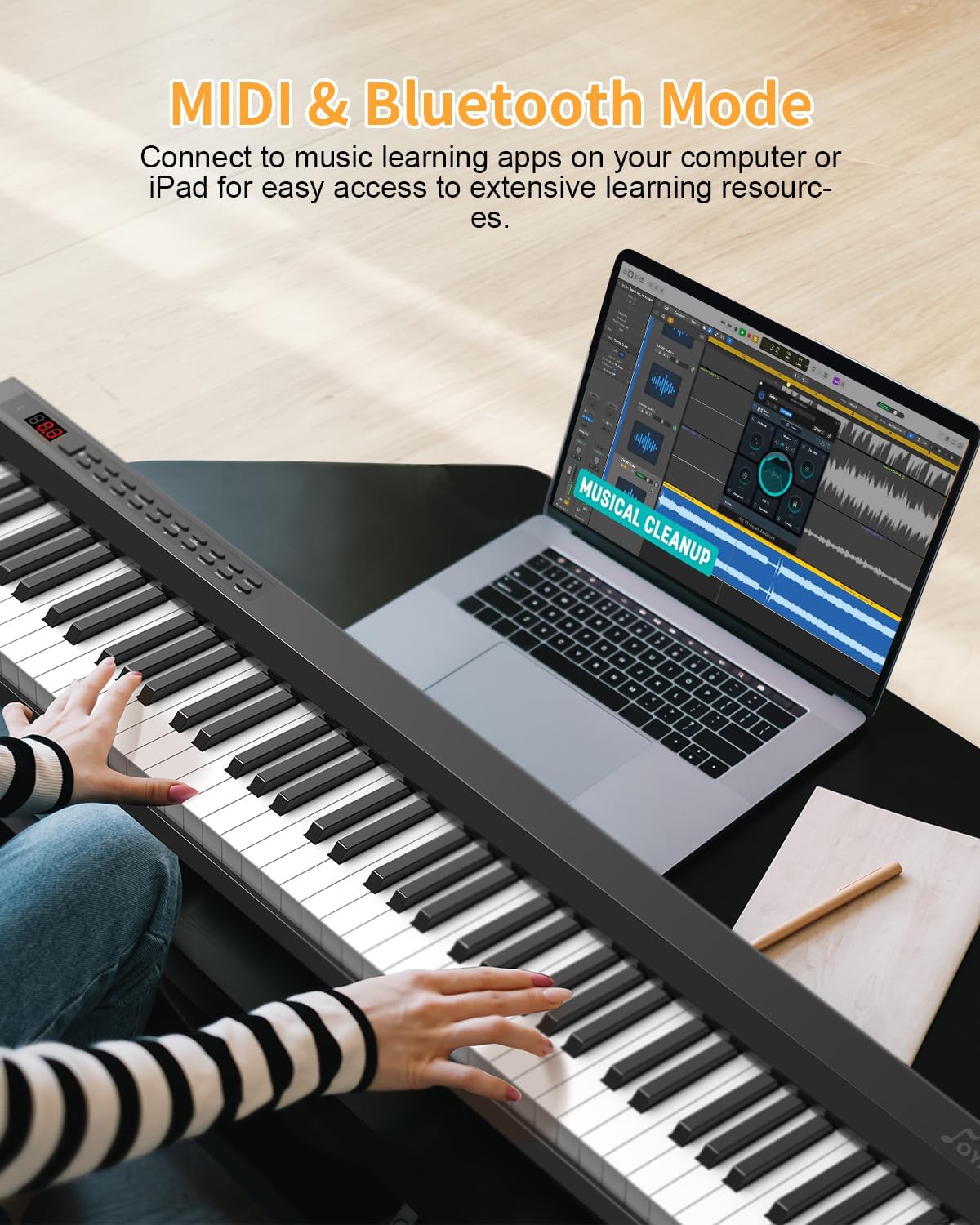
The digital piano connected to a laptop, demonstrating its MIDI and Bluetooth capabilities for integration with music learning applications and software.
6.9 Headphone Mode
Connect standard 3.5mm headphones to the headphone jack for private practice. The internal speakers will automatically mute.

A user wearing headphones while playing the piano, indicating the availability of a headphone mode for private practice without disturbing others.
7. Maintenance
- Cleaning: Wipe the surface of the piano with a soft, dry cloth. For stubborn dirt, slightly dampen the cloth with water, then wipe dry immediately. Do not use chemical cleaners.
- Storage: When not in use, store the piano in a cool, dry place away from direct sunlight and extreme temperatures. If storing for a long period, disconnect the power adapter.
- Battery Care: If the piano has a built-in rechargeable battery, ensure it is charged periodically even when not in use to maintain battery health.
8. Troubleshooting
| Problem | Possible Cause | Solution |
|---|---|---|
| No sound | Volume too low; headphones connected; power issue. | Increase volume; disconnect headphones; check power connection. |
| Keys not responding | Instrument not powered on; specific mode active. | Ensure power is on; check for active modes like 'Dual Keyboard' or 'Lesson Mode' that might affect key response. |
| Bluetooth connection fails | Bluetooth not enabled on piano or device; device too far; interference. | Ensure Bluetooth is active on both devices; move closer; restart both devices. |
| Sustain pedal not working | Pedal not fully inserted; faulty pedal. | Ensure pedal cable is securely connected; test with another compatible pedal if available. |
9. Specifications
| Feature | Specification |
|---|---|
| Model Number | DP88CX |
| Number of Keys | 88 |
| Key Type | Semi-weighted, Touch-sensitive |
| Tones | 129 |
| Rhythms | 128 |
| Demo Songs | 30 |
| Connectivity | Bluetooth, USB (MIDI) |
| Headphone Jack | 3.5mm |
| Power Source | Electric (AC Adapter), Built-in 3.7V/2200mAh Lithium Battery |
| Material | Plastic Composite/Synthetic |
| Dimensions (L x W x H) | 130 x 39.6 x 14 cm (approx.) |
| Weight | 11.4 kg (approx.) |
| Skill Level | Beginner |
| Special Functions | Digital Display, Portable, Calibrated Keys, Preset Tones and Rhythms |
10. Warranty and Support
For warranty information and customer support, please refer to the documentation included with your purchase or contact OYAYO customer service through the retailer where the product was purchased. Keep your proof of purchase for warranty claims.