
Introduction
The Canon EOS R100 is a compact and lightweight mirrorless camera designed for content creation, offering excellent still-image capabilities and high-resolution video recording. It features a 24.1 Megapixel APS-C size CMOS Image sensor and DIGIC 8 processor, ensuring vibrant and detailed results.
Key Features
- Compact, lightweight EOS R series camera with an affordable price
- Smallest and lightest camera body in the EOS R series built for excellent mobility
- High image quality with a 24.1 Megapixel CMOS (APS-C) sensor and DIGIC 8 processor
- Dual Pixel CMOS AF covering a wide area up to 143 zones with auto subject detection and Eye Detection AF available with Servo AF.
- Continuous capture of up to 6.5 shots per second when set to One-Shot AF

What's in the Box
Your Canon EOS R100 package includes the following items:
- Camera Body Only

Setup
1. Charging the Battery
Before first use, ensure the LP-E17 battery is fully charged using the provided battery charger. Insert the battery into the charger, and plug the charger into a power outlet. The charging indicator will show the charging status.
2. Attaching the Lens
Align the red dot on the lens with the red dot on the camera body's lens mount. Rotate the lens clockwise until it clicks into place. Ensure the lens is securely attached before use.


3. Inserting the Memory Card
Open the battery/card compartment cover on the bottom of the camera. Insert a compatible SD card into the slot with the label facing the correct direction until it clicks. Close the cover securely.
4. Powering On
Flip the ON/OFF switch to the 'ON' position to power on your camera.
Setup and Overview Video
This video provides an overview and demonstration of the Canon EOS R100 Camera and Lens Kit, covering initial setup and basic functions.
Operating the Camera
Basic Photography
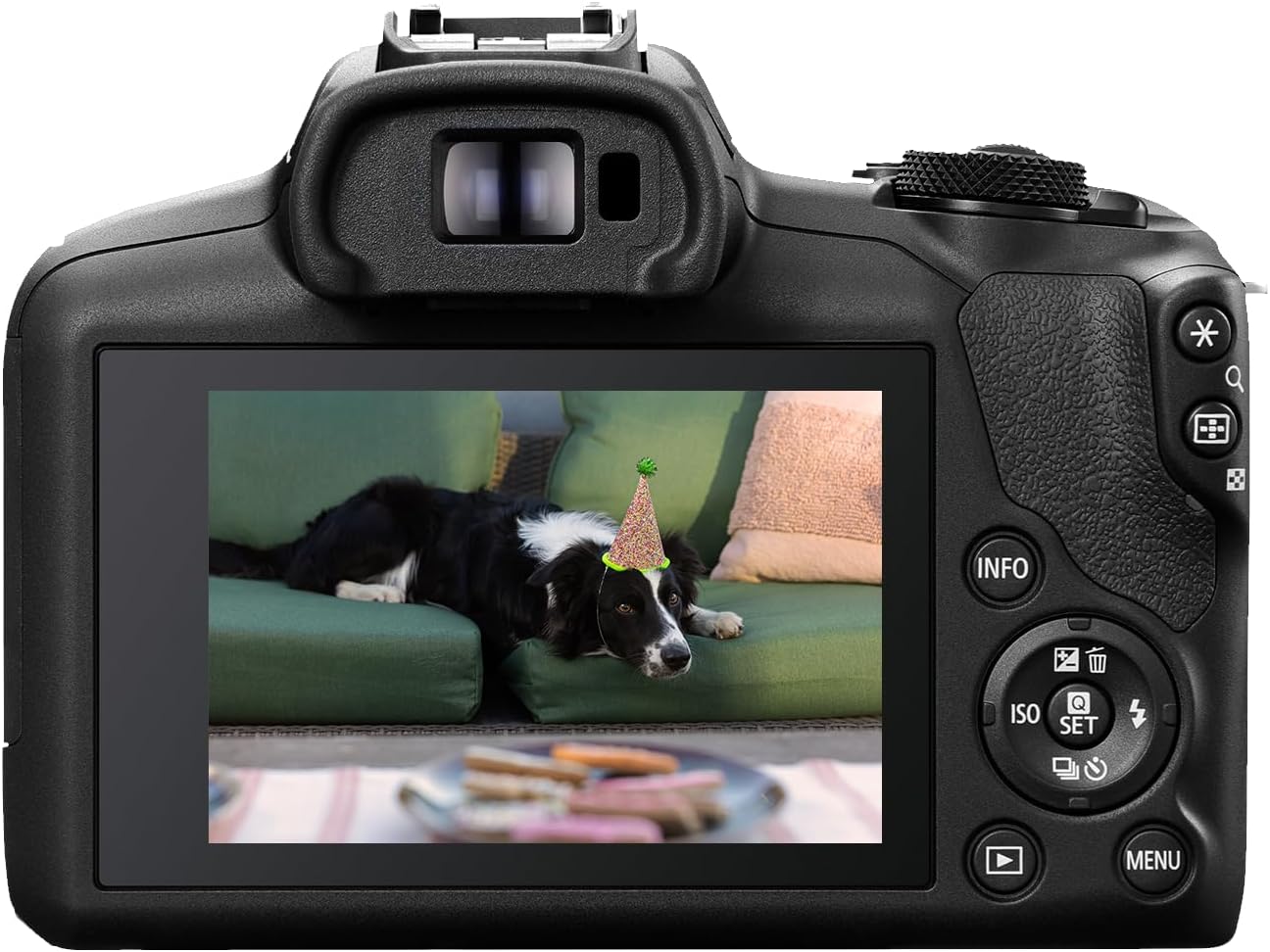
The EOS R100 offers various shooting modes accessible via the mode dial. For beginners, the Scene Intelligent Auto mode (green square icon) automatically optimizes settings for most situations. For more control, explore Program AE (P), Shutter-priority AE (Tv), Aperture-priority AE (Av), and Manual Exposure (M) modes.
Video Recording
The EOS R100 supports Full HD video recording at up to 60 frames per second and 4K video from the central area of the sensor at 24 frames per second. To switch to video mode, rotate the mode dial to the movie camera icon. Press the movie shooting button to start and stop recording.

Autofocus System
Utilize the Dual Pixel CMOS AF system for fast and accurate focusing. The camera features Eye Detection AF, which is particularly useful for portraits and ensures sharp focus on your subject's eyes. In Servo AF mode, the camera continuously tracks moving subjects.
Beginner's Review and Usage Tips Video
This video offers a review of the Canon EOS R100 Mirrorless camera, highlighting its suitability for beginners and providing practical usage tips.
Maintenance
To ensure the longevity and optimal performance of your Canon EOS R100, regular maintenance is recommended:
- Cleaning the Camera Body: Use a soft, dry cloth to wipe the camera body. For stubborn dirt, slightly dampen the cloth with water or a mild cleaning solution.
- Cleaning the Lens: Use a lens brush or blower to remove dust. For smudges, use a lens cleaning solution and a microfiber cloth, wiping gently in a circular motion.
- Sensor Cleaning: If dust spots appear on your images, the sensor may need cleaning. Refer to the advanced user manual or consult a professional for sensor cleaning.
- Storage: Store the camera in a cool, dry place away from direct sunlight and extreme temperatures. Use a desiccant packet in humid environments to prevent mold and mildew.
Troubleshooting
Here are some common issues and their solutions:
| Problem | Possible Cause | Solution |
|---|---|---|
| Camera does not power on | Battery is depleted or incorrectly inserted | Charge the battery fully; ensure it is inserted correctly. |
| Images are blurry | Incorrect focus, camera shake, or dirty lens | Ensure proper focus; use a faster shutter speed or tripod; clean the lens. |
| Memory card error | Card is full, corrupted, or incompatible | Delete unnecessary files; format the card (this will erase all data); try a different compatible card. |
| Wi-Fi/Bluetooth connection issues | Incorrect settings or interference | Check camera and device settings; ensure devices are within range; restart both devices. |
Specifications
| Feature | Detail |
|---|---|
| Brand | Canon |
| Model Name | Canon EOS R100 |
| Model Number | 6052C002 |
| Compatible Mountings | Canon RF |
| Photo Sensor Technology | CMOS |
| Maximum Webcam Image Resolution | 24.1 MP |
| Supported File Format | RAW, JPEG, C-RAW |
| Image Stabilization | Sensor-shift |
| Video Resolution | 2160p |
| Continuous Shooting | 6.5 fps |
| Wireless Technology | Bluetooth, Wi-Fi |
| Item Weight | 1.6 Pounds |
| Screen Size | 3 Inches |
| Touch Screen Type | Capacitive |
| UPC | 013803356625 |
Warranty and Support
The Canon EOS R100 comes with a 1-year manufacturer warranty provided by Canon USA. For technical support, service, or warranty claims, please contact Canon USA directly or visit their official support website.
For additional assistance, you may also contact the seller, Cardinal Camera and Video Center, through your Amazon purchase history.


