
1. Introduction
Thank you for choosing the VIYISI G007B Magnetic Charging Dock. This manual provides essential information for the safe and efficient use of your charging station. This dock is designed to charge up to four VIYISI G007C and G007P 5000mAh mini portable power banks simultaneously.
Please read this manual thoroughly before operating the device and retain it for future reference.
2. Safety Information
- Do not expose the device to water or excessive moisture.
- Avoid extreme temperatures.
- Do not disassemble or attempt to repair the device yourself. Refer to qualified service personnel.
- Use only with compatible VIYISI G007C and G007P power banks.
- Ensure proper ventilation during operation.
- Keep out of reach of children.
- Disconnect from power source when not in use or during cleaning.
Warning: This device features short circuit protection. However, always ensure proper connection to prevent damage.
3. Package Contents
Verify that all items are present in your package:
- VIYISI G007B Magnetic Charging Dock (Base Only)
- Power Adapter (if included, not specified in product data)
- User Manual (this document)
Note: Power banks (G007C, G007P) are sold separately and are not included with this charging dock.
4. Product Overview
Familiarize yourself with the components of your charging dock.
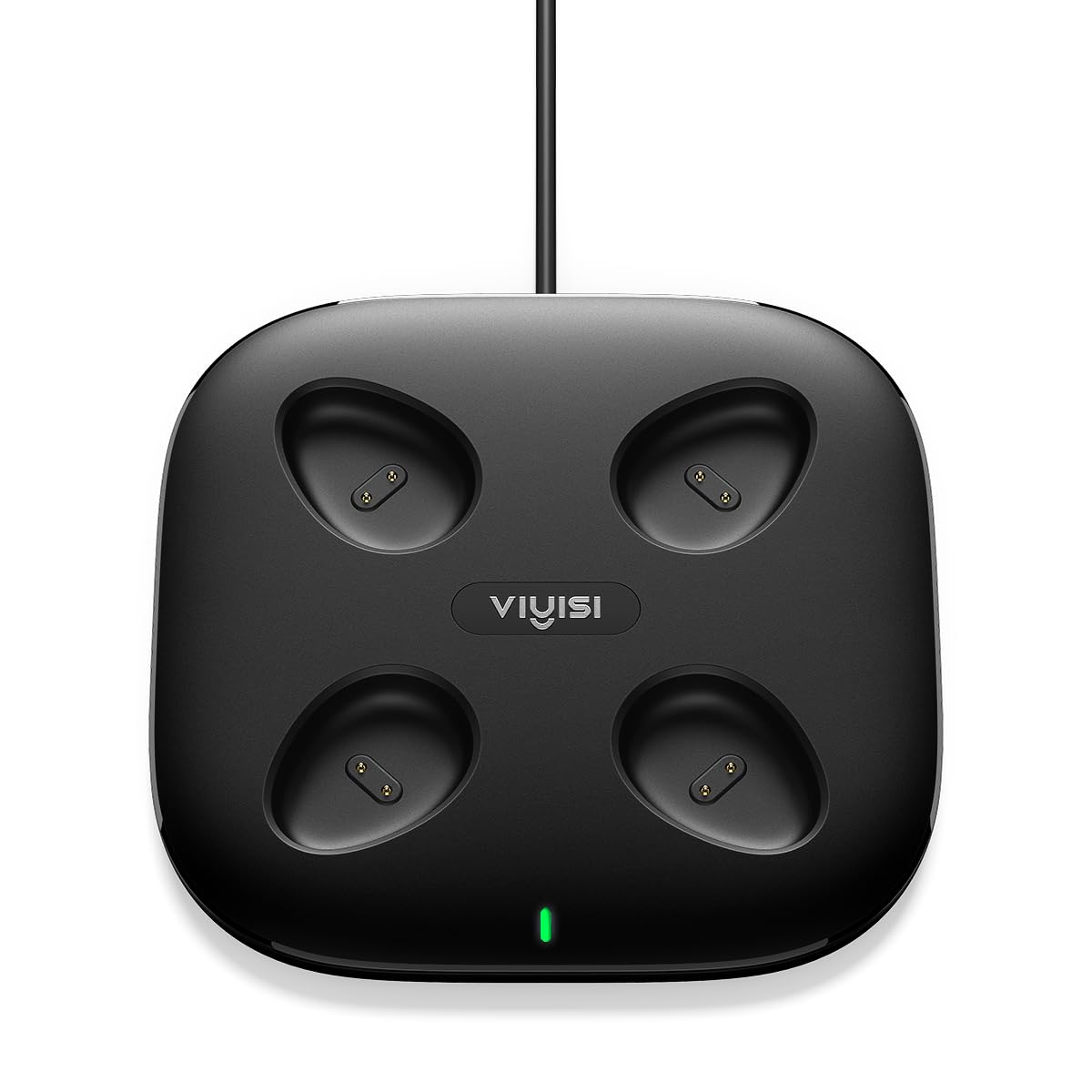
Image 1: Top view of the VIYISI G007B Magnetic Charging Dock. It features four distinct slots for power banks, each with magnetic POGO PIN connectors. The dock has a sleek, compact design.
- Charging Slots (x4): Designated areas for inserting VIYISI G007C or G007P power banks.
- Magnetic POGO PIN Connectors: Located within each slot, these ensure a secure and efficient connection for charging.
- LED Indicator Lights: Individual lights for each slot to indicate charging status.
- Power Input Port: For connecting the power adapter.
5. Setup
- Unpack the Device: Carefully remove the charging dock from its packaging.
- Place the Dock: Position the charging dock on a stable, flat surface in a well-ventilated area, away from direct sunlight and heat sources.
- Connect Power: Insert the power adapter cable into the power input port on the charging dock. Plug the other end of the power adapter into a standard wall outlet.
- Power On: The LED indicator lights may briefly illuminate, indicating the dock is powered and ready for use.
6. Operating Instructions
- Insert Power Banks: Gently place a compatible VIYISI G007C or G007P power bank into one of the four charging slots. The magnetic connectors will guide the power bank into the correct position.
- Verify Connection: Ensure the power bank is securely seated in the slot.
- Monitor Charging Status: The LED indicator light corresponding to the inserted power bank will illuminate to show that charging is in progress.
- Charging Multiple Power Banks: You can charge up to four power banks simultaneously. Repeat steps 1-3 for each power bank.
- Charging Completion: Once a power bank is fully charged, its LED indicator light may change color or turn off (refer to your power bank's manual for specific indications).
- Remove Power Banks: Gently pull the charged power bank upwards from the slot to remove it.
The magnetic design ensures a stable connection and eliminates cable clutter, providing an efficient charging solution.
7. Maintenance
- Cleaning: Disconnect the charging dock from the power source before cleaning. Use a soft, dry cloth to wipe the surface. Do not use liquid cleaners or abrasive materials.
- Storage: When not in use for extended periods, store the charging dock in a cool, dry place, away from direct sunlight and extreme temperatures.
- POGO PIN Care: Ensure the POGO PIN connectors remain clean and free of debris to maintain optimal charging performance.
8. Troubleshooting
| Problem | Possible Cause | Solution |
|---|---|---|
| Power bank not charging. |
|
|
| LED indicator not lighting up. |
|
|
| Slow charging. |
|
|
9. Specifications
| Model Number | G007B |
| Brand | VIYISI |
| Compatible Devices | VIYISI G007C 5000 mAh Power Bank, VIYISI G007P 5000 mAh Power Bank |
| Connectivity Technology | USB (for power input), POGO PIN (for power bank connection) |
| Special Features | LED Indicator Lights, Short Circuit Protection |
| Input Voltage | 5 Volts |
| Power Source | Battery Powered (refers to the power banks it charges, the dock itself is adapter powered) |
| Product Dimensions (L x W x H) | 13 cm x 13 cm x 1.9 cm |
| Item Weight | 380 grams |
10. Warranty and Support
Information regarding product warranty and customer support was not provided in the product data. Please refer to the retailer or manufacturer's official website for details on warranty coverage and support options.
For further assistance, please contact VIYISI customer service through their official channels.