
Introduction
Thank you for choosing the Ko-Star M-750 USB Omnidirectional Condenser Microphone. This manual provides detailed instructions for setting up, operating, and maintaining your microphone to ensure optimal performance. Please read this manual thoroughly before use and retain it for future reference.
Package Contents
Upon unpacking, please ensure all the following items are included:
- 1x Ko-Star M-750 USB Computer Microphone
- 1x User Manual
- 1x Pop Filter
Features
- Plug and Play: No driver software or audio interface installation is required. Simply connect the microphone to your computer's USB port to begin use.
- One-Button Mute with LED Indicator: A dedicated mute button on the microphone base allows for instant muting. An LED indicator light clearly shows the microphone's status (Red: Working, Off: Muted).
- Adjustable Volume Knob: Conveniently adjust the microphone's input volume directly on the device without needing to access computer settings.
- Reverberation Function: Enhance your audio with an adjustable echo effect, making your voice sound fuller and more resonant. The echo knob allows for precise control over the reverberation level.
- Noise Reduction Technology: Equipped with omnidirectional condenser technology and noise reduction, this microphone minimizes background noise for clear audio capture.
- 360-Degree Adjustable Gooseneck Design: The flexible gooseneck allows for precise positioning of the microphone, ensuring optimal sound pickup from any direction.
- Stable Base with Anti-slip Pads: The microphone features a strong metal and ABS plastic base with non-slip pads for stability on any surface.
Setup
- Connect the Microphone: Plug the USB cable from the microphone into an available USB port on your computer (Laptop, PC, Mac, PS4).
- System Recognition: Your operating system (Windows, macOS, Linux) should automatically detect and install the necessary drivers. This is a plug-and-play device, so no manual driver installation is typically required.
- Verify Connection: The LED indicator on the microphone base will light up red, indicating it is powered on and ready for use.
- Adjust System Settings (Optional): For specific applications (e.g., Discord, Zoom, Skype), you may need to select "Microphone (USB Audio Device)" as your input device in the application's audio settings.

Image: The Ko-Star M-750 microphone connected to various devices, demonstrating its wide compatibility with Windows and Mac operating systems.

Image: A close-up view of the microphone base, highlighting the mute button and its LED indicator for active (red) and muted (off) states.
Operating Instructions
- Power On/Off and Mute:
- Press the large button on the microphone base to toggle between active (red LED) and muted (LED off) states.
- When the LED is red, the microphone is active and picking up sound.
- When the LED is off, the microphone is muted.
- Adjusting Volume:
- Use the "VOL" knob on the microphone base to increase or decrease the input volume. Turn clockwise to increase, counter-clockwise to decrease.
- Adjusting Echo (Reverberation):
- Use the "ECHO" knob on the microphone base to adjust the reverberation effect. Turn clockwise to increase the echo, counter-clockwise to decrease it.
- Positioning the Microphone:
- The flexible gooseneck allows you to bend and position the microphone head for optimal sound capture.
- For best results, position the microphone less than 50 cm (19.68 inches) from the sound source.
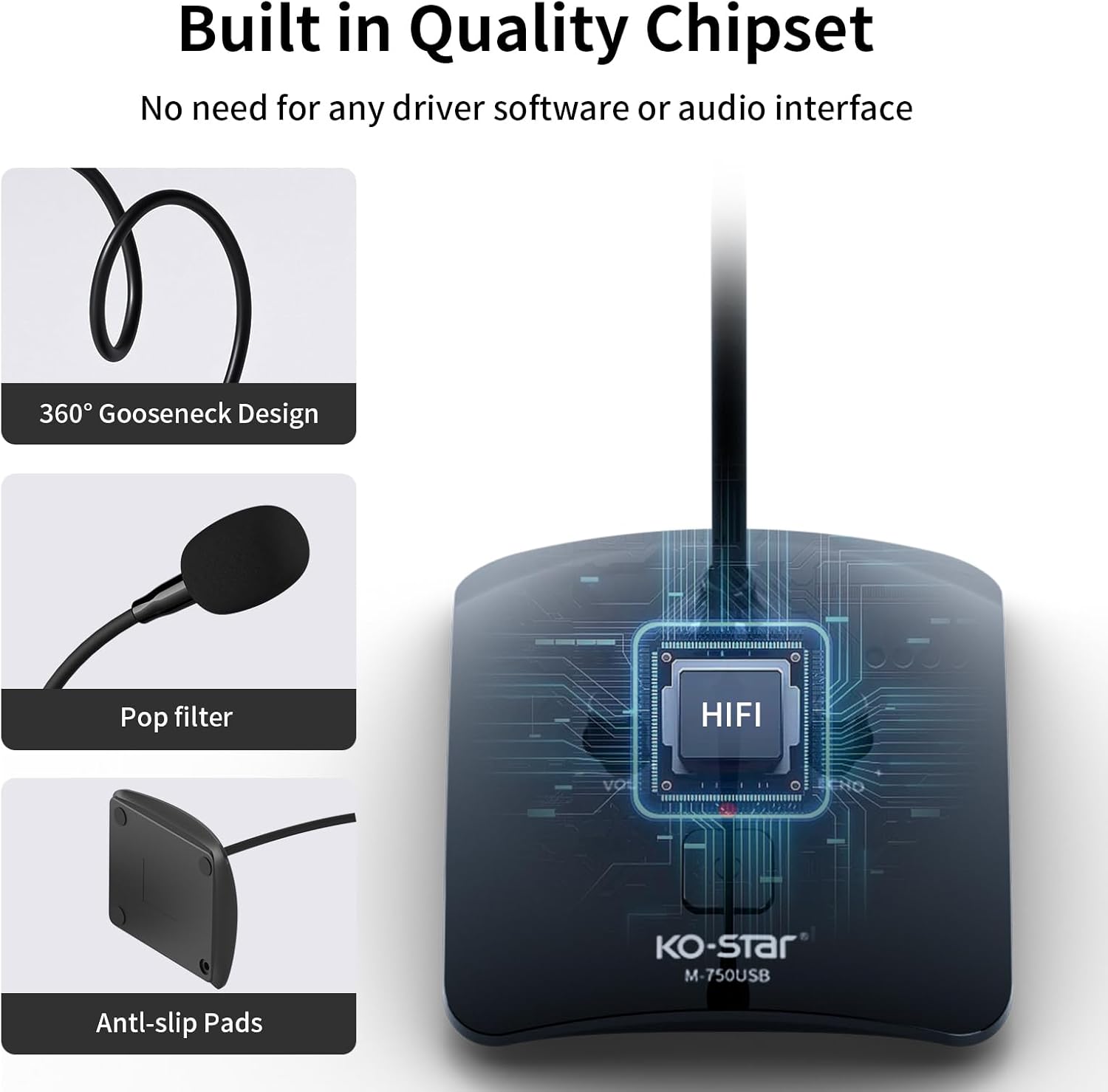
Image: The microphone with labels for the volume and echo knobs, alongside an illustration demonstrating the recommended sound capturing distance.
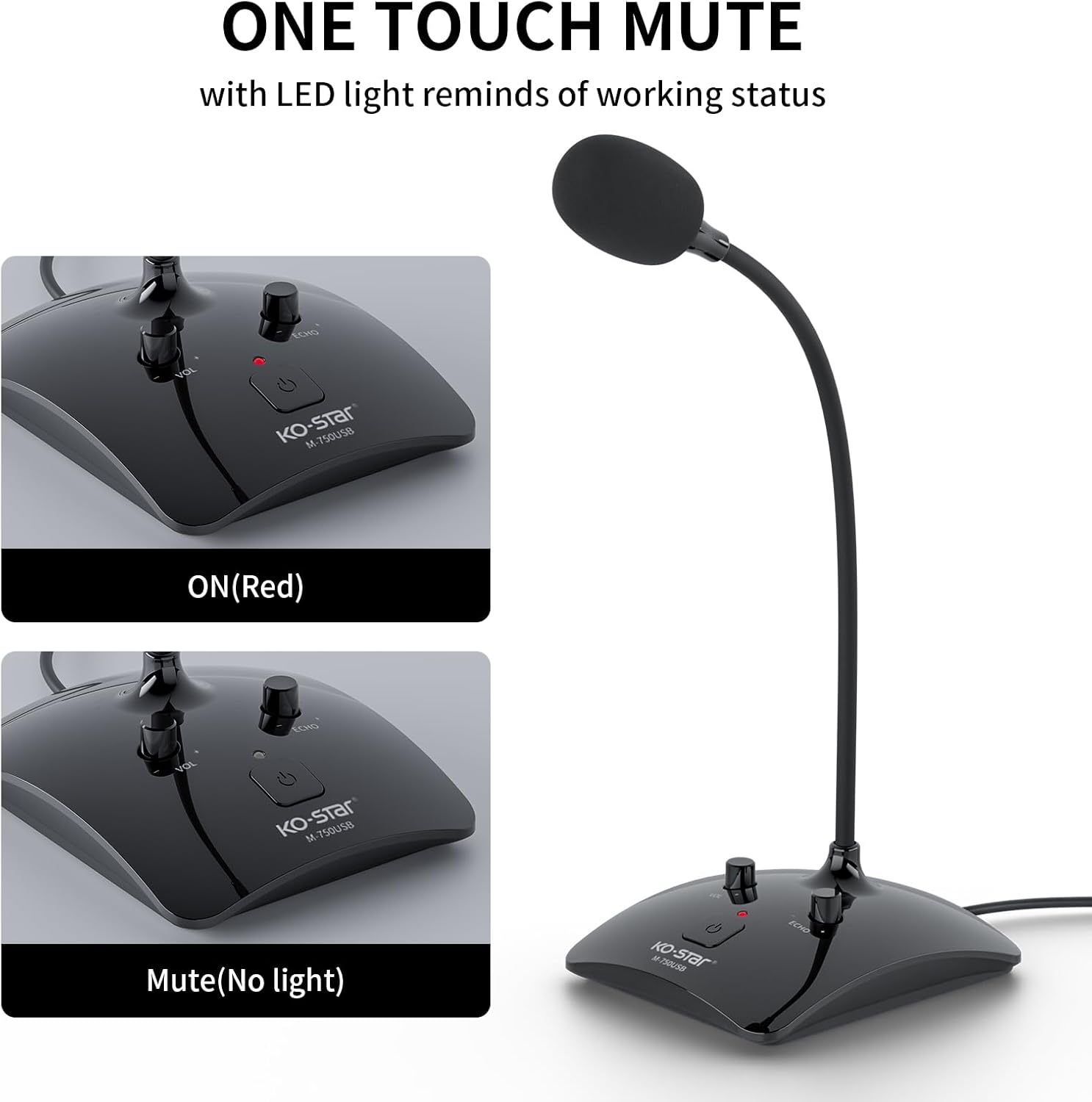
Image: A visual representation of the microphone's 360-degree omnidirectional pickup pattern, indicating it captures sound from all directions.
Video: A demonstration of the Ko-Star M-750 USB microphone's features, including its adjustable gooseneck, mute function, and volume/echo controls, showing its ease of use and sound quality.
Maintenance
- Cleaning: Use a soft, dry cloth to clean the microphone's exterior. Do not use liquid cleaners or solvents.
- Storage: When not in use, store the microphone in a cool, dry place away from direct sunlight and extreme temperatures.
- Handling: Avoid dropping the microphone or subjecting it to strong impacts, as this may damage internal components.
Troubleshooting
| Problem | Possible Cause | Solution |
|---|---|---|
| No sound output from microphone | Microphone is muted; Incorrect input device selected; Loose USB connection; Volume knob turned down. | Press the mute button (red LED should be on); Check your computer's sound settings and select "Microphone (USB Audio Device)" as input; Ensure USB cable is securely connected; Turn up the "VOL" knob on the microphone. |
| Poor sound quality / Excessive background noise | Microphone too far from speaker; High echo setting; Environmental noise. | Position microphone closer to the speaker (within 50 cm); Adjust the "ECHO" knob to a lower setting; Reduce ambient noise in the recording environment. |
| Microphone not recognized by computer | Faulty USB port; Driver issue; System conflict. | Try connecting to a different USB port; Restart your computer; Check your operating system's device manager for any microphone-related errors. |
Specifications
| Feature | Detail |
|---|---|
| Model Number | M-750 |
| Connectivity Technology | USB |
| Connector Type | Micro USB |
| Microphone Form Factor | Lavalier (Gooseneck) |
| Polar Pattern | Omnidirectional |
| Hardware Platform | Laptop, PC |
| Compatible Devices | Laptop, PC, Mac, PS4 |
| Material | Plastic |
| Color | Black |
| Item Weight | 0.2 Kilograms (7 ounces) |
| Package Dimensions | 5.43 x 4.21 x 2.72 inches |
| Frequency Response | 20000 Hz |
| Signal-to-Noise Ratio | 60 dB |
| Impedance | 200 Ohms |
| Power Source | Corded Electric |
Warranty and Support
Ko-Star products are designed for reliability and performance. For warranty information, technical support, or customer service inquiries, please refer to the contact details provided on the product packaging or visit the official Ko-Star website. Please have your model number (M-750) and purchase date ready when contacting support.
