
Introduction
This manual provides essential information for the safe and effective use of your MYW-Tech Car DC Adapter. This adapter is specifically designed as a compatible replacement power supply for the Type S BT56282-2 dash camera. Please read this manual thoroughly before installation and operation.
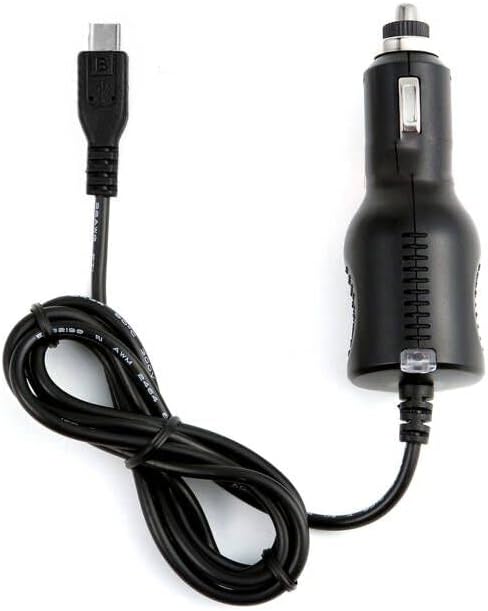
Figure 1: The MYW-Tech Car DC Adapter featuring a Mini-USB B connector and a car cigarette lighter plug.
Important Safety Information
WARNING: Failure to follow these safety instructions could result in fire, electric shock, or other injury or damage.
- Ensure the adapter is used only with compatible devices, specifically the Type S BT56282-2 dash camera. Using it with incompatible devices may cause damage.
- Do not expose the adapter to moisture, rain, or extreme temperatures.
- Do not disassemble or modify the adapter. Refer all servicing to qualified personnel.
- Keep out of reach of children.
- Always ensure the vehicle's engine is off before plugging or unplugging the adapter to prevent electrical surges.
Setup Instructions
Follow these steps to properly set up your MYW-Tech Car DC Adapter:
- Identify the Dash Cam Port: Locate the power input port on your Type S BT56282-2 dash camera. This adapter uses a Mini-USB B connector.
- Connect to Dash Cam: Carefully insert the Mini-USB B connector end of the adapter cable into the corresponding port on your dash camera. Ensure a snug fit.
- Connect to Vehicle Power: Insert the car cigarette lighter plug end of the adapter into your vehicle's 12V-24V accessory power socket (cigarette lighter socket).
- Verify Power: Once connected, an LED indicator on the car plug will illuminate, confirming power is being supplied. Your dash camera should also power on or begin charging.
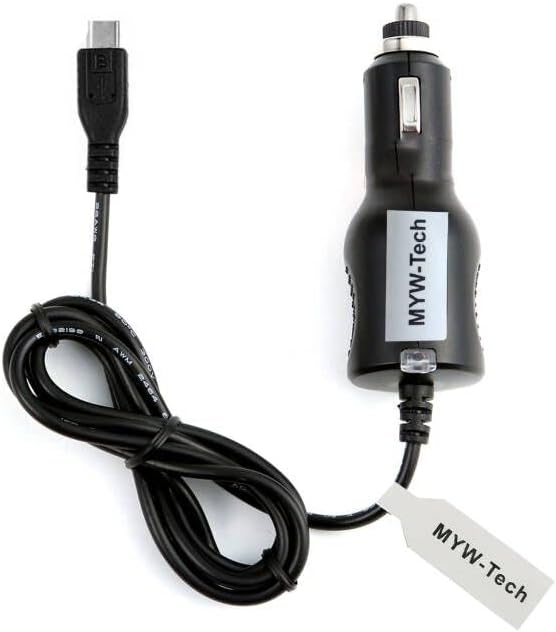
Figure 2: The MYW-Tech Car DC Adapter, showing the brand label on the car plug and the Mini-USB B connector.
Operating Instructions
The MYW-Tech Car DC Adapter is designed for straightforward operation:
- Once properly connected as described in the Setup section, the adapter will automatically provide power to your Type S BT56282-2 dash camera when the vehicle's accessory power socket receives power (typically when the ignition is on).
- The integrated LED indicator on the car plug provides a visual confirmation that the adapter is receiving power from the vehicle.
- The 6-foot cable length provides flexibility for routing the cable discreetly within your vehicle.

Figure 3: Visual representation emphasizing the 6-foot cable length and the presence of an LED indicator on the adapter.
Maintenance
To ensure the longevity and optimal performance of your adapter:
- Keep the adapter and its connectors clean and free from dust and debris. Use a dry, soft cloth for cleaning.
- Avoid pulling the cable forcefully when disconnecting. Always grasp the plug itself.
- Store the adapter in a cool, dry place when not in use.
- Regularly inspect the cable and connectors for any signs of wear, damage, or fraying. Discontinue use if damage is observed.
Troubleshooting
If you encounter issues with your MYW-Tech Car DC Adapter, refer to the following common problems and solutions:
| Problem | Possible Cause | Solution |
|---|---|---|
| Dash cam not powering on/charging. |
|
|
| LED indicator on adapter is off. |
|
|
| Adapter or dash cam gets unusually hot. |
|
|
Specifications
- Model: Compatible with Type S BT56282-2
- Input Voltage: 12V - 24V DC (Worldwide compatible)
- Output Voltage: 12 Volts
- Output Current: 1 Amps
- Connector Type: Mini-USB B (for dash cam), Car Cigarette Lighter Plug (for vehicle)
- Cable Length: 6 feet (approximately 1.8 meters)
- Color: Black
- Special Features: Over Voltage Output Protection, Over Current Output Protection, Short Circuit Output Protection, LED Indicator
- Product Dimensions: 4 x 2 x 2 inches (approximate, for the car plug component)
- Item Weight: 5 ounces
- Certifications: CE
Warranty and Support
MYW-Tech products are manufactured to high-quality standards. For information regarding warranty coverage, please refer to the product packaging or the retailer's return policy at the time of purchase. For technical support or inquiries, please contact MYW-Tech customer service through the retailer's platform or the official MYW-Tech website.