Introduction
This manual provides detailed instructions for the proper use and maintenance of your Supersonic IQ Sound IQ-170BT Wireless Bluetooth Headphones. Please read this manual thoroughly before operating the device to ensure optimal performance and longevity.

Image: Supersonic IQ Sound IQ-170BT Wireless Bluetooth Headphones in Rose Gold.
Package Contents
Please verify that all items are present in the package:
- Supersonic IQ Sound IQ-170BT Wireless Bluetooth Headphones
- USB Charging Cable
- 3.5mm Audio Cable
- User Manual
Setup
1. Charging the Headphones
Before first use, fully charge the headphones. The built-in lithium rechargeable battery provides up to 6 hours of continuous playtime on a single charge. A full charge typically takes 2 hours.
- Connect the charging cable to the charging port on the headphones.
- Connect the other end of the charging cable to a USB power source (e.g., computer USB port, USB wall adapter).
- The charging indicator light will illuminate during charging and turn off or change color when fully charged (refer to device for specific indicator behavior).

Image: Rear view of the headphones, highlighting the charging port and AUX input.
2. Powering On/Off
- To power on: Press and hold the Power button until the indicator light illuminates.
- To power off: Press and hold the Power button until the indicator light turns off.
3. Bluetooth Pairing
The headphones use Bluetooth 5.1 technology for a stable wireless connection up to 10 meters.
- Ensure the headphones are charged and powered on.
- Activate Bluetooth on your audio device (smartphone, tablet, computer).
- Search for available Bluetooth devices. The headphones should appear as "IQ-170BT" or similar.
- Select "IQ-170BT" to pair. A confirmation tone or indicator light change will signify successful pairing.
- If prompted for a password, enter "0000".

Image: Feature icons for Bluetooth, battery, FM radio, AUX, and voice assistance.
4. AUX Input Connection
For non-Bluetooth devices, you can use the 3.5mm AUX input.
- Connect one end of a 3.5mm audio cable to the AUX input port on the headphones.
- Connect the other end of the audio cable to the 3.5mm audio output jack of your device.
- The headphones will automatically switch to AUX mode.
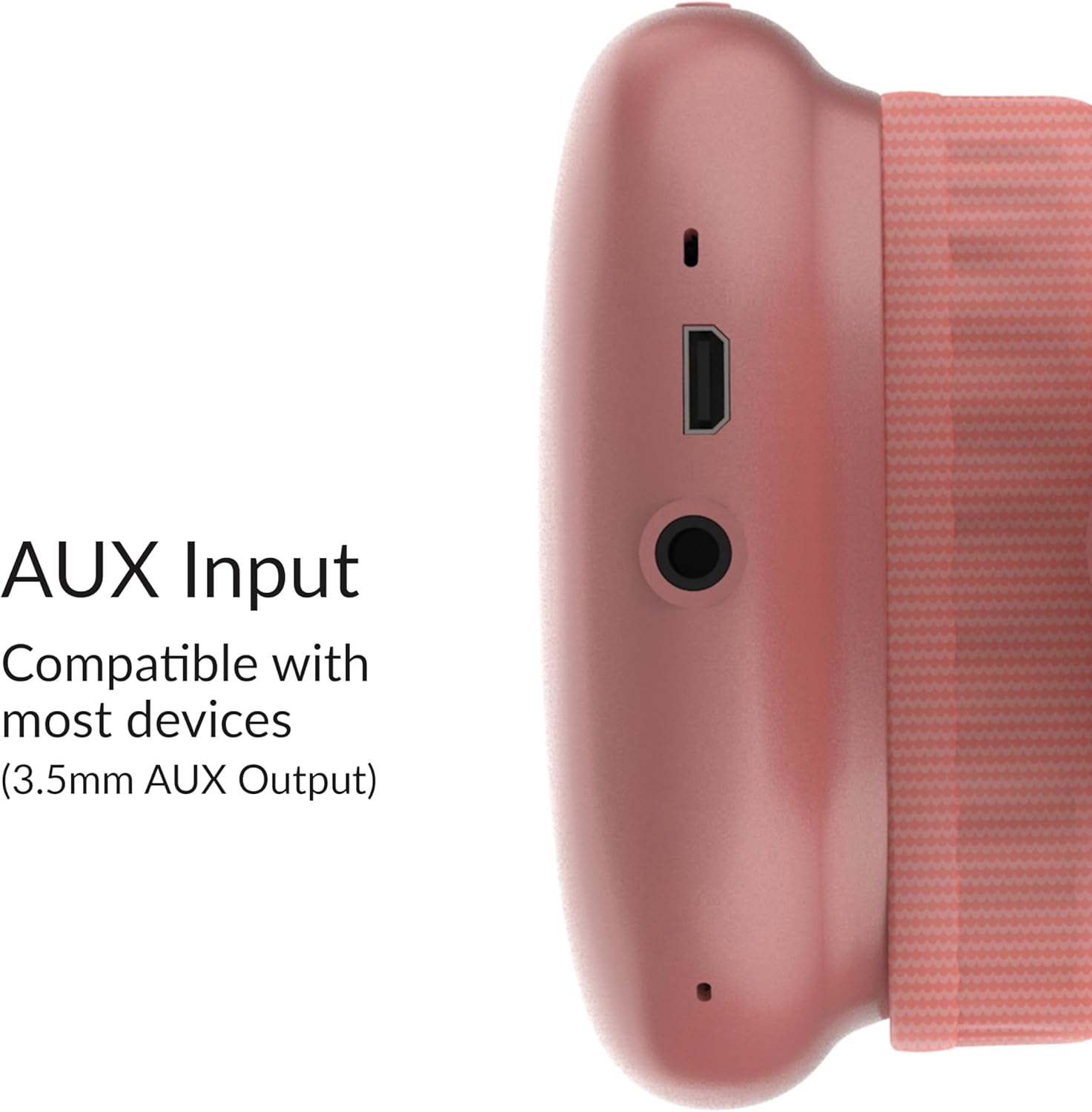
Image: Detailed view of the AUX input port on the headphones.
Operating Instructions
1. Basic Controls
The headphones feature integrated controls for media playback and calls.

Image: Control buttons located on the earcup for easy access.
- Power Button: Press and hold to power on/off. Short press for play/pause (in Bluetooth mode) or answer/end calls.
- Volume Up (+): Short press to increase volume. Long press for next track.
- Volume Down (-): Short press to decrease volume. Long press for previous track.
- Mode Button (M): Short press to switch between Bluetooth, FM Radio, and AUX modes.
2. Using FM Radio
The headphones include a built-in FM radio.
- Press the Mode button (M) to switch to FM Radio mode.
- Press the Power button (short press) to auto-scan and save available FM stations.
- Use the Volume Up (+) and Volume Down (-) buttons (long press) to navigate between saved stations.
- Short press Volume Up (+) or Volume Down (-) to adjust the volume.
3. Hands-Free Calling
The integrated microphone allows for hands-free calls when connected via Bluetooth.
- Answer Call: Short press the Power button when a call comes in.
- End Call: Short press the Power button during a call.
- Reject Call: Press and hold the Power button for 2 seconds when a call comes in.
- Redial Last Number: Double-press the Power button.
Maintenance
To ensure the longevity and optimal performance of your headphones, follow these maintenance guidelines:
- Cleaning: Use a soft, dry cloth to clean the headphones. Do not use abrasive cleaners, solvents, or harsh chemicals.
- Storage: Store the headphones in a cool, dry place away from direct sunlight and extreme temperatures.
- Water Exposure: These headphones are not waterproof. Avoid exposure to water, moisture, or rain.
- Charging: Do not overcharge the battery. Disconnect the charging cable once the headphones are fully charged.
- Handling: Avoid dropping or subjecting the headphones to strong impacts.
Troubleshooting
If you encounter issues with your headphones, refer to the following common problems and solutions:
| Problem | Possible Cause | Solution |
|---|---|---|
| Headphones do not power on. | Low battery. | Charge the headphones for at least 2 hours. |
| Cannot pair via Bluetooth. | Headphones not in pairing mode; device Bluetooth off; too far from device. | Ensure headphones are on and in pairing mode. Turn Bluetooth off and on on your device. Move headphones closer to the device (within 10m). |
| No sound from headphones. | Volume too low; incorrect mode; device not playing audio. | Increase headphone and device volume. Ensure correct mode (Bluetooth/AUX/FM). Check if audio is playing on the connected device. |
| Poor FM radio reception. | Weak signal; environmental interference. | Move to an open area. Re-scan for stations. |
Specifications
| Feature | Detail |
|---|---|
| Model Name | IQ-170BT |
| Brand | Supersonic |
| Connectivity Technology | Wireless (Bluetooth), Wired (3.5mm AUX) |
| Wireless Communication Technology | Bluetooth 5.1 |
| Bluetooth Range | Up to 10 meters (33 feet) |
| Audio Driver Size | 40mm |
| Frequency Response | 20Hz to 20KHz |
| Impedance | 32 Ohm |
| Sensitivity | ≥58dB |
| Battery Life | Up to 6 hours (playtime) |
| Charging Time | Approximately 2 hours |
| Headphones Jack | 3.5 mm Jack |
| Included Features | FM Radio, Hands-Free Mic |
| Control Type | Media Control, Remote |
| Item Weight | 5.9 ounces (167 grams) |
| Product Dimensions | 9 x 0.38 x 6 inches |
| UPC | 639131901704 |
Warranty and Support
For warranty information or technical support, please refer to the documentation included with your purchase or contact Supersonic customer service. Specific warranty terms may vary by region and retailer.
For further assistance, please visit the official Supersonic website or contact their support channels.


