
1. Introduction
This manual provides essential information for the setup, operation, and maintenance of your Nord Stage 4 88-Key Fully-Weighted Electric Keyboard Bundle. Please read this manual thoroughly before using the product to ensure proper functionality and longevity.
The Nord Stage 4 88-Key Fully-Weighted Electric Keyboard Bundle includes:
- Nord Stage 4 88 88-Key Fully-Weighted Keyboard
- Knox Gear Adjustable Double X Keyboard Stand
- Knox Gear Adjustable X-Style Keyboard Bench
- Knox Gear Closed-Back Studio Monitor Headphones
- KSP100 Keyboard Piano Style Sustain Pedal (Black)
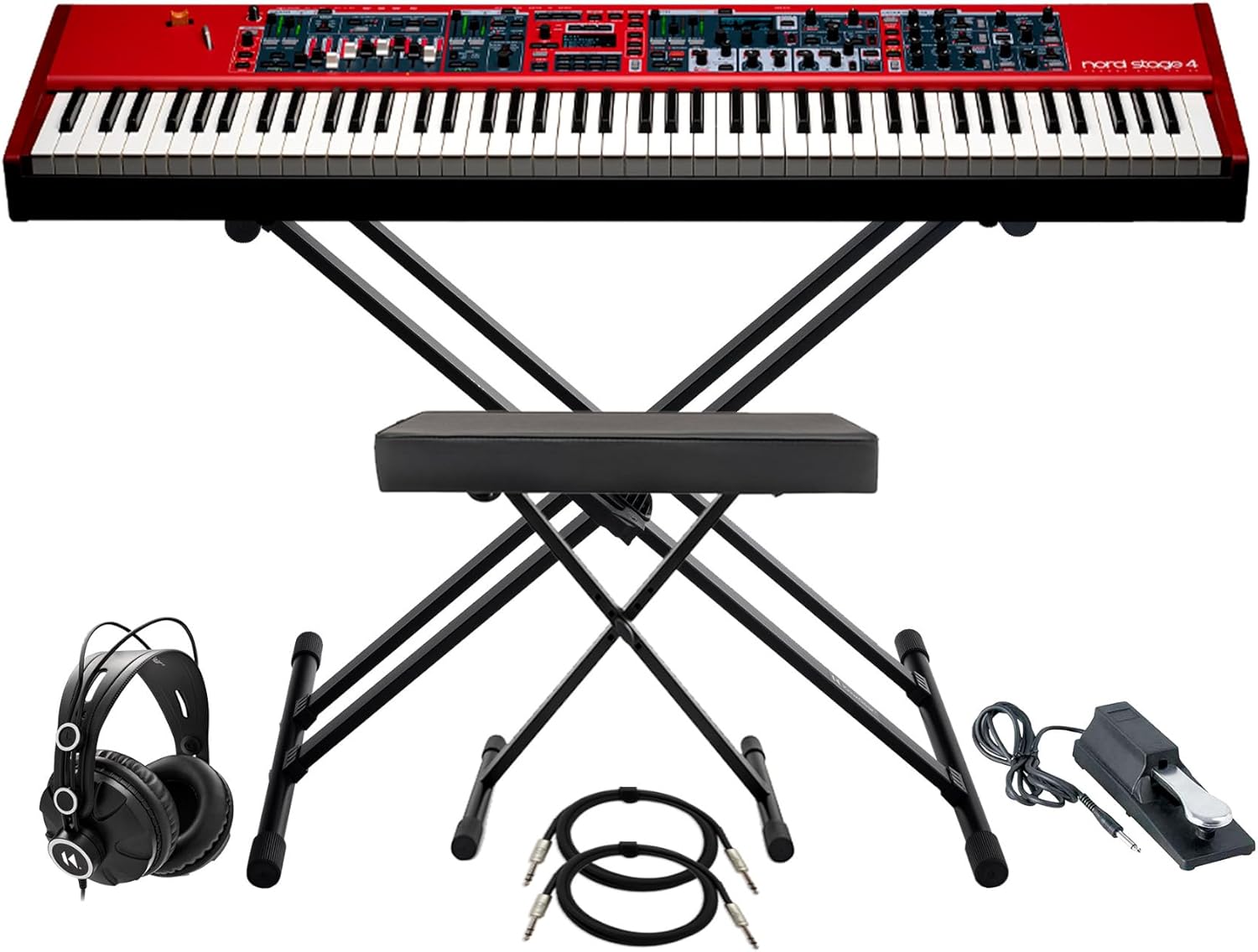
Figure 1: Overview of the Nord Stage 4 88-Key Fully-Weighted Electric Keyboard Bundle components.
2. Setup Guide
2.1 Keyboard Stand Assembly
The Knox Gear Adjustable Double X Keyboard Stand is designed for quick and easy assembly. Minimal assembly is required, and it can be set up in minutes.
- Unpack all components: bars, screws, washers, end caps, nuts, and Allen wrench.
- Follow the included step-by-step instructions to connect the main frame components using the provided hardware.
- Attach the intelligent rubber end caps to the top and bottom bars for anti-slip stability.
- Adjust the stand height using the special sliding lock mechanism. The height can be adjusted from approximately 4 to 38 inches. Note that as the stand lowers, it widens.

Figure 2: The Knox Gear Adjustable Double X Keyboard Stand and X-Style Keyboard Bench.
2.2 Keyboard Bench Assembly
Assemble the Knox Gear Adjustable X-Style Keyboard Bench following the instructions provided with the bench. Ensure all connections are secure for stability.
2.3 Keyboard Placement and Connections
- Carefully place the Nord Stage 4 88-Key Keyboard onto the assembled keyboard stand, ensuring it is centered and stable.
- Connect the power cable to the keyboard's power input and then to a suitable power outlet.
- Connect the KSP100 Keyboard Piano Style Sustain Pedal to the designated sustain pedal input on the keyboard.
- Plug the Knox Gear Closed-Back Studio Monitor Headphones into the 3.5mm headphone jack on the keyboard for private monitoring.
- For external audio output, connect appropriate audio cables (not included) from the keyboard's output jacks to an amplifier, mixer, or audio interface. Refer to Figure 3 for rear panel connections.

Figure 3: Rear panel connections of the Nord Stage 4 88-Key Keyboard.
3. Operating Instructions
3.1 Powering On and Initial Setup
- Ensure all connections are secure before powering on.
- Press the power button on the keyboard. The display will illuminate, indicating the unit is starting up.
- The Nord Stage 4 features a new panel design with dedicated LED faders for each Layer (Piano, Synth, Organ), providing clear visual feedback.

Figure 4: Top panel layout of the Nord Stage 4 88-Key Keyboard.
3.2 Sound Navigation and Layer Scenes
The new Preset Library contains a variety of ready-to-use Piano, Synth, and Organ sounds. Use the navigation controls to browse and select presets.
The Layer Scene feature allows seamless switching between two different sound setups with a single button press, enhancing live performance flexibility.

Figure 5: Detailed view of the Piano section controls on the Nord Stage 4.
3.3 Piano Section
The Piano section features an enhanced collection of Grand, Upright, and Electric Pianos from the exclusive Nord Piano Library. New features include Dynamic Compression and Unison for richer sound.
3.4 Synth Section
The Synth section comprises three independent Layers, powered by the Nord Wave 2 Synth Engine. This includes Virtual Analog synthesis, Samples, FM, and Digital Waves.
An extensive collection of samples from the Nord Sample Library provides a broad palette of Strings, Bass, Choirs, Guitars, and more. The advanced Arpeggiator offers Polyphonic, Gate, and Pattern modes with customizable patterns for rhythmic applications.
4. Maintenance and Care
- Cleaning: Use a soft, dry cloth to clean the surface of the keyboard and accessories. For stubborn marks, a slightly damp cloth can be used, followed by a dry cloth. Avoid abrasive cleaners or solvents.
- Storage: When not in use, store the keyboard in a dry, dust-free environment. If transporting, use a protective case (not included) to prevent damage.
- Environmental Conditions: Avoid exposing the keyboard to extreme temperatures, direct sunlight, high humidity, or excessive dust.
- Cable Management: Ensure cables are not kinked or strained. Disconnect cables by pulling the plug, not the cable itself.
5. Troubleshooting
| Problem | Possible Cause | Solution |
|---|---|---|
| Keyboard does not power on. | Power cable not connected securely; power outlet not active. | Check power cable connections at both the keyboard and the outlet. Test the outlet with another device. |
| No sound from headphones/speakers. | Volume too low; headphones/speakers not connected properly; incorrect output selected. | Increase keyboard volume. Ensure headphones are fully plugged in. Check external speaker/amplifier connections and power. Verify correct output settings on the keyboard. |
| Sustain pedal not working. | Pedal not connected; pedal polarity issue. | Ensure the sustain pedal is fully plugged into the correct jack. Some pedals may require the keyboard to be powered on with the pedal already connected to detect polarity correctly. |
| Keyboard stand feels unstable. | Components not fully tightened; uneven surface. | Re-check all screws and connections on the stand to ensure they are tightened. Place the stand on a flat, level surface. |
6. Specifications
- Model Name: Nord Stage 4
- Number of Keys: 88
- Keybed: Fully-weighted Triple Sensor keybed (A-C) with aftertouch
- Dimensions: Approximately 9.1 x 9.1 x 9.1 inches (Product dimensions, likely for the keyboard itself)
- Item Weight: 1 pounds (Note: This weight appears to be for a component, not the entire keyboard. Refer to official Nord documentation for precise keyboard weight.)
- Connectivity: 3.5mm Jack (Headphones), Auxiliary (General)
- Power Source: Corded Electric
- Color: Red
- UPC: 196271041900
Note: The listed item weight of 1 pound appears to be for a component of the bundle, not the entire Nord Stage 4 keyboard. Please refer to official Nord documentation for precise keyboard weight.
7. Warranty and Support
For warranty information and technical support, please refer to the official Nord website or contact your authorized Nord dealer. Keep your proof of purchase for warranty claims.
Online Resources:
- Official Nord Website: www.nordkeyboards.com
- Product Support: Consult the support section on the official website for FAQs, software updates, and additional documentation.


