
Seasonic Vertex PX-1000 ATX 3.1
Seasonic Vertex PX 1000W Power Supply ATX 3.1 User Manual
Model: Vertex PX-1000 ATX 3.1
1. Introduction
This manual provides essential information for the proper installation, operation, and maintenance of your Seasonic Vertex PX 1000W Power Supply. Please read this guide thoroughly before installation and keep it for future reference.
2. Key Features
- ATX 3.1 / PCIe 5.1 Ready: Equipped with a native 12V-2x6 connector for next-generation graphics cards.
- 80 PLUS and Cybenetics Platinum A Certified: Ensures high power efficiency and reduced energy consumption.
- NVIDIA RTX 5090 / AMD RX 9000 Ready: Designed to support high-performance graphics cards.
- 100% Japanese Capacitors: Utilizes highly reliable 105°C aluminum electrolytic capacitors for extended product life and stable operation under extreme conditions.
- Hybrid Fan Control with 135 mm FDB Fan: Features a Fluid Dynamic Bearing (FDB) fan for smooth rotation, lower noise, and longer life. The hybrid fan control offers fanless, silent, and cooling modes for optimal balance between silence and performance.
- Fully Modular Cabling Design: Allows for optimized cable management and reduced clutter within the computer case.
- Gold-Plated High Current Terminals: Ensures reduced current transmission resistance and increased efficiency for motherboard, CPU, and PCIe connections.
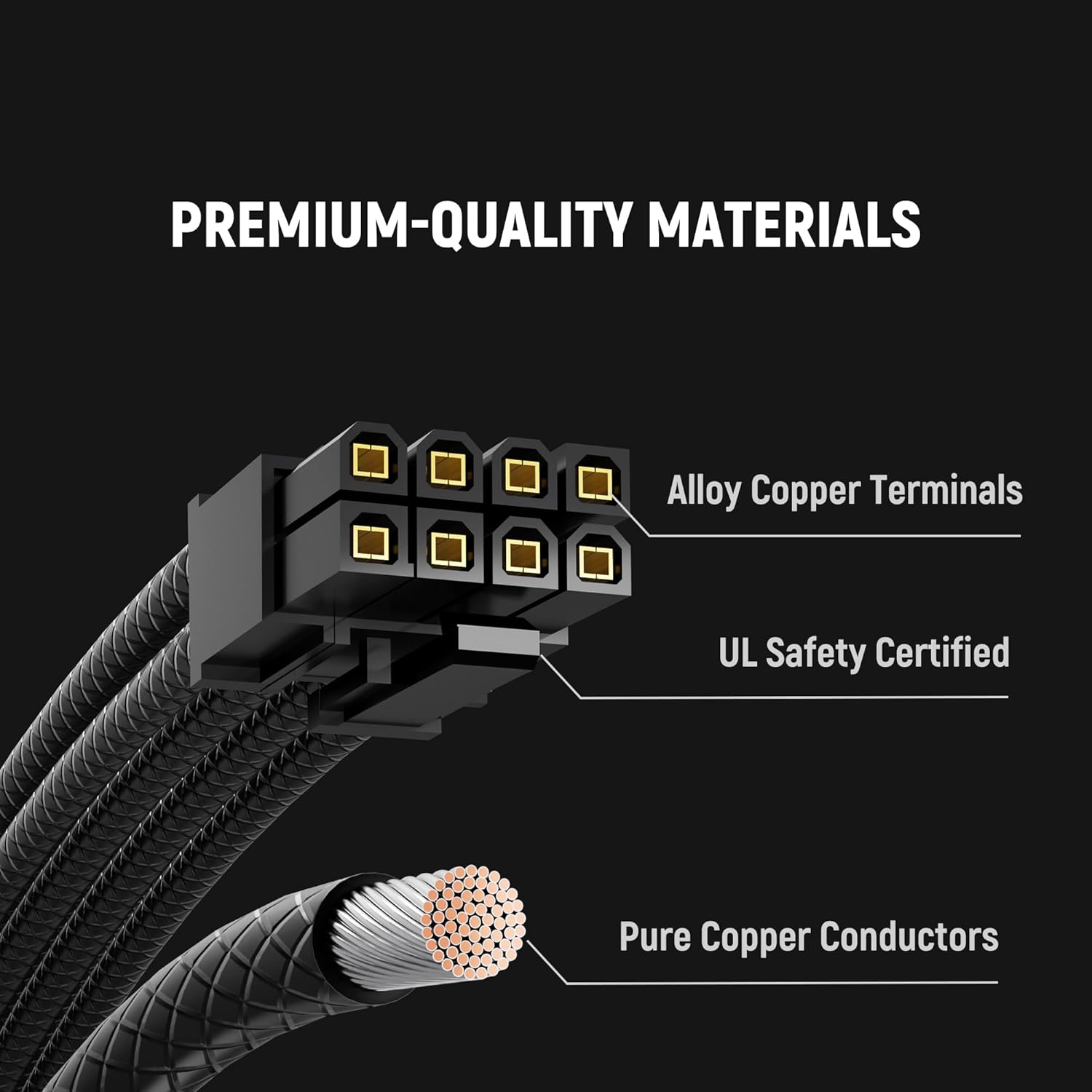
Figure 2.1: Premium Japanese capacitors ensure long-term reliability and stable power delivery.

Figure 2.2: The power supply includes premium braided modular cables for improved aesthetics and cable management.

Figure 2.3: The 135mm Fluid Dynamic Bearing fan provides quiet and efficient cooling, extending the PSU's lifespan.
3. Package Contents
Your Seasonic Vertex PX 1000W Power Supply package includes the following items:
- Seasonic Vertex PX 1000W Power Supply Unit
- Modular Cable Set (including 12V-2x6 12+4-pin cable)
- AC Power Cord
- PSU Tester
- Mounting Screws
- Velcro Cable Ties
- Cable Ties
- PSU and Cable Storage Bags
- User Manual and Quick Installation Guide
- Case Badge

Figure 3.1: Overview of all modular cables included with the Seasonic Vertex PX 1000 Power Supply. This includes the main motherboard cable, CPU power cables, PCI-E cables for graphics cards, SATA power cables for storage devices, MOLEX connectors, and the dedicated 12V-2x6 cable for modern GPUs.
4. Setup and Installation
Follow these steps for safe and proper installation of your Seasonic Vertex PX 1000W Power Supply:
- Prepare Your System:
- Disconnect the AC power cord from the wall socket and the back of your old power supply unit (if applicable).
- Disconnect all DC cable connectors from your components.
- Remove the four mounting screws securing your old PSU and carefully remove it from the case.
- Position Your PSU:
The optimal PSU placement depends on your computer case design. Seasonic generally recommends mounting the PSU with its ventilation fan facing downwards to ensure natural heat dissipation. However, consult your case manufacturer's instructions for specific recommendations.
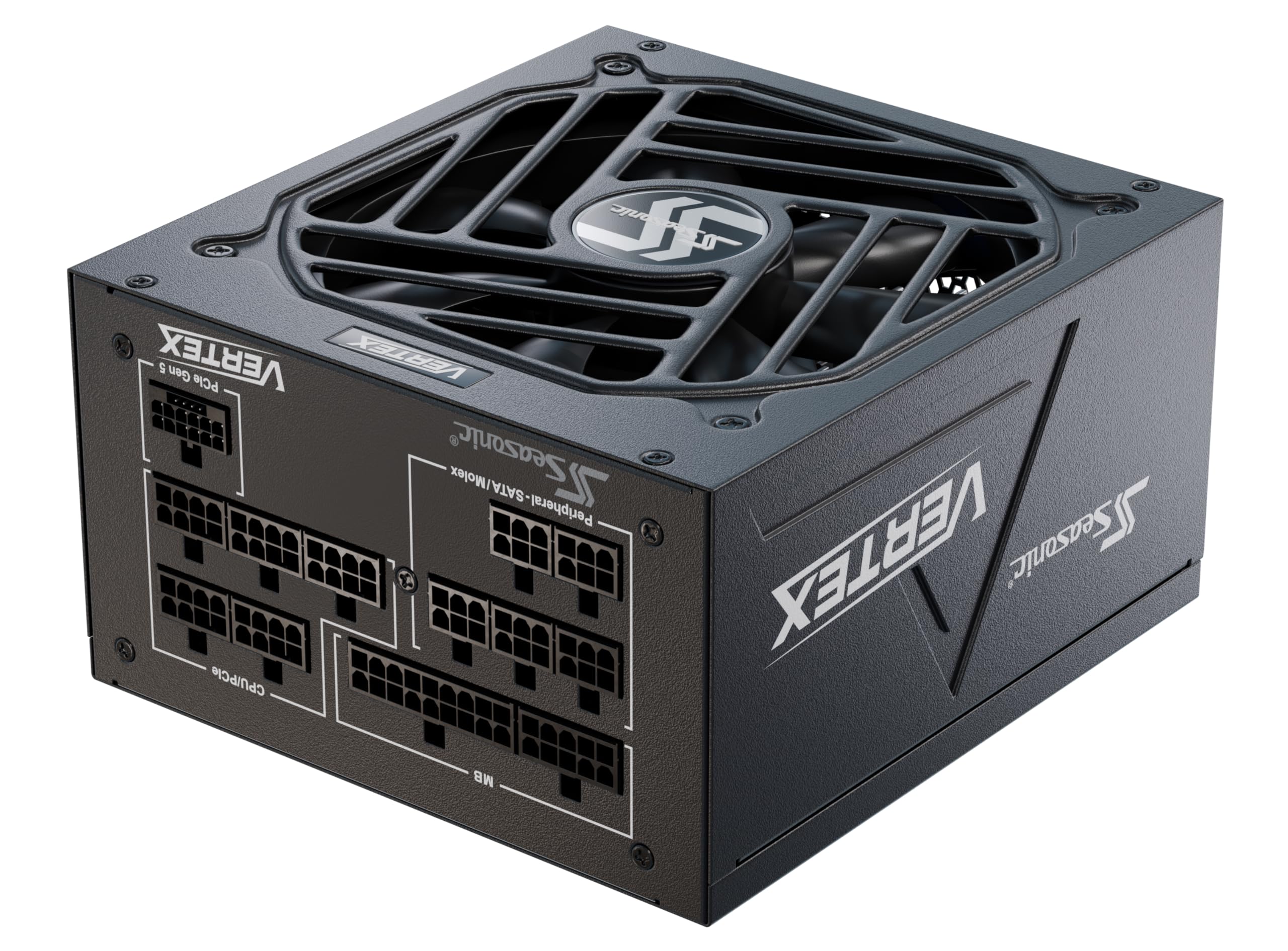
Figure 4.1: The Seasonic Vertex PX 1000W Power Supply features a fully modular design, allowing users to connect only the necessary cables for a cleaner build and improved airflow. The image shows the power supply installed in a typical ATX case, highlighting the modular cable ports.
- Install Your Seasonic PSU:
- Secure the PSU with the four mounting screws provided.
- Connect the necessary modular cables (motherboard, CPU, PCIe, SATA, etc.) to the PSU. Ensure all connections are firm.
- Connect the other ends of the cables to your motherboard, CPU, graphics card, and storage devices.
- Make sure the PSU power switch is in the "O" (OFF) position before connecting the AC power cord.
- Plug the AC power cord into the PSU and then into a wall socket.
- Testing the PSU (Optional):
You can test the PSU functionality before full system assembly using the included PSU tester. Attach the 24-pin motherboard connector to the tester. Turn on the power supply by setting the I/O switch to the "I" (ON) position. If the power supply fan starts spinning (or the externally attached LED light turns on), your PSU is working.
5. Operating Instructions
The Seasonic Vertex PX 1000W features a Hybrid Fan Control system, offering three operational stages:
- Fanless Mode: Provides unsurpassed silent performance at low loads.
- Silent Mode: Optimized for quiet operation while maintaining efficient cooling.
- Cooling Mode: Ensures maximum cooling performance under higher loads.
You can select the fan control type using the switch at the back of the power supply unit. If your PC case requires constant active cooling, ensure the switch is set to the "Normal Mode" (fan always on). If you prefer silent operation at low loads, switch to "Hybrid Mode" (fan stops at low loads).

Figure 5.1: The Hybrid Mode switch on the back of the PSU allows you to toggle between fanless/silent operation at low loads and continuous fan operation. Ensure the PSU is off before changing this setting.
6. Maintenance
To ensure optimal performance and longevity of your power supply, consider the following:
- Dust Removal: Periodically clean dust from the PSU's fan and ventilation grilles using compressed air. Ensure the PSU is powered off and disconnected from the wall outlet before cleaning.
- Cable Management: Maintain tidy cable routing to improve airflow within your computer case, which contributes to better cooling for all components, including the PSU.
- Environmental Conditions: Operate the PSU within recommended temperature and humidity ranges to prevent damage and ensure stable performance.
7. Troubleshooting
If you encounter issues with your Seasonic Vertex PX 1000W Power Supply, try the following steps:
- No Power:
- Ensure the AC power cord is securely connected to both the wall outlet and the PSU.
- Verify that the PSU's I/O switch is in the "I" (ON) position.
- Check your wall outlet by plugging in another device.
- If using a power strip or UPS, ensure it is functioning correctly.
- System Not Booting:
- Double-check all modular cable connections to ensure they are properly seated in both the PSU and the components.
- Ensure the 24-pin motherboard connector and CPU power connectors are correctly installed.
- Test the PSU using the included PSU tester to confirm it is supplying power.
- System Instability/Crashes:
- Ensure your system's power requirements do not exceed the PSU's capacity.
- Check for any loose connections or damaged cables.
- Monitor system temperatures to ensure components are not overheating.
If issues persist after following these steps, please contact Seasonic customer support for further assistance.
8. Specifications
| Feature | Detail |
|---|---|
| Model Name | Vertex PX-1000 ATX 3.1 |
| Output Wattage | 1000 Watts |
| Efficiency Certification | 80 PLUS Platinum, Cybenetics Platinum A |
| Form Factor | ATX |
| Dimensions (L x W x H) | 6.3 x 5.9 x 3.4 inches (160 x 150 x 86 mm) |
| Item Weight | 5.94 pounds (2.7 Kilograms) |
| Cooling Method | Air (135 mm Fluid Dynamic Bearing Fan with Hybrid Fan Control) |
| Compatible Devices | Personal Computer |
| Connector Type | ATX (Fully Modular) |
| ATX Standard | ATX 3.1 / PCIe 5.1 (Native 12V-2x6 connector) |
9. Warranty and Support
The Seasonic Vertex PX 1000W Power Supply comes with a 12-year warranty, reflecting Seasonic's commitment to superior quality and reliability.
For technical support, warranty claims, or additional product information, please visit the official Seasonic website or contact their customer service department.
Online Resources:
- Seasonic Official Website: www.seasonic.com
- Product Registration: Register your product online to activate your warranty and receive updates.