
Genérico Short USB to Type-C Charging Cable
USB to Type-C Short Cable User Manual
Brand: Genérico | Model: Short USB to Type-C Charging Cable
1. Product Overview
This short USB to Type-C cable is designed for efficient charging of various smart devices, including wireless headphones, Bluetooth devices, and other electronics equipped with a Type-C input port. Its compact length makes it ideal for portable use and minimizing cable clutter.
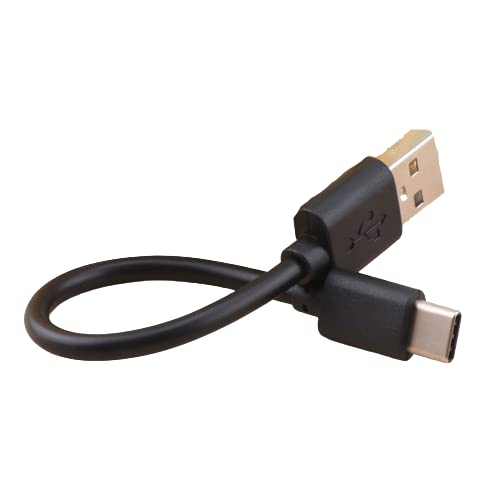
Image: A short black USB to Type-C cable, neatly coiled to show its compact size and the two distinct connector types.
2. Key Features
- Compact Design: Short length for portability and reduced tangling.
- Universal Compatibility: Features a standard USB-A connector on one end and a reversible Type-C connector on the other.
- Charging Capability: Optimized for charging wireless headphones, Bluetooth devices, and other Type-C enabled electronics.
- Data Transfer Support: Capable of data transfer for devices with Type-C input, though primary function is charging.
Image: The short black USB to Type-C cable resting on a light wooden surface, with a blurred background of light-colored artificial flowers, illustrating its practical use in various settings.
3. Setup Instructions
- Identify Ports: Locate the standard USB-A port on your power source (e.g., wall adapter, computer, power bank) and the Type-C input port on your device (e.g., wireless earbud case, smartphone, tablet).
- Connect to Power Source: Insert the USB-A end of the cable into the USB-A port of your power source.
- Connect to Device: Insert the Type-C end of the cable into the Type-C input port of the device you wish to charge or connect. The Type-C connector is reversible, so it can be inserted in either orientation.
- Verify Connection: Ensure both ends of the cable are securely seated in their respective ports. Your device should indicate that it is charging or connected.
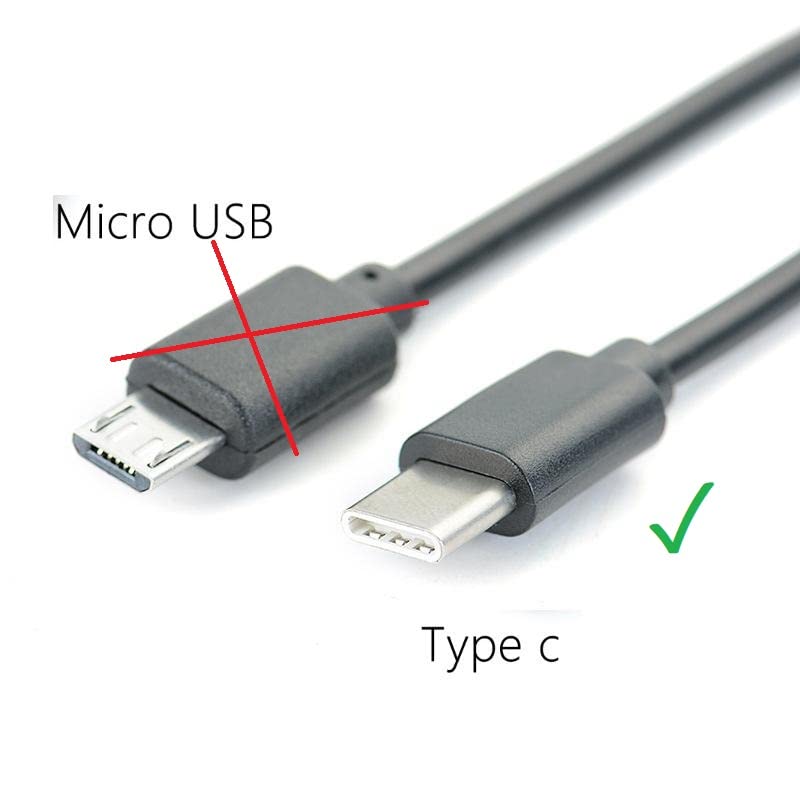
Image: A visual comparison between a Micro USB connector (marked with a red cross, indicating incompatibility) and a Type-C connector (marked with a green checkmark, indicating compatibility), highlighting the correct port type for this cable.
4. Operating Instructions
Once connected, the cable facilitates power transfer for charging. For data transfer, ensure your device and the connected port support data communication via USB-C. The cable is designed to provide a stable connection for both charging and basic data synchronization.
5. Maintenance
- Cleaning: Use a dry, soft cloth to wipe the cable and connectors. Avoid using liquids or abrasive cleaners.
- Storage: Store the cable in a cool, dry place away from direct sunlight and extreme temperatures. Avoid tightly coiling or bending the cable at sharp angles to prevent internal damage.
- Handling: Always grasp the connector head when plugging or unplugging the cable, rather than pulling on the cable itself, to prevent damage to the wires.
6. Troubleshooting
- Device Not Charging:
- Ensure both ends of the cable are fully inserted into their respective ports.
- Verify that the power source (e.g., wall adapter) is functioning correctly and providing power.
- Check if the device's charging port is clean and free of debris.
- Try using a different power source or a different Type-C device to isolate the issue.
- Slow Charging:
- Ensure your power source provides sufficient output for your device.
- Avoid using the device heavily while charging.
- Data Transfer/Mirroring Not Working:
- While this cable supports data transfer, its primary optimization is for charging.
- Ensure that both the connected device and the receiving port (e.g., car infotainment system, computer) are designed to support data mirroring or specific data protocols via a standard USB-C connection. Some systems may require specific cables or drivers.
7. Specifications
| Brand | Genérico |
| Connector Type | USB Type-A to USB Type-C |
| Cable Type | USB |
| Compatible Devices | Any device with a USB-C port (e.g., wireless headphones, Bluetooth devices, smartphones, tablets) |
| Primary Function | Charging and data transfer |
8. Warranty and Support
For information regarding warranty coverage, returns, or technical support, please refer to the retailer's policy where the product was purchased or contact the manufacturer directly. Keep your proof of purchase for any warranty claims.
Related documentsShort USB to Type-C Charging Cable


Ask a question about this manual
Ask about setup, troubleshooting, compatibility, parts, safety, or missing instructions. Manuals+ will review the question and use this page’s manual context to help answer it.