
1. Introduction
This manual provides essential information for the safe and efficient use of your General Trade DICTROLUX 2250W Steam Iron. Please read these instructions carefully before using the appliance and retain them for future reference. Proper use and maintenance will ensure optimal performance and extend the lifespan of your iron.
2. Important Safety Instructions
- Always ensure the voltage indicated on the rating plate matches your mains supply voltage.
- Do not immerse the iron, power cord, or plug in water or other liquids.
- Unplug the iron from the electrical outlet when filling with water, emptying, or when not in use.
- Keep the iron and its cord out of reach of children when it is switched on or cooling down.
- Never leave the iron unattended while it is connected to the power supply.
- Do not operate the iron with a damaged cord or plug, or if the iron has been dropped or damaged.
- Place the iron on a stable, heat-resistant surface when resting.
- The soleplate can become extremely hot; avoid direct contact with skin.
- Use distilled or demineralized water to prevent mineral buildup, especially in hard water areas.
3. Product Overview
Familiarize yourself with the components of your DICTROLUX steam iron.
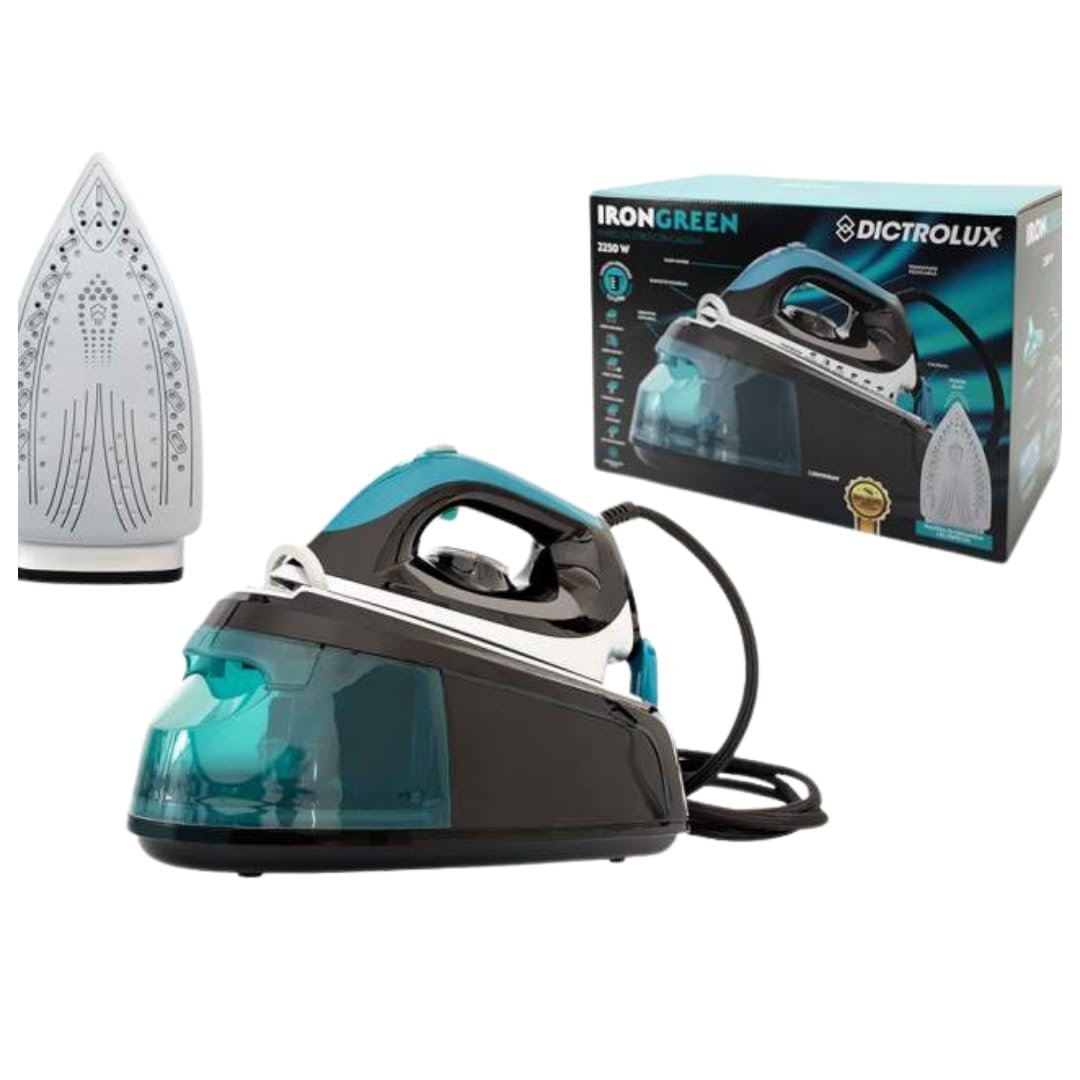
An image showing the General Trade DICTROLUX 2250W Steam Iron, highlighting its design and key components. This includes the handle, water tank, temperature dial, steam button, spray nozzle, and soleplate.
- Water Tank Cap
- Spray Nozzle
- Steam Button
- Temperature Control Dial
- Power Indicator Light
- Handle
- Soleplate
- Water Filling Inlet
4. Setup
4.1 First Use
- Remove all packaging materials and labels from the iron.
- Before first use, iron an old piece of fabric (e.g., an old towel) to remove any manufacturing residues from the soleplate. A slight odor or smoke may occur during the first use; this is normal and will dissipate.
4.2 Filling the Water Tank
- Ensure the iron is unplugged from the power outlet.
- Open the water tank cap.
- Fill the water tank with distilled or demineralized water up to the 'MAX' fill line. Do not overfill.
- Close the water tank cap securely.
5. Operating Instructions
5.1 Temperature Setting
- Plug the iron into a suitable power outlet.
- Turn the temperature control dial to the desired setting according to the fabric type. Refer to the fabric care labels on your garments.
- The power indicator light will illuminate, indicating the iron is heating up. It will turn off when the set temperature is reached.
5.2 Dry Ironing
- Ensure the water tank is empty or the steam function is turned off.
- Set the desired temperature and wait for the indicator light to turn off.
- Iron the fabric as usual.
5.3 Steam Ironing
- Fill the water tank as described in Section 4.2.
- Set the temperature control dial to the steam ironing range (usually marked with steam symbols).
- Wait for the indicator light to turn off, signifying the iron has reached the correct temperature for steam.
- Press the steam button periodically to release bursts of steam as you iron.
5.4 Spray Function
- The spray function can be used for both dry and steam ironing to dampen stubborn creases.
- Press the spray button to release a fine mist of water onto the fabric.
6. Maintenance
6.1 Cleaning the Soleplate
- After each use, allow the iron to cool completely.
- Wipe the soleplate with a damp cloth and a non-abrasive cleaner if necessary. Do not use harsh scouring pads or metallic cleaners.
6.2 Descaling (Anti-Calc)
Regular descaling helps maintain steam performance and prolong the life of your iron. The frequency depends on water hardness and usage.
- Fill the water tank with a descaling solution specifically designed for irons, following the product's instructions. Alternatively, use a mixture of equal parts white vinegar and distilled water.
- Heat the iron to its maximum temperature setting.
- Press the steam button repeatedly over an old cloth to flush out mineral deposits.
- After descaling, rinse the water tank thoroughly with clean water and repeat the steaming process with clean water to remove any residue.
6.3 Storage
- Always empty the water tank after each use.
- Allow the iron to cool down completely before storing.
- Store the iron upright on its heel rest in a dry, safe place.
7. Troubleshooting
| Problem | Possible Cause | Solution |
|---|---|---|
| Iron does not heat up. | Not plugged in; power outlet fault; temperature dial set to MIN. | Check power connection; try another outlet; set temperature dial to desired heat. |
| No steam produced. | Water tank empty; temperature too low for steam; steam button not pressed. | Fill water tank; set temperature to steam range; press steam button. |
| Water leaks from soleplate. | Temperature too low for steam; water tank overfilled; mineral buildup. | Increase temperature; do not overfill; descale the iron. |
| Soleplate is dirty. | Residue from fabric or starch. | Clean the soleplate as described in Section 6.1. |
8. Technical Specifications
- Model: GNR12057
- Power: 2250W
- Material (Soleplate): Aluminum
- Weight: Approximately 1 Kilogram
- ASIN: B0C5439RJX
9. Warranty and Support
General Trade products are manufactured to high-quality standards. For specific warranty information, please refer to the warranty card included with your purchase or contact your retailer. In case of technical issues or questions not covered in this manual, please contact General Trade customer support through your point of purchase or the official General Trade website for assistance.
Please have your model number (GNR12057) and ASIN (B0C5439RJX) ready when contacting support.